
Nanobanana Same Place Consistency Test: How to Keep the Same Position Across Images
Nanobanana Same Place Consistency Test: How to Keep the Same Position Across Images
When people search for nanobanana same place consistency, they usually want one thing: can the model keep a subject, object, or brand element in the same visual position across multiple generations?
This matters a lot for:
- product series
- ad variations
- storyboard frames
- character consistency
- before/after edits
- multi-scene marketing assets
In this article, we compare the main ways to maintain position consistency, show where Nano Banana is strong, and help you decide which workflow fits your needs.
What “Same Place Consistency” Actually Means
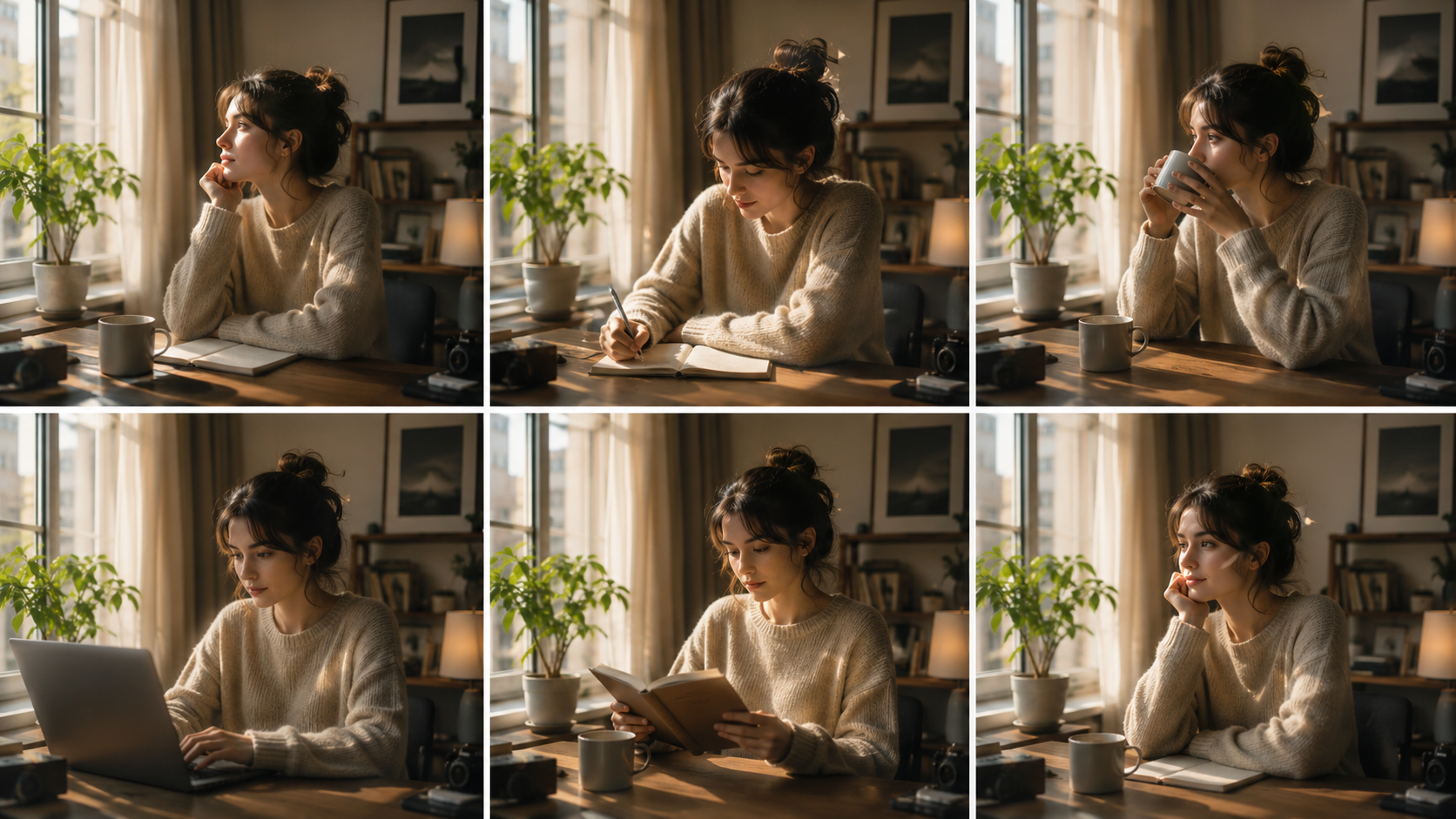
“Same place consistency” is not just about keeping the same object in the image. It means the subject should stay stable in:
- location: left, center, right, top, bottom
- scale: similar size across versions
- framing: close-up, medium shot, full scene
- orientation: facing direction, angle, pose
- context: lighting, background, surrounding elements
If a model is good at same-place consistency, you can make a series of visuals where the main subject does not drift every time you edit or regenerate.
Evaluation Criteria
To compare solutions fairly, this article uses five practical criteria:
| Criterion | What It Measures | Why It Matters |
|---|---|---|
| Position stability | Whether the subject stays in the same spot | Core requirement for layout-sensitive work |
| Structural consistency | Whether pose, size, and framing remain aligned | Important for series assets and storyboards |
| Editing control | Whether you can refine specific areas without breaking layout | Useful for commercial revisions |
| Text and brand handling | Whether typography and branding stay clean | Critical for posters, packaging, and ads |
| Speed and iteration | How fast you can generate and revise | Affects real production workflows |
Quick Comparison: Which Workflow Is Best?
| Option | Position Stability | Text/Brand Consistency | Editing Flexibility | Best For | Main Limitation |
|---|---|---|---|---|---|
| Nano Banana 2 | High | High | High | Marketing, branding, storyboard, product visuals | Best results still depend on clear references and framing |
| General image generators | Medium | Medium | Medium | Fast concept exploration | Subject drift is more common |
| Manual design tools | Very high | Very high | Very high | Precision layout, final production | Slower and more labor-intensive |
If your priority is same-place consistency with speed and semantic editing, Nano Banana 2 is the strongest middle-ground.
Nano Banana 2 at a Glance
Nano Banana 2 is described as a next-generation visual model for:
- text-to-image generation
- image-to-image generation
- semantic editing
- multilingual typography
- style consistency
- 1K / 2K / 4K output
It is designed for workflows where visual coherence matters, especially when you need to keep characters, objects, and brand elements stable across multiple outputs.
How Nano Banana Helps with Same Place Consistency
Based on its core capabilities, Nano Banana 2 is useful for position consistency in four ways:

1. Stable subject generation
The model is built to maintain stable subjects and structure during initial generation. That means your main object is less likely to move unpredictably between iterations.
2. Reference-based control
You can set prompts and references, including multiple reference images, to guide style, framing, and layout. This helps anchor the subject in a familiar position.
3. Semantic editing
Instead of redrawing the whole image, you can refine local elements, swap objects, extend the scene, or remove marks while keeping lighting and context aligned. This reduces layout drift.
4. Reusable characters and styles
For series content, you can reuse characters and style cues across outputs, which is especially useful when the same person or product must appear in the same general placement.
Side-by-Side Decision Guide
Use this table to decide whether Nano Banana is the right tool for your project.
| Your Goal | Best Choice | Why |
|---|---|---|
| Keep a character in the same spot across multiple scenes | Nano Banana 2 | Strong character and structure consistency |
| Make posters with readable text and brand alignment | Nano Banana 2 | Better text handling and typography support |
| Create rough concept art quickly | General image generator | Faster for exploration, less need for precision |
| Produce final layout-perfect assets | Manual design tool | Highest control over exact placement |
| Edit one object without breaking the rest of the image | Nano Banana 2 | Semantic editing is a major advantage |
Who Nano Banana 2 Is Best For
1. Marketing teams
Best for: campaign visuals, product promotions, A/B creative variations
Advantages:
- keeps brand elements coherent
- supports clean typography
- fast turnaround for multiple variations
Limitations:
- highly exact layout control may still require external design polish
Typical use cases:
- hero banners
- seasonal campaign posters
- social media ad sets
2. E-commerce teams
Best for: product shots, packaging mockups, category banners
Advantages:
- consistent visual presentation
- good for text-rich product materials
- can maintain product placement across scenes
Limitations:
- complex product geometry may still need human review
Typical use cases:
- storefront banners
- packaging concepts
- product story visuals
3. Storyboard and content creators
Best for: sequential frames, character continuity, scene-to-scene planning
Advantages:
- stable subjects and structure
- reusable character styling
- quick iteration for different shots
Limitations:
- not a replacement for final animation or frame-by-frame production
Typical use cases:
- storyboards
- pitch decks
- visual planning for video content
4. Brand designers
Best for: identity-consistent visuals, multilingual posters, branded infographics
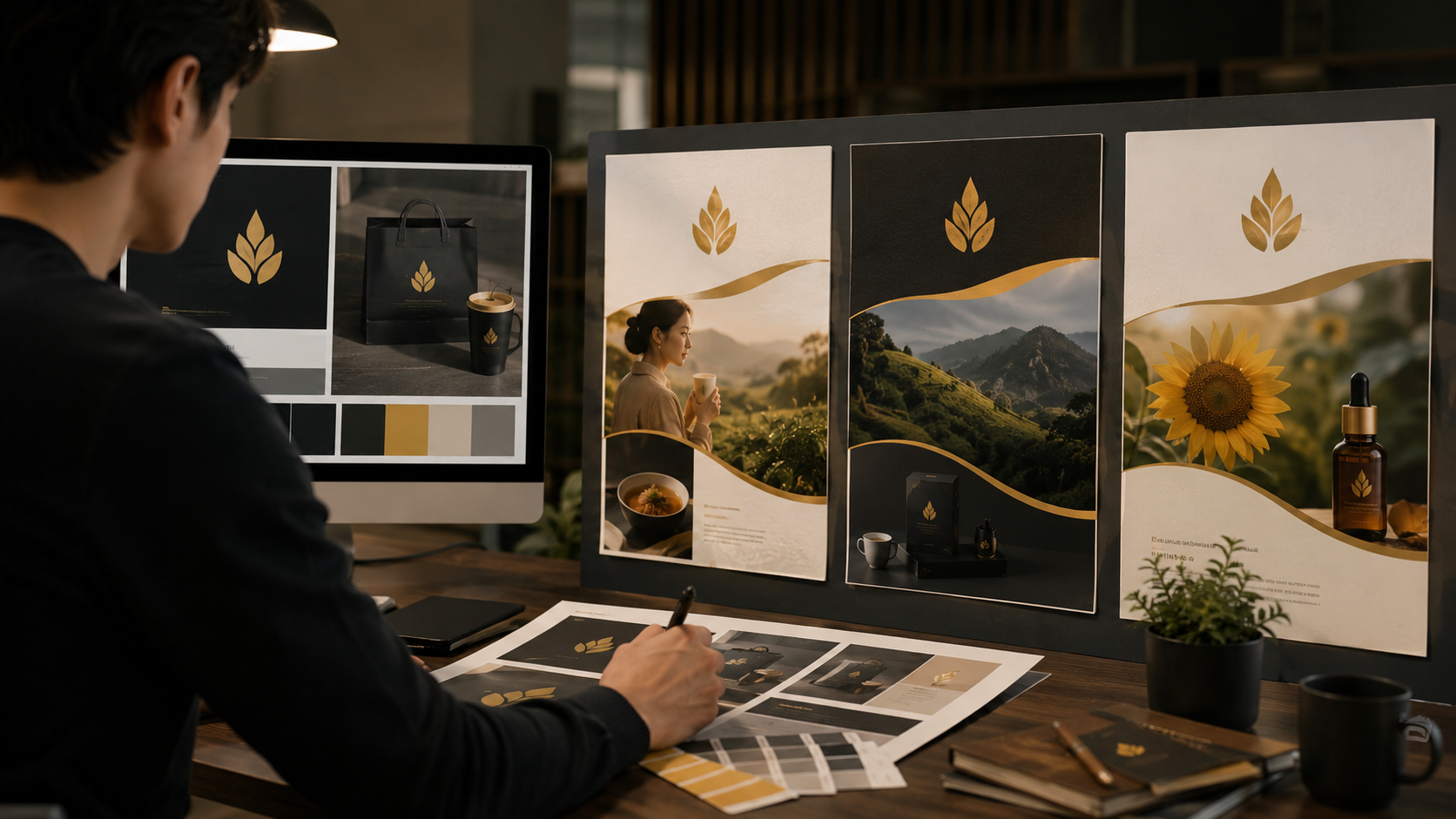
Advantages:
- stronger brand coherence
- readable text and layout support
- easier semantic revision
Limitations:
- precise grid-based design still benefits from manual adjustment
Typical use cases:
- posters
- infographics
- launch assets
Strengths and Limits of Nano Banana for Same-Place Consistency
| Aspect | Strength | Limitation |
|---|---|---|
| Subject placement | Better stability than generic generation | Not absolute pixel-level lock |
| Revisions | Semantic edits reduce layout disruption | Very complex scenes may still shift |
| Typography | Good for readable text and multilingual copy | Final brand work may need proofing |
| Series generation | Good for recurring characters and styles | Requires good reference setup |
| Output quality | Supports 1K/2K/4K exports | Higher resolution does not automatically guarantee perfect consistency |
Practical Recommendation by User Type
If you need fast, reliable consistency for business visuals
Choose Nano Banana 2. It is the most balanced option for speed, consistency, and editing flexibility.
If you only need rough creative exploration
A general image generator may be enough. You will trade consistency for speed and variety.
If you need exact final placement
Use manual design software after generation. This is the best path for pixel-perfect layouts.
Suggested Workflow for Better Position Consistency
Here is a practical, non-technical workflow that works well for most users:
-
Start with a clear subject and composition
- Define what must stay fixed.
- Decide where it should appear in the frame.
-
Use reference images
- Provide examples that show the desired placement and framing.
- Keep the references visually consistent.
-
Generate the first version
- Evaluate whether the main subject stays in the intended position.
- Check scale, angle, and spacing.
-
Refine locally
- Edit only what needs changing.
- Avoid unnecessary full-image regeneration when possible.
-
Reuse the same visual logic
- Keep style, framing, and character cues stable across the series.
This workflow is especially useful when building a campaign or a storyboard that must look coherent from one frame to the next.
FAQ
What does “same place consistency” mean in AI image generation?
It means the subject keeps the same visual position, scale, and framing across different generated images or edits.
Is Nano Banana good for keeping objects in the same place?
Yes. It is designed for stable subjects, semantic editing, and consistent visual structure, which makes it suitable for position-sensitive work.
Can Nano Banana keep brand elements consistent too?
Yes. Its strength includes consistent characters and branding, which helps keep logos, product cues, and visual identity coherent.
Is it enough for final production design?
It can produce strong draft and near-final assets, but highly precise layout work may still need manual design adjustments.
What is the biggest advantage over regular image generators?
Better consistency in subject placement, editing control, and text handling.
Final Verdict: Which Option Should You Choose?
Here is the clearest way to decide:
Choose Nano Banana 2 if you need:
- stable subject positioning
- consistent branding across scenes
- readable text and multilingual visuals
- fast iteration with semantic editing
- series content with recurring characters or objects
Choose a general image generator if you need:
- quick inspiration
- broad creative exploration
- less concern about exact placement
Choose manual design tools if you need:
- pixel-level alignment
- final commercial layout control
- production-grade typographic precision
Bottom Line
For nanobanana same place consistency, Nano Banana 2 stands out as a strong practical choice for creators and teams who want stable placement, semantic editing, and reusable visual consistency without giving up speed.
If your work depends on keeping the same subject in roughly the same place across multiple images, it is a highly relevant option—especially for marketing, e-commerce, storyboards, and brand content.