
Nanobanana Pro Deep Review: Advanced Features Every Pro User Should Know
Nanobanana Pro Deep Review: Advanced Features Every Pro User Should Know
If you are evaluating nanobananana for professional visual production, the real question is not whether it can generate images—it is whether it can help you ship consistent, editable, high-quality visuals at scale. This review focuses on decision-making: what it does best, where it is weaker, and which type of user should choose it.
Nanobanana Pro is positioned as a next-generation visual model built around text/image-to-image generation, semantic editing, multilingual typography, and style consistency with outputs up to 1K, 2K, and 4K. It is designed for teams and creators who need fast iteration, reliable structure, and reusable visual assets.
Evaluation Criteria
To make the comparison practical, this article evaluates Nanobanana Pro across the following dimensions:
- Output quality — clarity, detail, and visual polish
- Editing precision — how well it handles object replacement, repainting, and scene extension
- Consistency — character, brand, and style continuity across multiple outputs
- Typography support — readability of text, multilingual layouts, and poster-style compositions
- Workflow speed — how quickly teams can move from brief to usable output
- Resolution flexibility — suitability for 1K, 2K, and 4K delivery
- Team usability — how well it supports campaigns, series content, and repeated production
Quick Comparison Table
| Feature | Nanobanana Pro | Traditional Image Generator | Standard Image Editor |
|---|---|---|---|
| Text-to-image generation | Yes | Yes | No |
| Image-to-image generation | Yes | Sometimes | Limited |
| Semantic editing | Strong | Weak to moderate | Strong, but manual |
| Character consistency | Strong | Often inconsistent | Manual effort required |
| Brand consistency | Strong | Moderate | Manual effort required |
| Multilingual typography | Strong | Often unreliable | Depends on manual design work |
| Resolution options | 1K / 2K / 4K | Varies | Depends on source asset |
| Speed for iteration | Fast | Fast | Slower |
| Best use case | Marketing, campaigns, ecommerce, storyboards | General concept generation | Precision retouching and final production |
What Nanobanana Pro Does Best
Nanobanana Pro combines generation and editing in a way that is especially useful for professional workflows. Instead of creating a single image and stopping there, it supports a full iteration process:
- generate a first version quickly
- refine specific regions semantically
- keep subjects stable
- reuse visual style and characters across a series
- export in multiple resolutions
This makes it more useful for production pipelines than for one-off creative experiments.
Feature-by-Feature Review
1. Text and Image to Image Generation
Nanobanana Pro supports both prompt-based generation and reference-driven transformation. That means you can start from text, an existing image, or a combination of both.
Why it matters
Professional users rarely work from scratch only. They often need to:
- adapt a product shot into a campaign visual
- transform a reference into a new format
- maintain the same visual language across multiple deliverables
Strengths
- Produces visuals in 1K, 2K, and 4K
- Handles both realistic and stylized outputs
- Supports rapid concept iteration
Limitations
- Like most generative tools, final accuracy still depends on the quality of the brief
- Complex creative direction may require several passes
Best for
- Marketing teams
- Ecommerce brands
- Creative agencies
- Storyboard artists
2. Smart Editing and Repainting
One of the strongest reasons to consider Nanobanana Pro is its semantic editing ability. It can replace objects, remove watermarks, extend scenes, and refine details while keeping the visual context aligned.
Why it matters
This is not just about making an image “look better.” It is about changing an image without breaking:
- lighting
- composition
- perspective
- subject identity
Strengths
- Context-aware object replacement
- Scene extension without obvious seams
- Watermark removal and cleanup support
- Better alignment between edits and original lighting
Limitations
- Very complex scenes may still need manual touch-up
- Precision editing is strong, but not identical to full professional retouching software
Best for
- Designers preparing campaign assets
- Content teams repurposing visuals
- Product marketing teams
- Social media production workflows

3. Consistent Characters and Branding
Consistency is a major differentiator. Nanobanana Pro is designed to keep people, characters, and brand elements coherent across scenes.
Why it matters
For series content, inconsistency is one of the biggest production problems. If a character changes face, hairstyle, outfit proportions, or brand placement from image to image, the whole campaign loses credibility.
Strengths
- Reusable character identity
- Stable brand elements
- Better continuity across multiple assets
- Helpful for ongoing campaigns and episodic content
Limitations
- Consistency is strong, but it still benefits from clear reference images
- Highly experimental styles may reduce identity stability
Best for
- Brand campaign teams
- Narrative content creators
- Ad agencies
- Ecommerce brands producing repeated product scenes
4. Typography and Readability
Nanobanana Pro claims strong support for crisp text and detailed layouts, including long paragraphs, tables, and multilingual copy.
Why it matters
Many image models struggle with readable typography. That makes them unsuitable for:
- posters
- packaging mockups
- infographics
- multilingual promotional assets
Strengths
- Better readability than typical image generators
- Suitable for text-heavy visual layouts
- Supports multilingual design use cases
Limitations
- Final production assets may still require layout verification
- Very dense text content can vary in accuracy depending on complexity
Best for
- Poster design
- Packaging concepts
- Event graphics
- Infographics and presentation visuals
5. Speed and Workflow Efficiency
Nanobanana Pro is built for fast first-pass generation, with outputs reportedly available in 10–30 seconds.
Why it matters
Speed is critical for teams that need:
- multiple concepts in a single review cycle
- quick revisions after client feedback
- fast A/B visual testing
Strengths
- Fast first-pass results
- Efficient iteration
- Reduced turnaround time for repeated assets
Limitations
- Speed does not eliminate the need for review
- Highly polished final assets may still need post-processing
Best for
- Fast-moving marketing teams
- Agencies with frequent revisions
- Content studios producing high-volume assets
6. Resolution and Export Flexibility
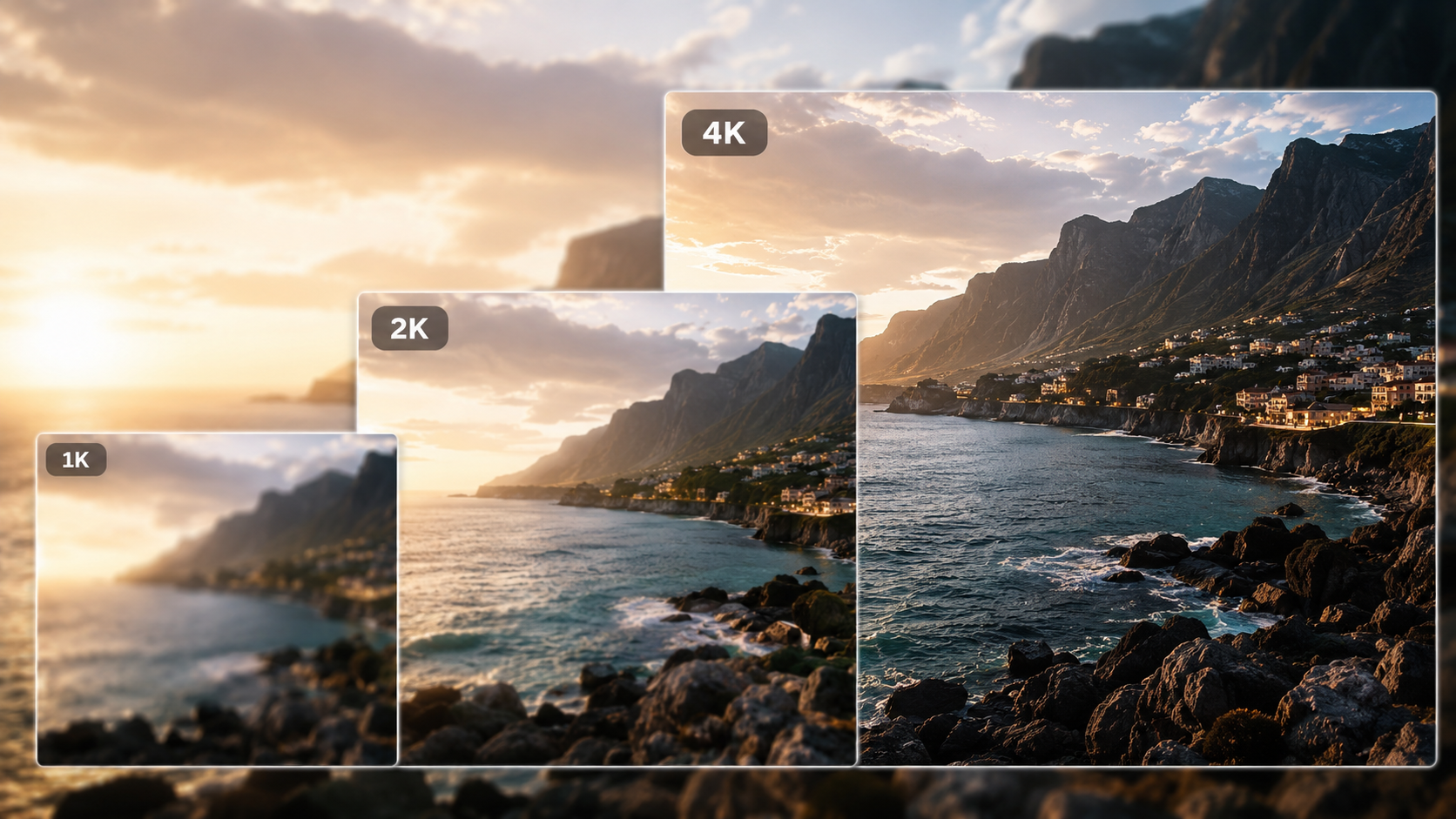
The platform supports 1K, 2K, and 4K outputs, which makes it flexible for different production needs.
Why it matters
Different channels demand different file quality:
- 1K for fast previews and lightweight content
- 2K for standard web and social delivery
- 4K for premium presentations, print-adjacent work, and high-detail usage
Strengths
- Flexible output sizes
- Suitable for both draft and final-use scenarios
- Good for scaling production quality based on channel
Limitations
- Higher resolution output may not always be necessary for every workflow
- Teams still need to match output size to final distribution requirements
Best for
- Brand and marketing teams
- Designers preparing multi-channel content
- Editorial and presentation workflows
Who Should Use Nanobanana Pro?
1. Professional Marketers
If you need campaign-ready visuals, brand consistency, and quick iterations, Nanobanana Pro is a strong fit.
Why it works
- Supports repeated brand elements
- Produces polished marketing visuals
- Handles text-rich assets better than many generators
Use cases
- Product launches
- Ad creatives
- Social campaign visuals
- Promotional posters
2. Ecommerce Teams
Ecommerce users often need clean hero shots, contextual scenes, and product variations.
Why it works
- Can generate ecommerce-style visuals quickly
- Useful for seasonal campaigns and landing pages
- Helps create multiple assets from the same core idea
Use cases
- Hero banners
- Product storytelling
- Seasonal promotions
- Marketplace visuals
3. Creative Agencies
Agencies benefit from fast iteration, semantic editing, and consistency across deliverables.
Why it works
- Reduces concept-to-review time
- Supports client revisions
- Helps maintain visual continuity across series
Use cases
- Campaign development
- Storyboards
- Concept boards
- Brand system exploration
4. Content Studios and In-House Design Teams
Teams producing a high volume of content need a tool that is both fast and repeatable.
Why it works
- Faster than manual design for many tasks
- Reusable character and style logic
- Good for repeated production patterns
Use cases
- Social content batches
- Internal presentations
- Visual storytelling
- Recurring content series
Where Nanobanana Pro Is Not the Best Fit
Nanobanana Pro is powerful, but it is not ideal for every workflow.
Not the best choice if you need:
- pixel-perfect manual retouching
- fully deterministic graphic design output
- heavy print production with strict prepress control
- advanced layer-by-layer composition editing
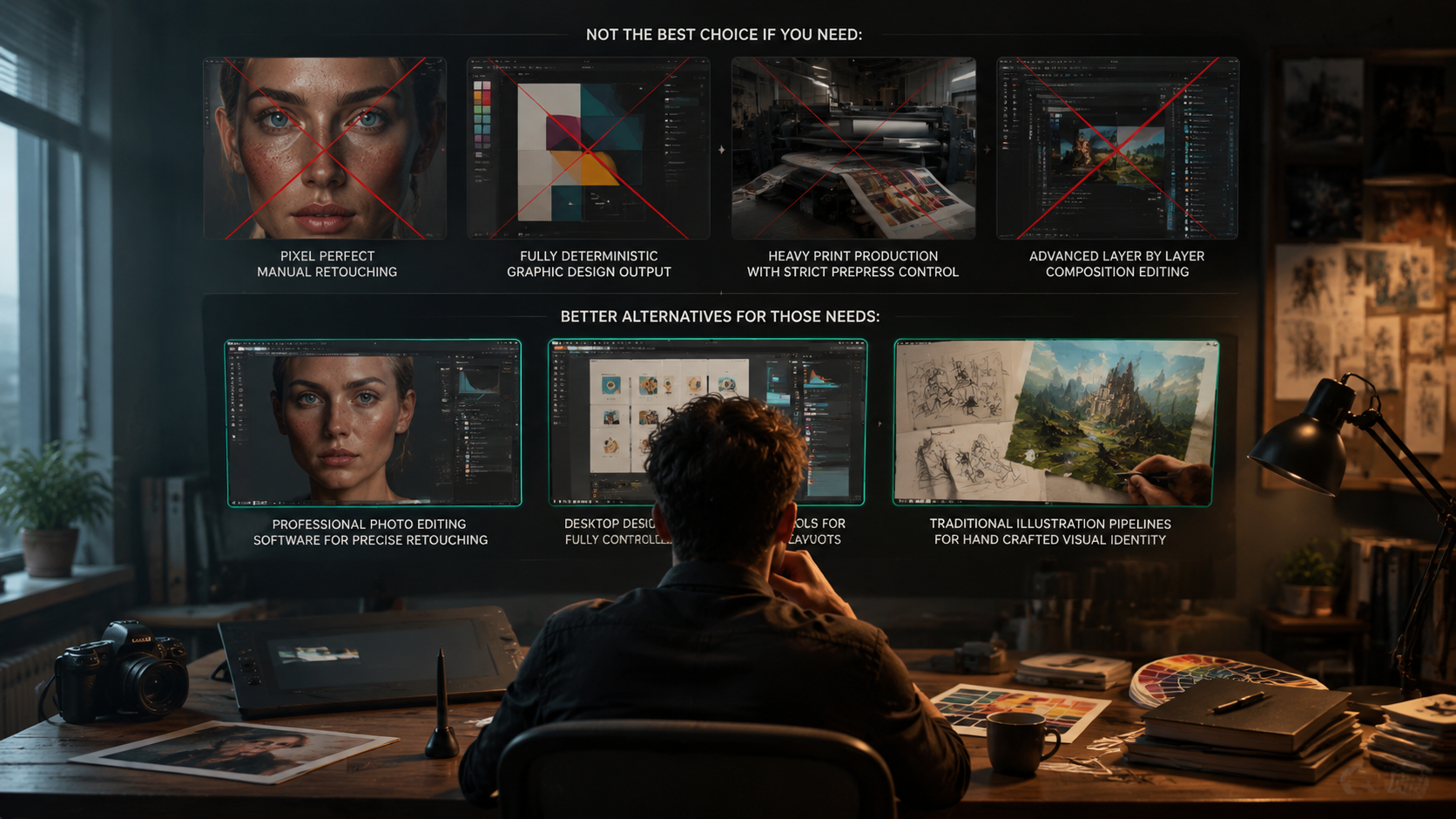
Better alternatives for those needs:
- professional photo editing software for precise retouching
- desktop design tools for fully controlled layouts
- traditional illustration pipelines for hand-crafted visual identity
Practical Decision Guide
Choose Nanobanana Pro if you want:
- fast visual iteration
- semantic editing without starting over
- consistent characters and brand assets
- multilingual text-friendly visuals
- scalable output from draft to high resolution
Consider another tool if you want:
- total manual control
- detailed layer-based editing
- print-press-oriented design workflows
- handcrafted artwork instead of AI-assisted generation
Tiered Recommendation
Best for: Agencies, marketing teams, and ecommerce brands
If your team needs consistent, editable, high-speed visual production, Nanobanana Pro is the strongest fit. It is especially valuable when you need to turn one concept into a series of branded assets.
Good for: Individual creators and content studios
If you create recurring content, posters, or storyboard-style visuals, the platform can save time and reduce repetitive work. It is a strong middle-ground between generation and editing.
Not ideal for: Users who need full manual design precision
If your workflow depends on exact layout control, advanced compositing, or production-grade retouching, you may need complementary tools alongside Nanobanana Pro.
Final Verdict
Nanobanana Pro stands out because it is not just an image generator—it is a production-oriented visual model. Its biggest advantages are:
- strong semantic editing
- better consistency across assets
- readable text and multilingual typography
- fast iteration
- high-resolution output options
For professional users evaluating nanobananana, the decision is straightforward:
- Choose it if you need speed, consistency, and scalable visual creation.
- Use it with care if you need exact manual control.
- Skip it if your work is better served by traditional design software alone.
In short, Nanobanana Pro is best seen as a high-efficiency visual engine for modern marketing and content workflows, not just a generator.
FAQ
What is Nanobanana Pro best known for?
It is best known for combining generation and semantic editing with strong consistency, multilingual typography support, and fast iteration.
Can Nanobanana Pro handle brand assets consistently?
Yes. One of its key strengths is maintaining coherent brand elements across multiple scenes and variations.
Does it support high-resolution output?
Yes. It supports 1K, 2K, and 4K outputs.
Is it good for posters and infographics?
Yes, especially when readable text and structured layouts matter. It is more suitable for text-heavy visuals than many standard image generators.
Is it a replacement for professional design software?
Not entirely. It is excellent for generation, semantic editing, and rapid content production, but traditional design tools are still better for fully manual, pixel-perfect work.