
How to Generate Prominent People with NanoBanana Pro
How to Generate Prominent People with NanoBanana Pro
If you want to create prominent people images that look polished, consistent, and ready for marketing, editorial, or concept work, NanoBanana Pro can help you do it fast. The key is not just “typing a prompt,” but using the model’s reference mixing, semantic editing, multilingual typography, and style consistency features in a structured workflow. This guide shows how to generate prominent people with NanoBanana Pro in a way that produces stronger results and fewer re-renders.
What “prominent people” generation means in NanoBanana Pro
Conclusion: To generate prominent people well, you should treat the model as a visual production tool, not only as a text-to-image generator.
NanoBanana Pro is designed for text/image-to-image generation, semantic editing, and style consistency across 1K/2K/4K outputs. That makes it useful for portraits, public-facing character visuals, campaign-style people shots, and storyboard characters that need to stay consistent across multiple images.
When people say “prominent people,” they usually mean one of these use cases:
- High-visibility portrait-style visuals
- Public-facing characters for campaigns or posters
- Consistent personas across multiple scenes
- Editorial-style figures with strong composition
- Stylized but recognizable human subjects for branding or storytelling
Practical advice:
- Define the purpose before generating: portrait, poster, storyboard, or social visual.
- Decide whether the person should feel realistic, illustrative, or stylized.
- Keep the role, outfit, and scene context clear in the prompt.
Step 1: Prepare a clear prompt and references
Conclusion: Strong prompts plus good reference images are the fastest way to get a prominent people result that feels coherent and intentional.
NanoBanana Pro works by combining your brief with reference images, then generating a stable first pass. You can add up to 14 reference images, which is useful when you want the person’s face, clothing, pose, or visual style to remain consistent.
A good setup usually includes:
- Subject description
- Age range or persona type
- Clothing or styling direction
- Expression and pose
- Lighting and mood
- Scene or background
- Output format and ratio
Prompt checklist
| Element | What to specify | Why it matters |
|---|---|---|
| Subject | Who the person is | Keeps the output focused |
| Visual style | Realistic, editorial, cinematic, etc. | Aligns the model with your goal |
| Expression | Calm, confident, serious, approachable | Shapes personality |
| Wardrobe | Suit, casual wear, uniform, etc. | Improves consistency |
| Framing | Close-up, half-body, full-body | Affects composition |
| Lighting | Soft, dramatic, studio, natural | Helps maintain mood |
| References | Up to 14 images | Strengthens identity and style consistency |
Practical advice:
- Use references that match the same person or the same visual direction.
- If you want a “prominent” look, specify confident posture, clean framing, and strong visual contrast.
- Avoid overly vague prompts like “make a famous-looking person.” Be specific about traits and usage.
Step 2: Choose resolution, aspect ratio, and visual style
Conclusion: The right output settings help a person image look more prominent and more usable in real workflows.
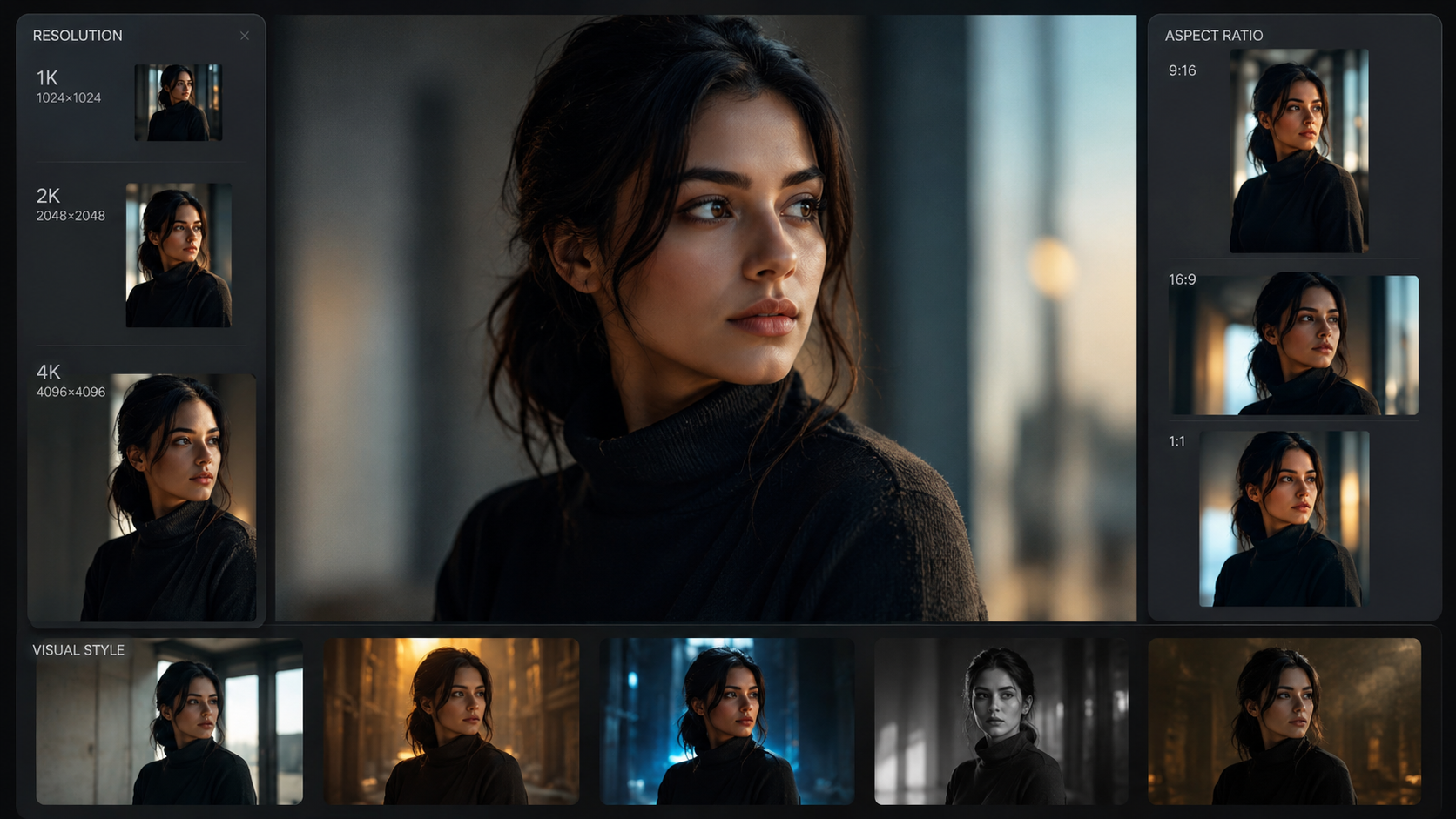
NanoBanana Pro supports 1K, 2K, and 4K outputs. It also works across different output ratios, which matters a lot for portraits, posters, banners, and social layouts.
For people-focused visuals:
- Use 1K for fast concept iteration
- Use 2K for most production-ready drafts
- Use 4K when you need sharper final output for print or high-detail presentation
Recommended use cases by format
| Goal | Suggested output | Suggested framing |
|---|---|---|
| Quick testing | 1K | Headshot or half-body |
| Social media visual | 2K | Vertical portrait or square |
| Poster or key art | 2K or 4K | Half-body or full-body |
| Print-ready work | 4K | Clean, centered composition |
| Storyboard character | 1K or 2K | Consistent angle and pose |
Practical advice:
- For prominent people visuals, use a composition that gives the subject clear dominance in frame.
- Choose a ratio that matches the final channel, such as square for social or vertical for posters.
- Keep the background simple if the person should remain the focus.
Step 3: Use semantic editing to refine the person
Conclusion: The fastest way to improve a generated person is to edit specific parts semantically instead of starting over.
NanoBanana Pro supports semantic edits and object swaps while keeping lighting, perspective, and composition aligned. This is especially useful when a person is almost right, but one detail needs adjustment.
You can refine things like:
- Facial expression
- Outfit details
- Pose
- Accessories
- Background distractions
- Scene mood
- Text or marks in the image
This is more efficient than regenerating from scratch because the model is built to preserve structure and subject stability.
Useful refinement workflow
- Generate the first pass.
- Review the person’s identity, framing, and mood.
- Edit only the parts that are off.
- Keep the lighting and perspective consistent.
- Export when the subject reads clearly and confidently.
Practical advice:
- Change one variable at a time to avoid drifting the subject.
- If the face feels too soft or too generic, strengthen the prompt with clearer defining traits.
- If the image feels busy, remove distractions and simplify the background.
Step 4: Keep style and character consistency across a series
Conclusion: If you need multiple images of the same prominent person, consistency features matter more than one perfect image.
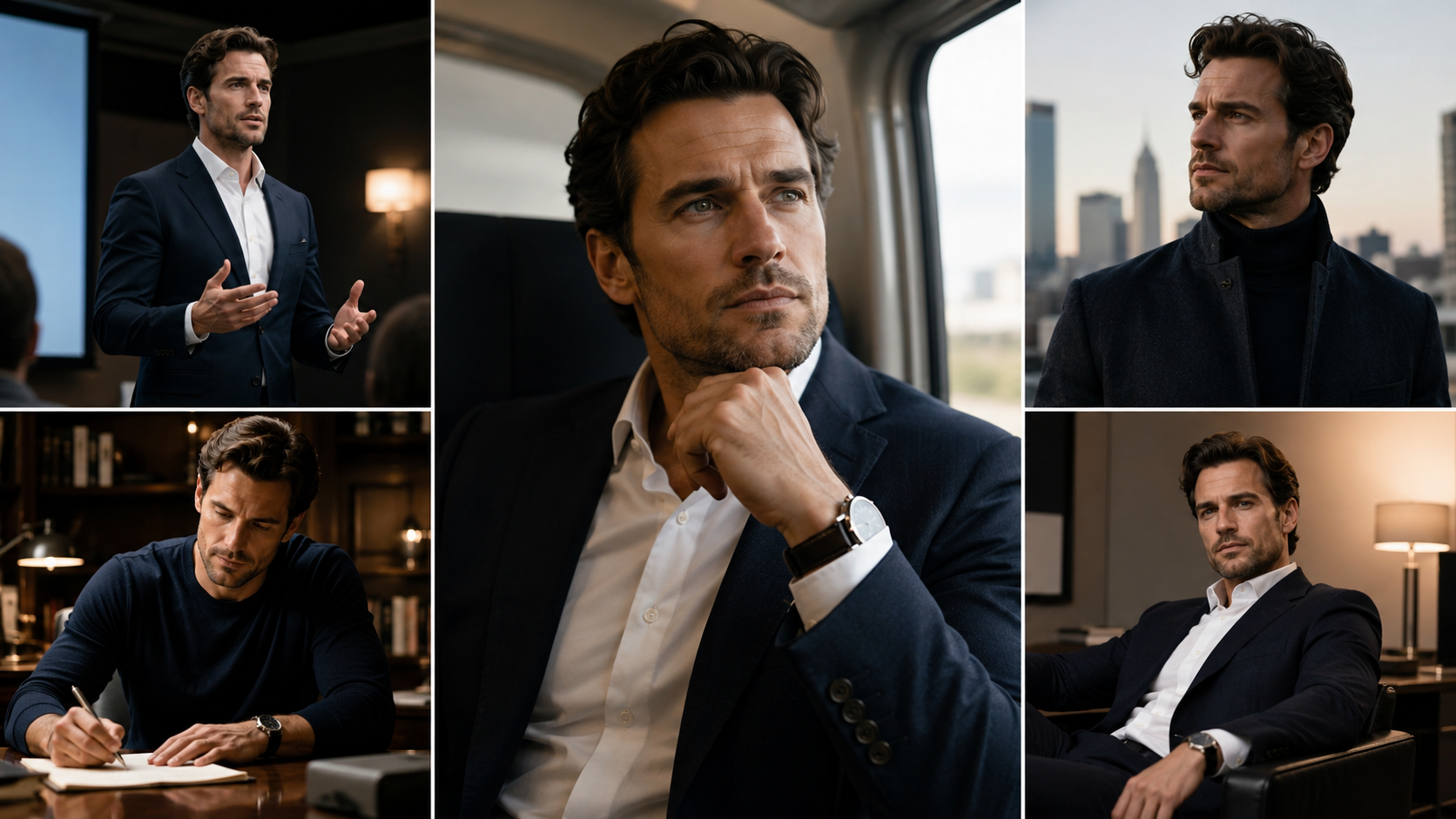
NanoBanana Pro supports reusable styles and characters, which is valuable for campaigns, brand systems, storyboards, and multi-scene visuals. Instead of generating a different-looking person each time, you can lock in roles, props, and shot language.
This helps when you need:
- A recurring spokesperson
- A consistent fictional character
- Multiple angles of the same subject
- A storyboard with stable visual identity
- A campaign set with unified art direction
Consistency tips
- Reuse the same core subject description.
- Keep wardrobe and color palette stable.
- Maintain similar camera framing across the series.
- Use reference images that clearly define the subject.
- Avoid changing too many scene elements at once.
Practical advice:
- Build a “character sheet” prompt for your person and reuse it.
- Keep one prompt version for the base identity and another for scene variations.
- If the output needs to feel like the same person across multiple visuals, prioritize structure and style consistency over experimentation.
Step 5: Export and reuse for production workflows
Conclusion: The best results are not just generated; they are organized, exported, and reused efficiently.
NanoBanana Pro supports watermark-free delivery by default and can export 1K/2K/4K outputs. It also offers API and workflow integration, which makes it suitable for batch generation, automated review, and team collaboration.
For content teams, that means you can move from one-off image creation to repeatable production.
Production workflow suggestions
- Export the best version in the highest needed resolution.
- Save prompts alongside the final output.
- Reuse the same character setup for future iterations.
- Use API integration for repeatable content batches.
- Review outputs in a structured way: subject, style, composition, and text clarity.
Practical advice:
- Keep a prompt library for different person types: executive portrait, influencer-style visual, character poster, editorial figure.
- Separate “generation prompt” from “edit prompt” to make revisions easier.
- For commercial use, confirm that the export and workflow fit your internal review process.
A practical prompt formula you can adapt
Conclusion: A structured prompt gives you better control over how prominent people appear in the final image.
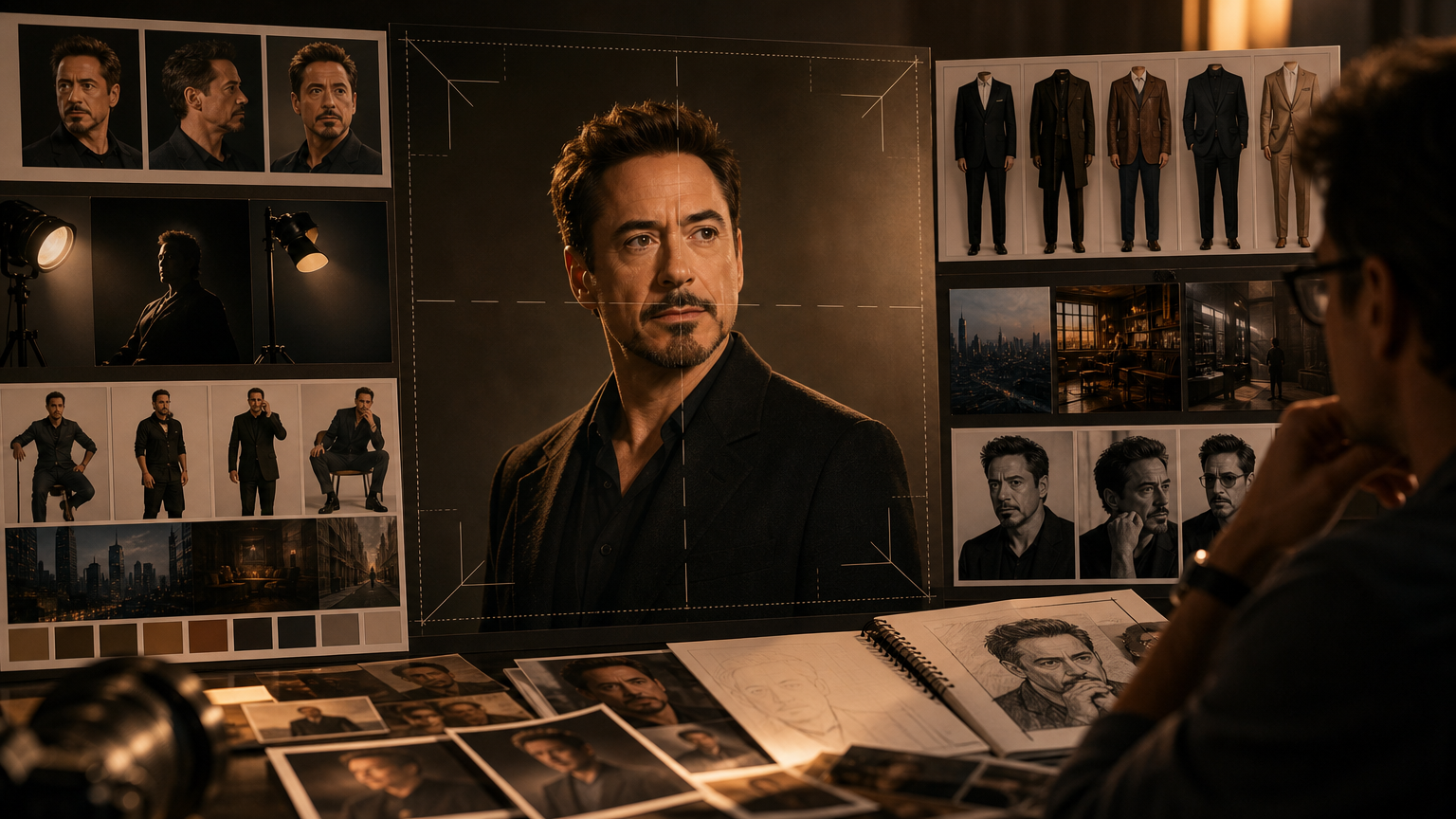
Use this pattern as a starting point:
[Subject description], [age or role], [expression], [wardrobe], [pose], [camera framing], [lighting], [background], [style], [output goal]
Example structure
- Subject: confident professional woman
- Expression: calm and authoritative
- Wardrobe: tailored dark blazer
- Pose: standing upright, facing camera
- Framing: half-body portrait
- Lighting: soft studio lighting
- Background: minimal neutral background
- Style: clean editorial realism
- Goal: hero image for a leadership article
Practical advice:
- Add references if the face, style, or wardrobe must stay stable.
- Mention the desired output channel, such as website hero, poster, or social banner.
- If needed, refine the result with one semantic edit instead of rewriting the whole prompt.
FAQ
What is NanoBanana Pro best for when generating people images?
NanoBanana Pro is best for text/image-to-image generation, semantic editing, multilingual typography, and style-consistent visuals. It is especially useful for portraits, campaign visuals, storyboards, and recurring characters.
Can I keep the same person consistent across multiple images?
Yes. The model supports reference mixing and reusable styles and characters, which helps maintain identity, wardrobe, and visual language across a series.
What output resolution should I use?
Use 1K for quick testing, 2K for most production work, and 4K when you need high-detail final output for print or presentation.
How many reference images can I use?
You can add up to 14 reference images. This is useful when you want stronger control over identity, style, or composition.
Can I edit only part of the generated person?
Yes. NanoBanana Pro supports semantic edits and local selection, so you can adjust specific details without changing the whole image.
Summary
If you want to generate prominent people with NanoBanana Pro, focus on three things: clear prompts, strong references, and controlled refinement. Start with a stable subject description, choose the right resolution and framing, then use semantic editing to fix details without losing consistency. For multi-image workflows, reuse styles and characters so the person stays recognizable across every output.
Used well, NanoBanana Pro is not just a generator — it is a practical visual workflow for producing polished, consistent people images at speed.