
Prompt Library
AI Prompt Library
Curated image, video and web design prompts from creators around the world. Copy any prompt, swap the subject or style, and generate with the latest models.
4,387 prompts · Updated daily · 100% free
291 prompts
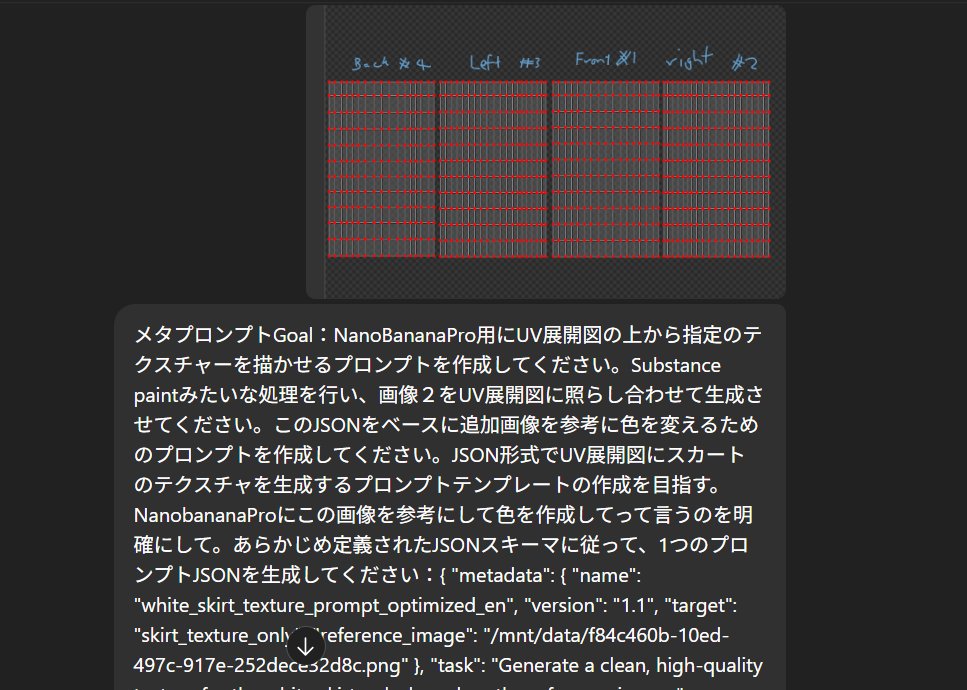
Texture Creation via JSON and UV Map Metaprompt
First, analyze **the source image (flower, clothing, pattern, etc.)**. Instruction to ChatGPT: "Convert this image into a JSON prompt, including size, color, shape, and details." Instruction: "Metaprompt Goal: Create a prompt for NanoBananaPro that draws the specified texture onto a UV deployment map. Perform a process similar to Substance Painter, generating the texture by referencing image 2 against the UV map. Based on this JSON, create a prompt to change the color by referencing an additional image. Aim to create a prompt template in JSON format that generates a skirt texture on a UV map. Clearly instruct NanobananaPro to create the color based on this image. Generate a single prompt JSON according to a predefined JSON schema: ..."
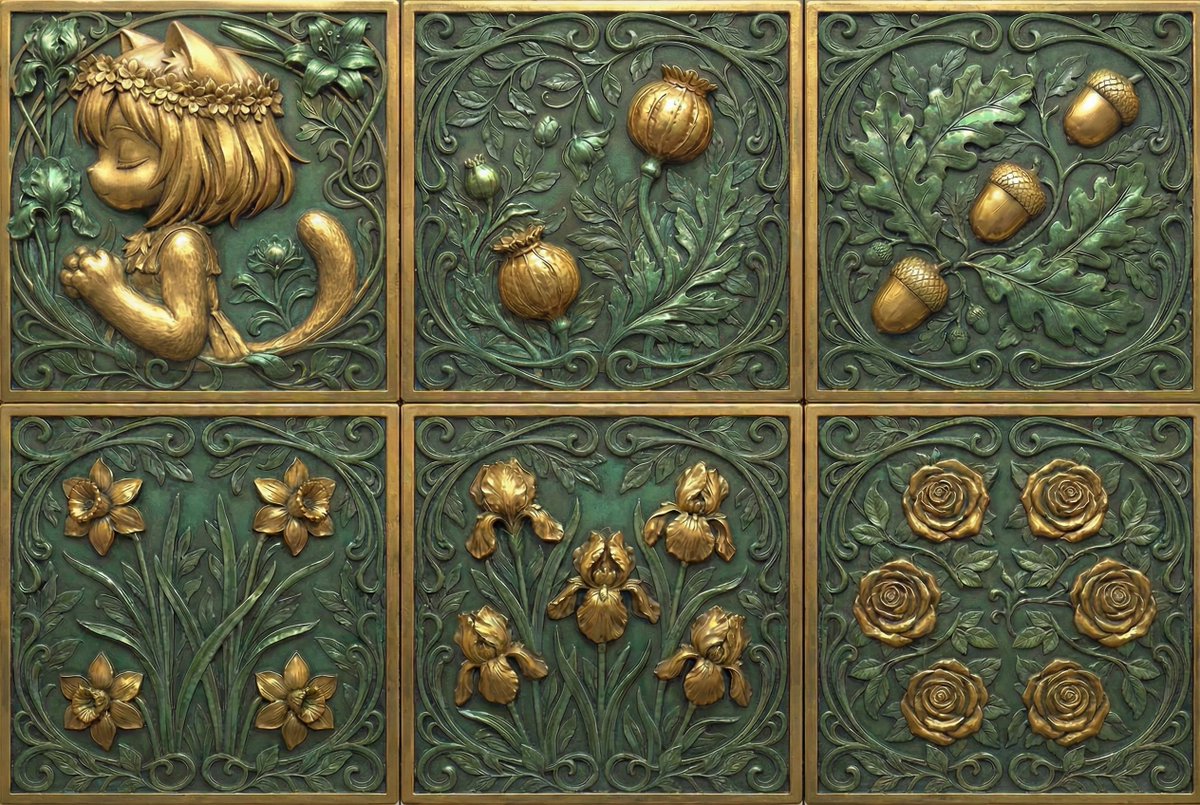
Generate Dice Faces with Specific Object Placement
Generate the faces of a die. Only the '1' face is replaced with my portrait. An input template indicating the positions of the pips is provided so that objects are placed on the die faces as intended.
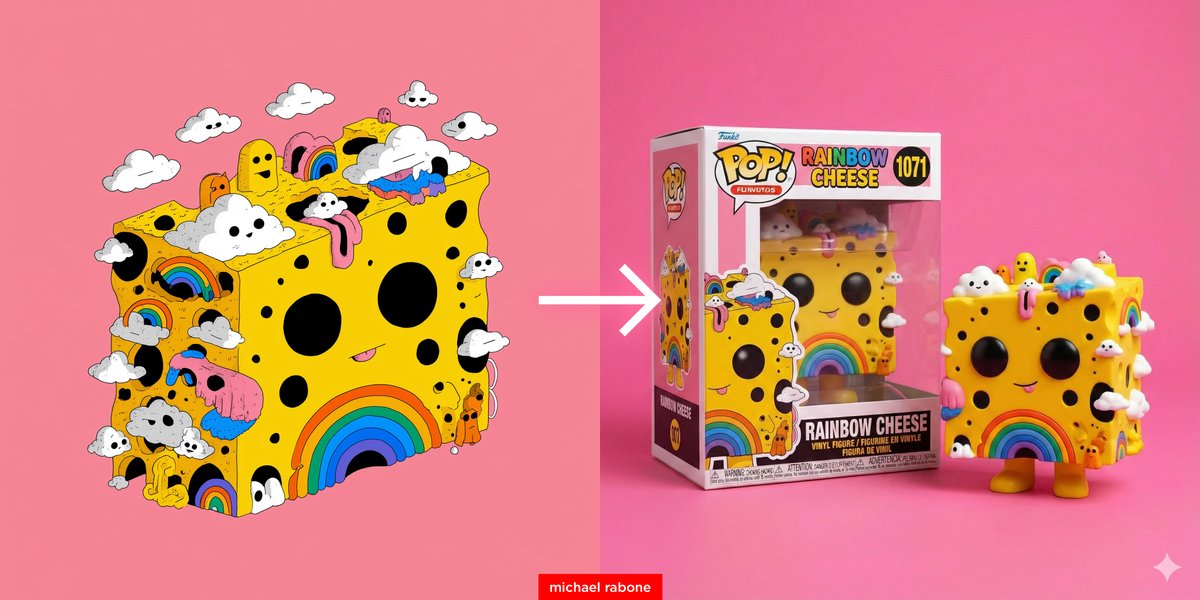
Cartoon to Funko Pop Transformation Prompt
Transform this cartoon to a Funko Pop vinyl figure. Place the Funko Pop box beside the vinyl figure (side by side) with the name '{argument name="figure name" default="Rainbow Cheese"}' on box. Place vinyl figure and box on a pink surface and pink background with studio lighting.
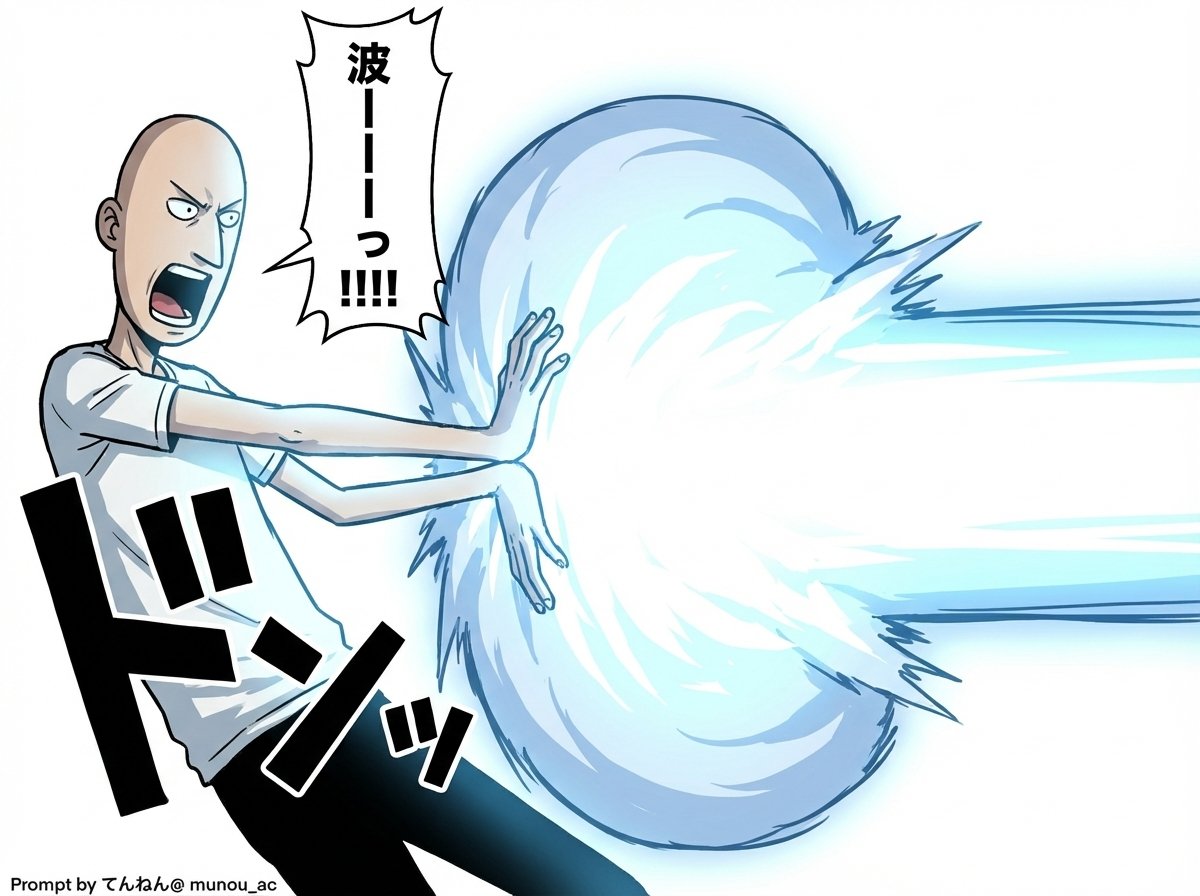
Kamehameha Attack Image Generation (Technical Prompt)
# Image Generation Prompt: Nano Banana Pro v1.2 # 1. Basic Instructions - Task: Image Generation - Reference: Faithfully reproduce and maintain the character, clothing, and image style of the attached image - Quality: Super High Definition # 2. Technical Specifications - Aspect Ratio: 16:9 - Rendering Style: Based on the attached image style, apply Cell Shading + Volumetric Lighting - Line Art: Thin # 3. Camera Work and Composition - Camera: Virtual Camera / Focal Length 50mm / Aperture f/2.8 - Angle: 15-degree Dutch Angle - Focus: Focus on subject - Depth of Field: Shallow depth of field in the background (with blur) # 4. Scene Details A. Character - Appearance (Hair/Eyes/Clothing): [Completely maintain the style of the attached image] - Hair is flowing in reaction to energy pressure - Eyes are glowing, with a sharp anime-style shape - Pose & Action: - Action: Charging an energy attack - Stance: Feet spread and braced, torso twisted forward to the right - Hands: Cupped together facing each other (at hip height on the right), muscles are strongly tensed - Expression: Filled with determination and intense effort, mouth open shouting B. Lighting and Atmosphere - Global Illumination: #ffffff - Key Light: - Source: Energy ball between both hands - Color: Cyan Blue Electric - Intensity: 2.5EV overexposure (High Luminance) - Shadows: Sharp, dynamic shadows extending away from the center C. Visual Effects - Main Element: Spherical, turbulent plasma energy ball (between hands) - Core Color: #ffffff - Outer Glow: #00ffff - Particles: Blue sparks floating and rising - Lens Flare: Anamorphic blue light streaks - Bloom: Intensity 0.8 D. Background - Context: Abstract studio space - Visual: Simple gradient background - Colors: #ffffff to #c0efff * Prioritize layer detail colors over introduction specified colors - Detail Level: Low (to emphasize the subject) # 5. Text Elements - Manga Style Speech Bubbles Place vertical oval speech bubbles reacting to the timing of the shout, using the following coordinate image for placement Adjust flexibly so as not to interfere with the character - "{argument name="shout 1" default="ka..."}" : Top Left (X: 0.08, Y: 0.15) - "{argument name="shout 2" default="me..."}" : Middle Left (X: 0.22, Y: 0.35) - "{argument name="shout 3" default="ha..."}" : Middle Right (X: 0.78, Y: 0.55) - "{argument name="shout 4" default="me..."}" : Bottom Right (X: 0.90, Y: 0.75)
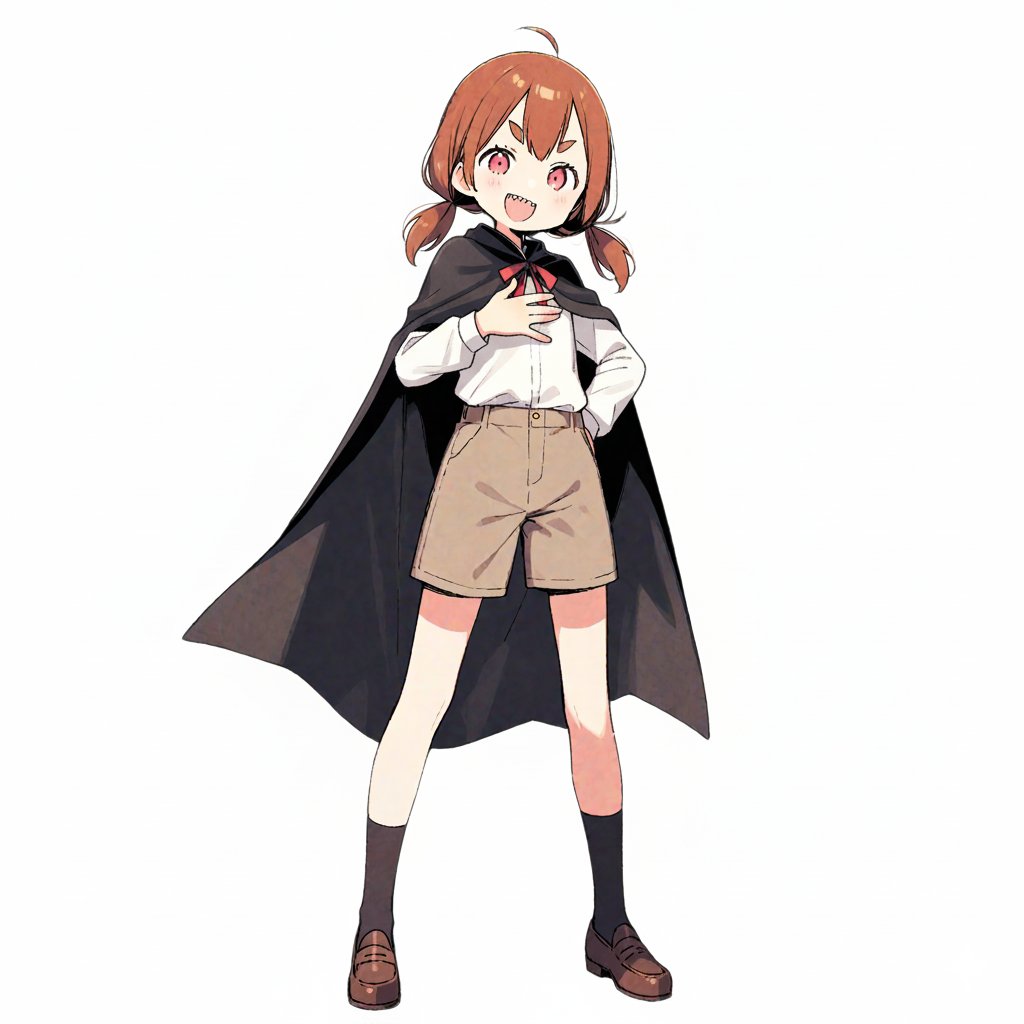
Character Robotization and Technical Diagram Prompt
【Character Settings】 *Please rewrite this section to match the appearance of the character you want to draw* [Character Features]: {argument name="character features" default="Girl with brown twin tails and wearing a cape"} 【Image Generation Instructions】 Style Definition: - A style that fuses anime-style character illustration with technical illustrations (blueprints) of industrial products. - Background is white or plain. Infographic-style layout. Pose and Composition: - Isometric composition - Deformed style (chibi character) with 2 to 3 head proportions - Shape of limbs: Do not draw joints at the elbows, knees, wrists, or ankles. Do not draw fingers or fine joints; make the tips a simple shape, like a mitten. Reproduce the smooth 'stuffed animal limbs' look. - Facial structure: Do not draw the nose or mouth; only place 'eyes.' The eyes are drawn as vertical ovals (vertically long circles), looking like simple sensors. The eye color should match the reference image. - Clothing depiction: The left half shows the character wearing the clothes from the reference image (cape, shirt, pants, shoes) normally, but the right half, which is a cutaway section, should show the cross-section of the clothes and the mechanics underneath simultaneously. - Full-body standing pose of the character. - The exterior (skin and clothes) of the right half of the body is rendered translucent, making it an 'internal perspective view' that shows the internal mechanical structure. Internal Structure Details: - Head: The structure of a camera lens is visible deep inside the vertical eyes. A speaker unit is behind the mouth. The brain is composed of electronic circuit boards. - Torso: The round limbs are tightly packed with thick hydraulic cylinders, large gears, and spherical joints. - Back: A large 'Wind-up key' is inserted into the back, giving it the atmosphere of a retro toy. Annotations and Explanations (Decoration): - Leader lines extend from the main mechanical parts of the internal structure (brain, eyes, ears, arms, legs), with detailed explanatory text in English placed at the ends of the lines. - Overall, finish it like a 'blueprint of a robot that is round and charming but contains precision machinery inside.' Style: - Aspect Ratio: Vertical (close to A4 paper ratio) - Background: Grid paper (grid notebook) texture.

Recommended Nano Banana Pro Prompting Strategy for Consistency
gen a 4 angle full body shot, and close up headshot

Miniature Scene Keycap Image Generation Prompt
This is an extremely detailed miniature scene model, constructed inside a giant, crystal-clear transparent resin '{argument name="keycap" default="F12"}' computer keycap. The keycap surface has a frosted white '《Keycap》' inscription, and the top is slightly concave. Light passes through the translucent keycap shell, transforming into soft, warm tones that fill the small room. Inside, a '{argument name="subject" default="programmer"}' is sitting in front of a miniature computer, with the screen prominently displaying '《{argument name="text" default="vibe code"}》' in large font. Tiny bookshelves and carpets enhance the comfortable and cozy atmosphere. The shot uses 45-degree high-angle macro photography, presenting a clear shallow depth of field effect, with a delicate soft focus in the background. It features ultra-realistic textures, handmade miniature aesthetics, and a cinematic visual style, creating a whimsical yet tranquil mood. 9:16. 8K high definition.

Kamehameha Style Transformation Prompts
Original image ↓ Super transformation prompt ↓ Charging pose prompt ↓ Super Robot Wars battle sequence prompt Participation screen prompt

Devilman Anime Keyframe in 3DCG Style
Create the anime character in the image in a realistic 3DCG style.

AKIRA 'Slide Brake Scene' Recreation Prompt
(VARIABLE SCENE - EDIT HERE): Nighttime, expansive {argument name="cityscape" default="Neo-Tokyo"} highway. Futuristic cityscape background with neon lights. Strong one-point perspective: The road stretches straight from the bottom edge to the vanishing point in the center. (CRITICAL COMPOSITION): One-point perspective composition with the subject in the CENTER. Subject Orientation: The motorcycle is shown in SIDE PROFILE (facing Screen Left). TILT ANGLE: The motorcycle body is LEANING HEAVILY TOWARDS THE CAMERA (The top of the bike is closer to the viewer than the wheels). Movement direction: The bike is sliding away from the camera, moving from the foreground deep into the background. Placement: Bike is perfectly centered in the frame. (SUBJECT): A futuristic motorcycle and rider. Motorcycle: - Heavy, solid, rounded silhouette - Minimal exposed mechanics, smooth cowling - Wide, thick, high-grip tires - Color scheme harmonized with rider Rider: - Face and outfit preserved from reference image - Stare straight into the camera, glaring with a powerful, piercing gaze. - Left foot planted firmly on the ground, struggling to support the heavy leaning bike - Rider's leg is fully extended to brace against the fall (ACTION & MECHANICS): High-speed linear slide braking (NOT cornering). The bike is sliding sideways while traveling backwards into the depth of the scene. Instability: The bike is on the verge of falling over towards the screen. Wheels are locked (not rotating). (VISUAL EFFECTS - SMOKE TRAILS): Three distinct, straight trails of thick white smoke. Direction: Smoke stretches from the IMMEDIATE FOREGROUND (bottom of screen) directly to the motorcycle's wheels and rider's foot in the center. The smoke trails act as leading lines pointing to the subject. Violent debris and asphalt fragments kicking up. (ENERGY EFFECTS): Neon-green lightning energy arcs (1980s anime style) embedded within the white smoke trails. Green energy flows through the smoke, following the straight lines from foreground to the bike. (ART STYLE): Cel-shaded animation, 1980s anime aesthetic (Cyberpunk). High contrast, bold black shadows, dramatic lighting. Poster-quality, ultra-high resolution, sharp focus.

Folded Paper Blueprint of a Character
A hyper-detailed folded-paper blueprint of [{argument name="character" default="character"}], where the character is constructed from precise geometric folds and crease lines, overlaid with subtle blueprint markings, measurement lines, and paper annotations. Minimal color palette, off-white paper with faint ink lines. Studio lighting, crisp shadows, architectural art style, photorealistic paper detail. 1080x1080 square format.
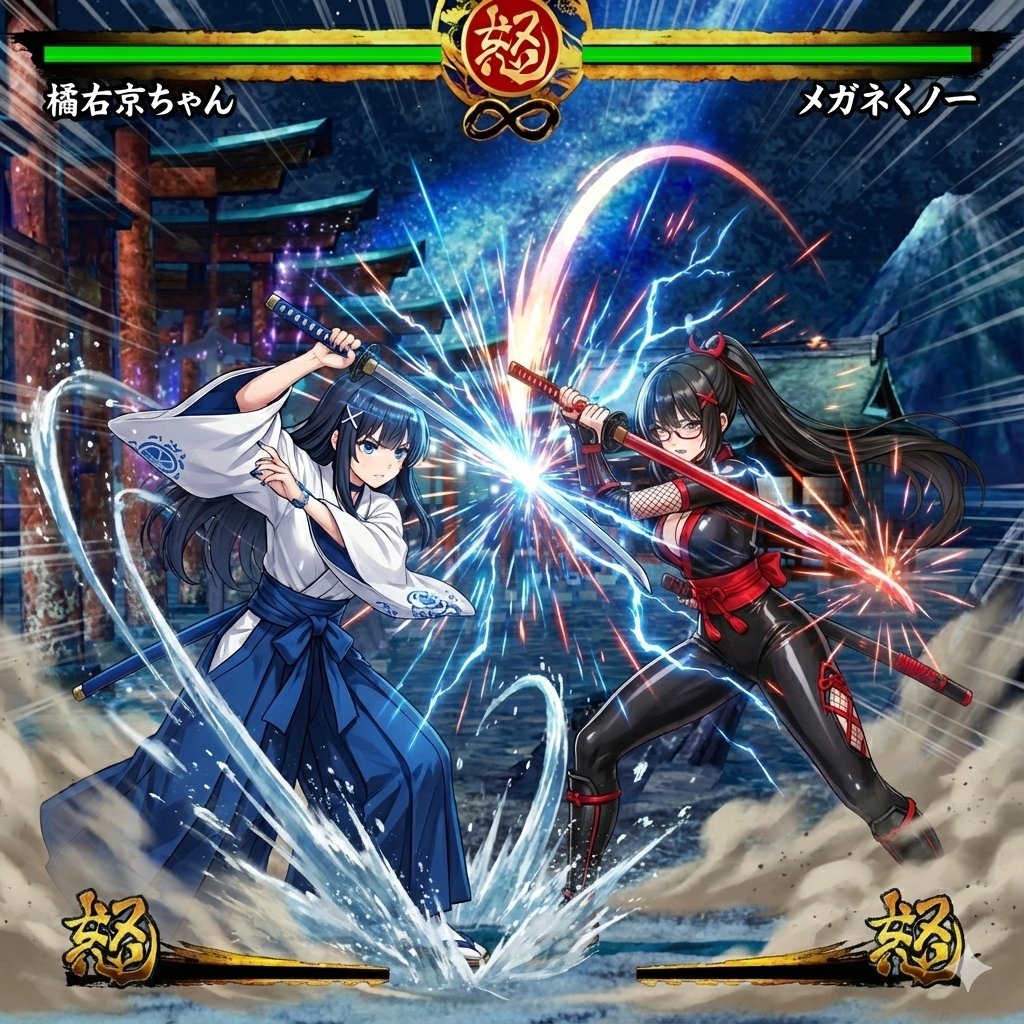
Image Synthesis/Composition Prompt
Make Ukyo-chan and a glasses-wearing Kunoichi fight in the image of the Samurai Shodown game screen

Thermal X-Ray Style Infographic Prompt (Nintendo Switch Example)
A {argument name="subject" default="[subject]"} rendered in high-contrast scientific studio rendering against a pure black void background. This tight {argument name="viewpoint" default="[viewpoint]"} capturing the {argument name="angle" default="[angle]"} adopts a false-color thermal X-ray art style. Through the transparent outer shell, the {argument name="internal structure elements" default="[internal structure elements]"} clearly emerge, detailed with vivid heatmap gradients. The color palette transitions from deep, cool blue to intense yellow and red highlights, creating a futuristic, clinical appearance with orthographic projection and a soft, neon-like glow. TEXT: "THERMAL X-RAY / ORTHOGRAPHIC VIEW / {argument name="subject name" default="[subject name]"} / TEMP: {argument name="temperature" default="[temperature]"}°C" --- Nintendo Switch Prompt 👇 --- A Nintendo Switch console (handheld mode) rendered in high-contrast scientific studio rendering against a pure black void background. This tight profile view capturing the right side adopts a false-color thermal X-ray art style. Through the transparent body case and display glass, the precise internal structure of the handheld gaming device—consisting of the central NVIDIA Tega custom processor, 6.2-inch LCD display panel, battery cells, cooling fan and heat dissipation mechanism, left and right Joy-Con connection slots, game card slot, and circuit board wiring pattern—clearly emerges, detailed with vivid heatmap gradients. The Tega processor, slightly above center, is expressed in vibrant orange to yellow, indicating moderate heat during operation (55-65°C). The small cooling fan behind it shows efficient cooling effect in blue-green. The large capacity lithium-ion battery (4310mAh) at the bottom shows a uniform deep blue to blue-green, indicating safe operating temperature (20-30°C). The 6.2-inch display panel shows minor backlight heat (35-40°C) in green to yellow-green. The left and right Joy-Con connection rail parts show a low-temperature state in pale blue. The game card slot at the top shows an unused state in dark blue. The color palette transitions from deep, cool blue (battery cooling area) to intense yellow and orange highlights (Tega processor), creating a futuristic, clinical appearance with orthographic projection and a soft, neon-like glow. The power-saving design and efficient thermal management system required for portability are precisely arranged within the compact chassis, making visible the heat conduction paths via heat pipes, blue arrows indicating airflow, and the placement of electronic components on the board. The precision of the symmetrically placed Joy-Con connection mechanism and the beautiful design of the processing system centralized in the middle of the console stand out. TEXT: "THERMAL X-RAY / ORTHOGRAPHIC VIEW / NINTENDO SWITCH HANDHELD MODE / TEGA CHIP TEMP: 58°C / BATTERY TEMP: 25°C"
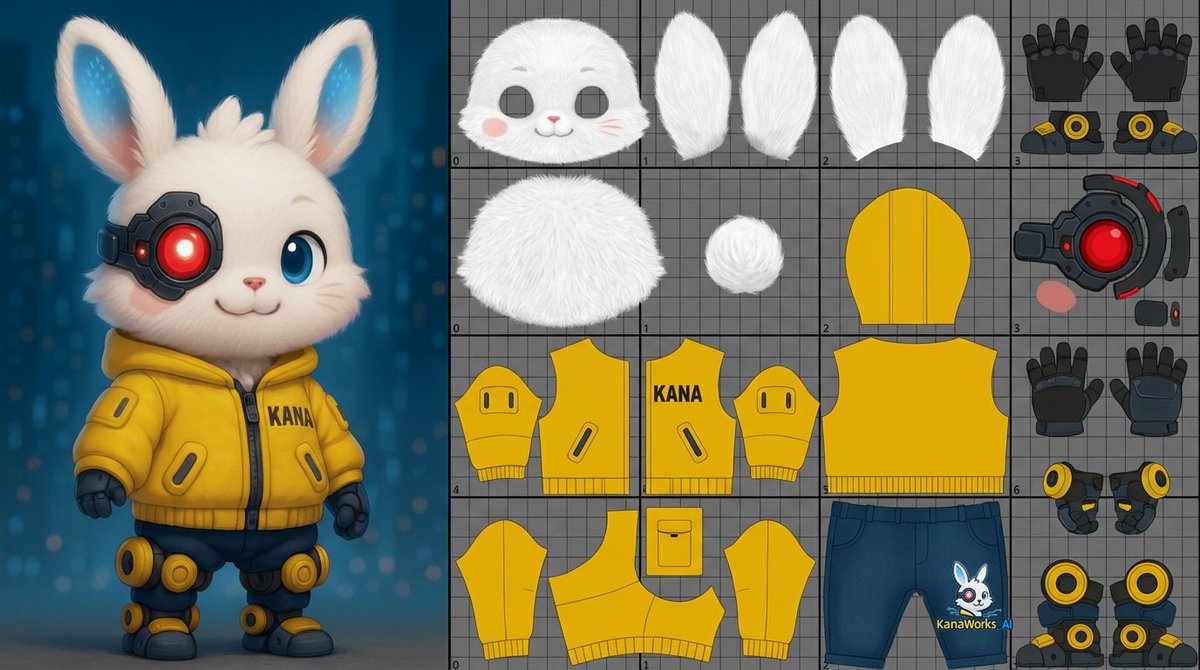
Prompt for UV Unwrapping a 3D Model
unwrap the UVs of the 3D model shown in the image. About one-third of the image should be a reference view displaying the 3D model itself.The remaining area should include the UV layout for the head, body, and limbs.Unwrap the surface of the 3D model and flatten it into a single 0–1 two-dimensional UV space.
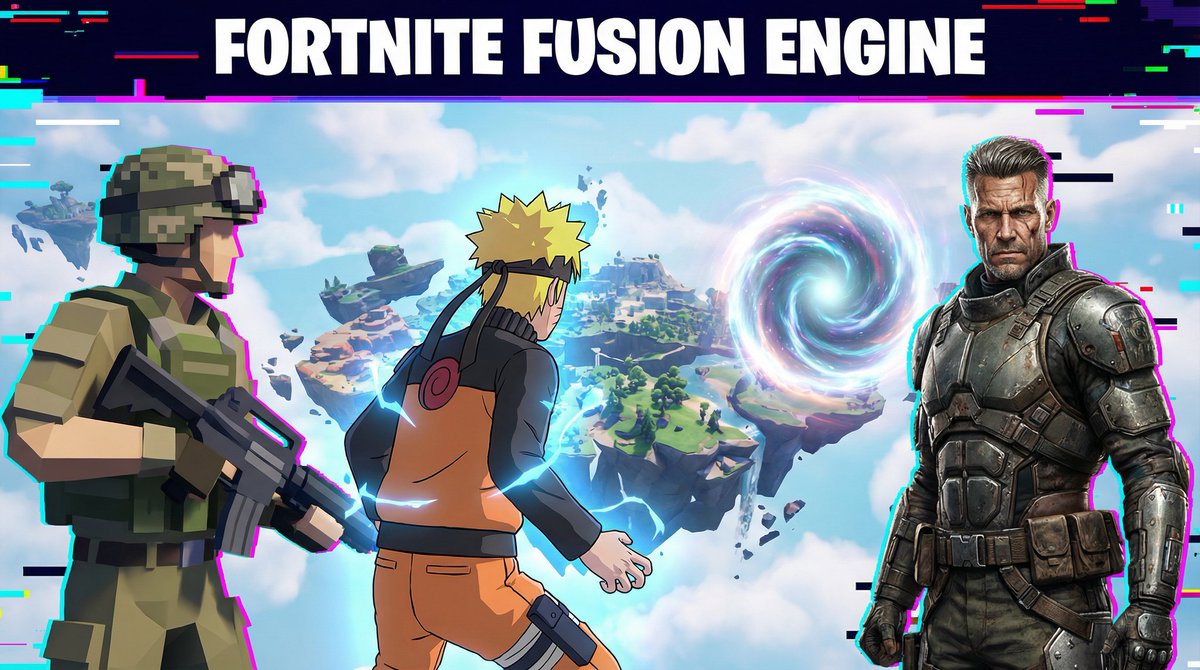
Fortnite Fusion Engine Prompt for Gamers
“With Fortnite Fusion Engine, you can merge low-poly survival style, cel-shaded anime skins, and hyper-real battle characters instantly. Here, a low-poly soldier, an anime ninja, and a realistic mercenary all team up on one floating island.”

Landscape with a Shape-Shaped Cave Entrance
An image of a {argument name="type" default="[TYPE]"} landscape, featuring a cave entrance that is shaped exactly like the outline of a {argument name="shape" default="[SHAPE]"}. The cave should blend naturally into the rugged terrain of the mountain, with the entrance forming a clear and unmistakable {argument name="shape repeat 1" default="[SHAPE]"} shape. This {argument name="shape repeat 2" default="[SHAPE]"} shape should be simple and defined, without intricate details, emphasizing just the overall {argument name="shape repeat 3" default="[SHAPE]"} outline. The surrounding environment should include {argument name="details" default="[DETAILS]"}, but these elements should not distract from the cave's {argument name="shape repeat 4" default="[SHAPE]"}-shaped entrance. The lighting in the scene should enhance the visibility and distinctiveness of the {argument name="shape repeat 5" default="[SHAPE]"}-shaped cave entrance.

One Piece Devil Fruit Image Generation Prompt Template
It's okay to insert the name of your favorite character's Devil Fruit into the first <<DEVIL FRUIT NAME>> in the prompt from the source. Example: <<{argument name="Devil Fruit Name" default="Mera Mera no Mi"}>>

One Piece Devil Fruit Transformation Template
{ "version": "1.0", "description": "Transform a real person in a photo into a One Piece-style Devil Fruit ability user: dynamic pose, dramatic camera angle, ability-specific SFX, and a photorealistic manifestation of the specified Devil Fruit’s power.", "variables": { "DEVIL_FRUIT_NAME": { "type": "string", "value": "<<DEVIL FRUIT NAME>>", "description": "The canonical Devil Fruit name whose ability should be interpreted and applied to the subject (e.g., Gum-Gum Fruit, Flame-Flame Fruit, Ice-Ice Fruit, Sand-Sand Fruit, Rumble-Rumble Fruit, Flower-Flower Fruit, Dark-Dark Fruit, Paw-Paw Fruit, etc.)." } }, "steps": [ { "name": "DEVIL_FRUIT_ABILITY_EDIT", "goal": "Apply a dynamic One Piece-style pose, dramatic camera angle, ability-specific manga SFX, and a photorealistic manifestation of the specified Devil Fruit’s ability.", "instructions": "Use the uploaded photo as the base.\n\nKeep the person photorealistic (eyes, face, skin texture, hair, makeup). Do NOT convert the scene into manga. Do NOT replace the background.\n\n=====================================\nDEVIL FRUIT ABILITY TRANSFORMATION\n=====================================\nInsert your Devil Fruit name here: {argument name="Devil Fruit Name" default="[DEVIL_FRUIT_NAME]"}\n\nInterpret the canon ability of [DEVIL_FRUIT_NAME] realistically and apply it to the body or surrounding environment. The effect must look like a live-action One Piece movie.\n\nExamples:\n- Gum-Gum Fruit: stretched limbs, elastic skin, tension folds, rubber reflection\n- Flame-Flame Fruit: realistic flames, heat distortion, warm illumination\n- Ice-Ice Fruit: frost buildup, ice crystals, cold vapor\n- Rumble-Rumble Fruit: lightning arcs, photoreal sparks\n- Sand-Sand Fruit: sand disintegration, sandstorm motion\n- Flower-Flower Fruit: photoreal arms blooming from surfaces\n- Paw-Paw Fruit: shockwave compression ripples\n- Dark-Dark Fruit: gravitational distortion, dark smoke tendrils\n\nRules:\n- The face must remain recognizable.\n- Effects must integrate into real lighting and shadows.\n- No cartoon filters — supernatural physics must look real.\n\n=====================================\nONE PIECE-STYLE POSE TRANSFORMATION\n=====================================\nRepose the body into a dramatic battle pose:\n- wide stance, strong dynamic gestures\n- stretched arm for Gum-Gum, open palm for shockwave, ignition stance for flame, elemental charge-up for logias, etc.\n- clothing should deform."

Enhancing Three-View Drawings and Generating Angles with Nano Banana
First, use the power of Nano Banana to enhance the three-view drawing. Nano Banana seems to have interpreted the mysterious decoration around the neck as a 'magic-infused stone.' Since that kind of decoration is acceptable, I decided to proceed with it (the decoration in this area varies depending on my mood, so I will fix it as a magic-infused stone from now on). Then, use Novel AI's features to generate images with various angles and expressions. Use these to prepare the minimum necessary learning materials.

X-Ray/Thermal Visualization Prompt for Mecha (VOTOMS Scopedog)
subject: "Armored Trooper ATM-09-ST Scopedog, classic first-generation AT from Armored Trooper VOTOMS" view: "tight frontal view, perfect orthographic projection, zero perspective distortion, strict symmetrical composition" style: "high-contrast military-industrial scientific render, cold war-era weapons lab visualization" background: "pure black void, absolute vacuum environment, no reflections, no floor, no shadows except self-emission" aesthetic: "false-color thermal X-ray hybrid imaging with heavy mechanical wear" transparency: level: "semi-transparent heavy armor plating and rolled homogeneous steel composite" reveal: "extremely sharp and brutally detailed internal skeleton and systems" internal_components: - "central torso-mounted turbo-custom plasma fusion reactor" - "exposed hydraulic muscle cylinders and heavy-duty linear actuators" - "high-pressure fluid lines pulsing with red-hot coolant" - "belt-fed 30mm gatling arm punch with visible ammo feed" - "rear skirt-mounted high-thrust rocket thrusters" - "dense array of infrared/optical sensors and lens turret" - "cockpit block with visible pilot seat and control sticks" - "knuckle joints with exposed wiring and coolant pipes" heatmap_gradient: base: "deep cold blues and gunmetal grays (inactive armor zones)" mid: "dull green to burnt orange (hydraulic pressure zones)" high: "glowing yellow to molten red (reactor core, thruster bells, gatling barrel)" peak: "blinding white-hot hotspots on reactor shielding and over-pressurized joints" lighting: primary: "harsh cyan-white plasma glow from reactor vents" sources: - "chest reactor glare bleeding through armor seams" - "red-hot hydraulic lines" - "amber warning strobes on lens turret" - "molten orange glow from thruster nozzles" secondary: "faint rim lighting on battle-scarred armor edges, subtle volumetric heat haze" surface_details: - "authentic battle damage, bullet dents, scorch marks, chipped paint" - "visible weld lines, rivets, maintenance hatches" - "grimy industrial texture, oil stains, hydraulic fluid leaks" quality_boosters: - "8K resolution, ultra-detailed mechanical realism" - "hyper-sharp engineering precision, Yamato 1/12 model kit level detail" - "military technical manual aesthetic, cold and unforgiving" - "photorealistic metal shading, micro-scratches visible" negative_prompt: "cartoon, anime exaggeration, clean toy look, glowing eyes, pilot face visible, green android, Gundam parts, bit staves, permet effects, logo, text, watermark, extra limbs, perspective distortion, bright background, cute, deformed" weight_guidance: "(masterpiece, ultra-detailed, absurdres, best quality):1.4" "(Armored Trooper Scopedog, perfect proportions, authentic VOTOMS design):1.6" "(military industrial X-ray thermal aesthetic, brutal mechanical realism):1.35" "(battle-worn h

Ultimate Weapon Mastery Cinematic Pose Prompt
{ "preset_name": "Ultimate_Weapon_Mastery", "mission": "MAXIMIZE_LETHALITY_AND_AESTHETICS", "source_integrity": { "_hint": "[PREMISE] Maintain the character's identity, but actively allow for dramatic changes like 'sharp gaze' or 'wind-blown hair' typical of combat situations.", "identity_lock": "strict_facial_features", "combat_mode_adaptations": { "expression": "intense_focus_or_fearless_smile", "hair_physics": "dynamic_flow_matching_action_speed", "clothing_damage": "optional_minor_wear_and_tear_for_realism" } }, "weapon_analysis_engine": { "_hint": "[WEAPON ANALYSIS] Analyze the 'type', 'center of gravity', and 'method of killing' of the weapon provided to determine the optimal stance.", "analyze_weapon_class": true, "tactical_mapping_logic": { "class_blade_light": { "keywords": ["katana", "dagger", "saber"], "action_style": "high-speed_slash_or_iaijutsu_stance", "camera_effect": "motion_blur_on_blade" }, "class_blade_heavy": { "keywords": ["greatsword", "axe", "hammer"], "action_style": "weighty_impact_pose_using_ground_drag_or_shoulder_rest", "camera_effect": "camera_shake_simulation" }, "class_firearm_handgun": { "keywords": ["pistol", "revolver", "dual_wield"], "action_style": "close_quarters_combat_stance_(C.A.R._system)_or_dynamic_aim", "grip_discipline": "trigger_discipline_active" }, "class_firearm_long": { "keywords": ["rifle", "sniper", "shotgun"], "action_style": "stable_aiming_with_cheek_weld_or_patrol_carry", "perspective": "looking_down_the_sights" }, "class_polearm": { "keywords": ["spear", "halberd", "staff"], "action_style": "dynamic_thrust_with_extended_reach", "composition_note": "utilize_diagonal_lines_across_frame" } } }, "heroic_pose_database": { "_hint": "[CHOREOGRAPHY GENERATION] Refer to 'key visual' level pose data from movies, games, and anime to eliminate amateurish results.", "retrieval_logic": { "source": "cinematic_combat_pose_db", "query_parameters": [ "weapon_type", "character_physique", "desired_coolness_factor" ], "pose_correction": { "line_of_action": "strong_s_curve_or_c_curve_body_line", "silhouette_check": "ensure_weapon_is_clearly_visible_against_background" } }, "dynamic_foreshortening": { "_hint": "[FALSE PERSPECTIVE] Exaggerate the size of weapons or limbs closer to the camera to enhance impact (perspective emphasis).", "apply_perspective_distortion": "moderate_to_high", "focus_point": "weapon_tip_or_muzzle" } }, "cinematic_combat_composition": { "_hint": "[DIRECTION] Create the 'atmosphere of a battlefield', not just a standing figure.", "camera_work": { "angle": "dutch_angle_to_create_tension", "height": "low_angle_hero_shot", "lens_choice": "wide_angle_24mm_for_depth_exaggeration" }, "visual_effects": { "lighting": "contrast_heavy_rim_lighting", "atmosphere": "sparks_dust_or_energy_aura_matching_weapon", "depth_cue": "blurred_foreground_elements_(debris/sparks)" } }, "safety_a

Dynamic Wide-Angle Action Pose Prompt (Gatotsu Style)
Scene: type: "battle scene" camera_angle: "dramatic dutch angle, tilted composition" lens: type: "super wide-angle lens" effects: - "extreme perspective" - "strong spatial compression between foreground, midground, background" Character: identity: ethnicity: "Japanese" gender: "{argument name="gender" default="girl"}" hair: "{argument name="hairstyle" default="Brown medium length hair with cat ears"}" outfit: style: "windy, dressy, Idol costumes that resemble high school girl uniforms" pose: description: "bold, dynamic action pose" body_orientation: "leaning with momentum implied by the tilt" Hands_and_Gesture: right_hand: gesture: "holding a Japanese sword" position: "held in front of her face, higher than her left hand, blade down and pointing towards you" gaze_alignment: "her eyes follow the pointing direction" left_hand: gesture: "open hand" fingers: "all five fingers widely spread" position: "The palms are facing forward as if aiming." palm_direction: "facing upward as if supporting it" perspective_role: "dominates the extreme foreground" perspective: dominance: "left hand is massively enlarged by wide-angle distortion" clarity: "both hands and face in sharp detail" depth_of_field: "full DOF, no background blur" Lighting: type: "soft indoor lighting" mood: "gentle highlights, controlled shadows" background: "neutral, blurred environment" Cinematic_Effects: atmosphere: "action tension + stylized anime dynamism" motion_sense: "perspective and Dutch angle add momentum" Output: aspect_ratio: "16:9" style: "high-quality anime illustration" rendering: "clean lines, sharp details, accurate anatomy"
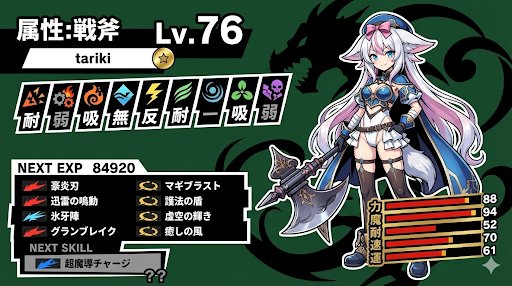
Persona-Style Status Screen Generation
A Persona-style status screen using nano banana pro. I instructed it to randomly generate the level and stats, but they tend to be high.
Some prompts are collected from creators on X. Copyright belongs to the original authors.