
Prompt Library
AI Prompt Library
Curated image, video and web design prompts from creators around the world. Copy any prompt, swap the subject or style, and generate with the latest models.
4,387 prompts · Updated daily · 100% free
127 prompts
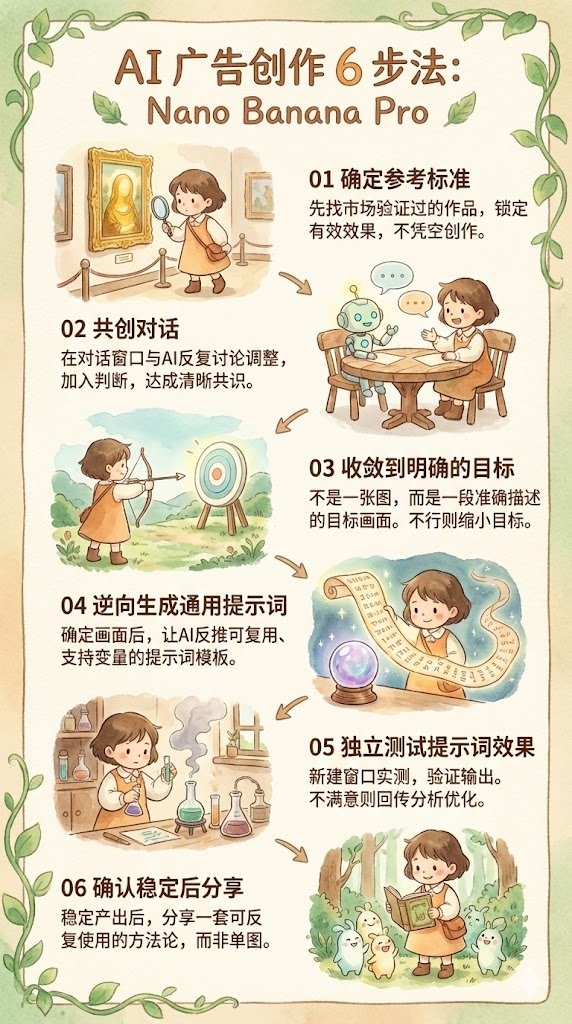
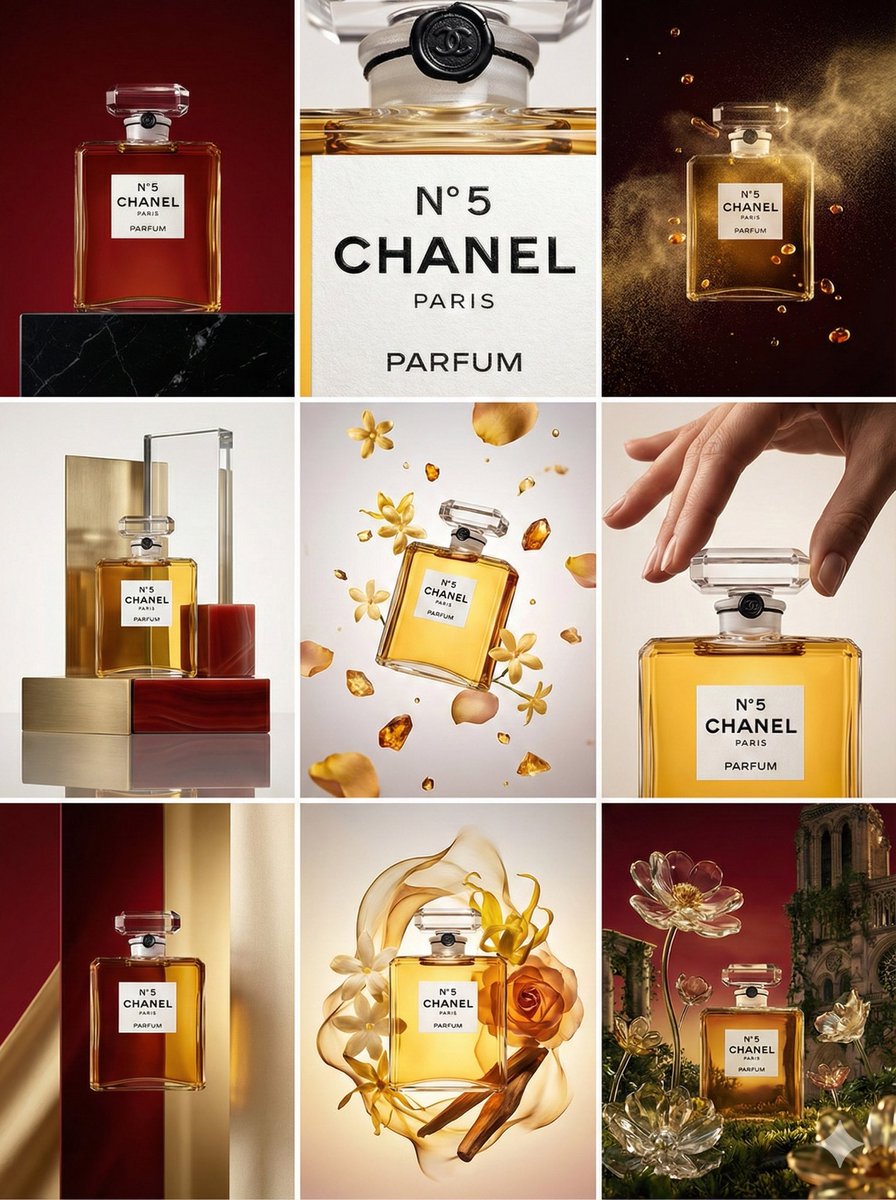
Reverse-Engineering Reusable Prompt Templates for Advertising
Given that the visual goal is completely determined, ask the AI to reverse-engineer a reusable prompt template. This prompt must support custom variables for subsequent long-term use.
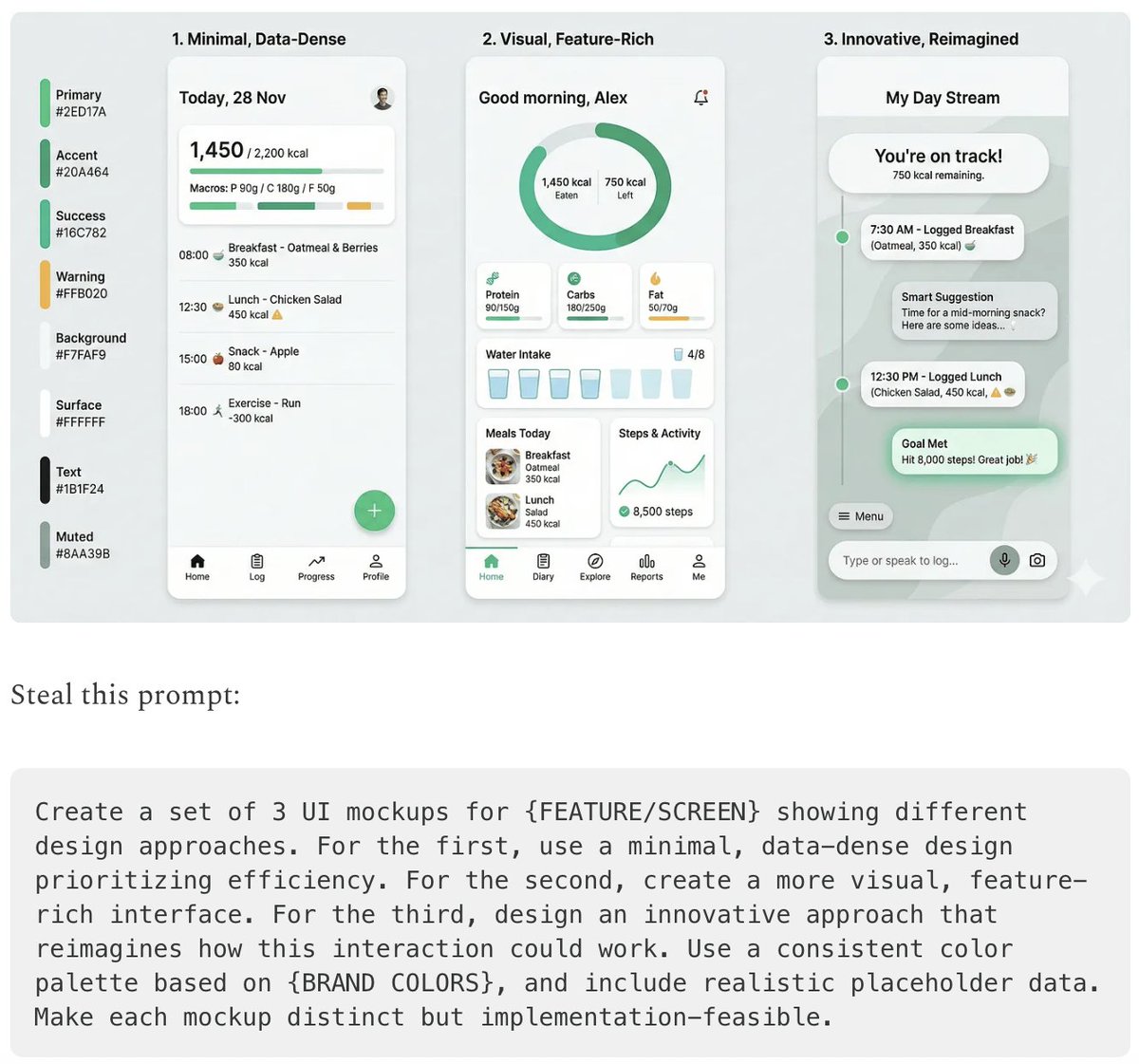
Five High-Efficiency Nano Banana Pro Prompts for Business Graphics
- {argument name="use case 1" default="LinkedIn Infographic"} - {argument name="use case 2" default="Technical Architecture Diagram"} - {argument name="use case 3" default="Product UI Comparison Model"} - {argument name="use case 4" default="Data Visualization"} - {argument name="use case 5" default="Code Visualization Explanation"}
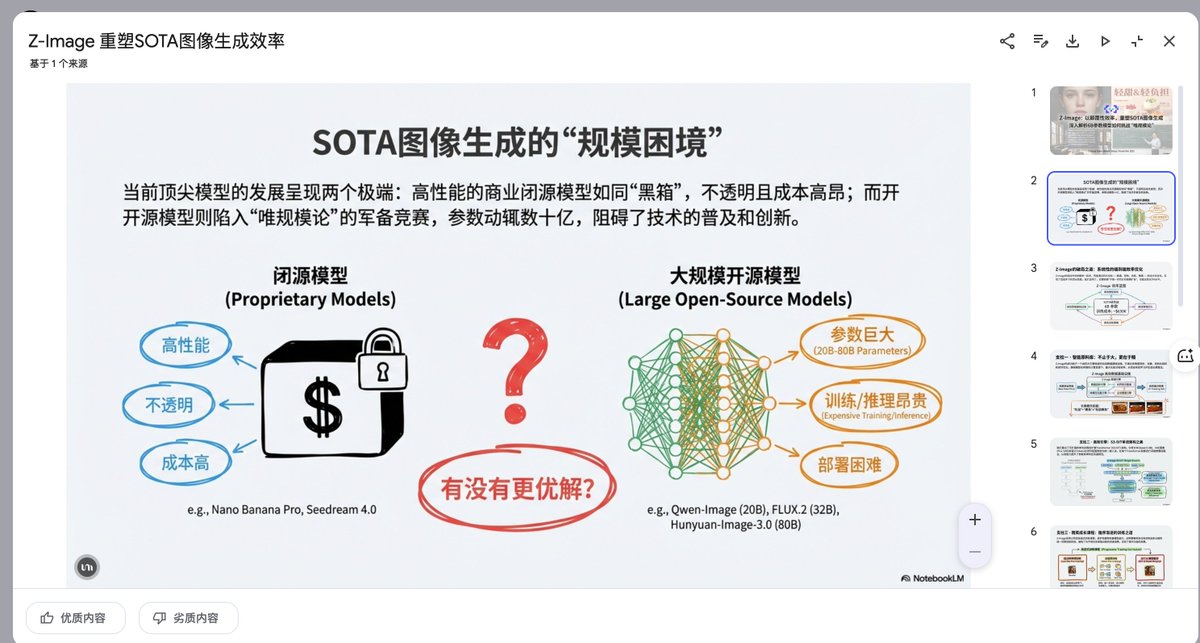
Presentation Slide Generation Prompt
Create a set of presentation slides, adopting a whiteboard and doodle style, focusing on step-by-step explanations, featuring a consistent colored thick pencil hand-drawn style, rich information, including Chinese text, using the nano_banana tool to generate images, and extracting core information.

Modern Minimalist PPT/Diagram Generation Prompt
1. Overall Visual Style Style Keywords: Flat UI, Vector, Modern Minimalist, Card-style design. Lines and Shapes: Rounded Corners Priority: All borders, background blocks, buttons, and process nodes must be rounded rectangles (Rounded Rectangles, with a large corner radius, approximately 10-15px). Elbow Lines: Process connections use right-angle polylines (no curves), lines are simple and strong. Color Logic (Key): “Candy Color” Scheme: Use light backgrounds with high brightness and low saturation (such as light blue, light green, light purple), paired with darker borders of the same color family. Border Emphasis: All graphics must have clear 2px~3px solid borders. 2. Vertical Layout Structure Regardless of the topic, please follow the following top-down layout order, which must be contained within a large border container: Layer 1: Main Title (Header) Position: Centered at the top of the container. Style: Bold black font, largest font size, darkest color. Layer 2: Core Flowchart Area Position: Occupies 50% of the core area of the layout. Content: Rectangular nodes + arrow connections. If it is a loop step, please use a dashed line pointing back. Layer 3: Feature List Position: Below the flowchart, centered or left-aligned. Style: Short and concise bullet points, slightly smaller font, with some white space. Layer 4: Full-width Summary Box (Footer Box) Position: At the very bottom of the container, filling the width horizontally. Color Scheme: Use a contrasting color (such as purple in the example), distinct from the main color scheme above. Function: Used to place 'Summary', 'Analogy', or 'Core Conclusion'. Landscape size (horizontal/scenic mode) is chosen because: Content Adaptation: Horizontal content like timelines is better displayed in a horizontal canvas to show the evolution process. Presentation Friendly: The 3:2 horizontal ratio is very suitable for insertion into PPTs and documents, and displays well on projectors or screens. Information Capacity: Horizontal layout can accommodate more text and icons, avoiding clutter.
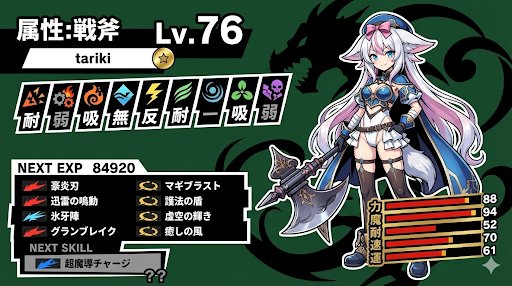
Persona-Style Status Screen Generation
A Persona-style status screen using nano banana pro. I instructed it to randomly generate the level and stats, but they tend to be high.

LLM System Prompt Security Measures (Conceptual)
Prompt injection content classifiers—Proprietary machine-learning models that detect malicious prompts and instructions within various data formats. Security thought reinforcement—Targeted security instructions that are added around the prompt content. These instructions remind the LLM (large language model) to perform the user-directed task and ignore adversarial instructions. Markdown sanitization and suspicious URL redaction—Identifying and redacting external image URLs and suspicious links using Google Safe Browsing to prevent URL-based attacks and data exfiltration. User confirmation framework—A contextual system that requires explicit user confirmation for potentially risky operations, such as deleting calendar events. End-user security mitigation notifications—Contextual information provided to users when security issues are detected and mitigated. These notifications encourage users to learn more via dedicated help center articles. Model resilience—The adversarial robustness of Gemini models, which protects them from explicit malicious manipulation.

Nano Banana Pro Camera Control Template and Example Prompt
{ "scene": "AI engineer working at futuristic desk with multiple holographic displays", "camera": { "angle": "{argument name="camera angle" default="over-the-shoulder, slightly elevated"}", "focal_length": "{argument name="focal length" default="50mm portrait lens"}", "depth_of_field": "{argument name="depth of field" default="shallow, subject in sharp focus, background slightly blurred"}" }, "lighting": { "type": "{argument name="lighting type" default="dramatic side lighting with blue accent lights"}", "time_of_day": "{argument name="time of day" default="late night"}", "mood": "{argument name="mood" default="focused, tech-noir atmosphere"}", "shadows": "deep but not harsh" }, "color_grade": "{argument name="color grade" default="cool tones, teal and orange color scheme"}" }
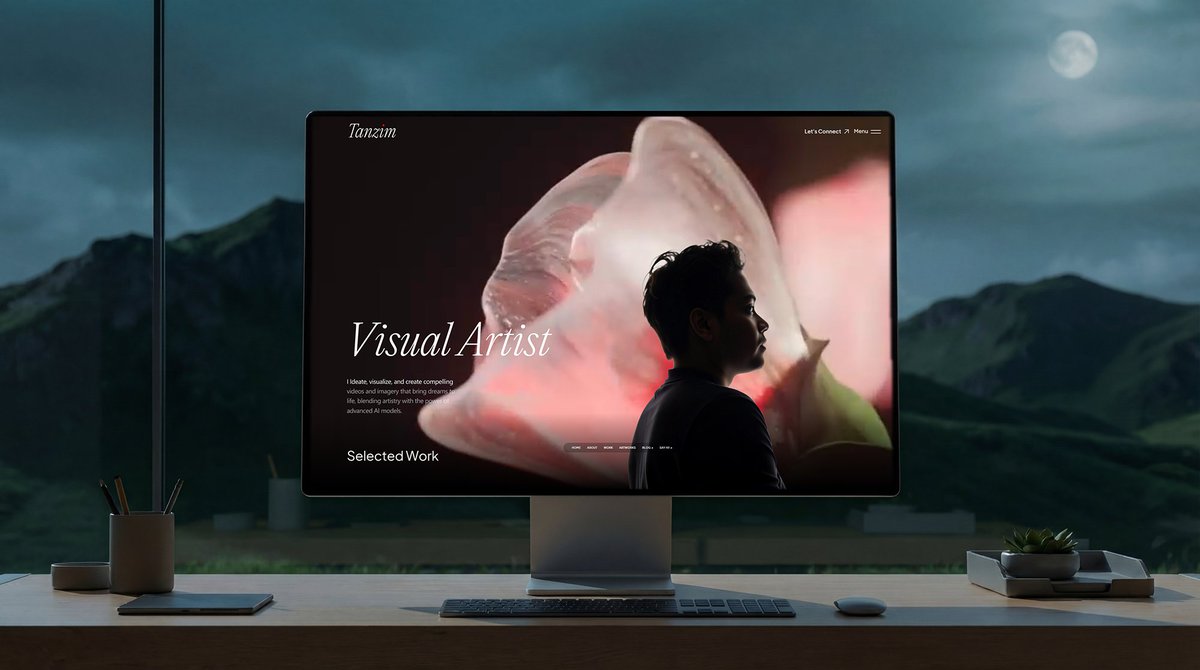
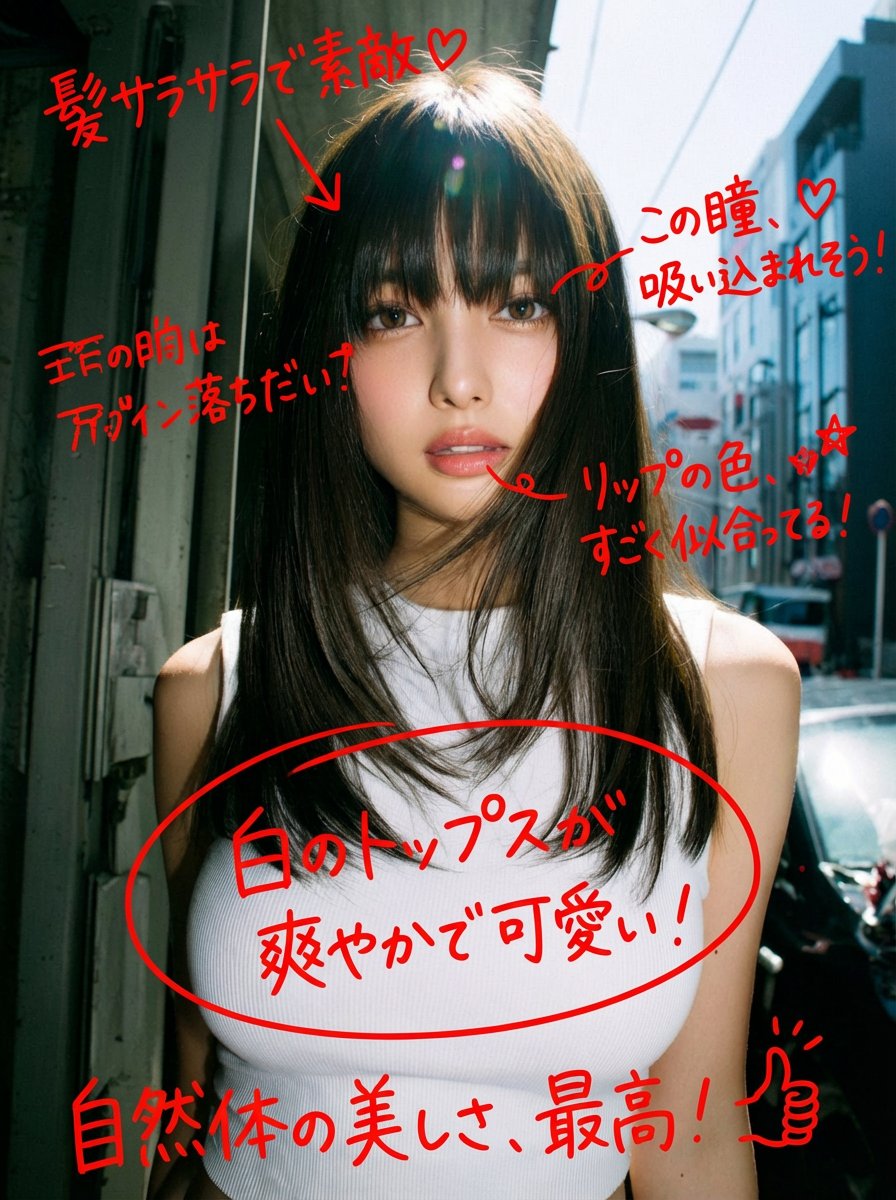
Image Analysis and Correction Tool Description
A game that automatically analyzes and corrects images.
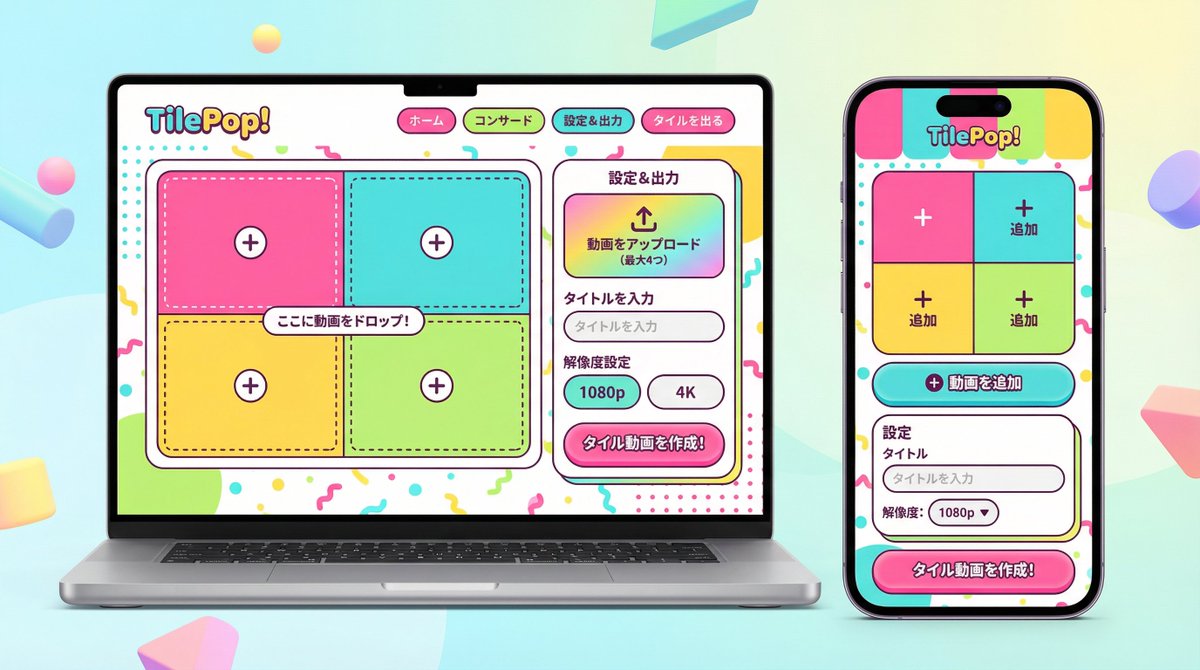
UI/UX Redesign Prompt (Pop Design Style)
You are an experienced senior UI/UX designer specializing in new service launches and redesigns. Analyze the attached image (or input text if no image is attached) and extract **only the 'functional requirements' and 'information structure'** shown there. Based on the extracted functions, generate a high-resolution device mockup image of the app/service with a **completely refreshed design**, showing both the 'Smartphone version (mobile app)' and the 'PC version (Web dashboard or LP)' side-by-side. **Important Requests:** 1. **Design Refresh:** **Do not imitate** the visual style of the attached image at all. Propose a completely new design according to the 'Pop Design' instructions below. 2. **Functionality Maintenance:** Core app functions, such as 'Upload,' 'Video Tiling Display,' and 'Export Settings,' must be included in the UI. 3. **No Characters:** Do not place any characters or human illustrations in the image. Focus only on the UI and devices. ▼ Instructions for the Generation Process (Thinking Process) Construct the design by executing the following thought process before drawing: * [Step 1: Extraction of Functional Requirements]: Identify what the service does from the attached image (e.g., video upload, tiling edit, output) and list the necessary UI elements. * [Step 2: Formulation of Pop Design Concept]: Define a vibrant color palette, playful shapes, and approachable typography based on the '▼ New Design and Style Specification' below. * [Step 3: Responsive UI Design]: * Smartphone Version: Optimize the UI using the defined pop design so that it is fun to operate even on a small screen. Buttons should be large and easy to press. * PC Version: Design a visually enjoyable grid layout utilizing the wide screen, using the defined pop design. * [Step 4: Spatial Composition]: Set an angle where the PC and smartphone are beautifully aligned, and the new design of both screens is clearly conveyed. ▼ New Design and Style Specification * **Design Direction:** Adopt **'Fun, Approachable, and Energetic Pop Design.'** * **Color:** Use a highly saturated, vibrant multi-color palette (e.g., candy colors, bright yellow, hot pink, sky blue) to give an energetic impression. * **Shape:** Frequently use large rounded corners for buttons, cards, and windows to create a soft, tactile texture. Icons should be in a playful style drawn with thick lines. * **Font:** Use an approachable and highly legible rounded Gothic Japanese font. * **Overall Atmosphere:** Finish with a bright, positive UI that makes the user excited to interact with it. * **Composition:** Cross-platform mockup with the PC and smartphone beautifully aligned, in an isometric (oblique overhead) or front view. The background should be a bright studio environment that enhances the pop UI. * **Text:** Place accurate Japanese text indicating the functions. ▼ Input Text (App Function Definition) {argument name="app function definition" default="App to tile and export uploaded videos\nNo AI analysis function needed\nI want to be able to set the resolution!"}
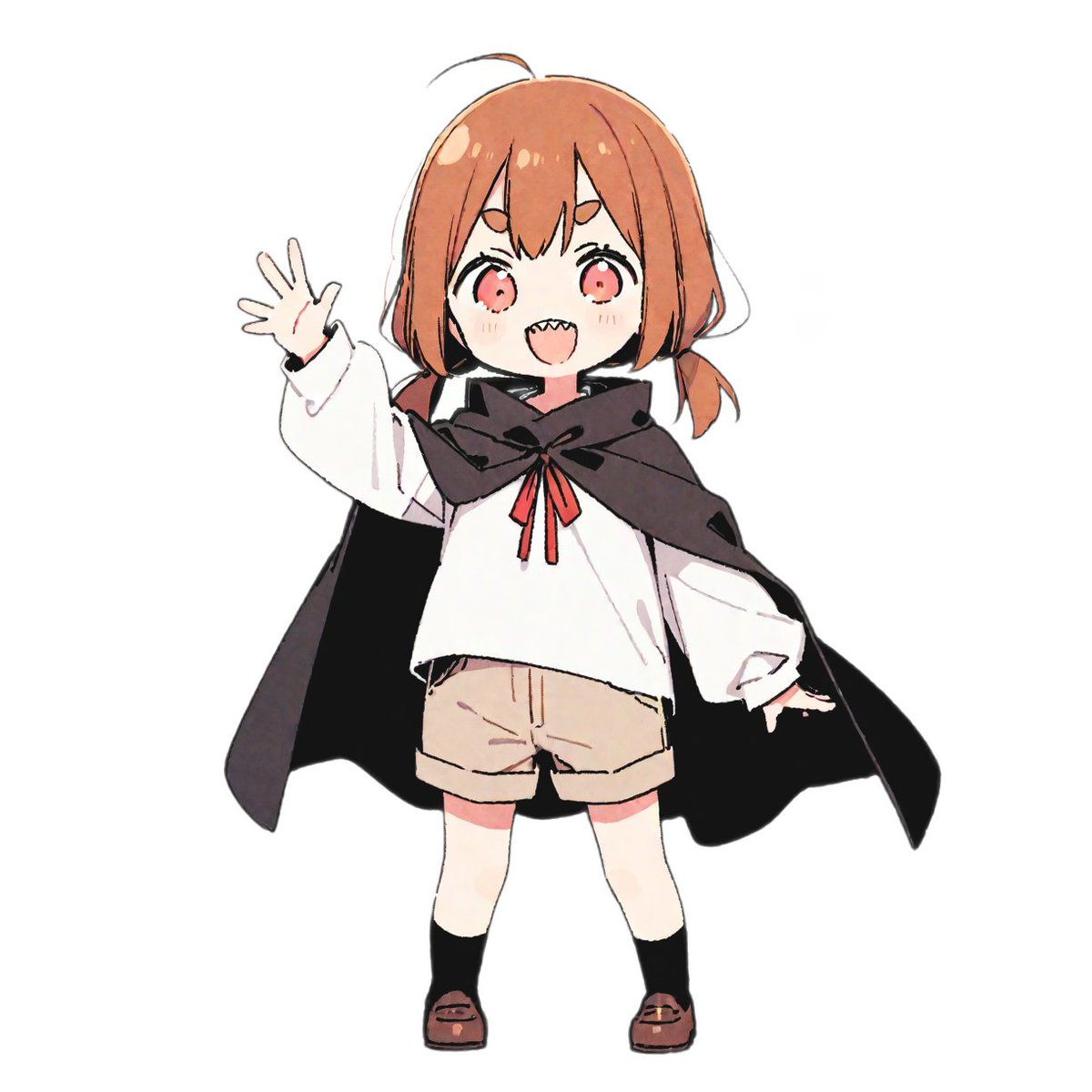
3D Dance Game Screen Prompt for Nano Banana Pro
A vibrant rhythm game screenshot featuring a 3D anime character from the reference photo. [{argument name="character description" default="Girl wearing a cloak"}] Maintaining a confident dance pose on the left side of the screen. Immersive cinematic lighting glowing in neon yellow and pink Glossy, reflective dance floor shining under a spotlight Dynamic 3D anime style. Immersive UI rhythm game screen: no reflection display Score display at the top Colorful music waveform animation synchronized with the beat Stage timer countdown Floating combo numbers Energy bar Neon particle effects Four falling button instruction arrows from top to bottom on the right side of the screen Button arrow direction and color are fixed for each column (Left: Red, Up: Blue, Down: Green, Right: Yellow) Highly detailed game atmosphere created with immersive arcade rhythm game HUD elements Ultra-detailed, cinematic, immersive, 3D animation.
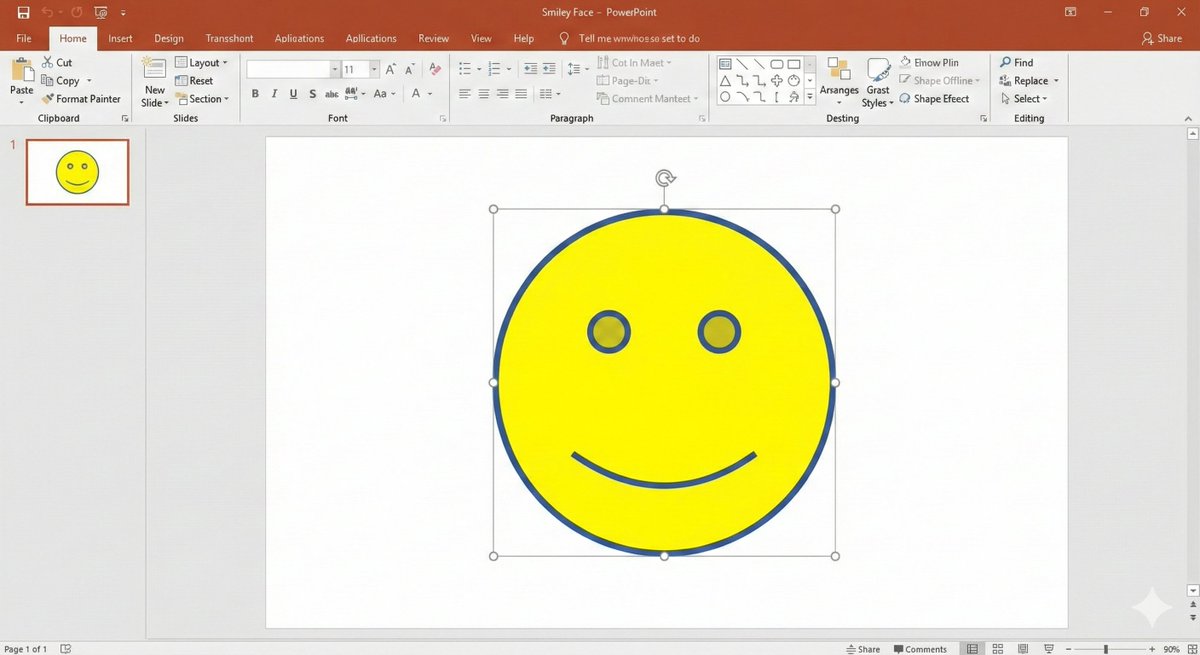
Nano Banana Pro PowerPoint Smile Mark Prompt
# Regarding the shape smile mark: Literally, the smile mark found in the shape insertion feature of PowerPoint. That simple, ultimately minimalist figure with empty eyes and only the corners of the mouth turned up. Start image generation
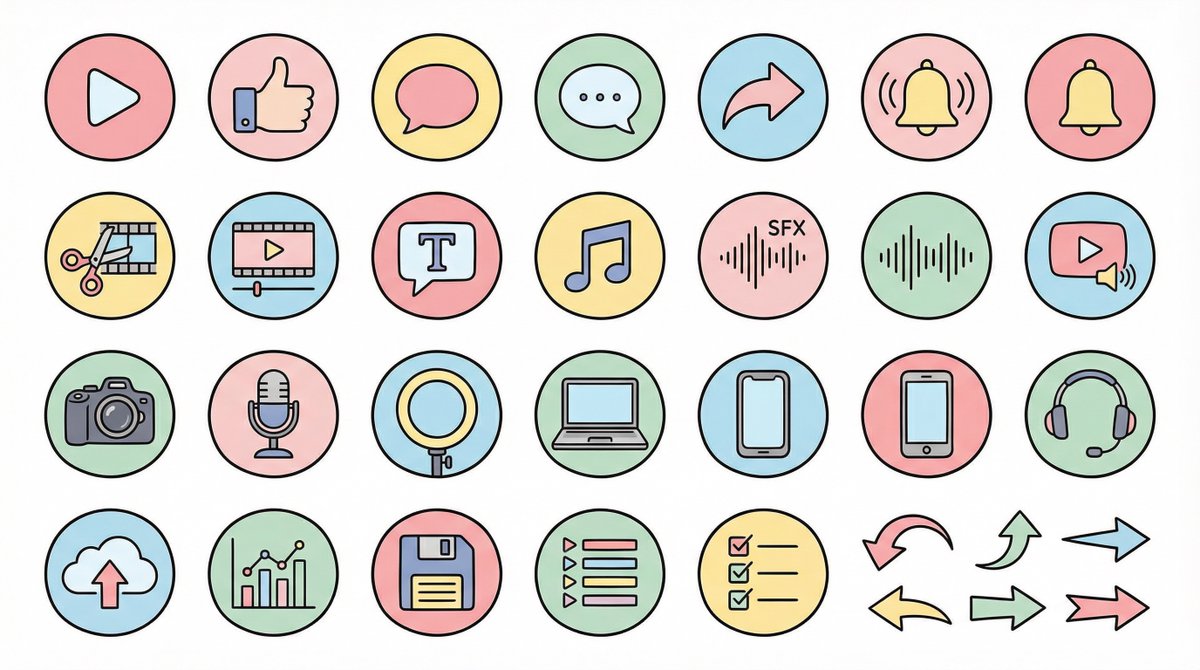
Nano Banana Pro Pictogram Generation Prompt
● Generation Theme {argument name="generation theme" default="Icon material set for YouTube videos"} ● Content {argument name="content" default="Create icons for YouTube production, editing, posting, and analysis in a unified design. Examples: Actions: Play button, high rating, comments, share, notification bell; Editing: Cut, timeline, telop, BGM, sound effects; Filming equipment: Camera, microphone, light, PC, smartphone, headset; Operation: Upload, analysis, save, playlist, list, arrow"} ● Production Conditions ・Unified ratio, line width, color scheme, and world view ・High visibility ・No text required ・Background: Solid white color ・Resolution: "2K" ・Aspect Ratio: "16:9" ● Design Image → Insert the design image below here 💡 【Negative prompt】 Real, photo texture, three-dimensional, 3D, overly complex details, metal texture, dark shadows, horror, overly dark colors ------------------- ● Design Image ① (Soft and Fluffy) Rounded shapes, soft color scheme, thin black lines, pastel colors, friendly atmosphere, hand-drawn illustration style ------------------- ● Design Image ② (YouTube Simple Flat Style) Thick lines, emphasis on Red×White×Black, sharp corners, emphasized lines, priority on visibility, modern UI icon ------------------- ● Design Image ③ (Simple) Minimal, thin lines, refined spacing, centered on achromatic colors, icon font style, elegant and calm design ------------------- ● Design Image ④ (Game Streaming/Streamer) Fluorescent accent colors (neon blue/purple/red), SF feel, Sharp edges, HUD UI style, cyber and edgy design ------------------- ● Design Image ⑤ (Colorful Pop/KIDS Education) Thick, rounded silhouette, bright colorful scheme (red, yellow, green, blue, pink), picture book style, soft and fun atmosphere, simple and recognizable icons, educational design that is cute but not too childish. ------------------- ● Design Image ⑥ (Explanation/History/Retro) Calm retro color scheme (brown, dark green, deep navy, sepia), novel/bulletin board/analytical atmosphere, thin lines, slightly heavy icon feel, old map/document/archive feel, mysterious tone with a unified world view. ------------------- ● Design Image ⑦ (Flashy/Dynamic) Thick lines, strong contrast, flashy colors (red, yellow, black), energetic and dynamic impression, Japanese manga-style emphasis (exclamation marks, speed lines, emphasized text style), powerful pop design that grabs the viewer's attention.
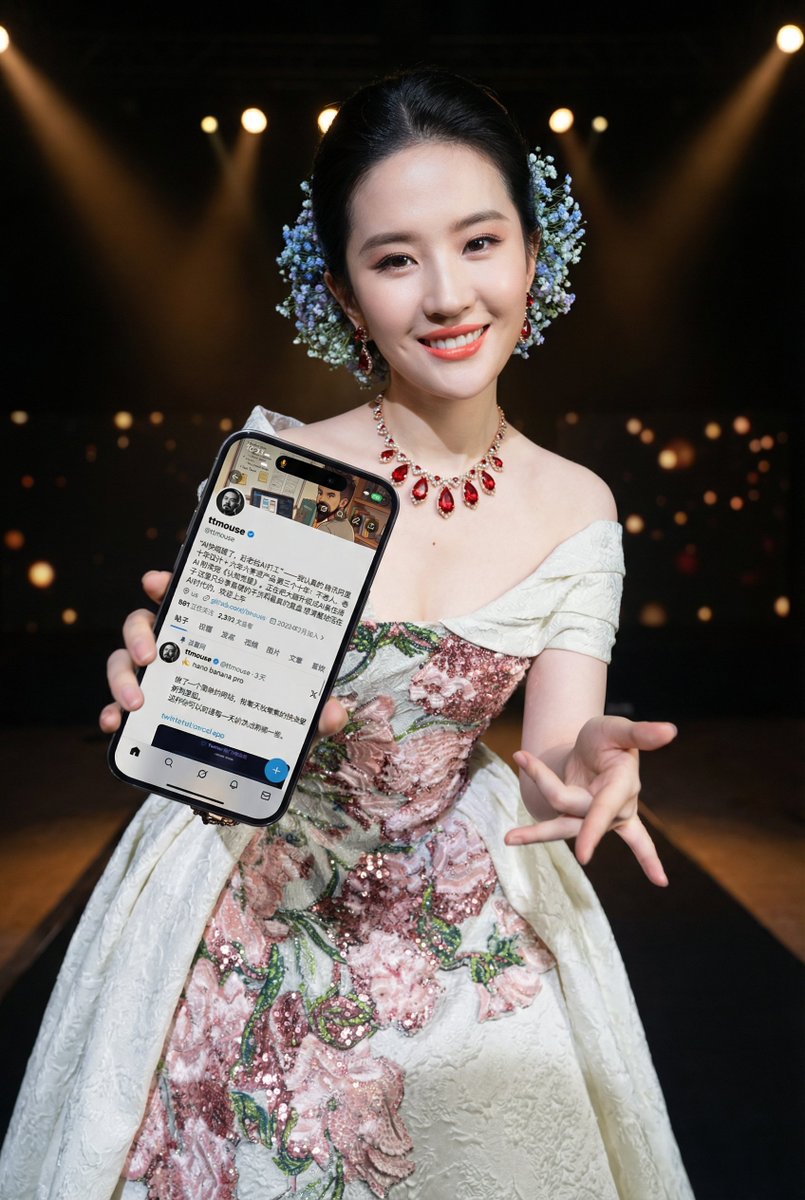
Image-to-Image Prompt for Character and UI Generation
1. Prepare the character prototype 2. Prepare the mobile interface screenshot 3. Send along with the prompt text
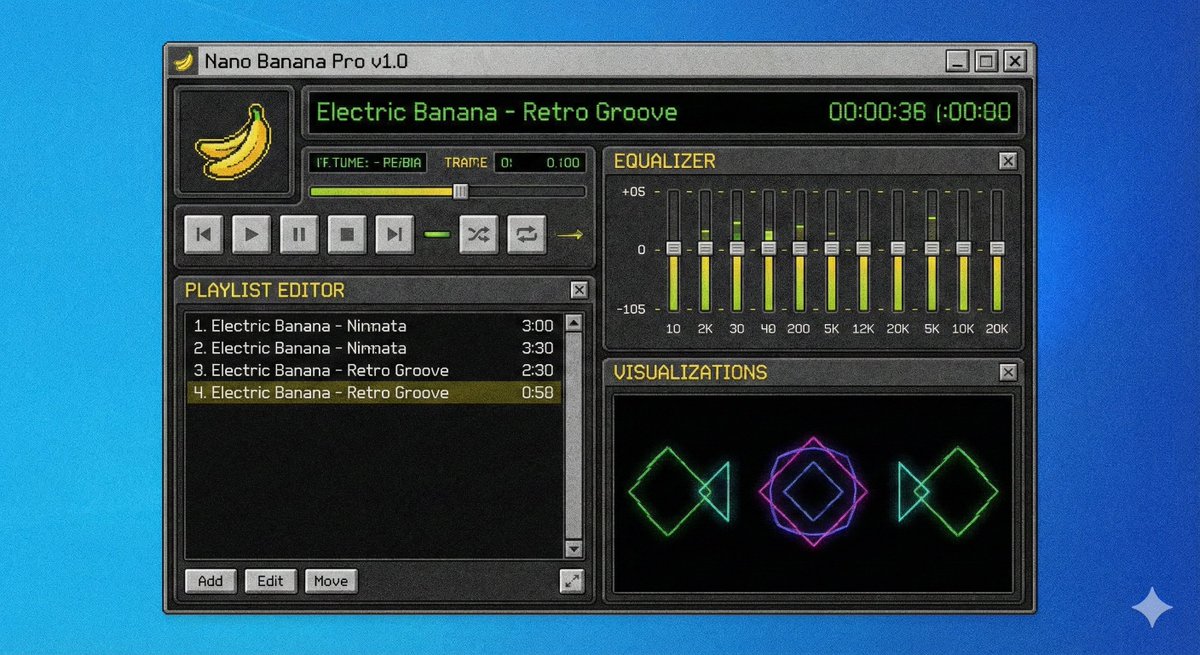
Winamp-style software screenshot prompt
A screenshot of a winamp style software called {argument name="software name" default="Nano Banana Pro"}
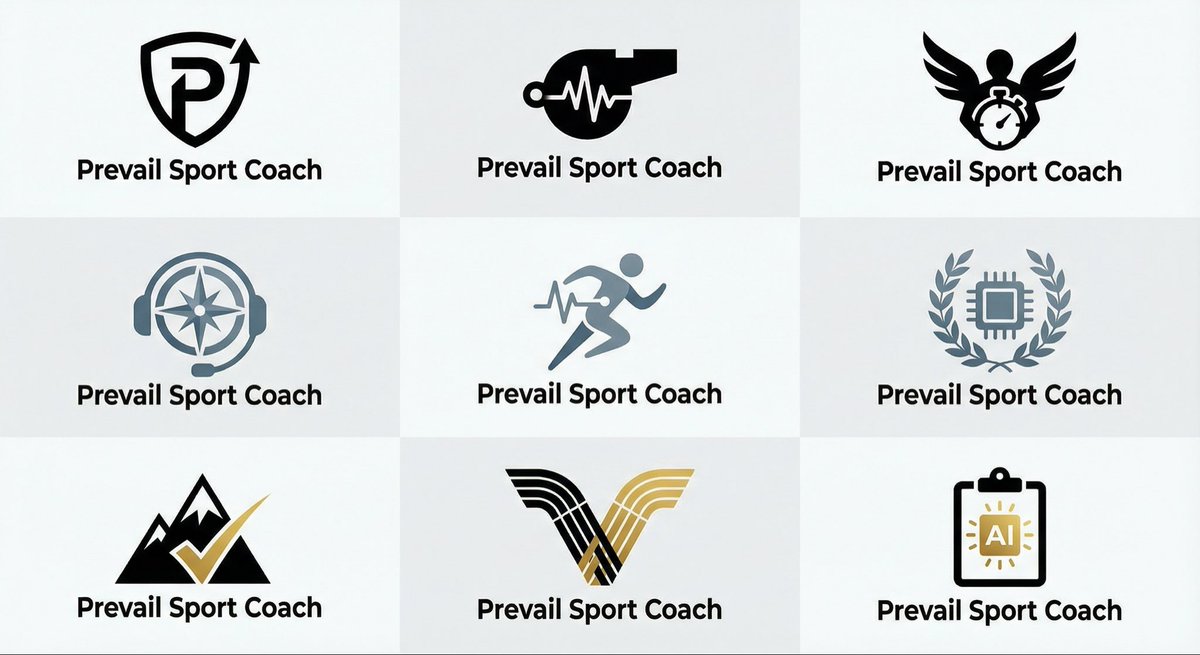
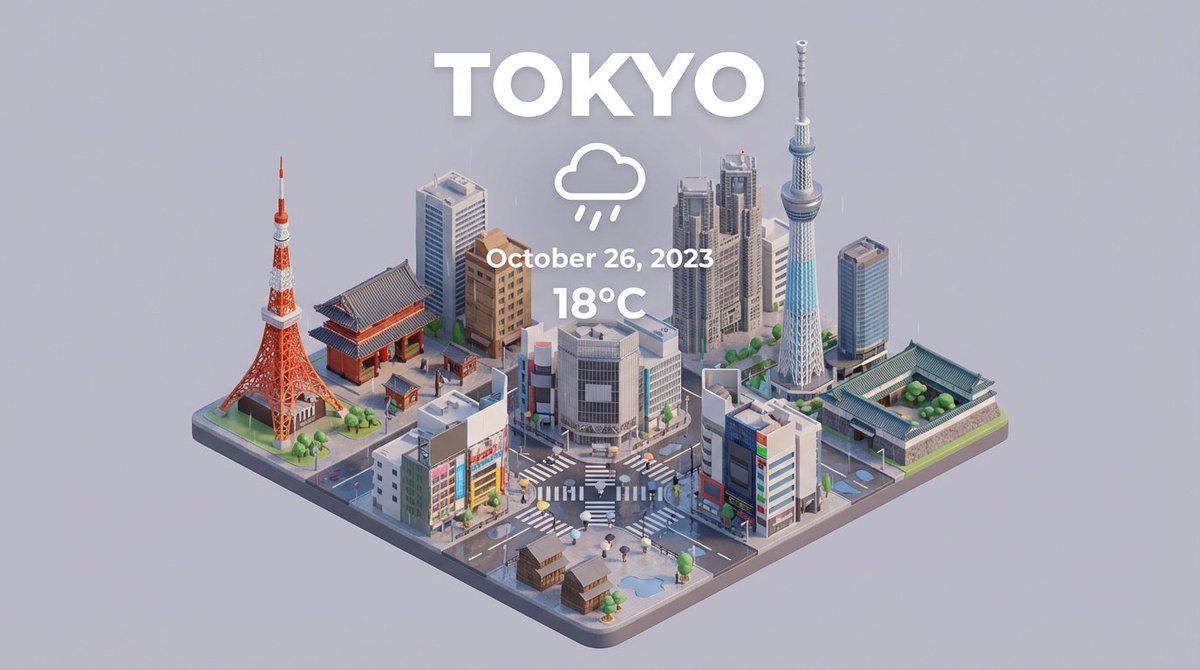
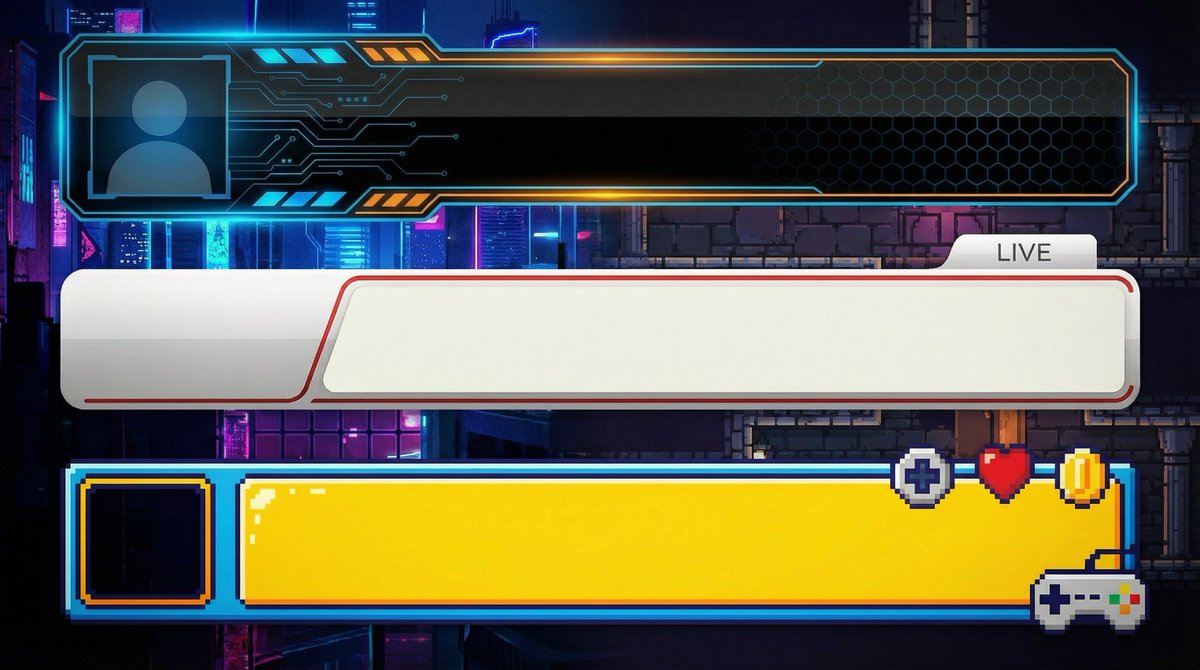
YouTube Subtitle Base Generation Prompt
【Create Subtitle Bases for YouTube】 ●Basic Information ・Do not input text; only create the subtitle base (lower third) ・Opaque ・Horizontal ・Solid green background for easy transparency ・Create three different design patterns stacked vertically ・Aspect ratio is "16:9" ・Resolution is "2K" ---------------- ●Design Information ({argument name="genre" default="Business"}) ・Clean and simple design ・Design easy to use for {argument name="genre" default="Business"} videos ・{argument name="genre" default="Design that conveys reliability"} ---------------- ●Design Information (Game Commentary) ・Clean and simple design ・Design easy to use for game commentary ---------------- ●Design Information (Entertainment) ・Clean and simple design ・Design similar to those used by Japanese entertainment YouTubers ---------------- ●Design Information (Vlog/Daily Life) ・Clean and simple design ・Calm design easy to use for stylish Vlog videos
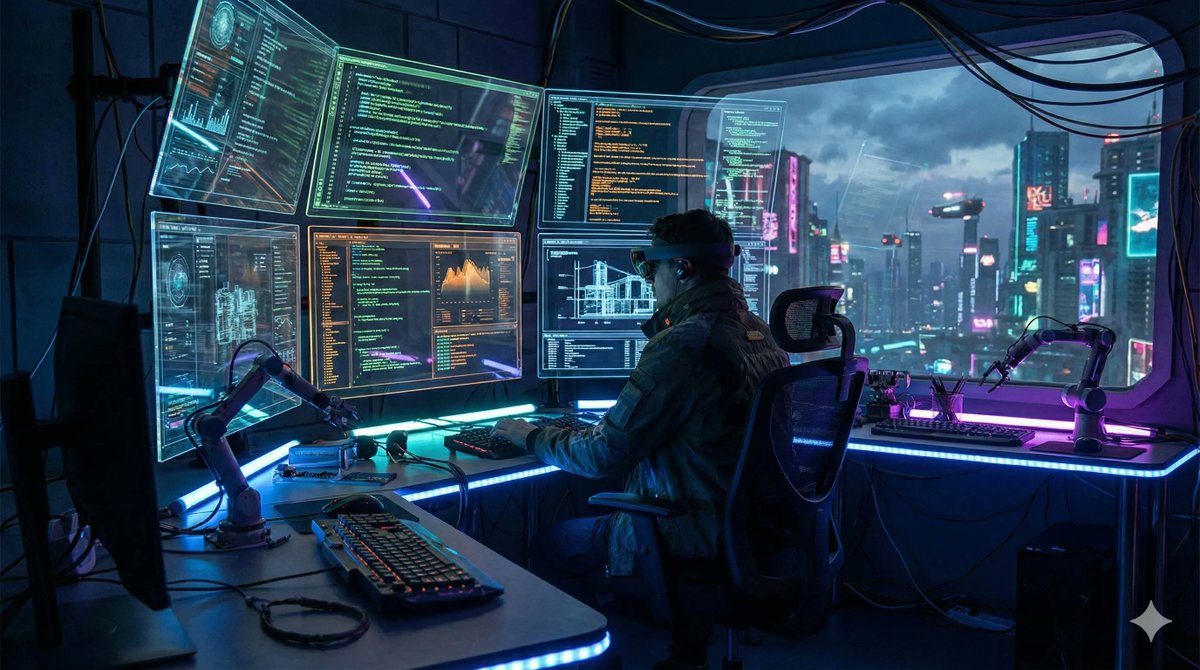
Template Prompt for High-Resolution AI Art
{ "scene": "{argument name="scene description" default="futuristic AI workspace with holographic screens showing code"}", "resolution": "{argument name="resolution" default="4K"}", "aspect_ratio": "{argument name="aspect ratio" default="16:9"}", "style": "{argument name="visual style" default="cinematic lighting, cyberpunk aesthetic, ultra-detailed"}" }
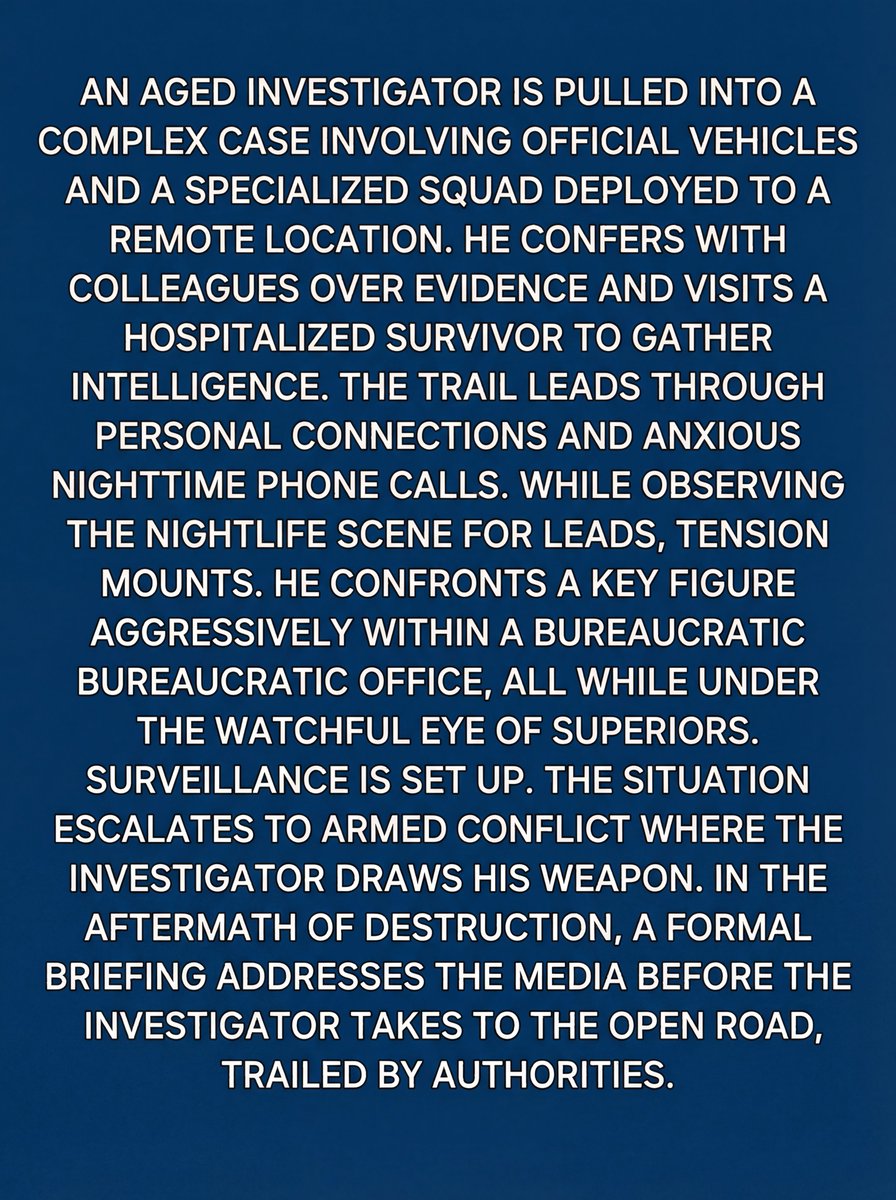
Video Thumbnail Interpretation Prompt
interpret the video thumbnail that is @ img1 print your detailed story derived your interpretation of @ img1 as the text only image output. expected output format: small easy to read white sans serif block format text on a blue background
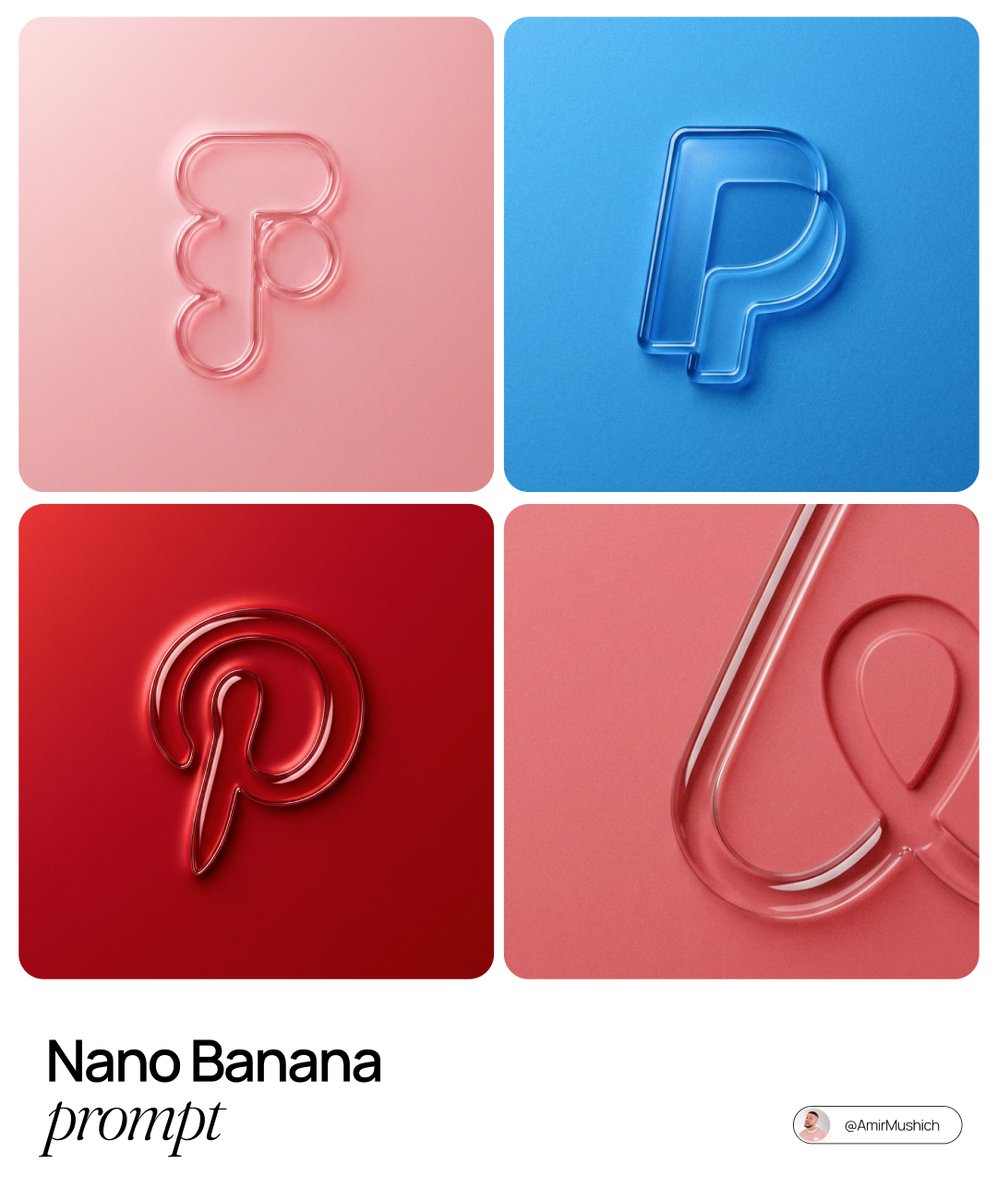
3D embossed brand logo on monochrome background
The centrally aligned {argument name="brand name" default="[brand name]"} on a flat surface is rendered with a 3D embossed glossy outline, perfectly centered in the composition with ample surrounding white space, creating a high-end minimal aesthetic. A monochrome {argument name="main color" default="[color]"} palette with a soft gradient in tone. The object is defined by raised, liquid-smooth glass borders or chrome edges, blending seamlessly with the background to form an integrated embossed effect. A matte surface overlaid with subtle film grain or noise texture. Soft diffused lighting with strong specular highlights at the rounded corners, viewed from a top-down perspective.
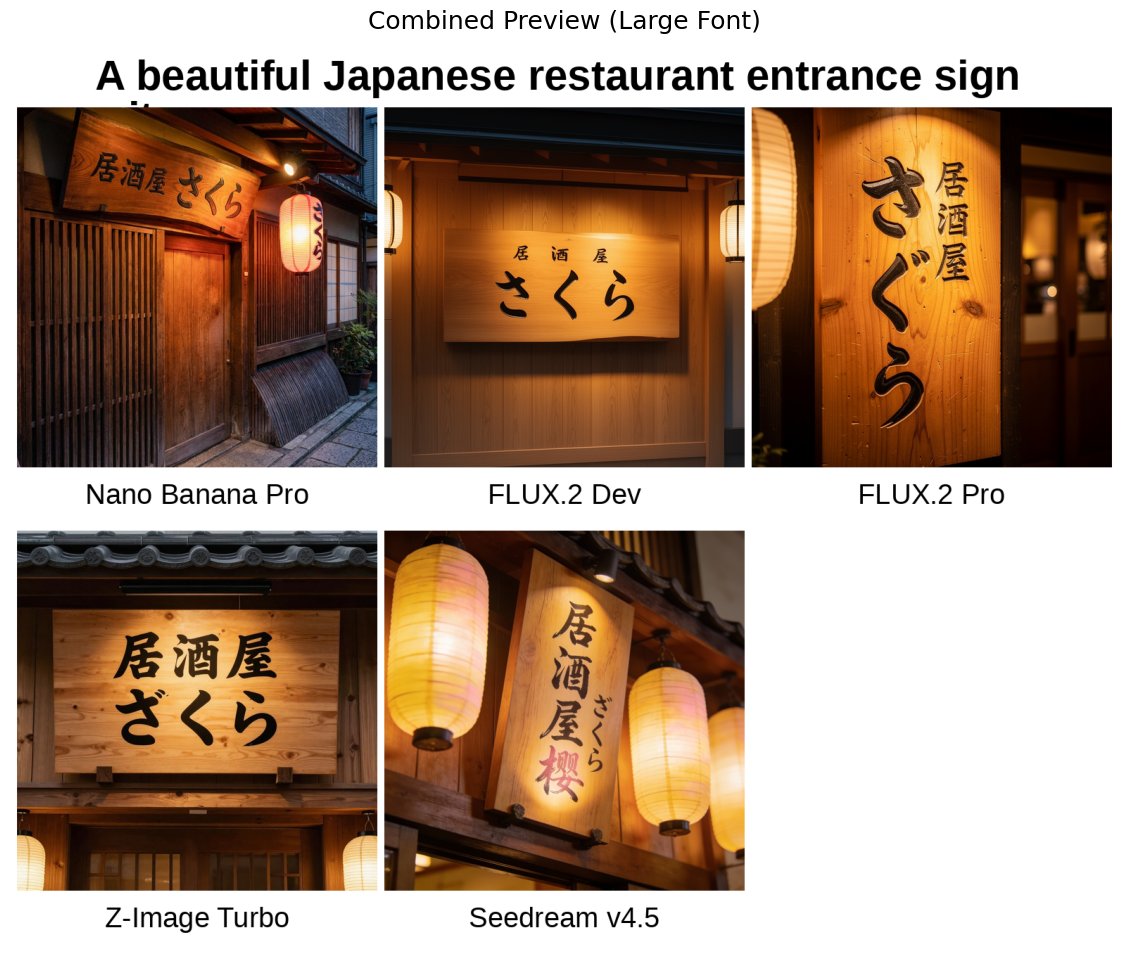
Japanese izakaya entrance sign image prompt for Nano Banana Pro
A beautiful Japanese restaurant entrance sign with the text "{argument name="sign text" default="Izakaya Sakura"}" written in a traditional calligraphy style, a warm wooden background, soft lantern lighting, photorealistic quality
Some prompts are collected from creators on X. Copyright belongs to the original authors.