Prompt Library

AI Prompt Library

Curated image, video and web design prompts from creators around the world. Copy any prompt, swap the subject or style, and generate with the latest models.

4,387 prompts · Updated daily · 100% free

127 prompts

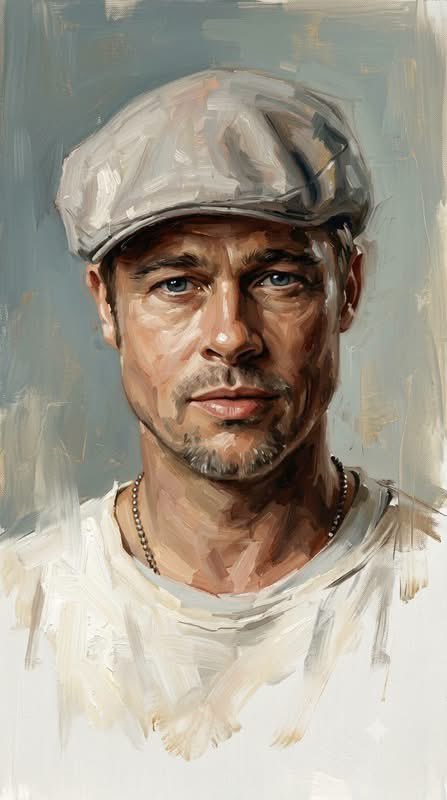
Sophisticated Oil Portrait Painting

Sophisticated Oil Portrait Painting

{argument name="style" default="Sophisticated contemporary oil portrait painting"} with expressive loose brushwork, combining refined semi-realistic portraiture, classical fine-art painting, and modern editorial painterly aesthetics. The subject is rendered with highly controlled yet visibly handcrafted oil strokes, layered pigments, soft impasto, delicate dry-brush marks, and expressive directional brushwork that follows the natural anatomy and volume of the face. Facial features are detailed and semi-realistic, with luminous skin, natural texture, expressive eyes, carefully modeled nose and lips, and richly layered hair built from flowing individual brushstrokes. Use {argument name="color palette" default="warm brown, deep umber, burnt sienna, ochre, muted peach, cream, ivory, soft gray-blue, charcoal, and subtle muted gold accents"}, matching the reference palette precisely. Highlights are predominantly warm ivory and creamy white, while shadows remain deep but soft and painterly. The background uses the same desaturated blue-gray and warm ivory palette, appearing like an unfinished classical painted canvas. Broad vertical and horizontal brushstrokes, translucent paint layers, softly scraped areas, subtle dry-brush textures, and irregular painterly patches create an atmospheric studio-like backdrop. Keep the background simple, quiet, and organically integrated with the portrait rather than sharply separated. The lower portion of the figure intentionally becomes unfinished and gradually dissolves into loose white and ivory brushstrokes. Clothing, shoulders, chest, and lower contours progressively lose definition, breaking into scattered semi-transparent strokes and fading pigment. Edges become incomplete, soft, irregular, and partially disappear into the background, creating the unmistakable impression of an intentionally unfinished oil painting. Do not create a hard bottom edge. Maintain a refined balance between highly detailed facial realism and deliberately unfinished painterly abstraction. Visible brushwork, layered oil pigments, soft impasto, subtle canvas texture, natural imperfections, elegant tonal transitions, museum-quality portrait painting, cinematic atmosphere, timeless fine-art character. No photorealistic photography, no 3D CGI, no vector appearance, no hard digital outlines, no glossy rendering, no completely finished lower body, no sharp background separation. --ar {argument name="aspect ratio" default="9:16"}
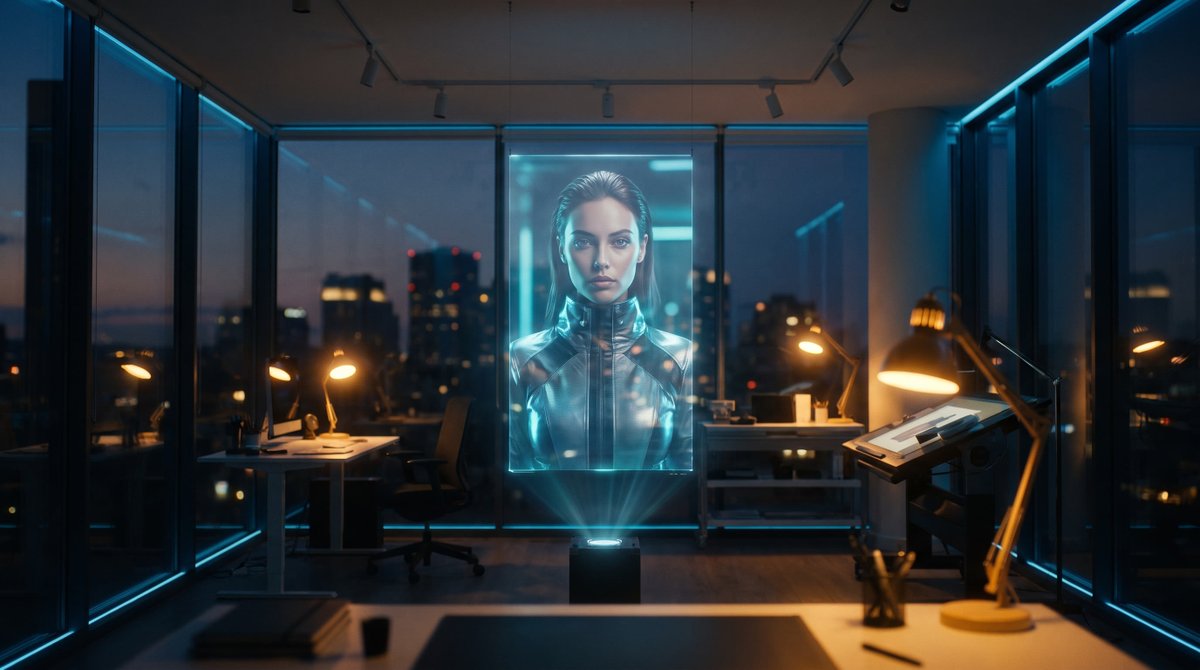
Holographic Canvas Glass Studio

Holographic Canvas Glass Studio

{argument name="setting" default="Glass studio"}, {argument name="canvas" default="holographic canvas"}, {argument name="lighting" default="mixed tungsten and cyan light"}.

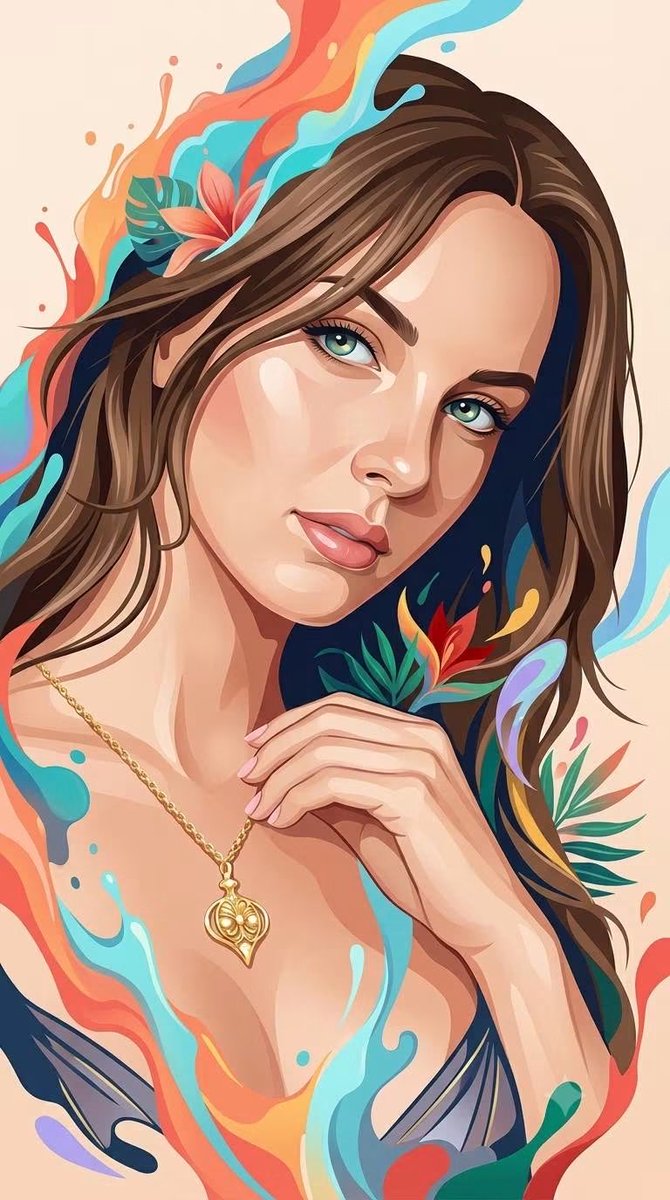
Hybrid 3D Vector Illustration Style

Hybrid 3D Vector Illustration Style

A sophisticated {argument name="subject" default="hybrid human portrait style"} that seamlessly combines the whimsical, glossy dimensional rendering of a premium 3D fantasy illustration with the clean, elegant simplicity of contemporary flat vector portraiture. Depict the human subject with recognizable anatomy, natural facial proportions, authentic expression, and clearly identifiable features, while transforming the overall appearance into a refined stylized illustration. The face should combine smooth dimensional modeling with simplified graphic planes: softly sculpted skin, subtle volumetric shading, delicate highlights, clean angular shapes, and carefully controlled flat-color regions. Use the visual language of premium digital character illustration: luminous expressive eyes, softly rendered skin, smooth flowing hair with layered strands, polished highlights, gentle depth, tactile surfaces, and subtle painterly transitions. At the same time, simplify the rendering with elegant vector-like shapes, clean silhouettes, controlled linework, minimal visual noise, and clearly defined color planes inspired by modern editorial portrait illustration. Integrate {argument name="artistic elements" default="flowing artistic elements around the human figure, such as fluid paint splashes, soft liquid ribbons, abstract organic shapes"}. These elements should feel energetic and three-dimensional, organically emerging from the portrait rather than appearing as a separate background decoration. Hair should combine clean graphic masses with silky dimensional strands and sweeping flowing shapes. Facial features should remain refined and human, enhanced with subtle geometric simplification rather than exaggerated cartoon distortion. Clothing should use bold simplified silhouettes with restrained geometric detailing, maintaining an elegant contemporary fashion-illustration appearance. Color treatment should merge the warm, restrained palette of modern vector portraiture with the {argument name="color scheme" default="vibrant tropical energy of whimsical fantasy illustration"}: warm coral, orange, cream, peach, turquoise, cyan, sky blue, deep navy, emerald, red, golden yellow, and subtle lavender accents. Use mostly clean saturated color fields, enhanced selectively with soft gradients, glossy highlights, translucent edges, and gentle volumetric illumination. Background should remain clean and uncluttered, preferably a simple warm solid or softly textured backdrop, allowing the human subject and surrounding artistic splashes to remain the primary focus. The final aesthetic should feel like an original fusion of elegant editorial vector portrait, contemporary digital painting, whimsical 3D character illustration, premium fashion artwork, and colorful fluid fantasy art — clean yet richly dimensional, sophisticated yet playful, expressive, polished, tactile, modern, artistic, and visually distinctive.

Edge Aware ASCII Art Conversion

Edge Aware ASCII Art Conversion

Apply an ASCII-art rendering effect to the reference image, where the ASCII character density and placement is driven by the underlying tonal contrast and edges of the photo, like a true edge-aware ASCII-art conversion. Dense character clusters follow the natural contours, silhouette lines, and high-detail areas (such as hair strands, fabric folds, and background structure), while flatter, low-contrast areas (such as smooth skin) stay comparatively clean with minimal or no texture. The effect should look like the ASCII characters are tracing the actual shapes and edges present in the photo, not a uniform overlay pasted on top of everything equally. Use a classic {argument name="color scheme" default="green-on-black or grayscale"} terminal character set ({argument name="character set" default="@ # % & * + . :"}), {argument name="density" default="medium"} overall density, with the original photo still legible underneath.

National Identity Logo Generator

National Identity Logo Generator

Logo for '{argument name="country and tagline" default="Living in Country: Tagline"}' set against a backdrop of {argument name="landscape" default="specific landscape or cityscape"}. Utilize the {argument name="flag colors" default="colors of the country's flag"} and include imagery that represents [the country’s renowned aspects – cultural, culinary, natural, etc.], [desired style or mood]

Minimal Flat Javanese Animation

Minimal Flat Javanese Animation

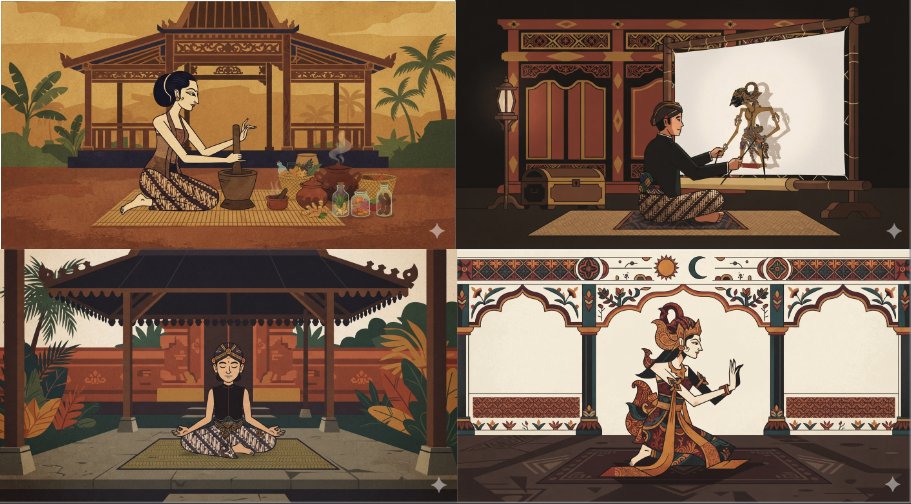
a minimal flat animated scene of {argument name="subject" default="something neutral but interesting"}, {argument name="character count" default="a single character"}, pick an unusual animation style and palette. {argument name="art style" default="Javanese style"}.

Realistic Aerial Bamboo Grove Landscape

Realistic Aerial Bamboo Grove Landscape

masterpiece, realistic photo, landscape, {argument name="subject" default="Aerial bamboo grove"}, swirling canopy, {argument name="feature" default="stone lanterns"}, dappled emerald, summer breeze

Artistic Cyberpunk Neon Megacity

Artistic Cyberpunk Neon Megacity

A {argument name="setting" default="neon megacity transit control nexus"} in an {argument name="style" default="artistic cyberpunk style"}

Mid-Century Modern Interior Girl Portrait

Mid-Century Modern Interior Girl Portrait

A photorealistic mid-century modern interior scene featuring a young girl sitting naturally on a sculptural {argument name="furniture" default="cream boucle sofa"}. The girl has long, softly curled dark hair and is wearing a {argument name="outfit" default="light green floral traditional outfit"} with a sheer dupatta. She is centered in the frame, looking calmly at the camera with a gentle smile. The interior is designed in authentic mid-century modern style: clean lines, warm natural wood tones, and minimalist architecture. Include a wooden coffee table with stacked design books, a ceramic bowl, and subtle decor. A brass arc floor lamp stands beside the sofa. In the background, a modern fireplace with textured stone or brick wall, and a framed abstract artwork. Large floor-to-ceiling windows allow bright, cinematic natural sunlight to flood the room, casting soft shadows and highlighting textures—fabric, wood grain, and stone surfaces. Add indoor plants for warmth and realism. Color palette: warm neutrals, beige, tan, soft browns, muted greens. Lighting: soft golden-hour sunlight, editorial interior photography style. Camera: eye-level shot, shallow depth of field, 50mm lens, ultra-detailed, high dynamic range. Style: high-end editorial interior photography, ultra-realistic, natural skin tones, fine textures, no artificial or CGI look.

NBA Broadcast Stadium Screenshot

NBA Broadcast Stadium Screenshot

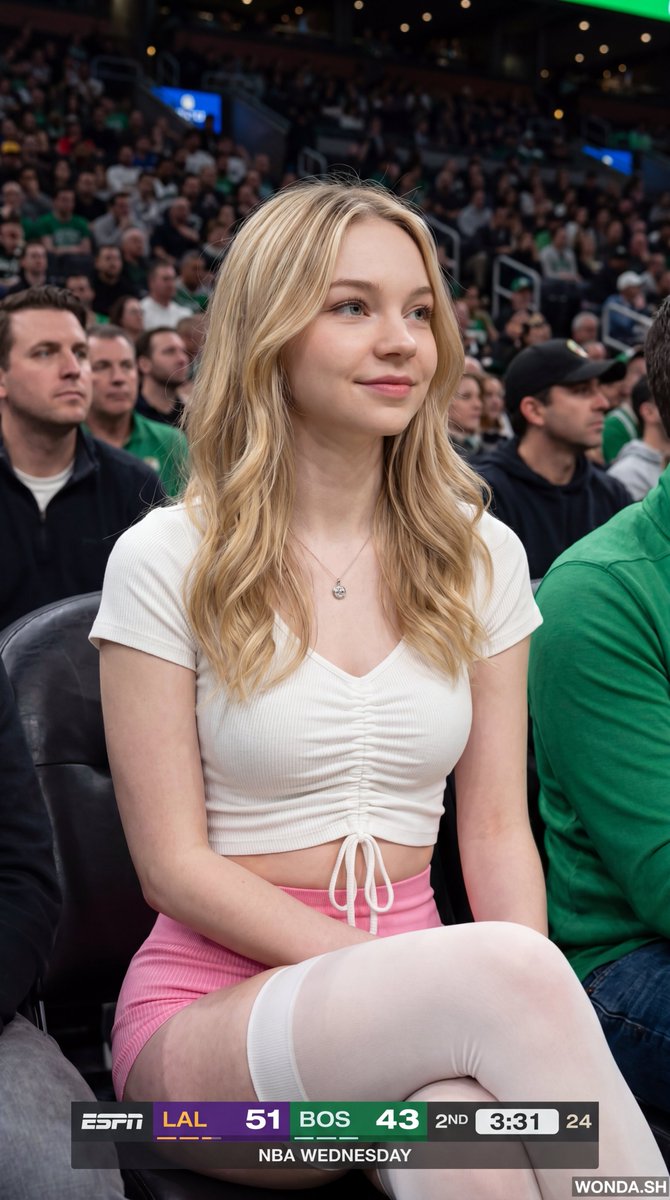
{"meta":{"image_quality":"High","image_type":"Screenshot","resolution_estimation":"1920x1080","file_characteristics":{"compression_artifacts":"Low","noise_level":"Low","lens_type_estimation":"Medium telephoto"}},"global_context":{"scene_description":"A medium shot of a young woman with long dark hair sitting in a crowded arena, likely a basketball game, with an ESPN broadcast overlay at the bottom and top right.","environment_type":"Indoor arena","time_of_day":"Unknown","weather_atmosphere":"Crowded, indoor lighting","lighting":{"source":"Artificial arena lighting","direction":"Frontal, slightly overhead","quality":"Soft, diffused","color_temperature":"Neutral"},"color_palette":{"dominant_hex_estimates":["#1a1a1a","#333333","#ffffff"],"accent_colors":["#fdb927","#007a33"],"contrast_level":"Medium"}},"composition":{"camera_angle":"Eye-level","framing":"Medium shot","depth_of_field":"Shallow","focal_point":"The woman's face","symmetry_type":"None","rule_of_thirds_alignment":"Woman's face is positioned in the upper right quadrant"},"objects":[{"id":"obj_001","label":"Woman","category":"Person","location":{"relative_position":"Center","bounding_box_percentage":{"x":0.25,"y":0.05,"width":0.5,"height":0.9}},"dimensions_relative":"Large","distance_from_camera":"Near","pose_orientation":"Facing slightly right, head turned towards the left","material":"Skin, hair, fabric","surface_properties":{"texture":"Smooth skin, wavy hair","reflectivity":"Low","micro_details":"Natural skin texture, subtle makeup","wear_state":"N/A"},"color_details":{"base_color_hex":"#d2b48c","secondary_colors":["#000000"],"gradient_or_pattern":"None"},"interaction_with_light":{"shadow_casting":"Soft shadows under chin and nose","highlight_zones":"Cheekbones, nose bridge, lips","translucency":"None"},"text_content":null,"relationships":[]},{"id":"obj_002","label":"ESPN Scoreboard Overlay","category":"UI elements","location":{"relative_position":"Bottom center","bounding_box_percentage":{"x":0.25,"y":0.85,"width":0.5,"height":0.15}},"dimensions_relative":"Medium","distance_from_camera":"Overlay","pose_orientation":"Flat","material":"Digital graphic","surface_properties":{"texture":"Smooth","reflectivity":"None","micro_details":"Sharp typography","wear_state":"N/A"},"color_details":{"base_color_hex":"#000000","secondary_colors":["#fdb927","#007a33","#ffffff"],"gradient_or_pattern":"Solid color blocks"},"interaction_with_light":{"shadow_casting":"None","highlight_zones":"None","translucency":"Slightly opaque"},"text_content":{"raw_text":"{argument name="scoreboard text" default="LAL 51 BOS 43 2ND 3:31 24 NBA WEDNESDAY"}","font_style":"Sans-serif","font_weight":"Bold","text_case":"Uppercase","alignment":"Center","color_hex":"#ffffff"},"relationships":[]}],"background_details":{"texture":"Blurred crowd","patterns":"None","lighting_behavior":"Out of focus","additional_elements":["Person holding a plastic cup on the left","Person on the right"]}}

Minimalist Personal Color Analysis Board

Minimalist Personal Color Analysis Board

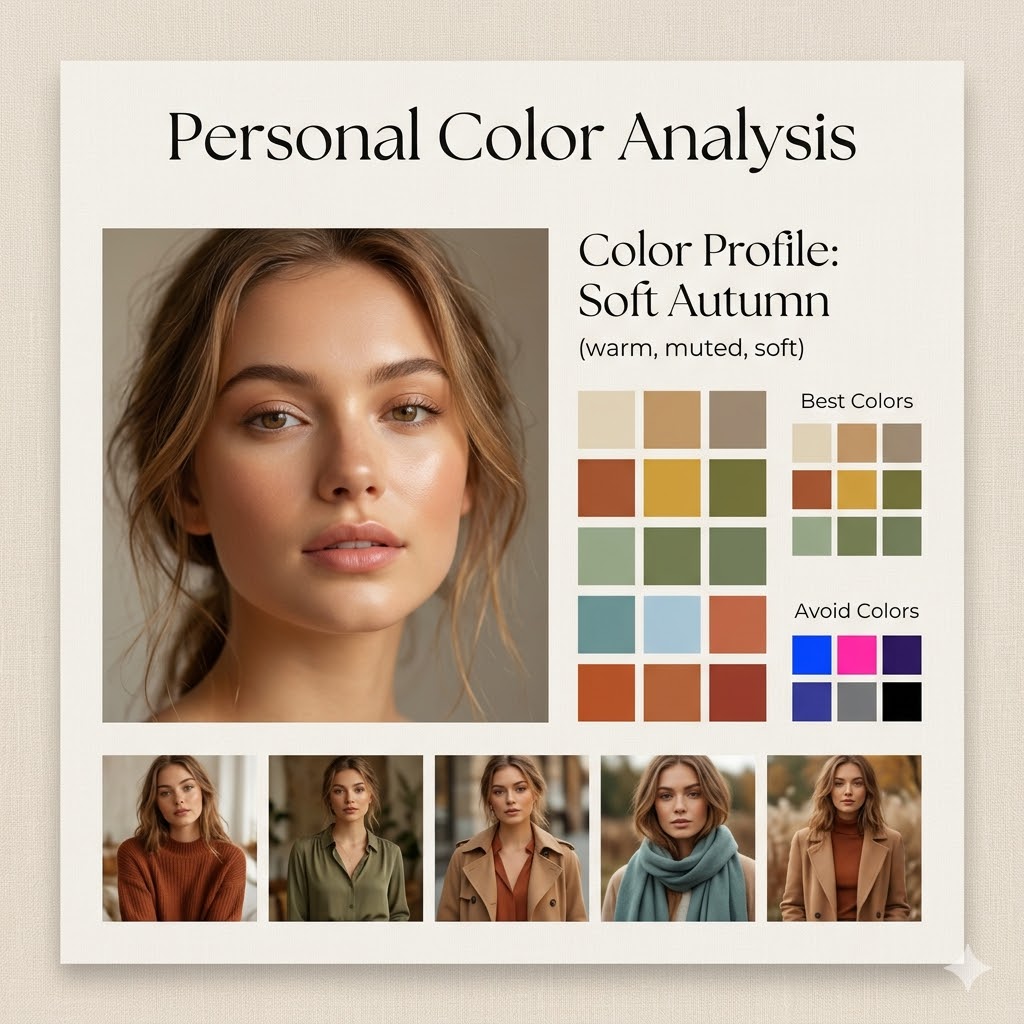
Design a square (1:1) aesthetic personal color analysis board in a {argument name="board style" default="soft beige, minimalist style"}. Place a close-up portrait of a {argument name="subject" default="young woman"} at the center, featuring natural makeup and soft daylight lighting. Add the title “Personal Color Analysis” above or beside the portrait. Include a section labeled “Color Profile: {argument name="color profile" default="Soft Autumn (warm, muted, soft)"}”. Display clean color swatches featuring warm neutrals, earthy tones, muted greens, soft blues, and terracotta shades. Add a “Best Colors” grid along with an “Avoid Colors” grid highlighting overly bright or cool tones. At the bottom, include 4–5 small images of the same woman styled in outfits that match the recommended palette. Use a refined combination of elegant serif and minimal sans-serif fonts, soft shadows, and a clean editorial layout. The background should be warm beige with a subtle texture. Ensure the design feels spacious, polished, and Instagram-ready.

Fitness Game Start Screen UI Render

Fitness Game Start Screen UI Render

highly detailed 3d game start screen of a {argument name="game type" default="fitness game"}, on the left side the the {argument name="character" default="woman sits on a fitness bench with some fitness weights on the ground and a towl over the bench"}, on the right side are {argument name="UI elements" default="5 skill buttons that let the player select some special powers"}, on a white background

Multi-Panel Cinematic Studio Shot

Multi-Panel Cinematic Studio Shot

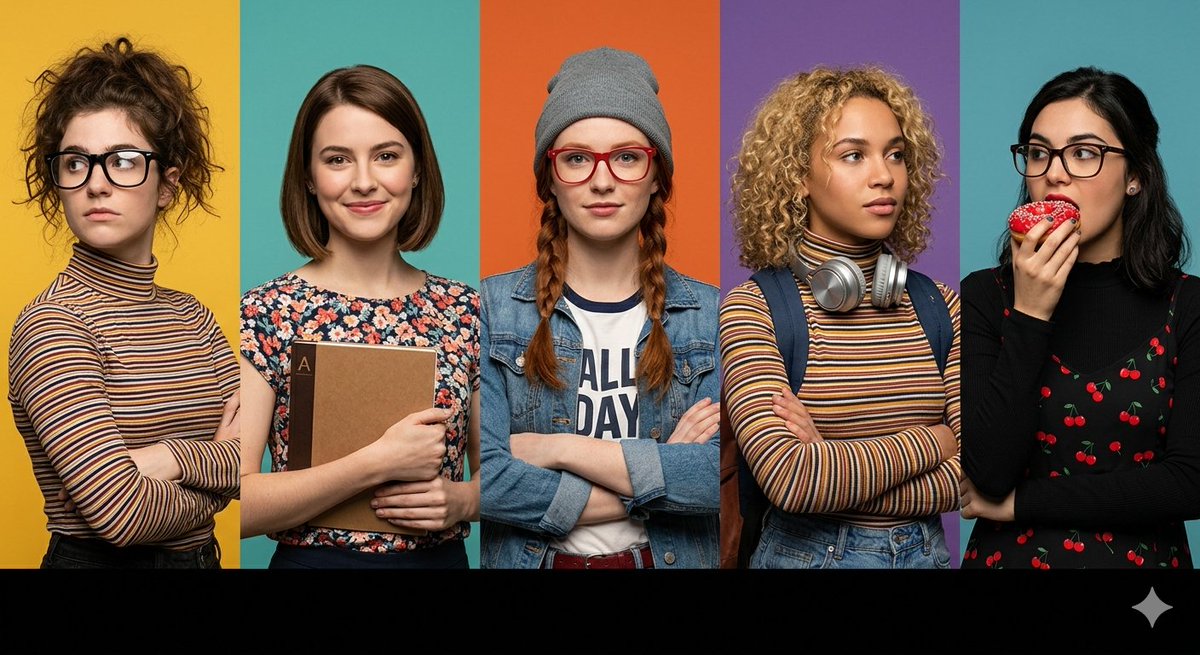
A prompt for a wide horizontal frame composed of five distinct vertical panels, each featuring a different character with specific styling, including customizable background colors and foreground elements.

Low-Poly Geometric Character Art

Low-Poly Geometric Character Art

geometric low-poly 3D art style made of triangles, clean vector-like lines, soft pastel color palette, modern minimalist wallpaper aesthetic, high resolution, soft lighting, smooth shading, {argument name="character description" default="cute and charming character"}, centered composition

3D Paper-Cut Illustration Style

3D Paper-Cut Illustration Style

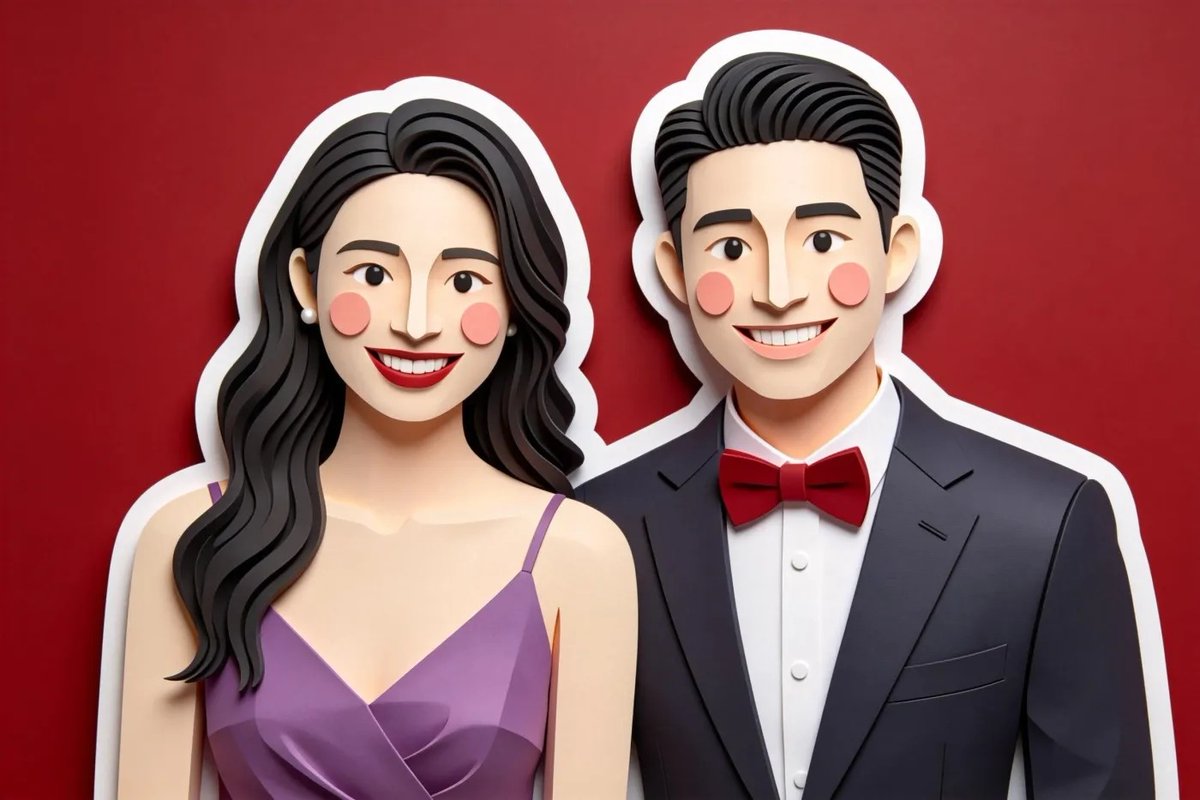
Charming 3D paper-cut illustration, smooth rounded shapes, minimal character features ({argument name="character features" default="dot eyes, blush cheeks"}), {argument name="border style" default="thick white sticker border"} around subjects, {argument name="color palette" default="gentle pastel colors"}, soft even lighting, matte tactile art paper texture.

Diagram Style Prompts for Nano Banana 2

Diagram Style Prompts for Nano Banana 2

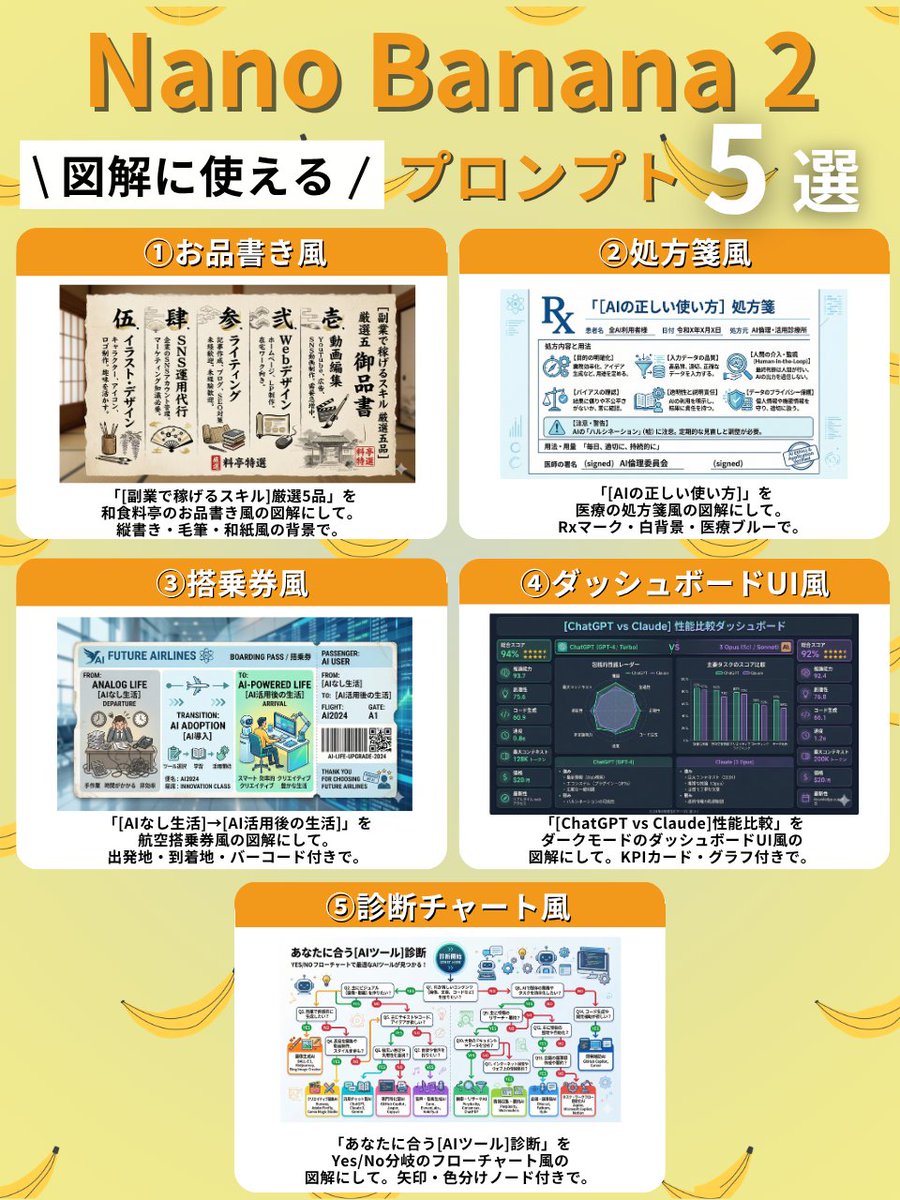
① Menu Style Create a diagram of "5 selected {argument name="side job skills" default="skills to earn money with side jobs"}" in the style of a Japanese restaurant menu. Use vertical writing, brush strokes, and a Japanese paper-like background. ② Prescription Style Create a diagram of "{argument name="AI usage" default="correct way to use AI"}" in the style of a medical prescription. Include an Rx mark, white background, and medical blue color. ③ Boarding Pass Style Create a diagram of "{argument name="departure point" default="life without AI"} → {argument name="destination" default="life after AI utilization"}" in the style of an airline boarding pass. Include departure point, destination, and a barcode. ④ Dashboard UI Style Create a diagram comparing the performance of "{argument name="comparison subjects" default="ChatGPT vs Claude"}" in the style of a dark mode dashboard UI. Include KPI cards and graphs. ⑤ Diagnosis Chart Style Create a diagnosis chart for "{argument name="AI tool" default="AI tool"}" that suits you, in the style of a Yes/No branching flowchart. Include arrows and color-coded nodes.

Self-Introduction Sheet Generation Prompt for Nano Banana Pro

Self-Introduction Sheet Generation Prompt for Nano Banana Pro

format: "self_intro_sheet" text:   title: "Self-Introduction Sheet"   fields:     名前: "{argument name="name" default="Your Name"}"     家族: "{argument name="family" default="Father, Mother, Younger Sister"}"     血液型: "Type A"     趣味: "Cafe hopping, taking photos"     性格: "Cheerful, laughs often, works at my own pace"     休日は: "Going out with friends, searching for cute shops"     好きな物: "Pudding, strawberries, cute clothes, stylish cafes"     好みのタイプ: "Kind and considerate person"     嫌いな物: "Bitter things"     一言メッセージ: "I'd be happy if we could be friends" font:   title: "Fluffy, thick rounded font"   label: "Gentle handwriting style"   body: "Pop, easy-to-read rounded font" color: "Pink" vibe:   overall: "Yumekawa (dreamy cute), girly, gentle and sweet atmosphere"   colors:     - "Pink"     - "Lavender"     - "Baby Blue"   decorations:     - "Dog"     - "Bear"     - "Lion"     - "Cat"

Editorial Magazine Spread Concept Prompt

Editorial Magazine Spread Concept Prompt

editorial magazine spread concept, muted earth tones with raw linen texture, large-scale serif headline at 200pt in deep charcoal, off-white margins with subtle grain overlay, geometric rule lines in terracotta, cinematic side lighting casting long shadows across the layout, high-end editorial print finish

Augmented Reality UI Overlays on Food Items

Augmented Reality UI Overlays on Food Items

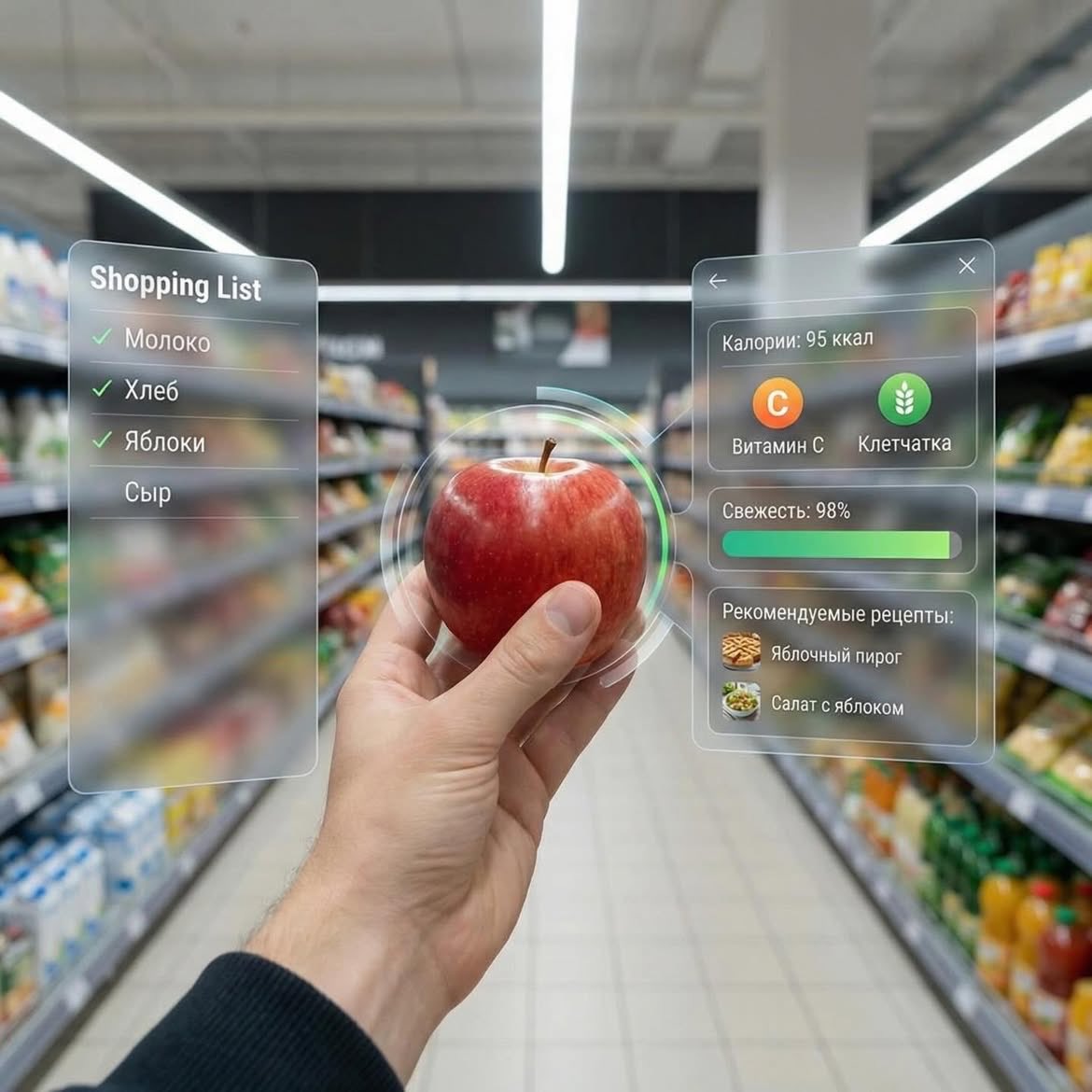
Dessert (AR shopping UI) POV shot inside a modern supermarket aisle, hands holding a small gourmet dessert with cream and berries, futuristic augmented reality (AR) interface overlay showing calories, sugar, fats, freshness score, expiry date, and recipe suggestions, soft depth of field, cinematic lighting, ultra-realistic, 4K, tech-inspired UI, clean glassmorphism design ⸻ 2. Apple (AR nutrition UI) First-person view in a grocery store holding a fresh red apple, augmented reality interface displaying calories, vitamin C, fiber, freshness bar, and recipe ideas, minimal futuristic UI panels floating around the object, bright supermarket lighting, shallow depth of field, hyper-realistic, modern tech aesthetic, 4K ⸻ 3. Orange Soda Bottle (AR data UI) POV shot of hands holding an orange soda bottle in a supermarket aisle, futuristic AR overlay showing calories, sugar content, caffeine level, freshness score, expiry date, and drink recipes, sleek holographic interface, glassmorphism UI, vibrant colors, cinematic lighting, ultra-detailed, photorealistic, 4K

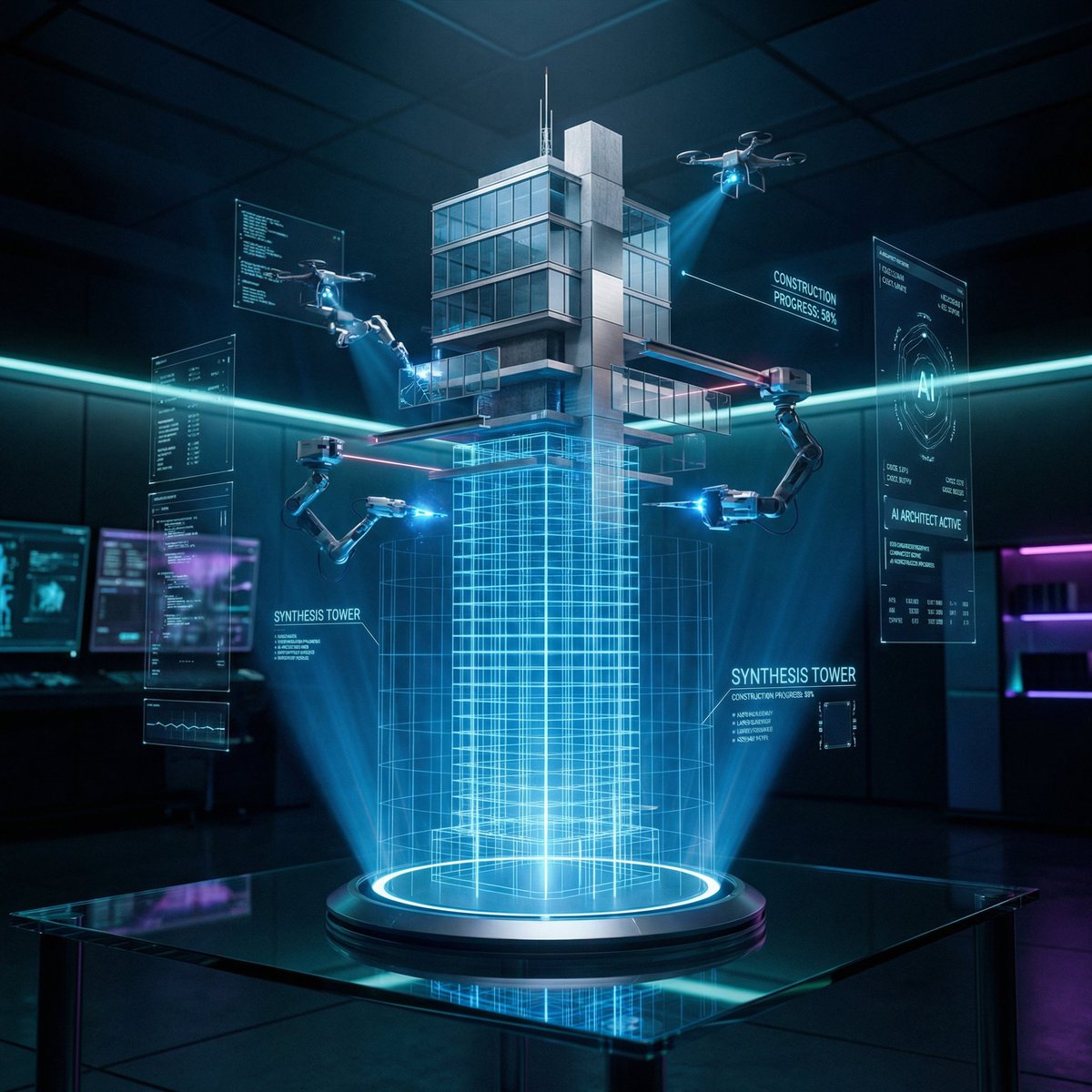
Futuristic Holographic Burj Khalifa Blueprint

Futuristic Holographic Burj Khalifa Blueprint

CONCEPT: A futuristic architectural blueprint of the Burj Khalifa projected as a glowing hologram, actively constructing itself in mid-air through robotic precision and digital intelligence. SUBJECT: A semi-transparent holographic version of the Burj Khalifa floating above a sleek glass smart table. The lower portion appears as a glowing blue wireframe blueprint, while the upper portion transitions into a fully photorealistic skyscraper with reflective glass panels and metallic structure as it builds itself in real-time. ENVIRONMENT: A high-tech architectural lab with a dark, minimal interior. The blueprint originates from a glossy black glass table embedded with touch controls, glowing UI panels, and soft neon edges. Subtle reflections of the hologram appear on the table surface. Background is clean, futuristic, and slightly blurred. STRUCTURAL DETAILS: The central spire rises as glowing gridlines before solidifying into steel and glass Tiered setbacks of the tower assemble through hovering robotic drones Glass facade panels lock into place with precise alignment and reflections Laser beams scan and map each level during construction Small AI drones orbit around the structure, actively building and welding components Materials transition from holographic light into real textures — polished glass, steel beams, and concrete core Floating UI overlays show measurements, grids, and rotating architectural schematics VISUAL MECHANIC: The blueprint exists in layered form — base is a glowing grid, mid-layer is a semi-transparent wireframe, and top layer is fully realistic. Certain sections flicker between hologram and solid material, emphasizing the transformation. LIGHTING: Dark environment with strong neon blue and cyan holographic glow. Subtle rim lighting created by reflections from the hologram. Volumetric light beams and soft particles enhance depth. CAMERA & LENS: Shot on a full-frame camera, 35mm lens. Slight low-angle perspective to emphasize scale and height. Sharp focus on the hologram core with slight background blur. COMPOSITION: Vertical 2:3 format. The Burj Khalifa hologram is centered, rising upward. UI elements orbit symmetrically around it. Clean negative space enhances the futuristic aesthetic. STYLE & MOOD: Futuristic, cinematic, high-tech, and minimal. Feels like advanced AI-driven architecture and innovation. Clean, premium, and visually striking. DETAILS: Ultra-sharp holographic lines, glowing particles, realistic glass reflections, smooth transitions between digital and physical materials, micro UI details, 8K resolution, HDR, cinematic color grading with blue/cyan tones and deep contrast. NEGATIVE PROMPT: cluttered environment, low detail, dull lighting, messy UI, cartoon style, distorted structure, blurry hologram, watermark

Flat UI/Startup Style Illustration Prompt

Flat UI/Startup Style Illustration Prompt

Flat illustration of {argument name="subject" default="[subject]"}, startup-style vector art, bright colors, simple shapes, clean and professional design, white background, no text.

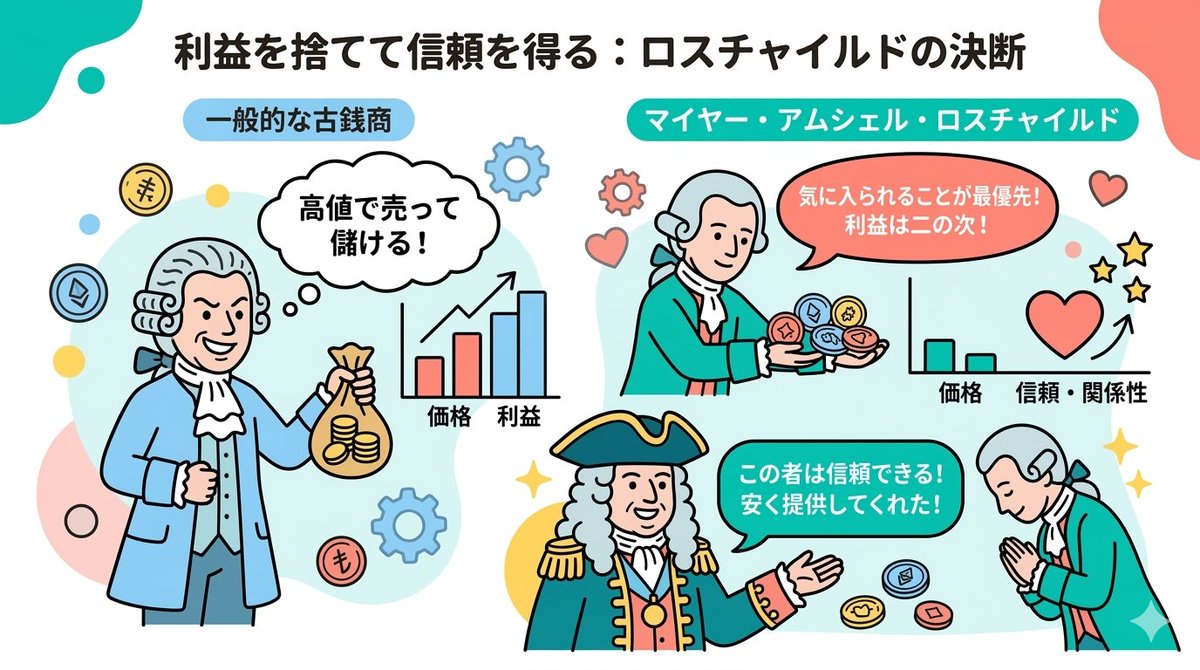
Nano Banana 2 Note Illustration Prompt (Rothschild Historical Scene)

Nano Banana 2 Note Illustration Prompt (Rothschild Historical Scene)

# Instructions You are a professional illustrator and prompt engineer. Read the following [Blog Summary] and create an attractive illustration that intuitively conveys its content. Display the title at the top of the illustration. # Image Size 1280px × 670px (Aspect ratio 16:9) # Output Conditions Brand Color: [#06c7b0] Simple and clean flat design. Place figures and icons drawn with uniform black outlines, partially using pastel accent colors (sky blue, coral pink, etc.). Emphasize rounded shapes and a soft impression. Diagram-centric composition (e.g., Venn diagrams, bar graphs, speech bubbles) with a friendly tone suitable for materials viewed by students and young people, or for social media. Design with ample white space, prioritizing visibility and balance. The figures appearing should be dressed as 18th-century European nobility. # Blog Summary Mayer Amschel Rothschild was not born into a privileged class, but a turning point arrived. He gained the opportunity to provide antique coins to Wilhelm IX, the Elector of Hesse, the regional ruler. However, that alone would make him just another antique coin dealer. What made him unusual was that he continued to provide rare antique coins to Wilhelm IX "at prices significantly lower than the market rate, disregarding profit." Normally, one would try to overcharge a person in power. But he prioritized gaining favor over picking up immediate small change.

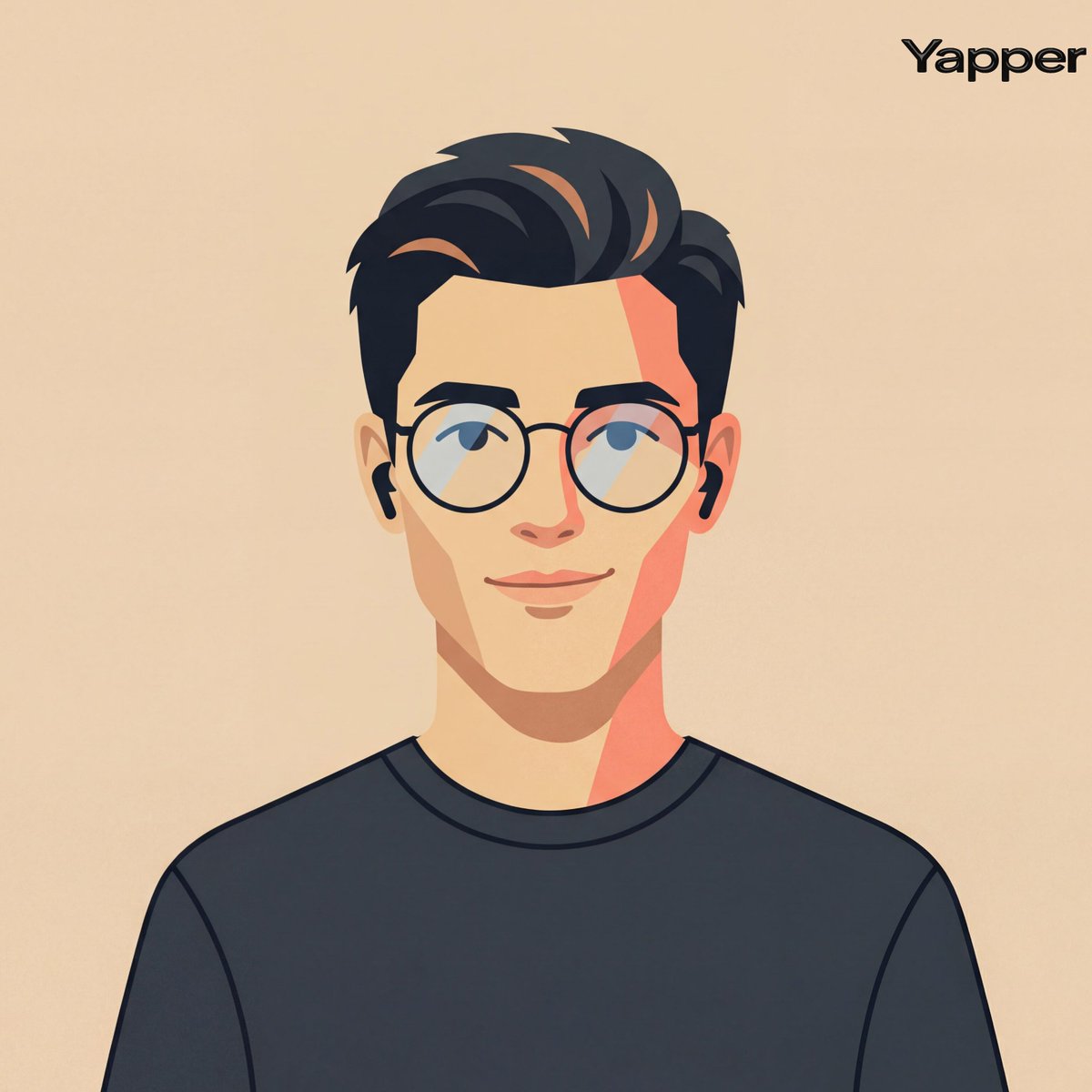
Cinematic Vector Fashion Portrait

Cinematic Vector Fashion Portrait

Create A Cinematic Fashion-editorial Portrait Of A Person Using Their Photo As Identity Reference, Rendered In A Clean Flat Vector Illustration Style With Smooth Geometric Shapes, Crisp Outlines, And Simplified Facial Geometry, Framing Centered Head-and-shoulders Composition With Symmetrical Alignment, Subject Facing Forward With Relaxed Posture And A Subtle Friendly Smile Styling Minimal Modern Casual With A Simple Dark Crew-neck Shirt And Thin Round Eyeglasses, Paired With Small Wireless Earbuds As Understated Accessories, Background A Flat Warm Beige Studio Tone (#ebdbc6) With No Gradients Or Textures To Maintain A Graphic Design Aesthetic, Lighting Implied Through Stylized Flat Color Blocking Rather Than Realistic Shading, With A Gentle Warm Highlight Tone (-4800k) On One Side Of The Face And A Slightly Darker Tonal Block On The Opposite Side To Create Minimal Dimensional Contrast, Reflections Extremely Subtle On The Glasses Lenses, Lens Simulation Conceptually Equivalent To A Neutral Portrait Crop (50-70mm) Translated Into A Flat Graphic Design Perspective With No Depth Blur; Texture Perfectly Smooth Matte Vector Surfaces With Solid Color Fills And Clean Edges, Color Palette Warm Skin Tones, Muted Peach And Coral Accents, Charcoal Black Hair And Clothing, And Soft Beige Background, Overall Mood Friendly, Approachable, Modern Tech-avatar Aesthetic Suitable For Product Design Or Ui Identity Illustration Editorial, Modern, High-detail, Cinematic Composition, Ultra-realistic Textures, Professional Fashion Photography Style

Some prompts are collected from creators on X. Copyright belongs to the original authors.