
Uncategorized
Nanobananas Resource Roundup: Getting Started, Advanced Use, and Tool Recommendations
Nanobananas Resource Roundup: Getting Started, Advanced Use, and Tool Recommendations If you are looking for nanobanana

If you are looking for nanobanana pro resources, this guide will help you quickly understand what the model can do, how it compares across use cases, and which setup is best for your workflow. The goal is not just to explain the product, but to help you choose the right entry point, evaluate the trade-offs, and decide how to use it efficiently.
Quick Overview
Nanobanana Pro is a Gemini 3 Pro-based visual model designed for text-to-image and image-to-image generation, semantic editing, multilingual typography, and style consistency. It is built for fast visual iteration directly in the browser and supports high-resolution outputs for commercial and creative use.
In short, it is useful for:
- Ecommerce hero images
- Marketing posters
- Storyboards and concept scenes
- Product visuals with consistent branding
- Multilingual design layouts
- Batch-style creative workflows
What We Are Comparing
To help with selection, this article evaluates nanobanana-related resources and usage paths based on these dimensions:
| Dimension | What It Means | Why It Matters |
|---|---|---|
| Ease of use | How quickly a user can start and produce results | Important for beginners and non-technical teams |
| Visual quality | Sharpness, consistency, and overall rendering quality | Critical for marketing and commercial assets |
| Editing flexibility | Ability to swap, refine, or remove elements | Useful for iteration and post-generation changes |
| Reference handling | How well it uses multiple reference images | Important for style matching and brand consistency |
| Typography support | Accuracy of text in images, including multilingual copy | Essential for posters, ads, and localized content |
| Resolution options | Availability of 1K / 2K / 4K outputs | Affects output quality and downstream usage |
| Workflow integration | API or batch support for teams | Important for scaling production |
| Best-fit usage | Who should use it and when | Helps with practical decision-making |
Resource 1: NanoCloud Vision 2 / Nano banana 2 Platform
This is the primary entry point for users who want to explore the model in a browser-based environment.
Key capabilities
- Text-to-image and image-to-image generation
- Semantic editing
- Multilingual typography
- Style consistency across outputs
- 1K, 2K, and 4K export options
- Fast generation with stable subject structure
Best for
- Marketers
- Designers
- Ecommerce teams
- Content creators
- Small studios that need quick iterations
Advantages
- Easy browser access
- Strong balance of quality and speed
- Supports both creation and editing
- Good for commercial-looking assets
- Handles multilingual text better than many general visual tools
Limitations
- May be more than casual users need if they only want simple image generation
- Advanced workflows may require planning around references and structure
- Best results depend on clear creative direction
Typical use cases
- Product hero images
- Campaign posters
- Social media visuals
- Storyboards
- Brand-consistent visual series
Resource 2: Workflow-Based Generation and Refinement
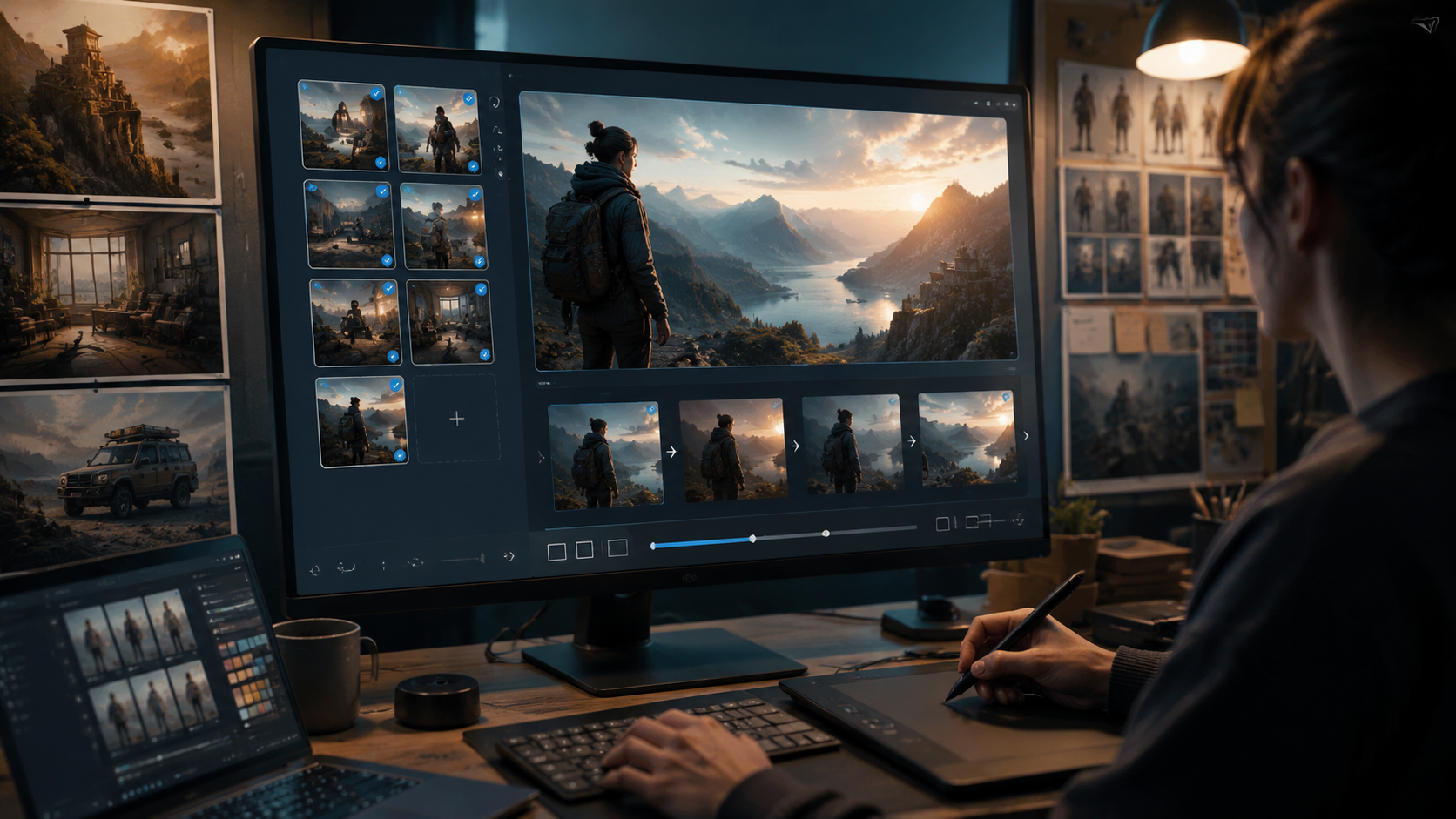
This is the practical operational side of Nanobanana Pro: set references, generate, refine, and reuse.
How the workflow works
- Add prompts and up to 14 reference images
- Choose resolution and aspect ratio
- Generate a first pass in about 10–30 seconds
- Refine by swapping objects, extending canvas, or removing marks
- Export outputs and reuse characters or styles for future assets
Best for
- Teams that need repeatable output
- Creators building multiple visuals in one style
- Users who care about iteration speed
Advantages
- Structured workflow makes results easier to control
- Reference mixing supports consistency
- Semantic edits reduce the need to restart from scratch
- Reuse is helpful for campaigns and storyboard production
Limitations
- Requires more setup than one-click casual tools
- Reference quality affects output quality
- Users need to think in terms of systems, not just single images
Typical use cases
- Multi-scene ad concepts
- Character-based storyboards
- Product series with consistent props and lighting
- A/B variations of visual campaigns
Resource 3: Feature Set for Advanced Users
This layer is most useful if you want to assess whether nanobanana pro can support serious production work.
Core features
- Multimodal generation in 1K / 2K / 4K
- Accurate multilingual text rendering
- Reference mixing with style consistency
- Semantic edits and object swaps
- Reusable characters and visual roles
- Watermark-free export by default
- API integration for batch production
Best for
- Advanced creators
- Brand teams
- Agencies
- Product marketing teams
- Developers building automated visual pipelines
Advantages
- Strong for commercial and operational use
- Reduces friction in production workflows
- Supports both creative and technical teams
- API access increases scalability
Limitations
- More features can mean a steeper learning curve
- Some users may not need API or batch automation
- Best value appears when used repeatedly, not occasionally
Typical use cases
- Automated ad creative generation
- Localized campaign assets
- High-volume brand visual production
- Collaborative review workflows
Comparison Table: Which Option Fits Which User?
| Resource / Path | Ideal Users | Main Strengths | Main Limitations | Best Use Scenarios |
|---|---|---|---|---|
| Browser-based NanoCloud Vision 2 / Nano banana 2 | Beginners, designers, marketers | Fast start, good quality, easy access | Requires creative clarity to shine | Posters, hero images, social visuals |
| Guided reference-and-edit workflow | Teams, iterators, storytellers | Stable structure, refinement, reuse | Needs more planning | Campaign series, storyboard iterations |
| Advanced feature set + API | Agencies, developers, brand ops teams | Scalable, automatable, consistent | Higher complexity | Batch generation, localization, production pipelines |
Who Should Use Nanobananas Pro?
1. Beginners who want fast results
If you are new to visual AI tools and want something that works in the browser without heavy setup, this is a strong starting point.
Why it fits:
- Simple access
- Quick first output
- Enough control to learn without being overwhelming

Best scenario:
- You need a poster or social image quickly and want a polished look
Possible drawback:
- You may not use the advanced features right away, so some capabilities will remain unused at first
2. Designers who need consistency
For designers, the main value is not just generating images, but keeping characters, brand elements, and style aligned across multiple outputs.
Why it fits:
- Reference mixing
- Style consistency
- Semantic editing for controlled revision
Best scenario:
- You are building a visual series for a brand campaign
Possible drawback:
- You still need strong art direction to get the best outcomes
3. Marketing and ecommerce teams
If your priority is commercial visuals, Nanobananas Pro is especially relevant because it supports product-style rendering, typography, and fast iteration.
Why it fits:
- Good for hero shots
- Handles marketing layouts
- Useful for multilingual copy
Best scenario:
- You are creating localized product banners for multiple markets
Possible drawback:
- Complex designs may still require post-processing or human review
4. Agencies and production teams
For teams handling many assets, the workflow and API features matter most.
Why it fits:
- Batch generation
- Workflow integration
- Reusable visual logic
Best scenario:
- You need dozens or hundreds of variations with consistent branding
Possible drawback:
- Requires internal process design to fully benefit from the platform
Strengths vs. Trade-Offs
| Aspect | Strength | Trade-Off |
|---|---|---|
| Speed | First pass can be generated quickly | Fast output still benefits from careful setup |
| Quality | High-resolution options and polished visuals | Output quality depends on reference and guidance |
| Editing | Semantic changes are efficient | Advanced edits require understanding the workflow |
| Typography | Strong multilingual text rendering | Very dense layouts still need review |
| Consistency | Good for characters and brand language | Inconsistent references can weaken results |
| Scale | API and batch support | Better suited to organized teams than casual users |
Recommended Selection by Use Case
If you are a beginner
Choose the browser-based visual model first.
Reason: It gives you the fastest path to understanding what nanobanana pro can do without extra setup.
If you are a designer or content creator
Use the guided workflow with references and refinement.
Reason: You will benefit most from style control, editing, and reuse.

If you are a marketing or ecommerce team
Prioritize the feature set that includes typography, high-resolution exports, and consistent brand visuals.
Reason: These are the features that directly impact campaign performance and production efficiency.
If you are an agency or developer team
Look for API and batch capabilities first.
Reason: Scale, repeatability, and workflow integration matter more than one-off generation.
Practical Decision Guide
Use the following quick filter:
- Need something fast and simple? Start with the browser-based platform.
- Need repeated assets with the same style? Use the reference-driven workflow.
- Need commercial production at scale? Use the advanced feature set and API integration.
- Need multilingual text in visuals? Make typography support a top priority.
- Need consistent characters or product styling? Focus on reuse and reference mixing.
- Need 4K-ready outputs? Confirm export resolution before production begins.
Bottom-Line Recommendation
Best overall choice for most users
Nanobananas Pro is best for users who want both generation and editing in one place.
It is especially strong when you need visually consistent outputs, multilingual typography, and commercial-ready results.
Layered recommendations
- For newcomers: Start with the browser workflow.
- For individual creators and designers: Use reference-based generation and semantic edits.
- For brand and marketing teams: Focus on resolution, typography, and consistency.
- For agencies and automated production: Choose the API-enabled workflow.
My final take
If you are comparing nanobanana pro options, do not judge it only as an image generator. Its real value is the combination of generation + editing + consistency + reusable workflow. That makes it more suitable for structured creative production than one-off casual image creation.
FAQ
What is nanobanana pro?
It is a Gemini 3 Pro-based visual model for text-to-image and image-to-image generation, semantic editing, multilingual typography, and consistent visual output.
Is it suitable for beginners?
Yes. The browser-based workflow is accessible and fast enough for beginners, though advanced features may take time to learn.
Can it handle multilingual text well?
Yes. One of its notable strengths is accurate typography for multiple languages, including English, Chinese, and Japanese.
Is it useful for commercial projects?
Yes. It supports watermark-free exports and is well suited for marketing, ecommerce, and brand assets.
Does it support team workflows?
Yes. API integration and batch production features make it useful for collaborative or scaled workflows.
What is the main advantage over basic image generators?
Its biggest advantage is not just image creation, but controlled refinement, reference consistency, and reusable visual systems.