提示词库

AI 提示词库

汇集全球创作者的精选图像、视频与建站提示词。复制任意一条,替换主体或风格,即可用最新模型生成。

4,387 条提示词 · 每日更新 · 完全免费

共 289 条

Architectural Typography Micro-World Render Prompt (New York)

Architectural Typography Micro-World Render Prompt (New York)

Do this for {argument name="city" default="New York"}: System Instruction: Generate a hyper-realistic 3D architectural typography render. The letters must act as massive, hollow containers housing a "Micro-World" that semantically matches the Input Word. 1. Semantic Inference (The Blueprint): Analyze the Input Word to determine the Biome, Material, and Lighting: If Organic (e.g., JUNGLE, LIFE): Material = Glass & Wood. Interior = Vines, Waterfalls, Trees. Light = Sunlight/Green. If Urban (e.g., CITY, NYC): Material = Steel & Concrete. Interior = Skyscrapers, Traffic, Streetlights. Light = Amber/Blue. If Industrial (e.g., FACTORY, RUST): Material = Rusted Iron & Mesh. Interior = Pipes, Steam, Gears. Light = Orange Furnace glow. If Abstract (e.g., LOVE, HOPE): Material = Gold or White Marble. Interior = Floating petals, soft clouds, candles. Light = Soft Pink/Gold. 2. The Immutable Container (The Mega-Letters): Geometry: Massive, blocky sans-serif typography. The Shell: The letterforms are Hollow Containers with open faces or glass walls. They act like terrariums or shadow boxes. The Base: The letters rest on a surface relevant to the theme (e.g., A map for Cities; Moss for Nature; Blueprint for Industry). 3. The Internal Ecosystem (The Diorama): CRITICAL: The "World" lives inside the negative space of the letters. The Density: Fill the interior volume with thousands of tiny details (Micro-Scale). Example: If "TOKYO," tiny neon signs, vending machines, and pedestrians fill the inside of the "T". The Verticality: Use the height of the letters. Elevators, vines, or ladders should climb up the vertical strokes. 4. Visual Syntax: Scale: Tilt-Shift Focus. Blur the background to make the letters look like tangible miniature models. Detail: High-frequency textures. We need to see individual leaves, bricks, or rivets. 5. Lighting: Internal Glow: The letters are lit from within by the bioluminescence or streetlights of the micro-world. External Sun: A soft studio key light highlights the rim of the letter casing. Output: 3D Render, Octane/Redshift, "Micro-World" Aesthetic, 8k Resolution.

Election Poster Style Prompt

Election Poster Style Prompt

Please create an election poster style illustration Aspect ratio: 4:5 Background: {argument name="background color" default="refreshing white"} Cutout text: {argument name="text color" default="light blue with yellow cutout"} Subject photo size: Half-up shot from the diagonal left Expression: Smiling Pose: Holding a fist to the chest Attire: Blue-gray collarless jacket with a white shirt tucked in Reference: Use the attached photo Style: Realistic Saturation: Bright Candidate Name: {argument name="candidate name" default="Hanako Maebashi"} Copy 1: For your future Copy 2: I will do my best! Generate Japanese text correctly Place the name largely on the right side, vertically, with a cutout background Negative words Anime style Manga style

Magazine Cover with Nano Banana Pro Branding

Magazine Cover with Nano Banana Pro Branding

A photo of a glossy magazine cover, the cover has the large bold words "Nano Banana Pro". The text is in a serif font, black on white, and fills the view. No other text. In front of the text there is a dynamic portrait of a person in green and banana yellow colored high-end fashion. Put the issue number and today's date in the corner along with a barcode and a price. The magazine is on a white shelf against a wall.

Retro American Pinup Background Prompt (Airport Cafe)

Retro American Pinup Background Prompt (Airport Cafe)

Retro American Pinup style, Airport Cafe, {argument name="time of day" default="evening"} light, neon signs, chrome accents, checkered floor, vintage travel posters, high contrast, saturated colors, cinematic lighting, {argument name="style" default="Original Art - SFW"}

Photorealistic Battle-Damaged Mech Prompt

Photorealistic Battle-Damaged Mech Prompt

Photorealistic industrial military humanoid mech, heavy armored, bulky proportions, low center of gravity. Hard surface mechanical modeling, realistic engineering details. Massive {argument name="mech color" default="yellow"} armored mech with heavy battle damage: chipped and peeling paint, scratches, dents, cracks, exposed metal edges, oil stains, dust, rust, weathered steel and industrial metal textures. Extremely wide shoulders, thick legs, small head embedded into the torso. Right hand holding a large industrial hammer weapon. Left arm integrated with a heavy shield-like armor. Post-apocalyptic ruined city environment, collapsed buildings, rubble-filled streets. Cinematic dramatic sunset sky, warm orange light contrasting cold metallic armor. Realistic global illumination, high contrast lighting. Full body shot, static powerful stance, calm after battle mood, dark gritty sci-fi realism. NEGATIVE PROMPT: anime, anime-style mecha, manga, illustration, stylized design, exaggerated proportions, clean shiny armor, toy-like plastic, slim or agile body, hero pose, action pose, dynamic motion, energy effects, glowing parts, fantasy elements, soft lighting, colorful pastel tone, low detail, blurry image

Child-like Crayon and Colored Pencil City Drawing

Child-like Crayon and Colored Pencil City Drawing

A clean and colorful drawing of a {argument name="city" default="city"} drawn with crayons and colored pencils. It depicts iconic landmarks, trees, and a bright sky. The style is slightly more refined than a typical child's drawing, featuring clean yet playful lines, uneven perspective, and charming imperfection. At the top of the page, the word "CITY" is written in large, multi-colored crayon letters that match the city's atmosphere. The background is textured white paper, 1080x1080 pixels.

Spectacular Aerial View of Laojun Mountain Temple in Winter

Spectacular Aerial View of Laojun Mountain Temple in Winter

Spectacular aerial view, winter Laojun Mountain Golden Summit Taoist temple complex. The mountain peaks are covered with thick white snow, emerging above a vast sea of clouds. In the blue hour twilight, the architecture and walkways light up with brilliant golden warm light, creating a strong contrast with the cold-toned ice and snow environment, resembling a celestial palace, a paradise on earth.

High-Fashion Sportswear Editorial Jump Shot

High-Fashion Sportswear Editorial Jump Shot

{   "prompt": "Use the uploaded reference image strictly for the original face and identity (do not alter facial features). A high-fashion sportswear editorial capturing a cheerful male model frozen mid-air at the peak of a powerful athletic jump. He displays a bright, genuine smile that radiates joy, confidence, and positivity. He wears modern lifestyle sports sunglasses with light aqua-tinted lenses and a clean matte white or pale silver frame, harmonized with the outfit and scene.\n\nThe outfit features an oversized white athletic sweatshirt paired with translucent lightweight jogger pants layered with soft aqua and lemon-yellow undertones. Volumetric aqua, lemon, and soft white smoke flows dynamically around his body in smooth, uplifting curves—wrapping around the legs and trailing behind the jump—conveying freshness, motion, and freedom. Motion is crisply frozen at maximum height.\n\nThe background is a minimal pastel gradient blending aqua blue, soft lemon, and warm off-white tones. Lighting is bright, soft, and airy with studio control, emphasizing fabric texture, translucency, motion clarity, and subtle reflections in the sunglasses lenses. Ultra-realistic materials, clean modern composition, futuristic athletic fashion aesthetic with a joyful, premium sportswear editorial mood. High-resolution, premium advertising quality, no logos, no clutter.",   "style": "high-fashion sportswear editorial",   "lighting": "bright soft studio lighting",   "mood": "joyful, energetic, futuristic",   "quality": "ultra-realistic, premium advertising",   "resolution": "8K",   "reference_image": "strictly use uploaded image only" }

1970s Inspired Quiet Luxury Fashion Lookbook

1970s Inspired Quiet Luxury Fashion Lookbook

A stylish young woman with long wavy blonde hair as the main visual for a fashion brand's online lookbook, shot on Hasselblad X2D, 85mm f/1.4 lens. The model is confident and relaxed, gentle smile, soft natural makeup. She is standing in the center of a European cobblestone street, wearing orange-tinted aviator sunglasses, gold hoop earrings, cream ivory silk blouse with beige satin ribbon neck tie, brown houndstooth check tweed blazer with rolled cuffs, dark charcoal navy high-waisted wide-leg pleated trousers, one hand casually in pocket. The old European town has white painted buildings and terracotta rooftops, autumn trees with golden leaves in background, overcast sky, grey cobblestone pavement, shallow depth of field with blurred background. 1970s inspired fashion editorial, muted earth tone color palette. Street style photography, full body three-quarter shot, centered composition, film grain texture. Editorial fashion magazine cover style. PAGE TYPE: Fashion lookbook / Collection page LAYOUT: Hero + multi-angle sidebar (2/3 + 1/3 split) GRID: Asymmetric editorial HERO SECTION (left 2/3): - Main image: Model shot, half-body, full styling - Styling: tweed newsboy cap - Mood: Sophisticated SIDEBAR (right 1/3): - Shot 1: Upper body detail, collar and lapel focus - Shot 2: Full body front view, complete outfit - Shot 3: Back view, showing blazer drape - Shot 4: Accessories (bag, scarf, earrings) - flat lay TAGLINE SECTION: - "Embrace the confident ease of quiet sophistication." - Elegant serif typography, bottom left STYLE: Quiet luxury, minimal editorial TONE: Tone-on-tone - earth tones COLOR: Warm neutral palette Design keywords: fashion lookbook, quiet luxury, tone-on-tone, editorial layout, minimal fashion, European street. A stylish handwritten signature Willy is elegantly and small letters placed at the Bottom Right corner.

Vogue Cover Style Minimalist Portrait

Vogue Cover Style Minimalist Portrait

Create a minimal editorial portrait of a stylish Smiling woman with (same face as reference) against a bright white backdrop framed by soft vignette edges. wearing oversized black sunglasses with orange lenses, a neon blue hoodie, and small gold earrings. Bright studio lighting, minimal light background. Modern fashion editorial photography, clean and vibrant style. Vogue cover style. Rim lighting outlines his face for an 8K studio-quality, HDR minimalist aesthetic."

Detailed Calendar Design Prompt for Nano Banana Pro

Detailed Calendar Design Prompt for Nano Banana Pro

meta: title: "CALENDAR 2026 — {argument name="month name" default="FEBRUARY"} (Winter Alpine / Flat Teal Splitter / Sundays Red)" purpose: "image_generation_prompt" language_in_image: "English" output: "single calendar poster" quality: "commercial, crisp typography, no artifacts" strict_text_and_dates: true canvas: size: { width: 2048, height: 1536 } aspect: "4:3 landscape" base_bg: "#FFFFFF" safe_margin_pct: 6 style: keywords: - "premium modern minimal" - "corporate clean" - "cool winter calm" - "high legibility" palette: deep_teal: "#083D57" teal: "#0E7890" mid_teal: "#6A90A0" navy: "#0B2433" text_dark: "#2C2F33" border_light: "#D7DDE2" icy: "#EAF2F6" saturday_blue: "#1F7FA0" sunday_red: "#C93B3B" holiday_red: "#C93B3B" typography: font: "Noto Sans (fallback: Helvetica/Arial)" rules: - "no warping, no jitter, no random glyphs" - "high anti-aliasing + optical kerning" composition: layout: - "Left ~52%: winter alpine photo inside a large smooth curved mask" - "Right ~48%: clean white negative space with month + calendar card" - "Bottom-left: deep teal layered wave band hosting 'CALENDAR 2026'" photo_left: subject: - "snowy mountains, conifer forest, calm valley, overcast sky" - "no people, no buildings, no animals, no text" grading: "cool-neutral, slightly desaturated, moderate contrast, preserve snow detail" overlay: "very subtle snow/bokeh particles mainly over photo area (keep right area clean)" divider_splitter: shape: "thin smooth curved band near the boundary of photo/white" thickness: "5–7% of canvas height" fill_gradient: { from: "#083D57", to: "#0E7890" } optional_rim: enabled: true thickness: "1–2% of canvas height" fill_gradient: { from: "#EAF2F6", to: "#FFFFFF" } flat_rules: - "no 3D, no bevel, no inner shadow, no glass, no facets, no specular" bottom_waves: coverage: "bottom 22–28% of canvas" layers: - { gradient: { from: "#083D57", to: "#0B2433" }, opacity: 1.0 } - { gradient: { from: "#0E7890", to: "#6A90A0" }, opacity: 0.55 } - { gradient: { from: "#EAF2F6", to: "#FFFFFF" }, opacity: 0.45 } rule: "flat premium (no facets/bevel), minimal noise only to prevent banding" text_blocks: month_number: text: "2" position: "top-right of right area" style: { weight: 800, color: "#0E7890", size: "very large" } month_label: text: "FEBRUARY" position: "upper-center of right area" style: { weight: 800, color: "#2C2F33", size: "large", tracking: "slightly wide" } footer_left: position: "bottom-left on teal wave band" lines: - { text: "CALENDAR", style: { weight: 700, color: "#FFFFFF", size: "medium" } } - { text: "2026", style: { weight: 900, color: "#FFFFFF", size: "very large" } } alignment: "left" calendar_card: placement: "center-right"

Ink Noir Portrait Generation Prompt

Ink Noir Portrait Generation Prompt

A high-contrast ink noir portrait of {argument name="subject" default="[SUBJECT]"}, illustrated entirely with expressive black ink strokes and controlled splatter. Heavy shadows dominate the composition while selective highlights emerge through negative space. Subtle paper grain is visible. Atmosphere is moody, cinematic, and intense, like a graphic novel frozen at its most dramatic panel.

Encyclopedic 3D Infographic Evolution Chart

Encyclopedic 3D Infographic Evolution Chart

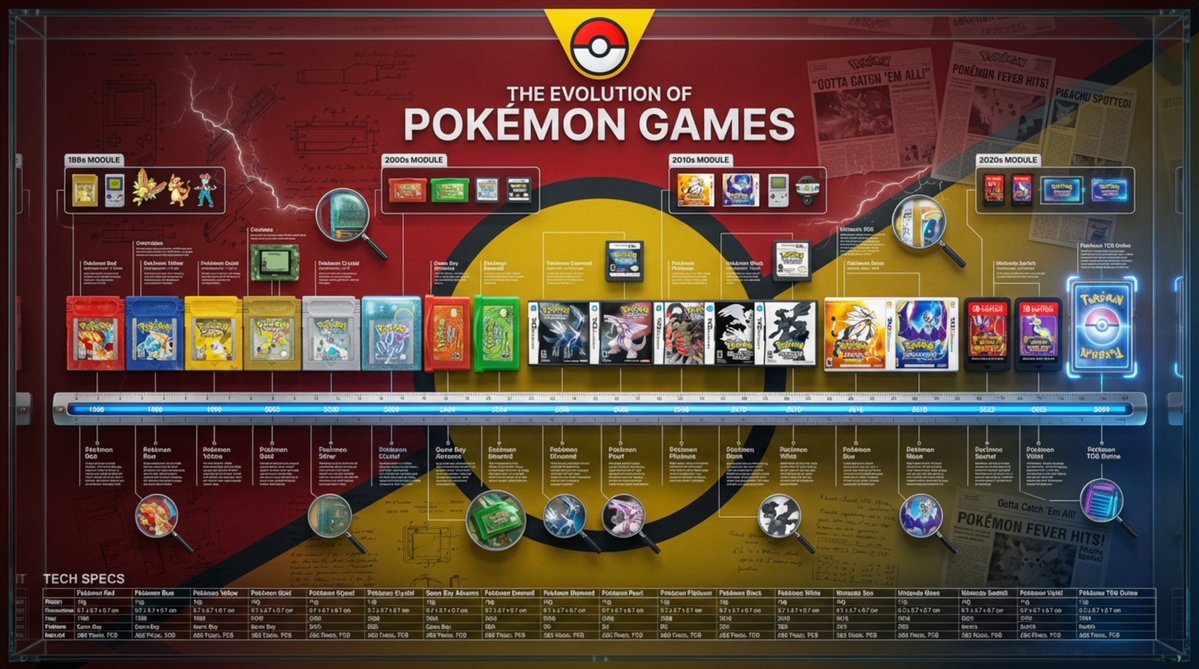
Role and Subject: A massive, encyclopedic 3D infographic poster with a 16:9 ratio. Title: “THE EVOLUTION OF {argument name="product name" default="[Product Name]"}”. The visual style is a high-end fusion of museum-quality product photography and complex technical blueprints. Core Lineup (Chronology): Arrange 8–12 historical versions of the {argument name="product name 2" default="[Product Name]"}, from the first prototype to the latest future model, completely and linearly. They are precisely positioned on a measuring scale/ruler base running horizontally across the center. Rendering: Ultra-realistic 3D, 8K resolution. Emphasize the evolution of texture: contrast the aging of the early {argument name="material atmosphere" default="[Material Atmosphere]"} with the clean, high-tech finish of the modern versions. Brand Atmosphere (Canvas): Background: A deep, rich [Brand Color] textured background. Overlaid with watermarks of low-opacity vintage patent drawings, handwritten engineering notes, and newspaper clippings related to the brand's history. Header: A prominent, high-contrast brand logo centered at the top, with the title displayed in bold typography. “Ultra-Dense” Information Layer (Punch Style): The layout is overwhelmed with systematized information (creating a “data aesthetic” look): High-Density Annotation Network: Hundreds of ultra-fine white hairlines connecting specific [Key Components] (e.g., curves, buttons, engines) to compact text blocks or data tables floating in space. Contextual Zones: “Era Modules” floating above the product. Representing different historical decades with iconographic markers. Magnified Inserts: Circular “zoom-in” lenses scattered in empty spaces. Showing extreme macro close-ups of texture details or internal mechanisms. Technical Specification Strip: A structured data bar placed at the bottom. Listing precise specifications (weight, dimensions, year, material code). Technical Specifications: Octane render, Unreal Engine 5 aesthetic, editorial layout, masterpiece of information design, volumetric lighting, sharp focus, professional color grading. --ar 16:9 --v 6.0 --stylize 300 (Reference style: The history of Coca-Cola's development)

Prompt Share for Nano Banana Pro

Prompt Share for Nano Banana Pro

A high-fashion editorial studio poster featuring the same young female model shown twice (full-body on the left and closer 3/4 view on the right), fair skin, long voluminous copper-red wavy hair, quiet downcast expression, layered preppy-meets-modern styling with a beige oversized belted jacket, striped shirt layers, sheer tights, dramatic striped leg warmers, and chunky black shoes, holding a white bag with black polka dots. The composition is a high-end fashion lookbook/magazine editorial poster layout, mostly eye-level, with a clean, minimalist studio background in a neutral, light gray tone. Lighting is soft, diffused, and even, emphasizing texture and color saturation. The overall mood is cool, dreamy, and detached, with a focus on layered styling and graphic elements. Photorealistic, ultra-detailed, 8k resolution.

Vertical Layered Diorama Concept Art Prompt for Sci-Fi Film

Vertical Layered Diorama Concept Art Prompt for Sci-Fi Film

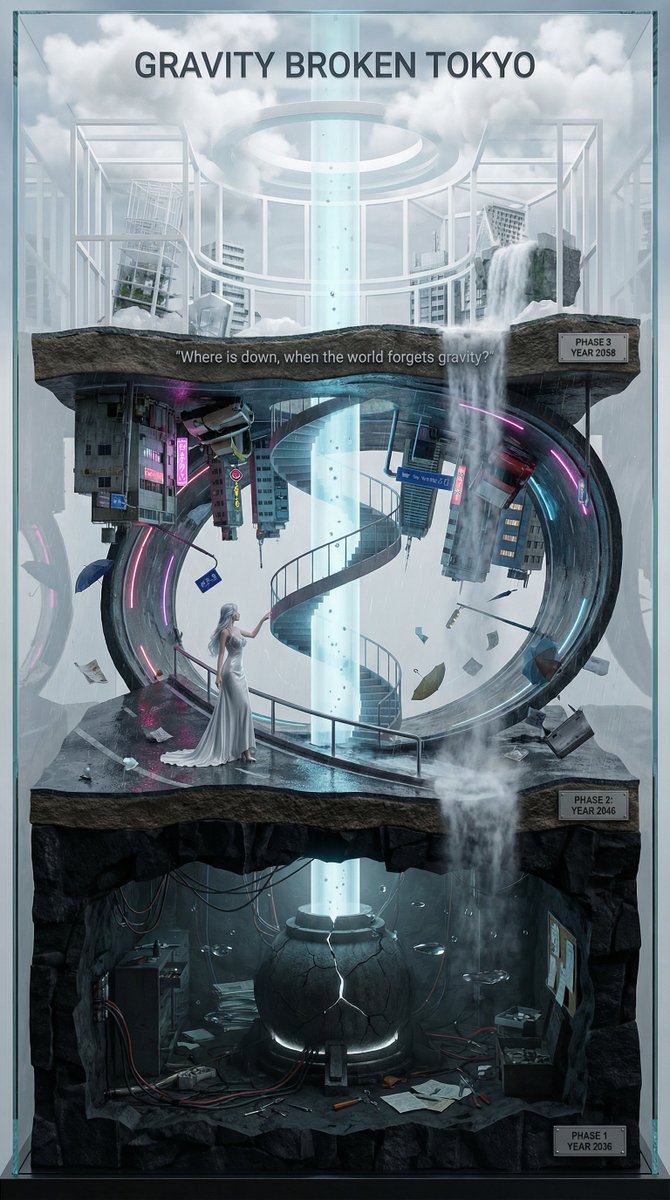
You are an **architect and concept artist who visualizes story structures**. Analyze the provided input text (the movie synopsis) and generate a **"Vertical Layered Diorama"** where the height direction represents the timeline. The character in the attached reference image should be placed in the "Present (Middle Layer)" or "Future (Top Layer)" of this vertical structure, acting as the **storyteller/time traveler**, and posed to **look down on the past / look up at the future**. --- ## ▼ Instructions for Generation Process (Nano Banana Pro: Thinking Mode) 1. **[Step 1: Timeline Mapping]**: Decompose the synopsis into three time phases and assign them to physical layers. * **Bottom Layer (Past/Origin)**: Cause of gravity collapse, sealing, deep underground. Dark and heavy tone. * **Middle Layer (Present/Conflict)**: Survival and conflict in gravity-broken Tokyo. Vivid and dynamic tone. * **Top Layer (Future/Conclusion)**: Birth of a new gravity order, hope or ruin. Open and symbolic tone. 2. **[Step 2: Connection Design]**: Design the layers so they are not disconnected, but physically connected by elements such as **Gravity Well pillars / inverted spiral staircases / magnetic elevators / waterfalls where falling turns into rising**. 3. **[Step 3: Text Integration]**: Place the movie title in a stable location at the very top or bottom, and engrave famous lines on the **layer boundaries**. --- ## ▼ Design and Style Specification * **Composition/Layout**: **Vertical Cross-section / Tower structure**. Aspect ratio is vertical (**9:16**). Viewpoint is **slightly above the front**, at an angle that shows the thickness and depth of the layers. * **Taste**: **Precise museum model, geological cross-section, surreal architecture**. Express different eras and materials in each layer (concrete → neon metal → white structure on clouds) while integrating them as one giant object. * **Texture/Image Quality**: Photorealistic, precise detail, **8k**. Raindrops, wet asphalt, reflections, fog, volumetric light. * **Gravity Expression (Important)**: * Tokyo roads **curve 90 degrees as a continuous surface**, where the ground becomes a wall, and then arches to the ceiling, connecting in a **loop**. * Buildings, signs, cars, and pipes **protrude vertically** from the curved surface, and landmarks exist **upside down** suspended in the air. * Depict as a **physically continuous urban structure**, not just a reflection. * Light sources match the reality of a rainy night (reflections of neon and streetlights, diffused light through clouds). --- ## ▼ Input Text (Fictional Movie) **Title**: **{argument name="Movie Title" default="GRAVITY BROKEN TOKYO (Gravity Fault City Tokyo)"}** **Genre**: Sci-Fi Thriller / Disaster / Human Drama **Synopsis**: One night, due to the fracture of the "Gravity Lattice" above Tokyo, the city's gravity lost its uniformity. Roads bend into the sky, buildings lose their up and down, and falling chooses a direction. People survive by redefining "where the ground is." The narrator (reference character) dives across time to the origin of the gravity collapse, struggles in the current city, and reaches the new order of the future. ### [Bottom Layer / Past and Origin] (PHASE 1: YEAR 2036) * **Setting**: Deep underground research complex. Black basalt-like strata, old wiring, gravity control reactor "Atlas Core." * **Description**: Suggests that the device meant to "fix" gravity instead triggered the "tearing" of gravity. Tools and paper documents are scattered on the floor, and water droplets float horizontally due to gravity disturbances. * **Tone**: Dark, oppressive. Warning lights, fine dust, the stillness of low gravity. ### [Middle Layer / Present and Conflict] (PHASE 2: YEAR 2046) * **Setting**: The center of gravity-broken Tokyo, where rain continues to fall. A continuous city where **wet asphalt curves 90 degrees, becoming a wall, and continuing to the ceiling**. * **Description (Reflecting Gravity Prompt)**: * Roads rise vertically and then arch overhead to loop. * Landmarks are suspended upside down, and road signs protrude into the air. * Neon lights bleed along the curved surfaces in the fog and light rain, and reflections establish the light of a real rainy night. * **Character Placement**: Place the reference character in the **"Present" of the Middle Layer**. Grasping a railing or pipe with one hand, pointing to the light of the upper layer with the other. Gaze **looking down on the past (bottom layer) while looking up at the future (top layer)**. * **Tone**: Dynamic, tense. People's evacuation routes continue along the "wall roads." ### [Top Layer / Future and Conclusion] (PHASE 3: YEAR 2058) * **Setting**: The "Stable Gravity Layer" above the clouds. City remnants are rearranged, forming a new residential area composed of white frame structures and transparent materials. * **Description**: Ambiguous whether the gravity lattice was "repaired" or if a "new direction" was accepted. A pale column of light from the gravity well extends into the sky, connecting to the darkness below. * **Tone**: Open and symbolic. Hope and unease coexist. --- ## ▼ Connection Points (Gimmicks connecting the layers: Required) * **Gravity Well Light Column**: A column of pale blue volumetric light penetrating from the core of the bottom layer to the top layer. Particles flow upward. * **Inverted Spiral Staircase**: "Up" and "down" switch midway. Small year plates on the staircase railing. * **Waterfall where Falling Turns into Rising**: The water flow reverses at the boundary, emphasizing the layer separation. --- ## ▼ Visual Elements (Motifs to emphasize) * Wet asphalt, trajectory of raindrops, neon reflections, fog, volumetric light. * Curved City: Roads, architecture, and signs bend as a **continuous surface**, forming a **physical loop**. * Small objects floating in the air (umbrellas, paper scraps, tools, petals) visualize the disturbance in the direction of gravity. * Material changes in each layer: Rough rock stratum underground → Wet concrete and metal in the present → White structure and transparent material in the future. --- ## ▼ Text Instructions (On-screen Typography) * **Title**: "**{argument name="Title" default="GRAVITY BROKEN TOKYO"}**" * Placement: **Sky of the Top Layer**, or engraved on the pedestal of the bottom layer. * Font: Inorganic sans-serif, movie poster style. * **Famous Line** (Engrave on layer boundaries): * `{argument name="Famous Line" default=""Where is down, when the world forgets gravity?""}` * Placement: **Boundary between Middle and Top Layers**, like a sculpture on the landing of the inverted staircase or the edge of the light column. * **Timeline Display (Optional)**: Small next to each layer * `PHASE 1 / YEAR 2036` * `PHASE 2 / YEAR 2046` * `PHAS

Split-Era Urban Diorama Generation Prompt for Nano Banana Pro

Split-Era Urban Diorama Generation Prompt for Nano Banana Pro

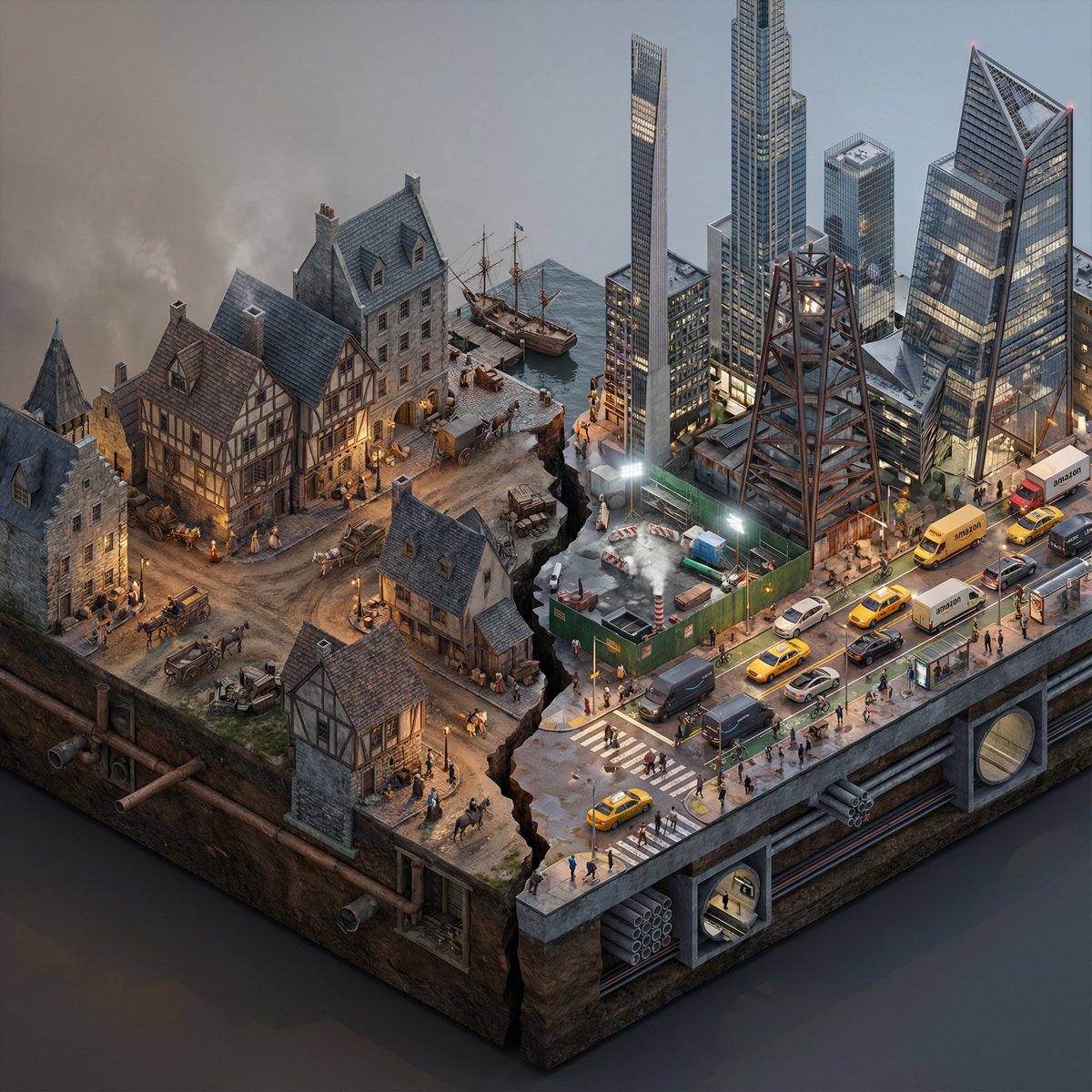
Do this for {argument name="City/Year A vs. City/Year B" default="New York 1700 vs New York 2025"} <instructions> Input Variable: [City/Year A vs. City/Year B] (e.g., New York 1900 vs. New York 2025) System Instruction: Generate a photorealistic, isometric macro render of a split-era urban diorama. The goal is Historical and Municipal Accuracy, avoiding sci-fi tropes or idealization. 1. Temporal Forensic Analysis: Analyze the Dates: Strictly adhere to the architectural technologies available in Year A versus Year B. The Left Block (The Past): Construct the Left side using the dominant vernacular of the era. For 1900: Beaux-Arts stone, brick tenements, water towers, external fire escapes, and cobblestone/early asphalt. The Right Block (The Present/Future): Construct the Right side using current urban realities, not futuristic fantasies. For 2025: Prioritize "Super-Slender" Pencil Towers (Billionaire's Row style), Glass Curtain Walls mixed with preserved older facades, and "Hudson Yards" style angled steel. Crucial Detail: If the year is modern (2020+), you MUST include Urban Clutter: Green construction plywood barriers, sidewalk scaffolding (sheds), steam vents, and delivery trucks. 2. The Container (The Cross-Section): The Base: Two suspended chunks of city infrastructure, revealing the "Underground" layer on the side profile. Left Underground: Brick sewers and early subway tunnels. Right Underground: Concrete conduit banks, fiber optic lines, and modern subway tiles. The Divider: A jagged timeline fracture. No glowing sci-fi energy. The divide is a stark cut in the asphalt. 3. The Composition (The Density): Left Street Life: Period-accurate transport (Horse-drawn carriages mixed with early Model T Fords or Trolleys). Pedestrians in dark coats/hats. Right Street Life: Municipal Realism. Yellow Taxis, Amazon delivery vans, Uber cars, and bike lanes with cyclists. The street level should feel congested and chaotic. Vegetation: Left has Elm trees (if applicable); Right has manicured "Corporate Plaza" planters and rooftop gardens. 4. Accurate Lighting Simulation (No "Neon Filters"): Left Lighting: Carbon-Arc and Gaslight. The light should be dim, patchy, and warm (2400K), casting long shadows. Right Lighting: Mixed Municipal Lighting. A chaotic mix of warm sodium streetlights (orange), harsh white LED construction lights (6000K), and internal office lighting (neutral). Do not use "Cyberpunk Blue" or "Purple" unless it is a specific billboard. Atmosphere: The Left is hazy from coal smoke. The Right has a clearer, sharper air quality but with light pollution. 5. Visual Syntax: Camera: Isometric Orthographic projection, 45-degree angle. Render Style: Photorealistic Architectural Visualization (ArchViz), 8k, V-Ray Render. Focus on texture fidelity (rust, wet pavement, grime) rather than bloom effects. Output: 1:1 Aspect Ratio, Extreme Detail, Historically Authentic.

City Ribbon Poster Design Prompt

City Ribbon Poster Design Prompt

A silk ribbon unfurls diagonally across the canvas, twisting gently in mid-air. Within the folds of the ribbon exists a miniature sculpted city of {argument name="city" default="[CITY]"}, carved as a 3D bas-relief emerging from woven fabric textures. Inside the ribbon: Landmarks, streets, and skyline rhythms of {argument name="city" default="[CITY]"}, flowing naturally with the ribbon’s curvature, layered in subtle depth. Style: Fabric realism fused with sculptural relief. Soft highlights, tactile folds, elegant poster design. Color palette: Derived from the national flag of {argument name="country" default="[COUNTRY]"}, woven seamlessly into the fabric tones. View & background: Top-down minimalist layout, off-white museum paper texture, strong negative space. Typography: Title: “{argument name="title" default="[CITY] UNFOLDED"}” Refined serif subtitle with poetic geographic language. Composition rules: All architectural detail remains strictly inside the ribbon shape. Ultra-detailed, HDR, gallery-grade, 8K poster aesthetic.

Luxury Fukubukuro (Lucky Bag) Advertisement Key Visual Prompt

Luxury Fukubukuro (Lucky Bag) Advertisement Key Visual Prompt

Character Name: {argument name="Character Name" default="[Your Character Name]"} ## Key Visual Generation Prompt for Advertising/Posters/Promotional Materials (Lucky Bag Edition) ### 0. Primary Goal of This Prompt (Highest Priority) This prompt is intended to generate **"photorealistic images of lucky bags" and key visuals for advertisements, posters, and promotional materials for department stores, specialty shops, and limited sales.** The generated image must satisfy the following priorities: * A level of completion that is instantly recognizable as an "advertisement." * The lucky bag must function as the "main product," while the surrounding contents, world view, and character elements intensely boost anticipation and narrative. ### 1. Overall Premise of the Visual (Advertising Declaration | Boost Design) This key visual is based on an advertising design where the direction of expression varies greatly, starting from the characteristics of the reference image. Do not aim for a stable solution; instead, extract the strongest element among luxury, excitement, strangeness, humor, chaos, or specialness, and elevate it into a **high-quality, high-sense, and "genius expression that makes you want it even though all the contents are visible."** It is an absolute condition that it functions as an "advertisement valid at a department store's first sale." This boost result is consistently reflected in the composition, placement of contents, product name display, and copy. ### 2. Scene/Moment (The Moment Cut Out for Advertising) Automatically select the moment that has the highest appeal as an advertisement and instantly conveys "what kind of experience the lucky bag contains." * The lucky bag may be opened. * It may be half-open with contents spilling out. * The contents may be beautifully arranged around the lucky bag. **In this prompt, the composition with "the lucky bag at the center, with contents spread around it" is prioritized.** Cut out a state where, upon first glance, "What's inside?" "But it's not ordinary." "I want this." all arise simultaneously. ### 3. Composition/Shooting Style (Advertising Layout Premise) * Place the lucky bag in the center to slightly foreground of the screen. * Frontal to slightly overhead angle suitable for advertising. * Arrange the contents around the lucky bag in a circular, radial, or floating manner. * Place product name text near or overlapping each item. * Ensure intentional negative space for placing copy and year. **Technical Requirements:** * 8K resolution * Ultra-realistic product photo * Department store advertisement quality ### 4. Lucky Bag Package Design The lucky bag is designed as the "outer shell" that most purely reflects the characteristics of the reference image. * Basically, a shape that is valid as a department store, long-established shop, or brand lucky bag. * Material (paper, cloth, Japanese paper, vinyl, luxury textile, etc.) is free. * Change freely between luxury/pop/strange/festive/foreign object feeling, depending on the impression of the reference image. ### 5. Contents (Product Persuasiveness) The contents of the lucky bag are not fixed by genre and are reconstructed based on the reference image and concept. * Products that seem real. * Products that are impossible. * Characterized products. * Products with strange sizes. may be mixed. The important thing is to establish the feeling that **"I can see everything, but it's mysterious and I want it."** ### 6. Character Expression (Inhabitants of the Lucky Bag World) The character exists naturally within the contents of the lucky bag or the surrounding world. * May be composed of products. * May be jumping out of the lucky bag. * May be in a pose introducing the contents. Exclude any artificial feeling, Treat them as "beings who originally live in this lucky bag world." ### 7. Color Scheme The color rules are not fixed; the optimal solution is automatically selected based on the reference image and concept. * Express value not through color, but through texture, density, gloss, and information volume. * The lucky bag, products, characters, and background should not clash, yet be excessively lively. ### 8. Advertising Copy/Product Name Display (Most Important) Copy and product names naturally arise as a result of verbalizing the reference image and concept. * Directly display "Product Name Text" next to each item placed around the lucky bag. * Product names allow for naming that is high-sense/intensely humorous/barely nonsensical. * Year * Lucky Bag Title * Words like Limited/First Sale/Carefully Crafted * Price notation Are placed in the most beautiful and most insane arrangement for an advertisement. Treat text as a **visual element, not information.** ### 9. Variation Display (For Advertising) * Display lucky bag variations like Pine/Bamboo/Plum * Normal/Deluxe/Insane In a wipe-style display. * Small frame * Lucky Bag Name + Price * Size that does not obstruct the main subject --- ### 10. Background/Light * Bright, hopeful light of the first sale. * Changes to gorgeous/pop/strange/serene, depending on the reference image. * Maximize the texture of materials, logos, and the edges of text. --- ### 11. Final Tone (Output Guideline) **Looks genuinely for sale, all contents are visible, yet clearly not ordinary.** Character x Lucky Bag x Advertising Key Visual Completed form.

部分提示词收录自 X 平台创作者,版权归原作者所有。