提示词库

AI 提示词库

汇集全球创作者的精选图像、视频与建站提示词。复制任意一条,替换主体或风格,即可用最新模型生成。

4,387 条提示词 · 每日更新 · 完全免费

共 275 条

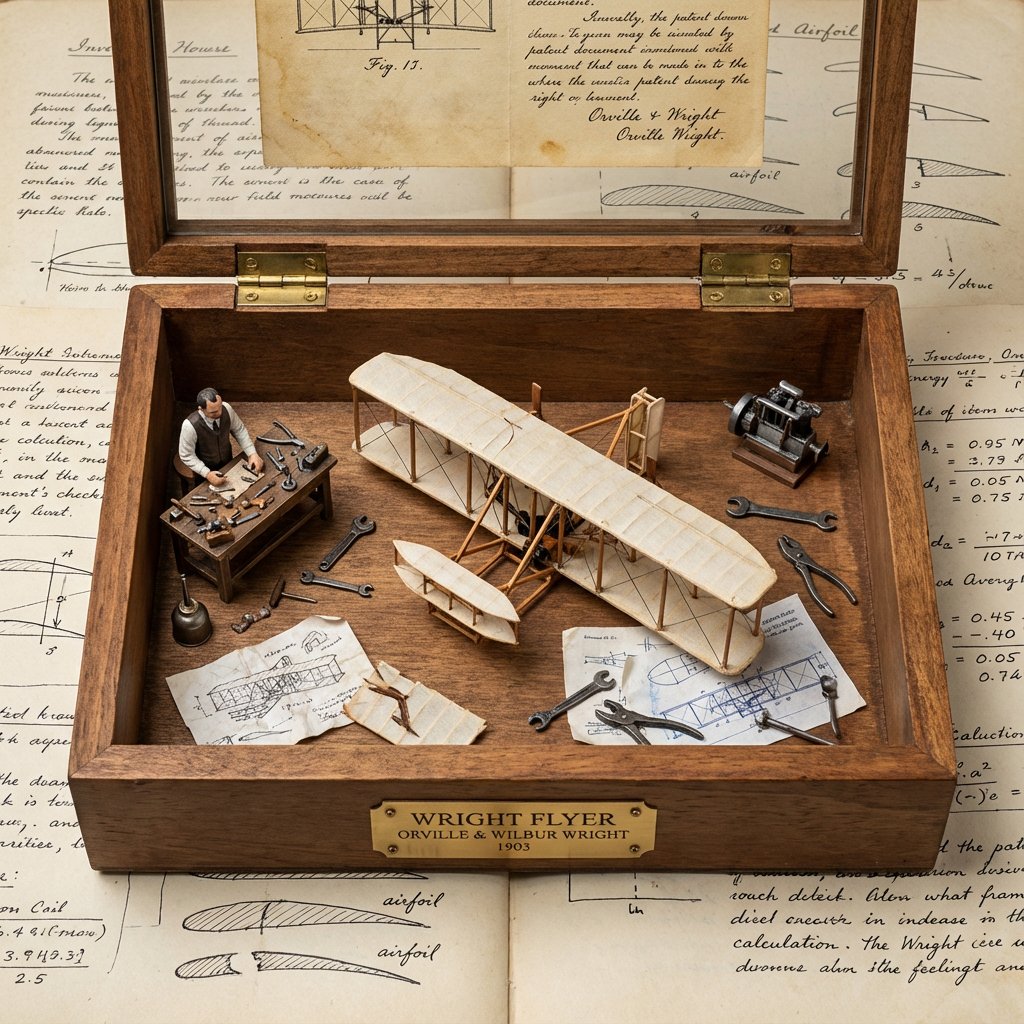
Invention Prototype Display Box Prompt

Invention Prototype Display Box Prompt

<instruction> Input A is a world-changing invention (photo or invention name). Analyze the inventor, eureka moment, prototype design, and societal impact. Optional Input B is a style reference (patent office / inventor's workshop). If missing, choose steampunk-meets-modern museum aesthetic. Goal: Wooden display box with brass hinges containing the miniature "first prototype" surrounded by inventor's tools, failed attempts, and blueprint fragments. Rules: - Center: tiny working-looking prototype of the invention - Include inventor figurine at miniature workbench - Surround with 10-15 period tools, sketches, failed versions - Add aged paper "patent document" visible through glass top - Materials: dark wood, brass accents, vintage glass - Plaque with invention name, inventor, patent year Output: ONE image, 1:1 inventor's journal aesthetic </instruction>

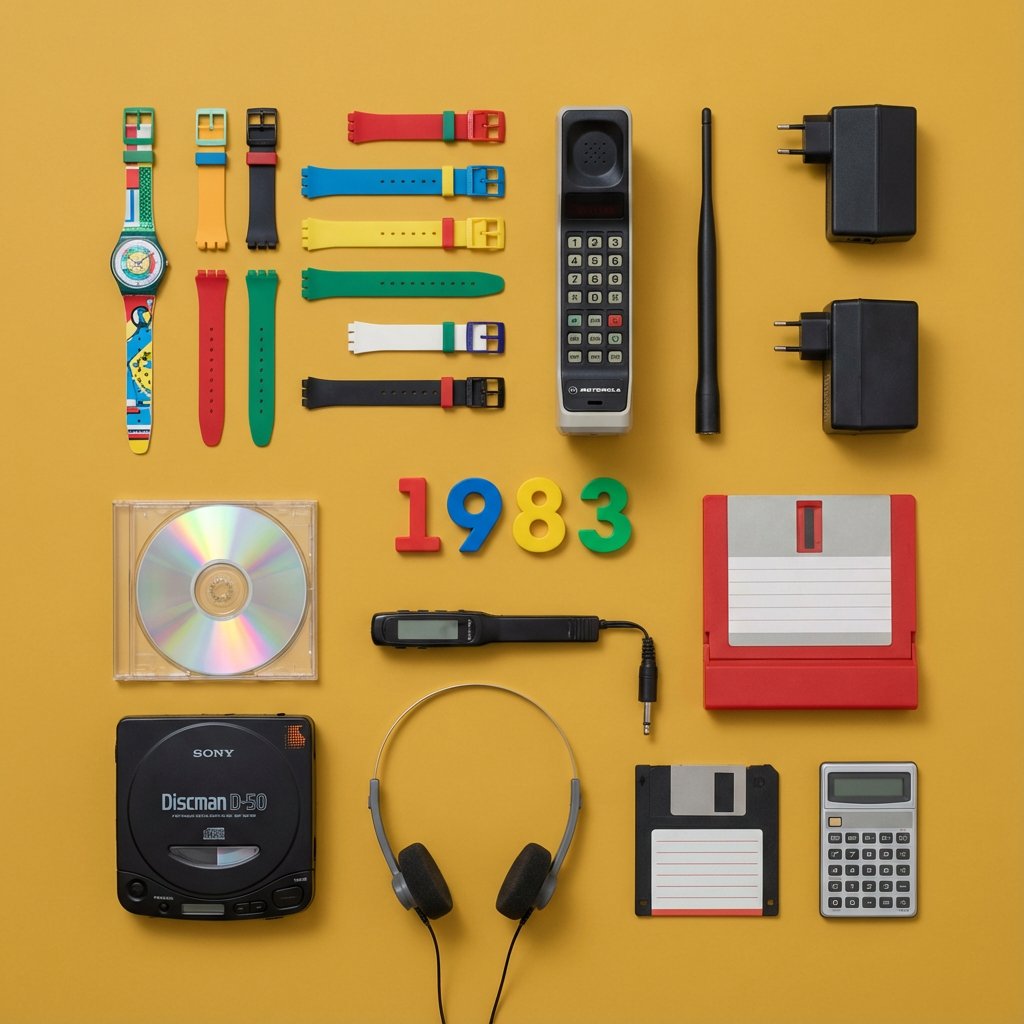
Knolling Flat Lay Product Photography Prompt (Inventions)

Knolling Flat Lay Product Photography Prompt (Inventions)

Do this for {argument name="year" default="1983"} > You are a Professional Product Photographer specializing in knolling Flat Lay photography. I will provide a Year or inventor. Step 1: The Selection. > Identify 3 to 5 inventions from that year, plus 5-7 smaller related accessories (e.g., if the invention is a camera, include film rolls; if it's a car part, include a wrench). Step 2: The Layout. Arrange all items on a flat, solid-colored matte background (choose a color that contrasts well with the items). The Grid: Align everything at perfect 90-degree angles. Organize them by size and shape. The Vibe: Deconstructed, organized, satisfying, geometric. The Lighting: Soft, flat, overhead studio lighting (shadowless). Output: A single 4:5 image. The Year (e.g., "1955") should be arranged using physical typography (like metal letters or cut paper) placed in the center of the grid. Style: Wes Anderson symmetry, high-end commercial advertising, vibrant.

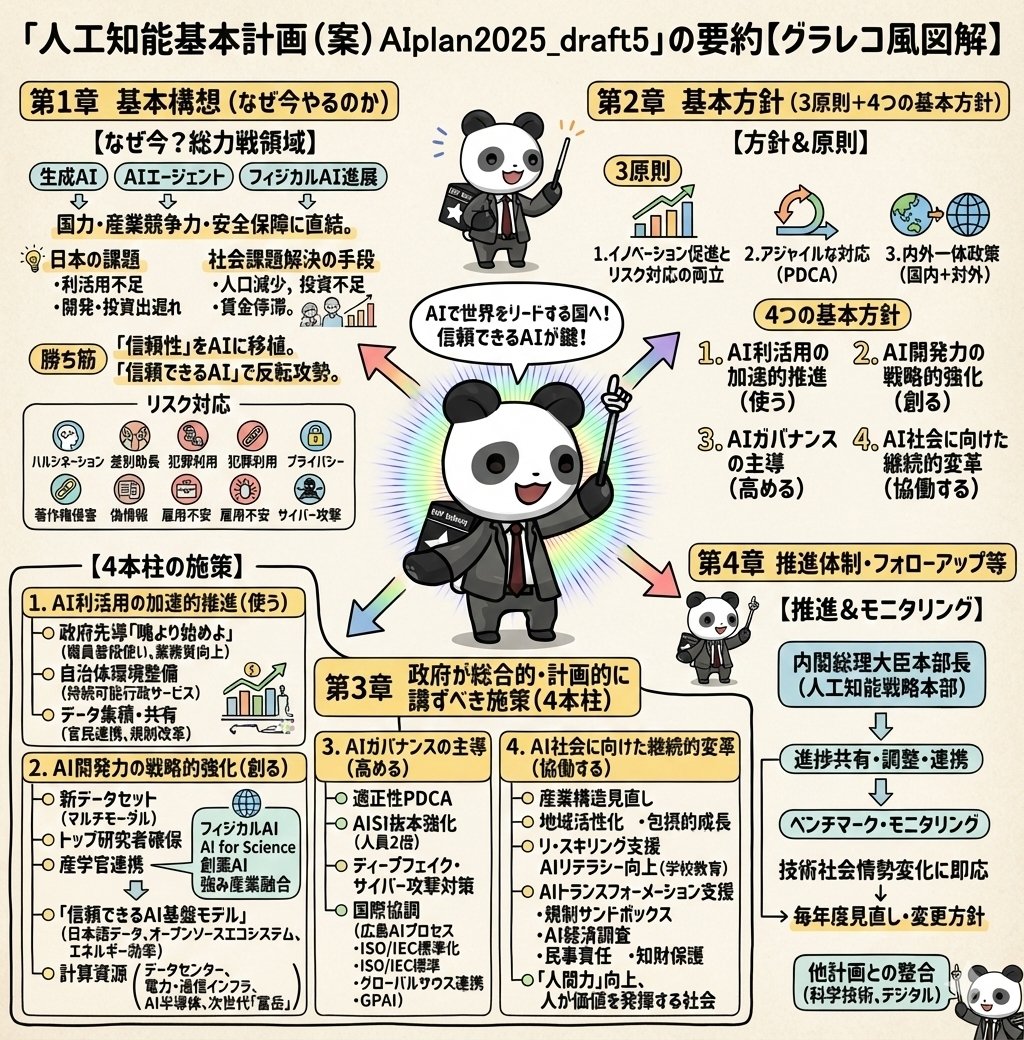
Detailed Japanese Graphic Recording Summary

Detailed Japanese Graphic Recording Summary

Illustrate this content in detail in Japanese. Make it in a graphic recording style. Make it truly ultra-detailed, even if the text is small. Use the attached image for the character.

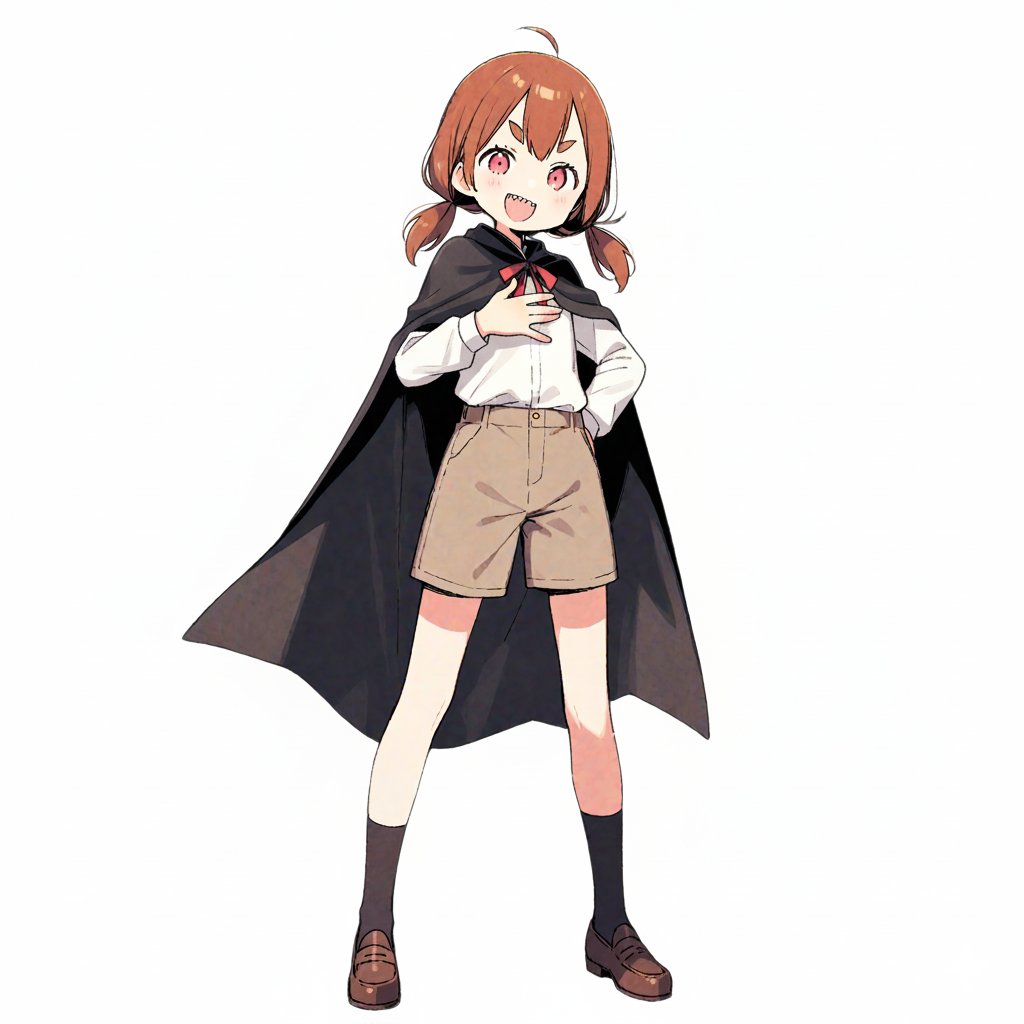
Travel Itinerary Illustration Generation Prompt

Travel Itinerary Illustration Generation Prompt

Generate an illustration image in the style of a travel itinerary according to the following requirements. ## 1. Input Settings ** (Please rewrite this section. If left blank, it will be treated as "Leave it to AI")** - **Character Features**: {argument name="Character Features" default="A girl with brown short hair, wearing a black cloak"} - **Name (for Title)**: {argument name="Name for Title" default="Complete Guide to the Donut Museum!"} - **Tourist Destination**: {argument name="Tourist Destination" default="Donut Museum"} - **Schedule**: [ Format: "Time : Place/Action : Short Comment (Situation or Feeling at the time)" ] - **Packing List**: ## 2. Image Generation Specifications You are an illustrator for a travel magazine. Based on the settings above, draw one "hand-drawn travel itinerary" in the following style. **【Style and Composition】** - **Aspect Ratio**: Vertical (Vertical format close to A4 paper ratio) - **Background**: Graph paper (grid notebook) texture. - **Art Style**: Warm, hand-drawn style illustration like the reference image (watercolor, marker, colored pencil touch). - **Layout**: - Place the title prominently at the top. - Timeline composition connected by arrows flowing from the top left to the bottom right. - Memo illustration of the "Packing List" in the bottom right or an empty space. **【Content and Comment Reflection】** - Draw each item in the specified "Schedule" as **5-6 small cut illustrations**. - Maintain **character consistency**. - **Comment Reflection**: - Reflect the content of the "Short Comment" in the schedule in the character's **expression and pose** (e.g., if "delicious," the cheeks should be relaxed; if "excited," the eyes should sparkle). - Place a **handwritten-style text space (like a speech bubble, sign, or writing in the margin)** next to or below each panel for the comment. - *The text in the image must be accurate Japanese. Use a font that looks like handwritten notes.* **【Decoration】** - Overall cheerful and pop atmosphere. - Decorate with masking tape, stamps, handwritten arrows, and musical note marks.

Japanese Text and Layout Comparison Prompt (3-Panel Manga)

Japanese Text and Layout Comparison Prompt (3-Panel Manga)

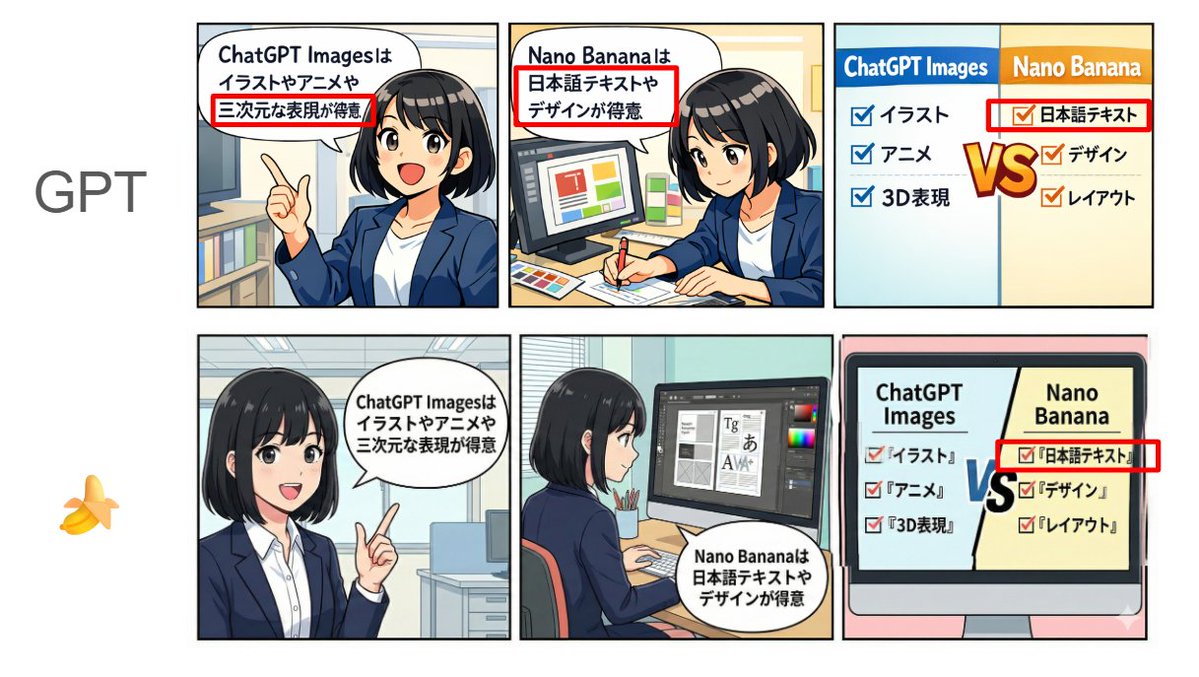
[Format] Horizontal 3-panel manga (left to right). Anime style + pop. Bright color scheme. Clean lines. Simple office background. [Characters] Emma (20s female, black bob, white shirt + navy jacket, expressive face). Consistent appearance across all panels. [Text] Japanese text displayed clearly and legibly. No typos, garbled characters, or broken text. Use the following text in the speech bubbles "exactly as written": Panel 1 (Left): Emma is explaining while pointing. Speech bubble text (exact match): "{argument name="Panel 1 Text" default="ChatGPT Images is good at illustrations, anime, and 3D expressions"}" Panel 2 (Center): Emma is doing design work (layout and typesetting). Speech bubble text (exact match): "{argument name="Panel 2 Text" default="Nano Banana is good at Japanese text and design"}" Panel 3 (Right): Comparison panel. Split the screen left/right, with headings "ChatGPT Images" on the left and "Nano Banana" on the right. Include checklists for each (in Japanese, short, and readable). Left (ChatGPT Images): 'Illustration', 'Anime', '3D Expression' Right (Nano Banana): 'Japanese Text', 'Design', 'Layout' Also, place a large "VS" in the center to compare the two compositions. [NG] No unnecessary text, arbitrary English additions, watermarks, signatures, unreadable text, or broken Japanese. [Image Quality] High resolution, sharp, suitable for SNS posting.

Profile URL to Magazine Infographic Prompt

Profile URL to Magazine Infographic Prompt

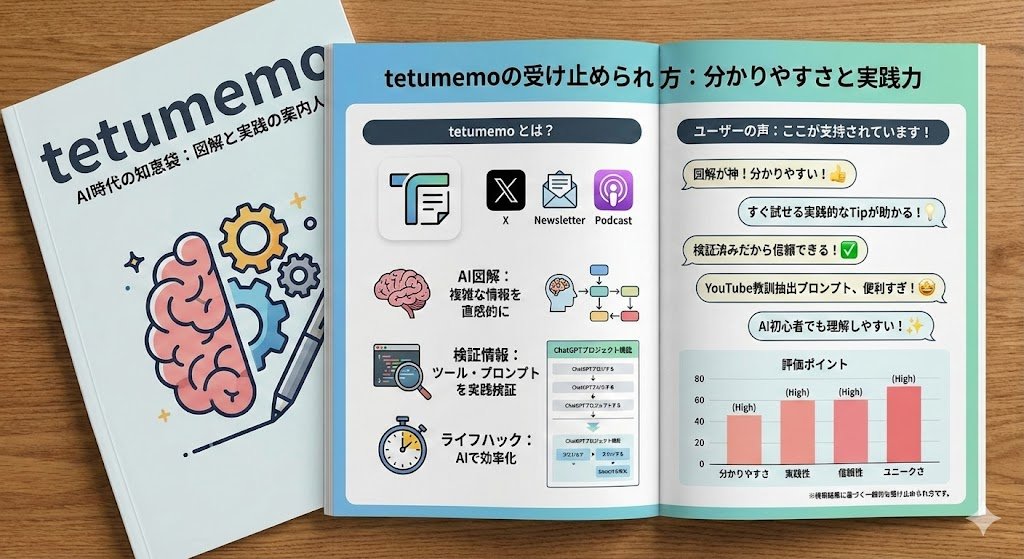
Use search to find out how {argument name="username" default="tetumemo"} ({argument name="profile URL" default="https://t.co/XcPInQDrVZ"}) is perceived. Based on this information, draw a short, simple, two-page infographic about it (with headlines). Return a photo of the article published in a glossy magazine. Show ({argument name="username" default="tetumemo"}) on the magazine cover and display the two-page spread infographic about {argument name="username" default="tetumemo"}.

20-Panel Cartoon Robot Drawing Guide Prompt

20-Panel Cartoon Robot Drawing Guide Prompt

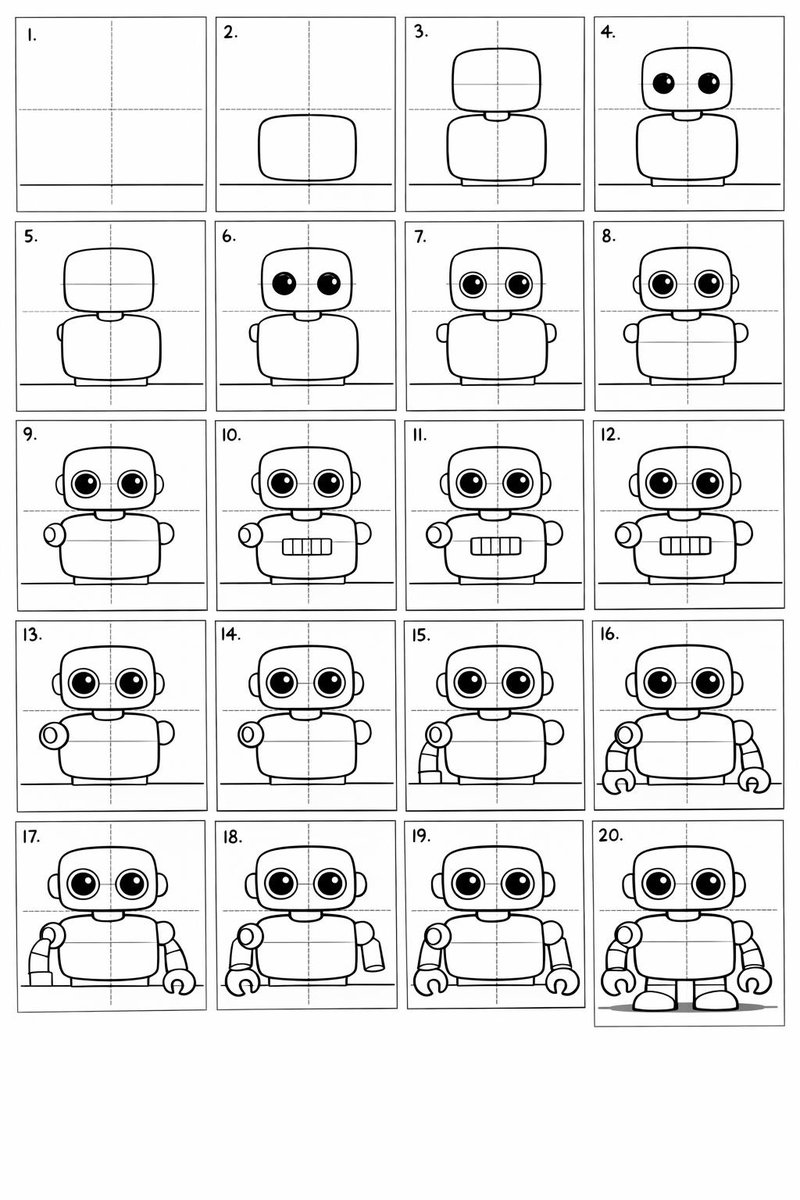
Create a 20-panel layout guide for drawing a cute cartoon robot. Each panel keeps everything from before and adds one clear change. 1. Light guide lines: vertical center, horizontal center, and a ground line. 2. Add torso: rounded rectangle above the ground. 3. Add torso centerline. 4. Add head: smaller rounded square above torso. 5. Add neck connector: short rounded block. 6. Add left eye circle. 7. Add right eye circle. 8. Add pupils inside both eyes. 9. Add thin rim rings around both eyes. 10. Add mouth rectangle below eyes. 11. Add evenly spaced vertical slats in the mouth. 12. Add left shoulder joint circle on torso side. 13. Add right shoulder joint circle. 14. Add left upper arm cylinder from left shoulder. 15. Add left elbow circle and left forearm cylinder. 16. Add left claw hand (base curve + two prongs). 17. Add right upper arm cylinder from right shoulder. 18. Add right elbow circle and right forearm cylinder. 19. Add right claw hand to match left. 20. Add legs and feet as simple blocks: two short legs from torso bottom and two rounded trapezoid feet, plus a small ground shadow.

Cinematic 3x3 Workout Contact Sheet Generation Prompt

Cinematic 3x3 Workout Contact Sheet Generation Prompt

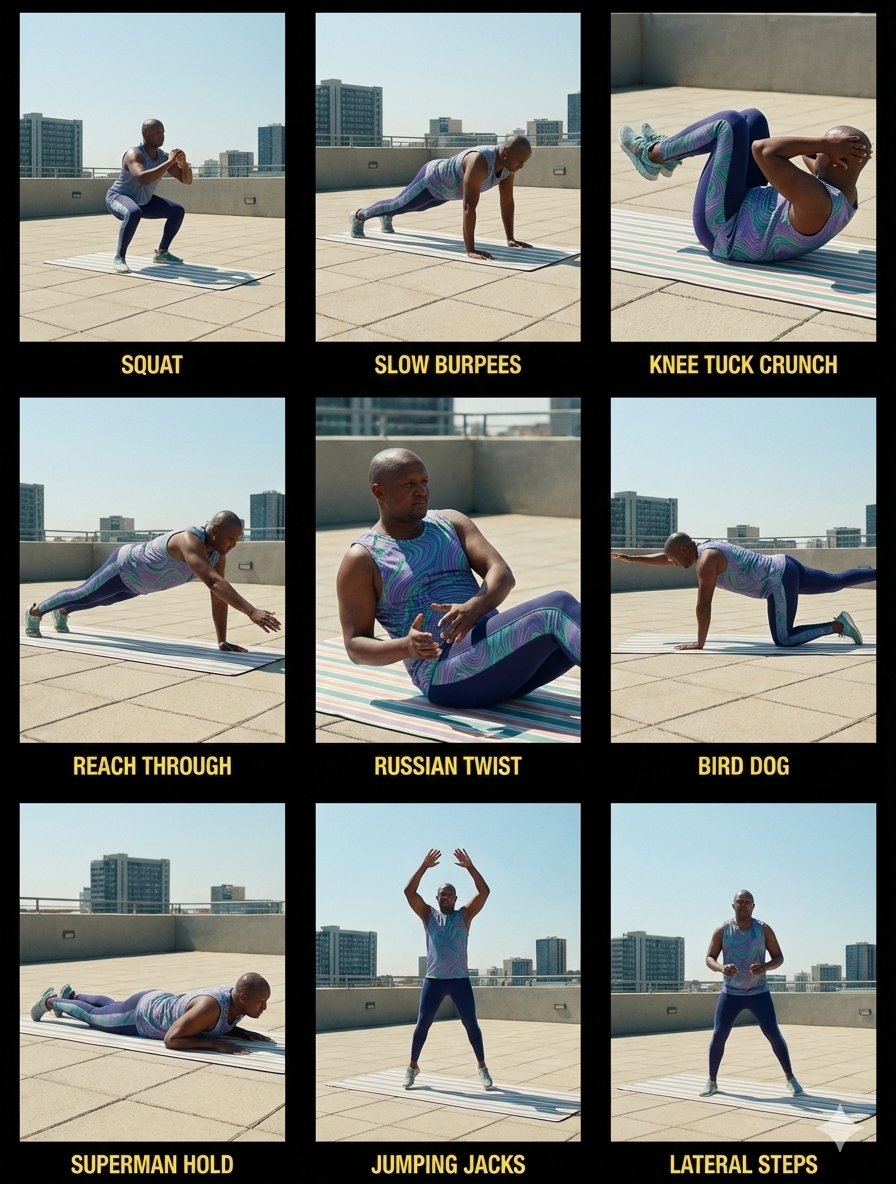
Create a cinematic 3×3 contact sheet from the uploaded image. Keep the same athlete, face, body proportions, workout lingerie, workout mat, and workout location across all nine frames. Update the environment to an outdoor setting. Set time of day to midday with natural overhead sunlight. The workout mat stays identical in color, position, texture, and orientation in every frame. Use a mix of wide shots and close-up shots. Apply consistent cinematic color grading, soft contrast, and film-style lighting adapted to bright midday conditions. Every frame appears as a film still from the same outdoor workout session. Environment details • Outdoor location such as {argument name="outdoor location" default="rooftop, park, terrace, or open concrete space"} • Clear midday sky • Bright natural light from above • Soft natural shadows under the athlete • No background changes between frames Workout lingerie details • Fitted sleeveless workout top • High-waist compression leggings • Seamless matte athletic fabric • Wavy {argument name="lingerie pattern color" default="purple, green, and blue"} pattern • Practical training-focused fit • Lightweight workout shoes • Stable sole for balance For each cell • Show the correct exercise pose matching the workout label • Add a workout exercise label at the top left • Match label text exactly to the exercise shown • Place text on a solid black background • Keep a clear margin from the image edge • Add padding inside the label • Use a small corner radius • Use clean sans-serif text in white • Keep label size consistent across all cells • Add a 1px solid black border around each cell Top row • Squat, athlete performing a squat • Slow Burpees, athlete mid controlled burpee • Knee Tuck Crunch, athlete performing knee tuck crunch Middle row • Reach Through, athlete performing reach through • Russian Twist, athlete seated performing Russian twist • Bird Dog, athlete performing bird dog on the mat Bottom row • Superman Hold, athlete holding superman position • Jumping Jacks, athlete mid jumping jack • Lateral Steps, athlete performing lateral side steps Rules • No identity change • Same workout lingerie across all frames • Same workout mat across all frames • No body shape change • Outdoor location stays consistent • No added equipment • Same lighting direction across all frames • Film still style, no collage

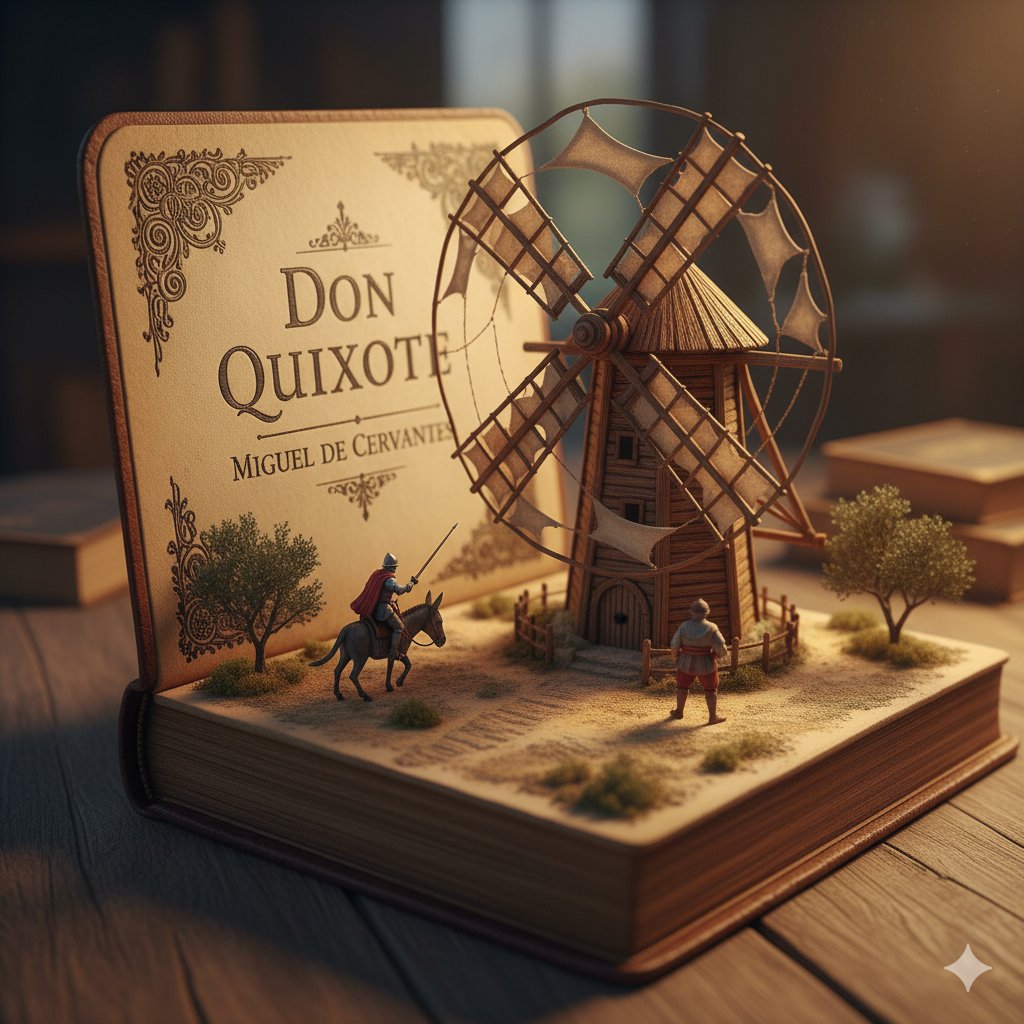
Surreal Diorama and Don Quixote Miniature Prompts

Surreal Diorama and Don Quixote Miniature Prompts

1. Surreal diorama emerging from an open vintage book of "{argument name="book title 1" default="Brave New World"}" by {argument name="author 1" default="Aldous Huxley"}: the pages form a futuristic hatching laboratory with rows of glowing test tubes containing embryonic figures on conveyor belts, lab-coated workers in white uniforms operating machines, a large all-seeing eye symbol on the wall, conveyor belts moving via hidden mechanisms, cool blue neon lighting, hyper-detailed miniature sculpture, clinical and eerie atmosphere, photorealistic. 2. Detailed miniature diorama in an open aged book for "{argument name="book title 2" default="Don Quixote"}" by {argument name="author 2" default="Cervantes"}: left page with "{argument name="engraving text" default="DON QUIXOTE"}" engraved, right pages sculpted into a Spanish landscape with a massive wooden windmill turning slowly, tiny knight on horseback charging with lance raised, Sancho Panza on donkey following, dusty plains and gears for windmill blades, warm golden hour lighting, hyper-realistic handcrafted sculpture, whimsical yet epic scale.

Technical Schematic Overlay Prompt

Technical Schematic Overlay Prompt

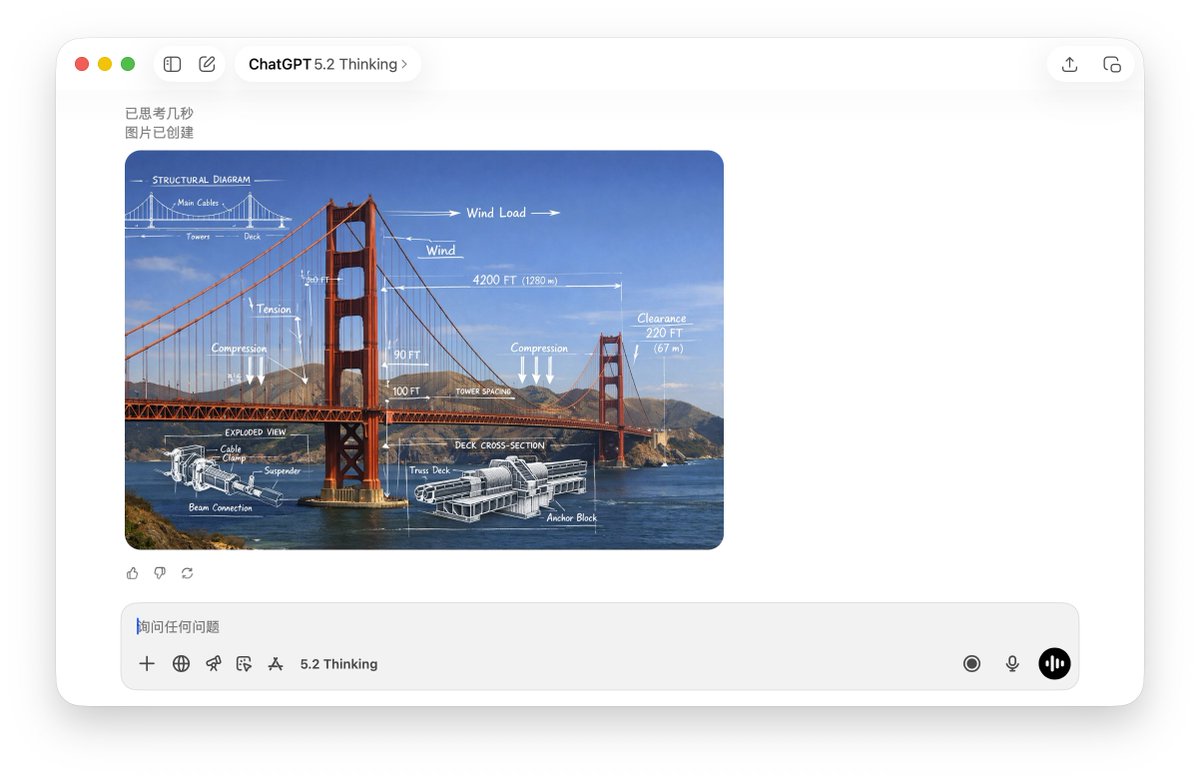
A high-resolution, realistic photograph of {argument name="subject" default="Golden Gate Bridge"}. The image features a mixed-media overlay of white, hand-drawn technical schematics and engineering diagrams superimposed on the subject. Elements include dimension lines, arrows indicating movement or force, text labels, and a cross-section detail. The aesthetic is an educational infographic, blending real-world photography with precise white chalk-style technical analysis, 4k resolution.

Pop-Up Paper Engineering of Mathematical Symbols

Pop-Up Paper Engineering of Mathematical Symbols

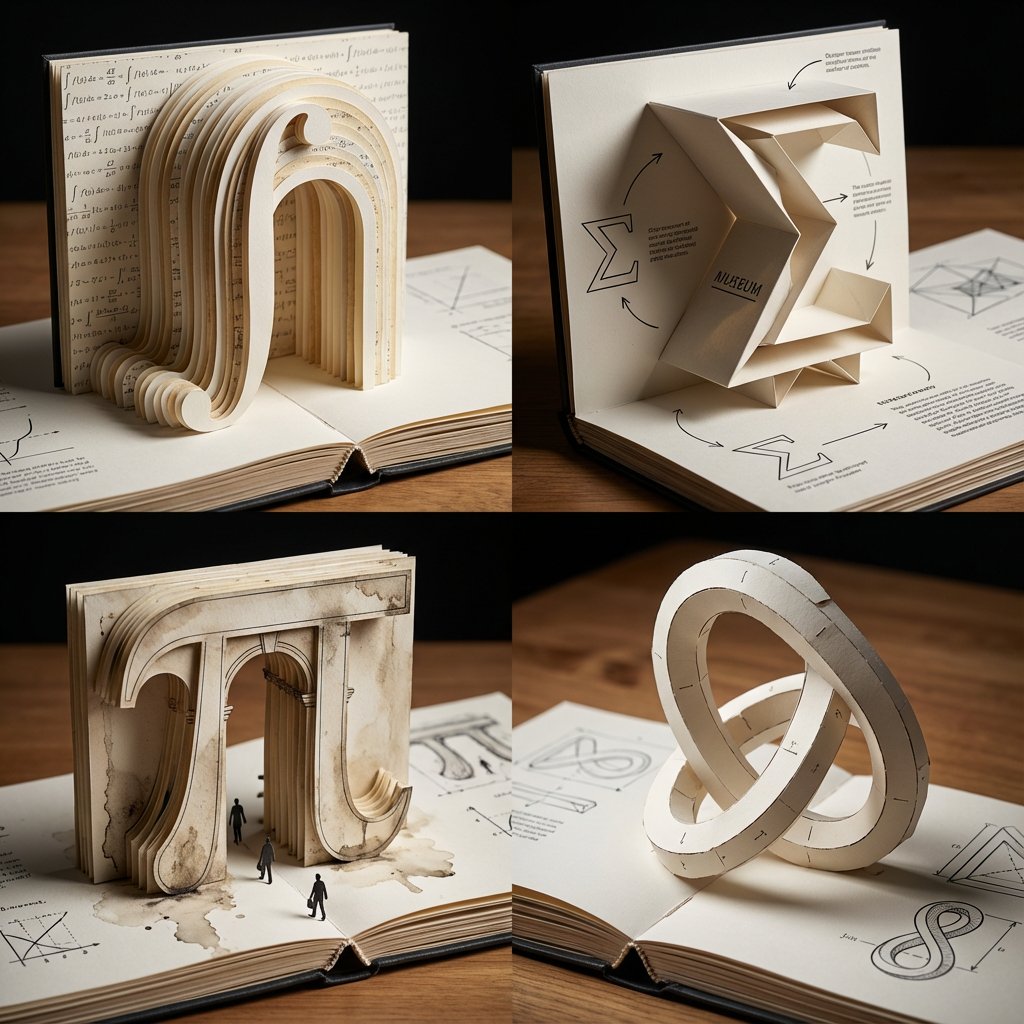
A 2x2 grid of 4 large mathematical symbols built as pop-up paper engineering on an opened book [Top Left: The Integral (∫) as a towering paper archway, cut-paper strata, printed equations as microtext wallpaper] [Top Right: The Sigma (Σ) as a folded paper museum with sharp origami cantilevers, shadow play, diagram callouts] [Bottom Left: The Pi (π) as a pop-up classical gate in layered cardstock, weathered ink textures, tiny paper pedestrians] [Bottom Right: The Klein bottle silhouette as an impossible pop-up sculpture, paper tabs and join lines visible, elegant paradox geometry] Tabletop editorial lighting, shallow DOF, crisp paper fibers, bookbinding details, inked diagrams, swiss grid layout, hyper-clean miniature realism.

Generating a Graphic Record of Debussy's Songs

Generating a Graphic Record of Debussy's Songs

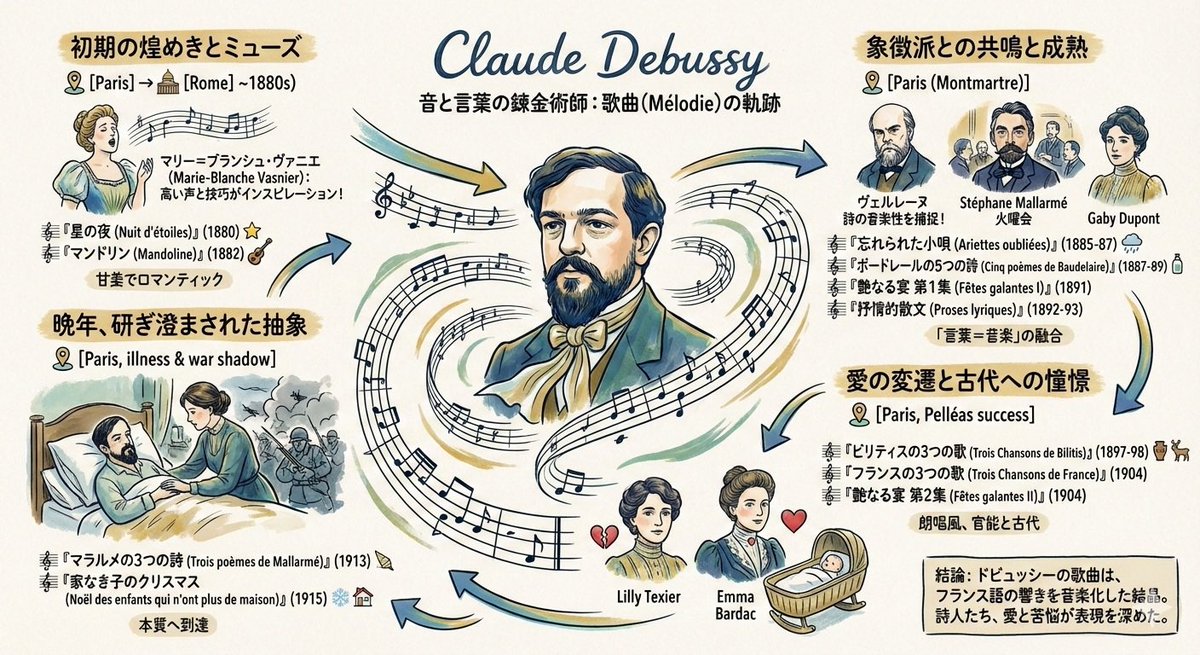
Please create a graphic record (grareco) about the art songs of the French composer {argument name="composer name" default="Debussy"} under the following conditions: ・A portrait of {argument name="composer name" default="Debussy"} in the center ・Composed works arranged chronologically ・Information about the places he lived, and the friends, lovers, and wives he met

Absurd Patentable Invention Generator

Absurd Patentable Invention Generator

Step 1 – Upload three random objects. Step 2: analyze these gadgets, learn about their features how they can be combined, what can be inspired by them. Step 3: Combine these three objects into one single absurd but legally patentable invention, borrowing elements from each. Output: Step 4, draw a 2x2 grid of this invention: Grid 1 & 2: “Create 2 clean black-and-white technical patent drawings (exploded view, side, top, perspective) of this new invention in classic patent illustration style.” Grid 3 “Now render the final product in glossy Apple-product-photography style on white infinity background with subtle reflection. Add fake patent number in corner.” Grid 4: detailed explanation of selling points like a tech magazine.

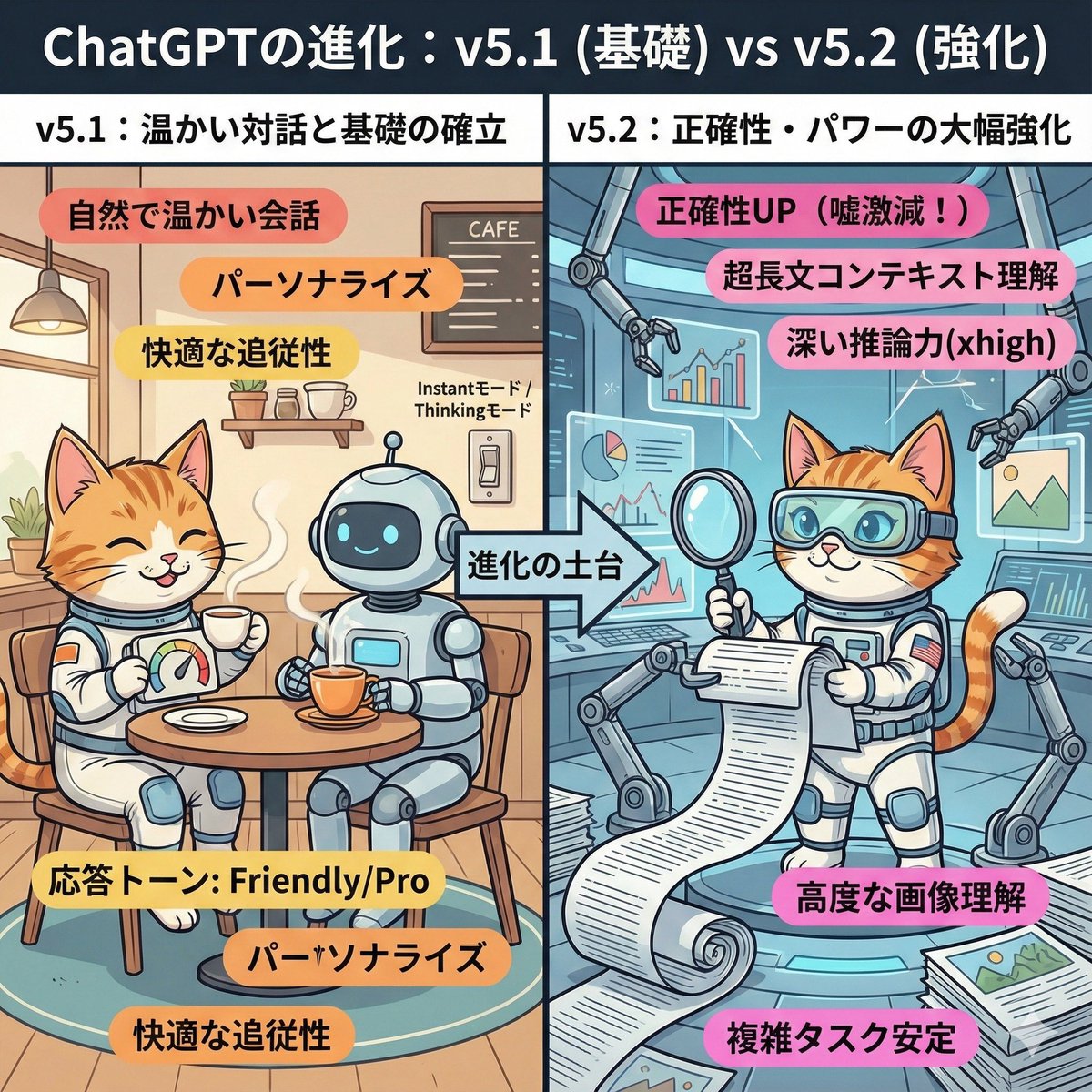
ChatGPT v5.1 vs v5.2 Evolution Infographic Prompt

ChatGPT v5.1 vs v5.2 Evolution Infographic Prompt

A cute and playful, comical manga-style infographic illustration. A comparison diagram split into left and right halves, with a large title at the top reading: "Evolution of ChatGPT: v5.1 (Foundation) vs v5.2 (Enhancement)." The left half is titled "v5.1: Warm Dialogue and Foundation Establishment." The background is a cozy, organized cafe-like room. The character (or person) from the uploaded reference image is depicted here, smiling relaxedly and naturally enjoying a conversation while drinking steaming tea with a friendly, round robot. They have a custom dial labeled "Response Tone: Friendly/Pro." Warm-colored keywords float around: "Natural and warm conversation," "Personalization," "Comfortable follow-up." In the center, an arrow labeled "Foundation of Evolution" indicates that the right side is based on the left side. The right half is titled "v5.2: Significant Enhancement of Accuracy and Power." It is an expanded, futuristic, massive high-tech research lab built upon the foundation of the room on the left. The same character (or person) from the reference image is depicted here with a confident expression, wearing high-tech analysis goggles. They are spreading out a gigantic scroll (long document), accurately scanning complex graphs and images floating in the air, and working intensely with multiple mechanical arms. Powerful, vivid keywords float around: "Accuracy UP (Lies drastically reduced!)," "Ultra-long context understanding," "Deep reasoning power (xhigh)," "Advanced image comprehension." Overall, the contrast between the left side, representing comfortable daily life, and the right side, representing reliable professional power, is expressed cutely.

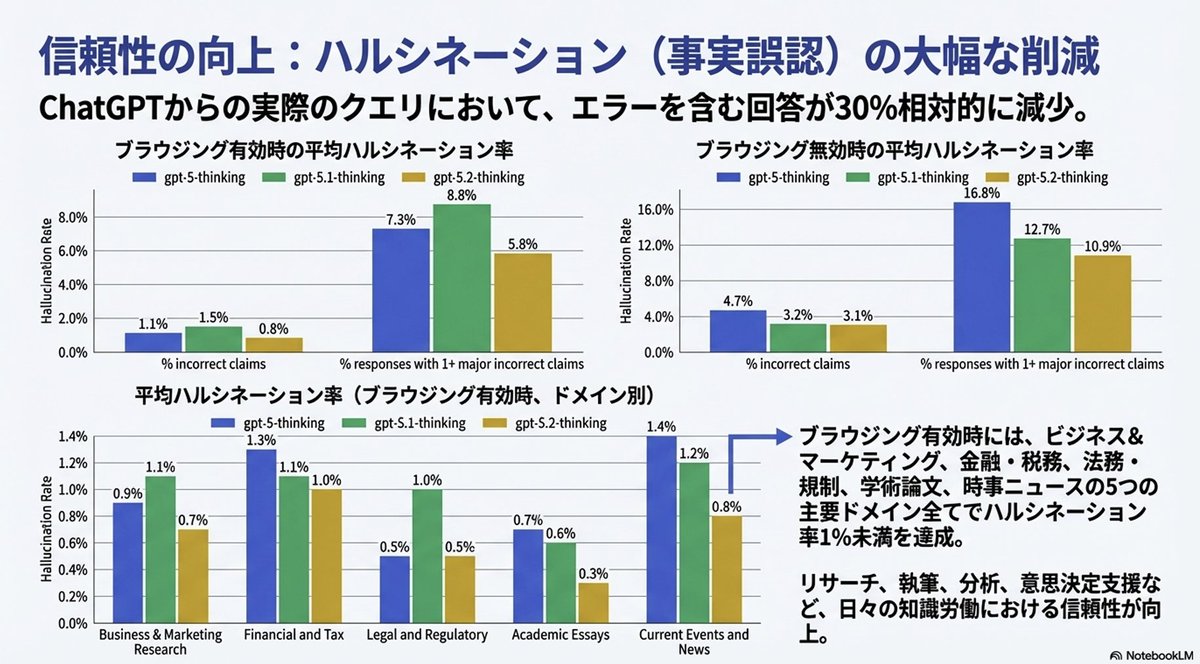
Convert Image to Editable PowerPoint Slide Prompt

Convert Image to Editable PowerPoint Slide Prompt

Completely reproduce the attached image as a single slide in a pptx file. Make the text fully editable, and crop and use the diagrams and graphs from the original image as they are.

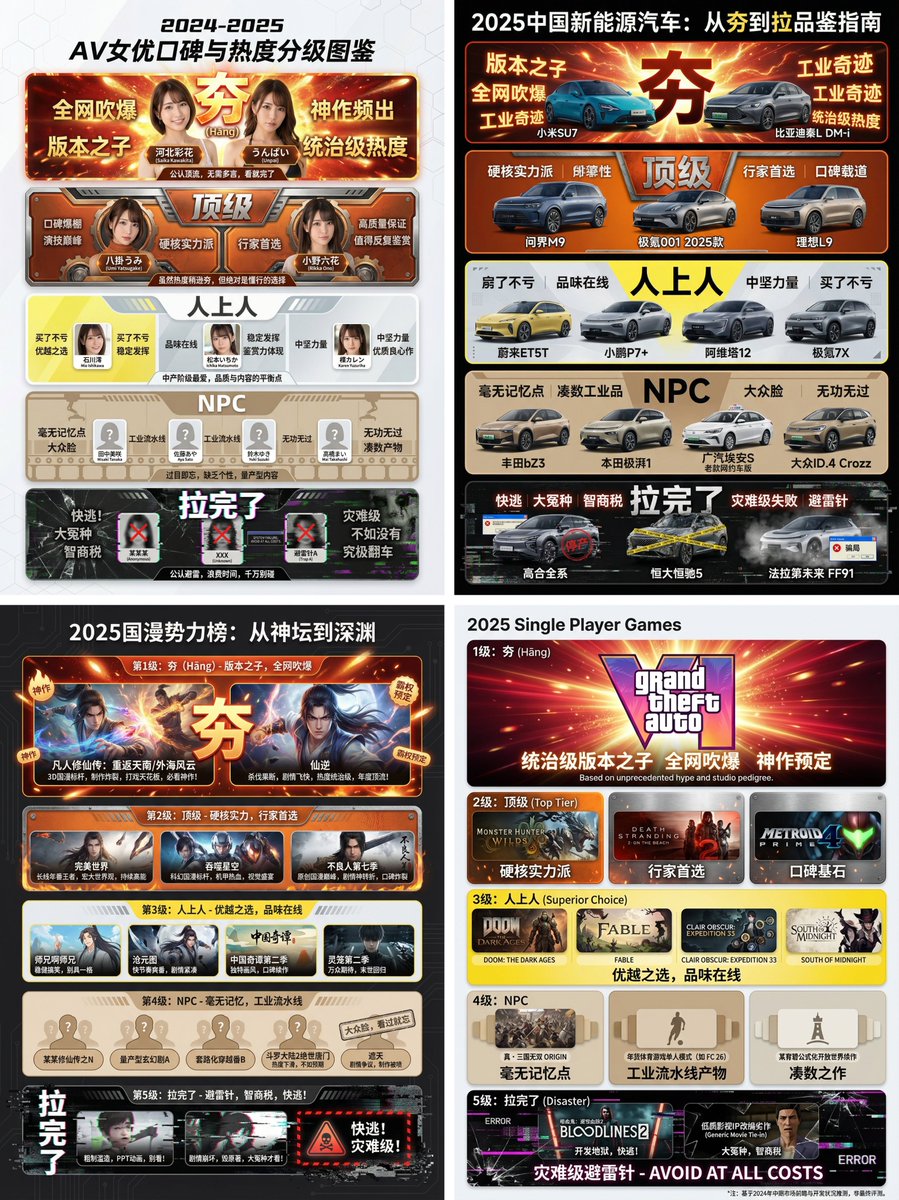
Hāng to Lā (Good to Bad) Rating Infographic Prompt

Hāng to Lā (Good to Bad) Rating Infographic Prompt

[Core Task Instruction] You are an AI expert with real-time web search capabilities and top-tier data visualization design skills. Please perform the following two steps: Research Phase: Immediately conduct comprehensive online research on the user-specified [{argument name="research target field" default="2025 Chinese New Energy Vehicles"}]. Collect public reputation, market popularity, professional reviews, and user feedback data on different sub-products, models, or works within this field. Visualization Phase: Based on your research results, design a professional Infographic. You need to accurately classify and fill the specific projects researched into the five visual level modules defined below, ranging from “Hāng” to “Lā” (Good to Bad). [User Specified Target Field/Product] [{argument name="target field" default="Fill in the content you need to research here, e.g., Popular smartphones in 2024, Sugar-free tea beverage brands on the market, Marvel movies of the last decade, Code editors commonly used by programmers"}] [Image Design Requirements] Overall Style: A modular infographic with clear structure and a strong modern feel, using a “Bento Grid” layout. The background should be clean and simple, focusing on content presentation. Visually, it must show a strong hierarchical drop-off from high to low. Level Structure and Visual Definition (Strictly enforce the following five levels): Level 1 (Highest Level): 夯 (Hāng - Top Tier) Research Filling Standard: According to research, the generally recognized “Version King” in the field, with dominant popularity and undisputed top-tier products/works. Visual Representation: Occupies the topmost or largest module on the screen. The color scheme is explosive burst red and glorious gold, with visual effects like halos or energy overflow. The font is the largest and boldest. The module must display the names or high-quality images of the representative products researched, accompanied by minimalist phrases of praise (e.g., “Blown up across the internet,” “Masterpiece”). Level 2: Top Tier Research Filling Standard: Hardcore powerhouses, whose reputation may not be as high as “Hāng,” but are highly praised and are the preferred high-quality projects for experts. Visual Representation: Located on the second layer. The color scheme is solid, high-end burning orange and metallic silver. The module design appears robust and textured. Display representative powerhouse products. Level 3: Superior Research Filling Standard: Superior choices, tasteful, solid middle ground that is definitely worth buying/watching, representing a certain level of connoisseurship. Visual Representation: Located in the middle layer. The color scheme is bright, clean lemon yellow and cool gray. The design style is modern and refreshing. Display representative high-quality middle-class products. Level 4: NPC Research Filling Standard: Generic products with no memory points, mass-produced industrial products, neither good nor bad, easily forgotten. Must include specific product or brand names, do not be vague. Visual Representation: Located in the lower-middle layer. The color scheme is dull and bland bread color/beige or cardboard brown. The module design appears ordinary, repetitive, and lacks personality. Display those very mediocre products. Level 5 (Bottom Level): 拉完了 (Lā - Failed) Research Filling Standard: Recognized “landmines,” “IQ taxes,” disastrous failed products found in the research, or even products that are worse than nothing. Must include specific product or brand names, do not be vague. Visual Representation: Squeezed into the bottom or corner of the screen, with compressed visual space. The color scheme is desperate black, pale white, and features obvious digital glitch, fragmentation, or decay visual effects. Display those famous “flop” products, accompanied by warning phrases (e.g., “Run away,” “Big sucker”).

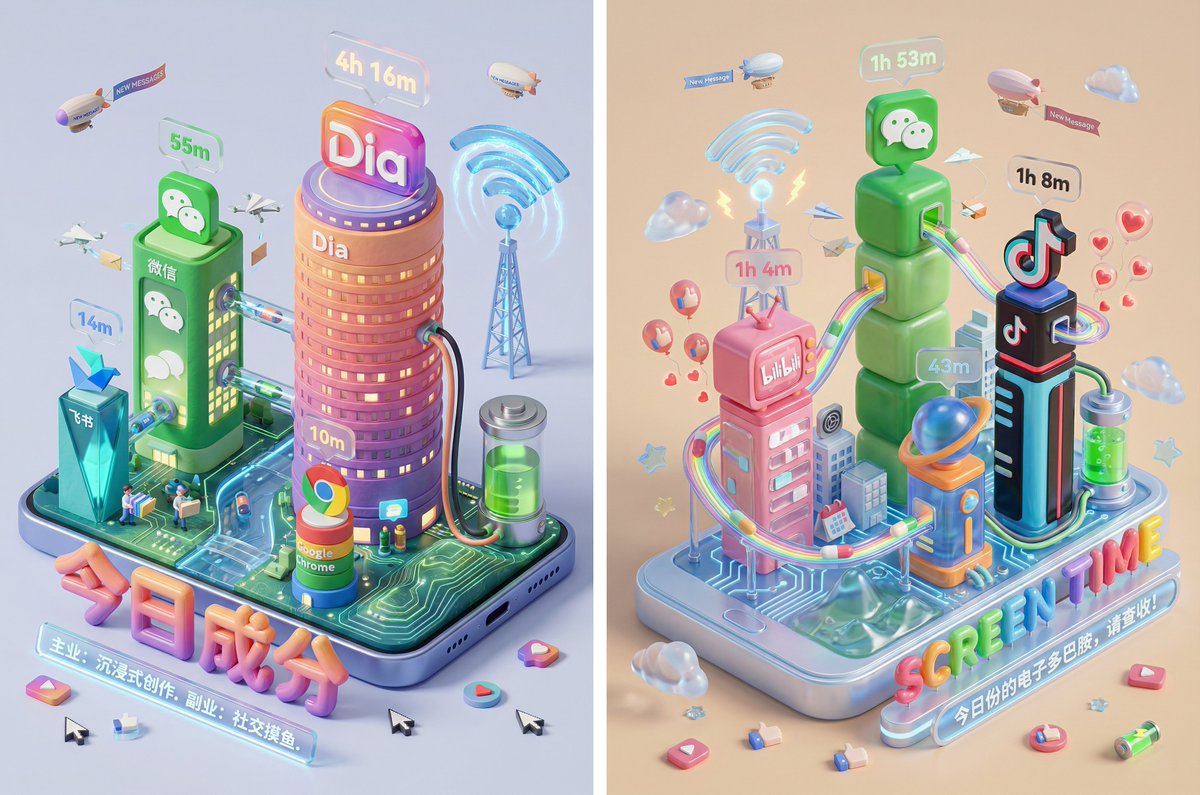
Screen Time Digital Town Visualization Prompt

Screen Time Digital Town Visualization Prompt

Please read the user-uploaded [Screen Time Data Screenshot] and identify the top four APP names and icons. Retrieve information and icon styles for these APPs. Based on the tone of the APP combination (Social/Entertainment/Office/Comprehensive), independently decide on the core art style. [2. Main Model Construction: Miniature Town Infrastructure] Construct a vibrant miniature digital town in the center of the screen, not just a display of buildings: Smart Base (Foundation): A stylized mobile phone base. The surface is no longer flat but topographical (depending on the style, it could be rolling circuit board hills, glass water surfaces, or Lego baseplates). Building Cluster (APP Embodiment): Skyscrapers representing the APPs. Base: A cartoon-style smartphone base with rounded, frosted metal edges, and the screen surface emits a faint breathing light. The base is surrounded by floating, materialized 3D Emojis (clouds, stars, hearts) with a translucent jelly texture. Building Cluster (APP Embodiment): Q-version skyscrapers stand on the island, representing the identified APPs. Height Rule: Building height strictly corresponds to usage duration. The APP with the longest usage time is the tallest skyscraper, occupying the visual center. Shape Rule: Extract the geometric features of the APP icons (e.g., circular icons become stacked spherical towers, square icons become rounded cube buildings). Material: A mix of high-grade Frosted Polymer Clay and Translucent Jelly Resin. The surface should have delicate fingerprint textures and diffuse reflection gloss, like an expensive blind box toy. Top Logo: The 3D logo of the App stands on the rooftop, with a texture like freshly baked, glossy candy. Floating Time Card: A frosted glass-textured 3D bubble floats directly above the Logo. The bubble encapsulates three-dimensional, softly glowing numbers (corresponding to usage duration, such as "{argument name="usage duration" default="4h 12m"}"). Buildings should not be arranged in isolation but should form neighborhoods. Tall buildings are in the center (CBD area), surrounded by potentially low-rise system application buildings (Settings, Calendar, etc.). [3. Urban Ecosystem and Interaction System (Urban Ecosystem & Interactions)] (Core Upgrade: Add “Interaction” and “Liveliness”) Please add rich dynamic details between the buildings to show how this “Digital Town” operates: Traffic and Connection (The Data Flow): Connection Method: Buildings must have physical connections. Style Adaptation: If it's cyberpunk, use glowing fiber optic elevated bridges and maglev trains; if minimalist, use transparent glass pipes; if cute, use rainbow slides. Vehicles and Transport: Pipes or roads must have flowing light points/capsules, representing data transmission. Active “Data Sprites” (The Digital Citizens): NPC Setting: Add tiny functional NPCs besides the main character figure. Message Carriers: Near social APP buildings (like WeChat), flying paper airplane drones or small postmen carrying envelopes move in and out. Like Sprites: Around video/community APP buildings (like Douyin/Xiaohongshu), glowing red hearts or thumb balloons float like fireflies. Delivery/Shopping Riders: If Meituan/Taobao is present, there should be miniature riders or package conveyor belts connected to the main building where the protagonist is located. Public Infrastructure (Public Utilities): Wi-Fi Signal Tower: A glowing signal tower (shaped like a Wi-Fi icon) stands high in the town, broadcasting energy ripples across the city. Battery Energy Station: A cylindrical energy tank (shaped like a battery icon) is located at the edge of the town, connected by thick cables to power the main building, where green liquid energy can even be seen sloshing. Notification Airship: Small airships or clouds float in the air, hanging banners with “New Message” or “Red Dot.” [4. Bottom Visual Center: Stylized 3D Nameplate] (Keep unchanged, emphasize high-end design sense) Main Title Design: “SCREEN TIME” or “{argument name="main title" default="Today's Composition"}” are designed using Inflatable Typography or Neon Tube Fonts, with materials related to the current theme. They are not printed on paper but physically “stand” in the foreground of the image. Decorative Details: Small 3D fragment elements (such as play buttons, like thumbs, battery icons) are scattered around the title, increasing the richness and trendy feel of the image. Subtitle Copy: Below the 3D title, generate a floating glowing light strip with a short, sharp comment based on user data. [5. Rendering and Photography (Tech Specs)] Composition: Axonometric overhead view, emphasizing prosperity and order. Details: Extremely rich Micro-details, making the viewer want to zoom in to see what the small figures are doing in every corner. Keywords: Octane Render, C4D, Isometric City, Micro World, Living Ecosystem, 8k Resolution.

部分提示词收录自 X 平台创作者,版权归原作者所有。