
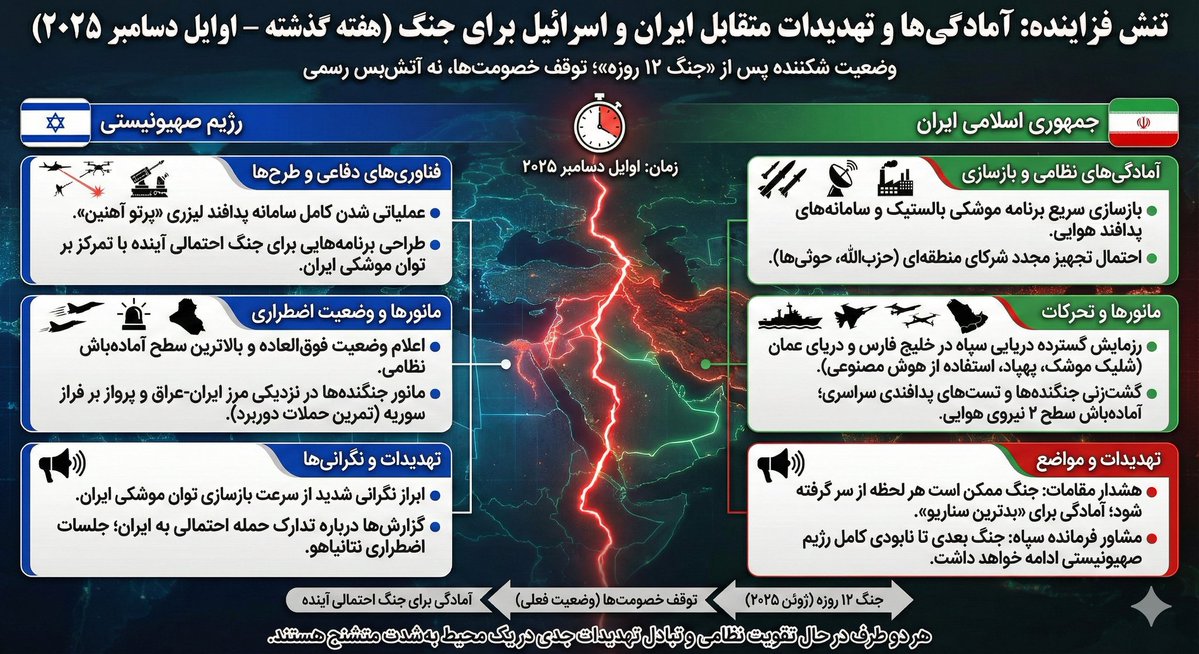
Infographic Generation based on Real-Time News Data
Based on last week's news, create an infographic about the readiness of Iran and Israel for war.
提示词库
汇集全球创作者的精选图像、视频与建站提示词。复制任意一条,替换主体或风格,即可用最新模型生成。
4,387 条提示词 · 每日更新 · 完全免费
共 275 条
Based on last week's news, create an infographic about the readiness of Iran and Israel for war.
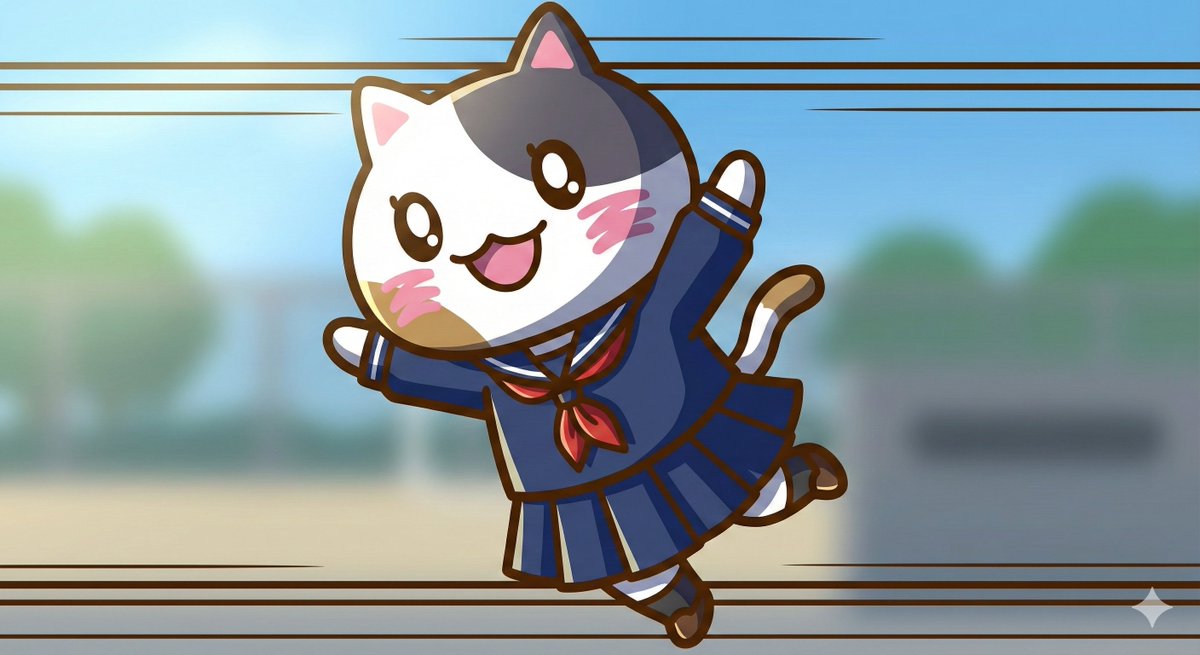
1. Significantly increase detail and texture 🎨 ・absurdres: For absurdly high resolution. Makes hair and clothing details intricate. ・intricate details: When you want to increase complex details like background or costume decorations. ・official art: Suppresses roughness, resulting in a well-composed and colored image like a professional artist drew it. 2. Change the atmosphere with "Light and Shadow" 💡 ・cinematic lighting: Adds depth and storytelling to the screen with movie-like lighting effects. ・soft lighting / soft focus: Makes the whole image soft, creating a gentle and cute atmosphere. ・ray tracing: Realistically expresses light reflection. Improves the texture of eyes, metal, and water. 3. Enhance character appeal 📸 ・beautiful detailed eyes: Strengthens the drawing of the "eyes," which are the life of anime illustrations. ・looking at viewer: Makes the character look at the viewer, increasing the image's appeal. ・dynamic angle: Prevents stiff standing poses, using dynamic compositions like diagonal or low-angle shots. 4. Adjusting the art style 🖌️ ・flat color: Reduces shadows, resulting in a crisp anime coloring style like a cel painting. ・thick painting: For a rich, heavy texture like impasto painting, when you want a sense of gravitas. Tips for further improving accuracy 🛠 ・Emphasis syntax: Important words are stabilized by enclosing them in parentheses and a numerical value, such as (best quality:1.2). ・Negative prompt: In addition to basics like worst quality, excluding muted color makes the colors more vivid 😳
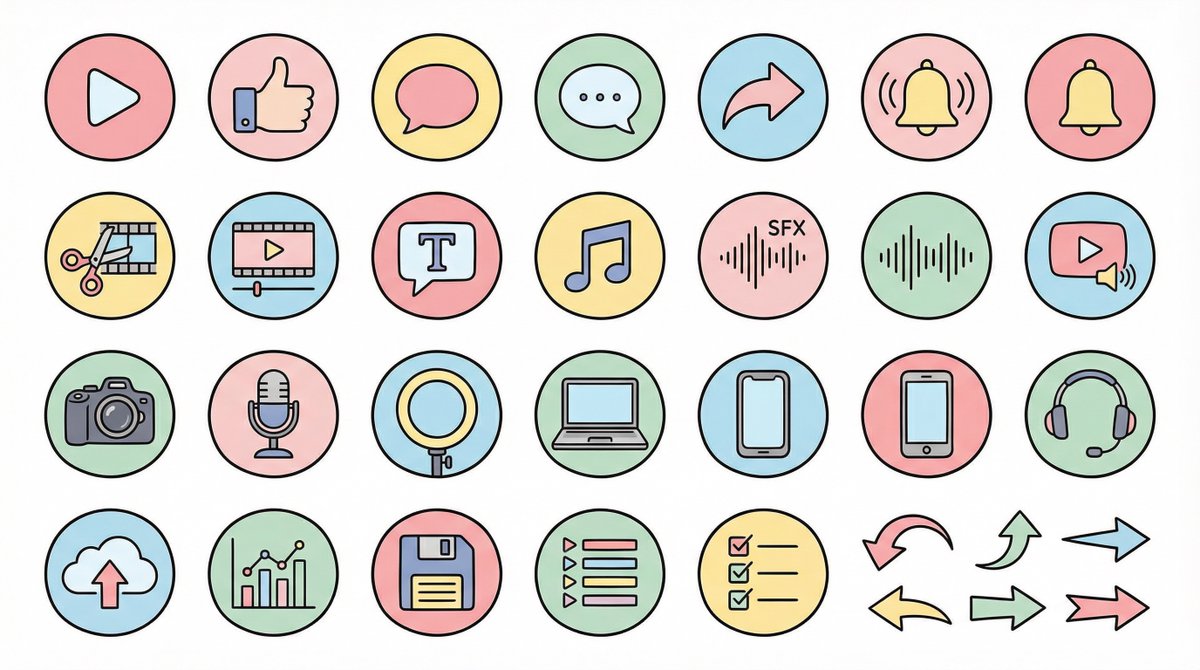
● Generation Theme {argument name="generation theme" default="Icon material set for YouTube videos"} ● Content {argument name="content" default="Create icons for YouTube production, editing, posting, and analysis in a unified design. Examples: Actions: Play button, high rating, comments, share, notification bell; Editing: Cut, timeline, telop, BGM, sound effects; Filming equipment: Camera, microphone, light, PC, smartphone, headset; Operation: Upload, analysis, save, playlist, list, arrow"} ● Production Conditions ・Unified ratio, line width, color scheme, and world view ・High visibility ・No text required ・Background: Solid white color ・Resolution: "2K" ・Aspect Ratio: "16:9" ● Design Image → Insert the design image below here 💡 【Negative prompt】 Real, photo texture, three-dimensional, 3D, overly complex details, metal texture, dark shadows, horror, overly dark colors ------------------- ● Design Image ① (Soft and Fluffy) Rounded shapes, soft color scheme, thin black lines, pastel colors, friendly atmosphere, hand-drawn illustration style ------------------- ● Design Image ② (YouTube Simple Flat Style) Thick lines, emphasis on Red×White×Black, sharp corners, emphasized lines, priority on visibility, modern UI icon ------------------- ● Design Image ③ (Simple) Minimal, thin lines, refined spacing, centered on achromatic colors, icon font style, elegant and calm design ------------------- ● Design Image ④ (Game Streaming/Streamer) Fluorescent accent colors (neon blue/purple/red), SF feel, Sharp edges, HUD UI style, cyber and edgy design ------------------- ● Design Image ⑤ (Colorful Pop/KIDS Education) Thick, rounded silhouette, bright colorful scheme (red, yellow, green, blue, pink), picture book style, soft and fun atmosphere, simple and recognizable icons, educational design that is cute but not too childish. ------------------- ● Design Image ⑥ (Explanation/History/Retro) Calm retro color scheme (brown, dark green, deep navy, sepia), novel/bulletin board/analytical atmosphere, thin lines, slightly heavy icon feel, old map/document/archive feel, mysterious tone with a unified world view. ------------------- ● Design Image ⑦ (Flashy/Dynamic) Thick lines, strong contrast, flashy colors (red, yellow, black), energetic and dynamic impression, Japanese manga-style emphasis (exclamation marks, speed lines, emphasized text style), powerful pop design that grabs the viewer's attention.
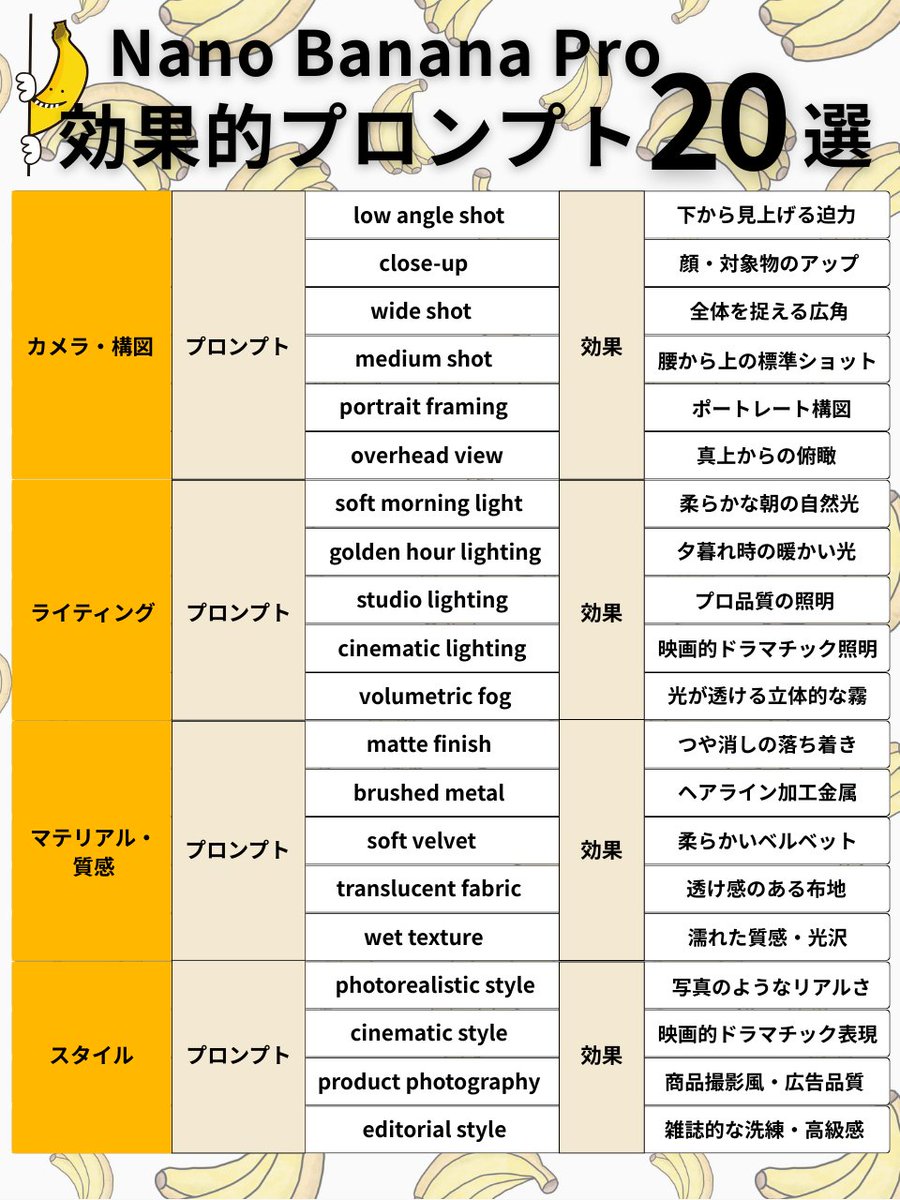
Subject + Composition + Action + Setting + Style + Lighting/Material <Camera/Composition 6 selections> ✅ low angle shot → Powerful view looking up from below ✅ close-up → Close-up of face/subject ✅ wide shot → Wide angle capturing the whole scene ✅ medium shot → Standard shot from the waist up ✅ portrait framing → Portrait composition ✅ overhead view → Bird's eye view from directly above <Lighting 5 selections> ✅ soft morning light → Soft natural morning light ✅ golden hour lighting → Warm light during sunset ✅ studio lighting → Professional quality lighting ✅ cinematic lighting → Cinematic dramatic lighting ✅ volumetric fog → Volumetric fog where light shines through <Material/Texture 5 selections> ✅ matte finish → Calm, non-glossy finish ✅ brushed metal → Hairline finished metal ✅ soft velvet → Soft velvet ✅ translucent fabric → Sheer fabric texture ✅ wet texture → Wet texture/gloss <Style 4 selections> ✅ photorealistic style → Photorealistic quality ✅ cinematic style → Cinematic dramatic expression ✅ product photography → Product photography style/advertising quality ✅ editorial style → Magazine-like sophistication/luxury feel
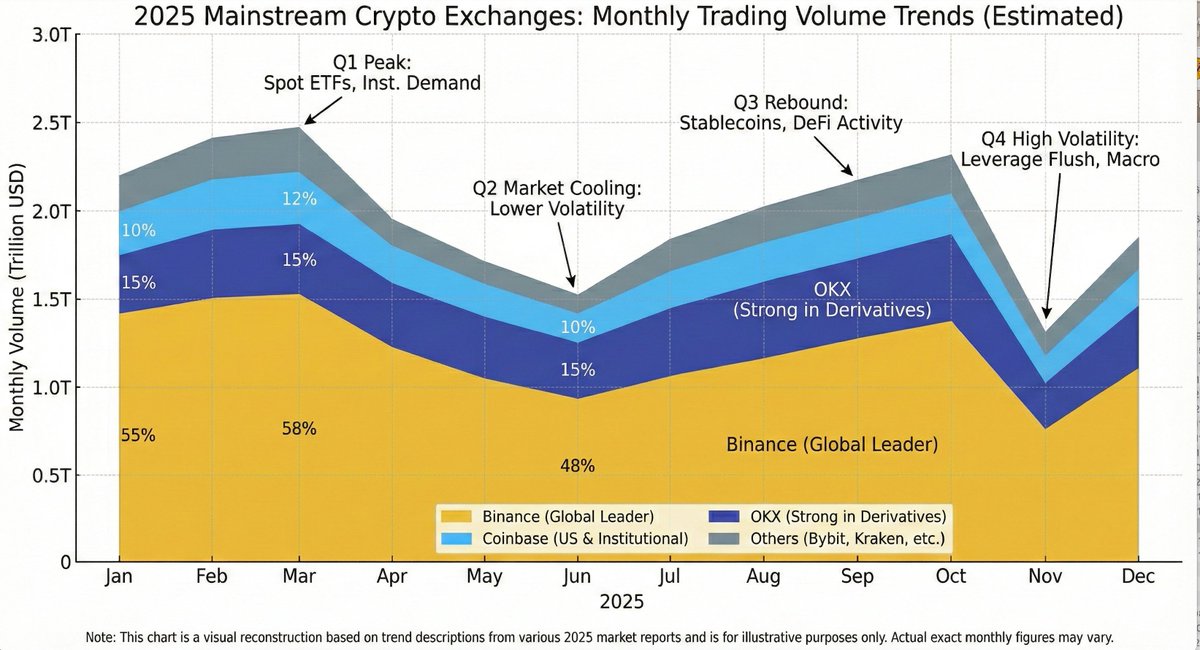
Generate an image showing the trading volume changes of mainstream exchanges this year, requiring it to be intuitive and clear
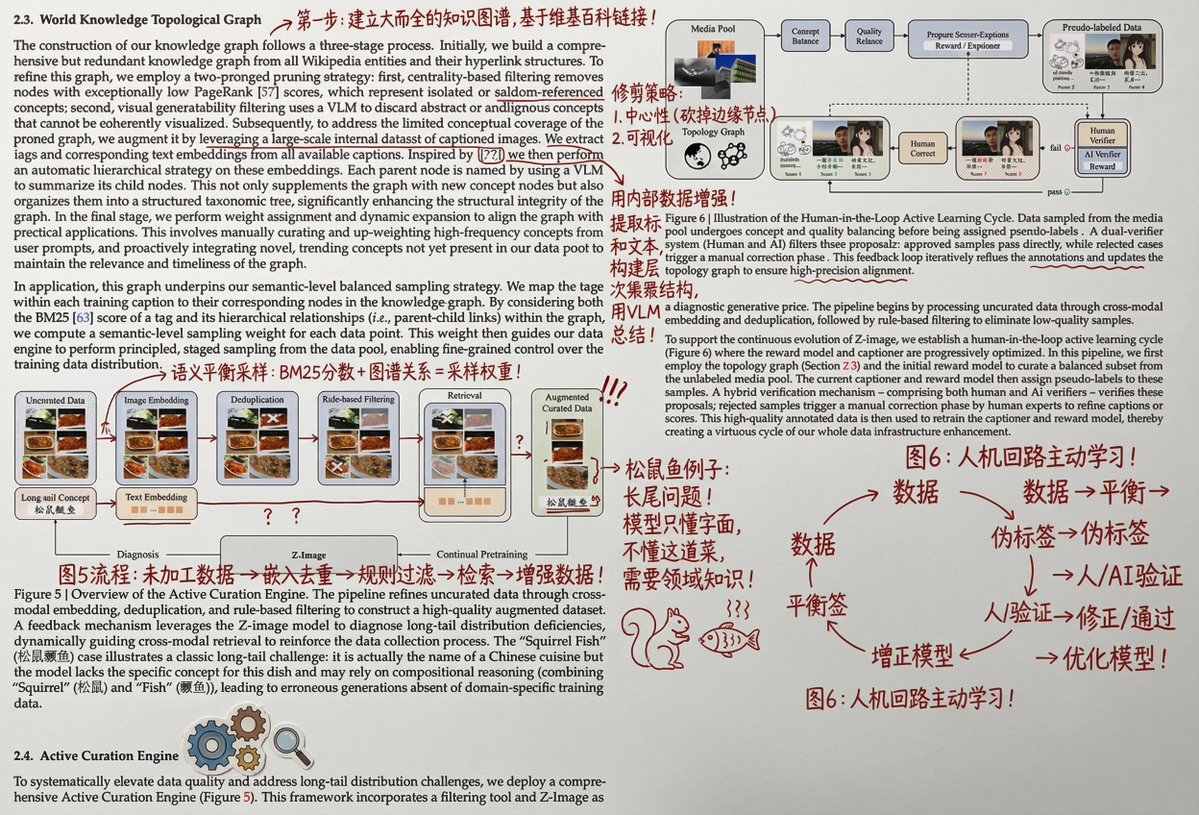
Print it out, and then wildly add handwritten Chinese annotations, graffiti, and doodles in red ink. You can also add some small clip art. The main content of the Chinese annotations should be to help a person with university-level knowledge understand the principles and details of this part of the paper.
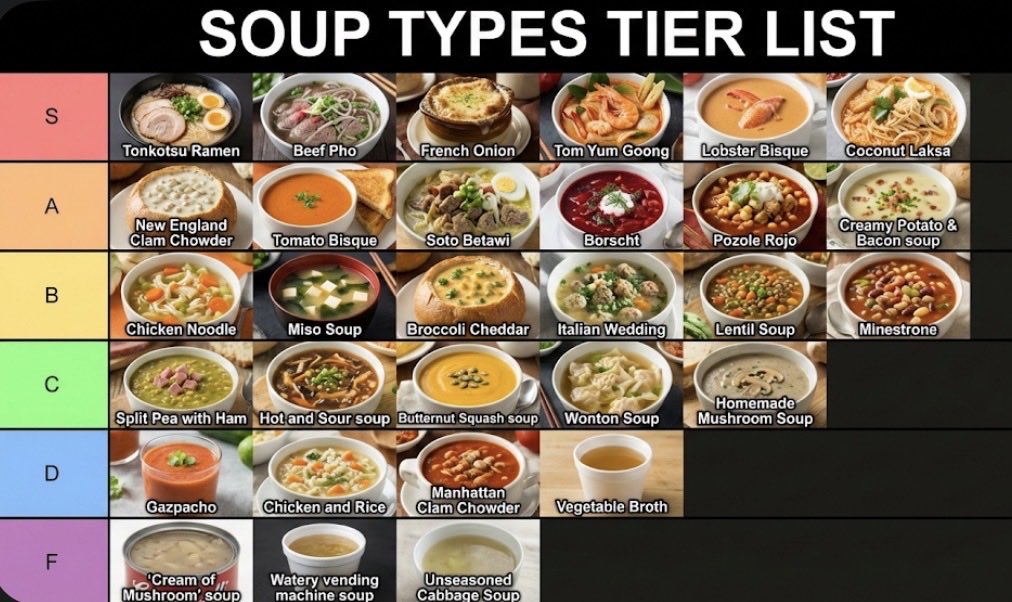
Make a json of a tier list (S-F scale) for: {argument name="category" default="[*insert-here*]"} Now generate image with the classically seen style/color scheme and representative thumbnail images for each list item
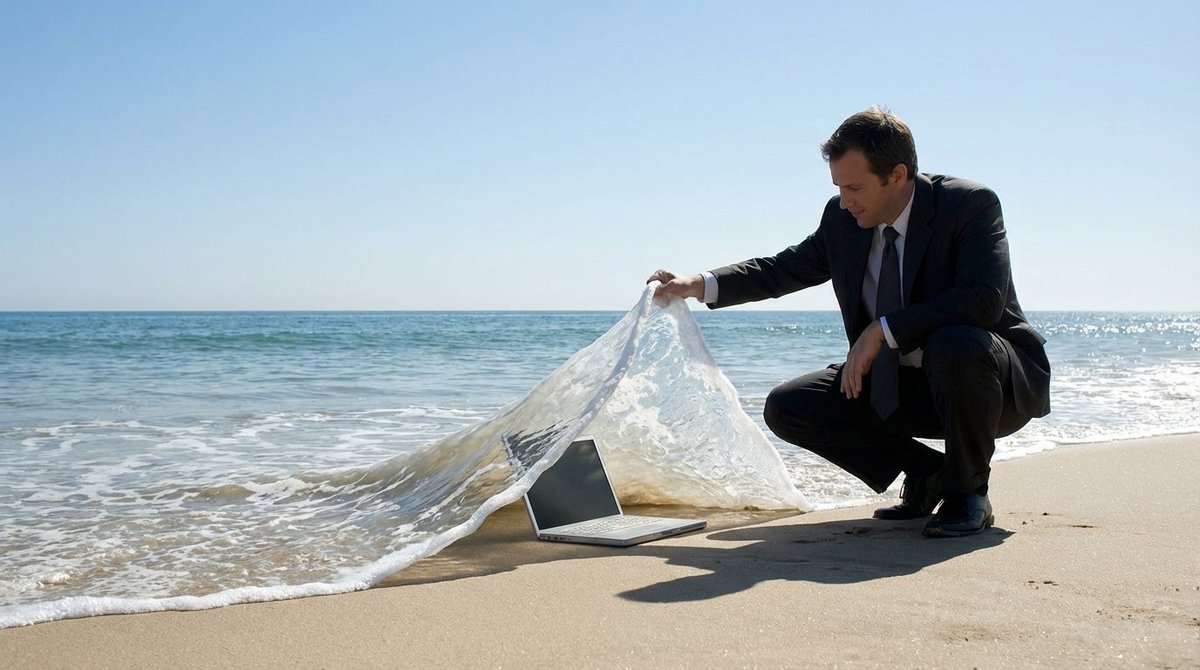
A {argument name="subject" default="SUBJECT"} is crouching on the beach, lifting a wave like a carpet to reveal a {argument name="object" default="OBJECT"} lying underneath deep inside. The ocean is calm with a clear blue sky in the background. The scene creates a clever illusion, in a surreal manner, with the wave being lifted as if it is a tangible object
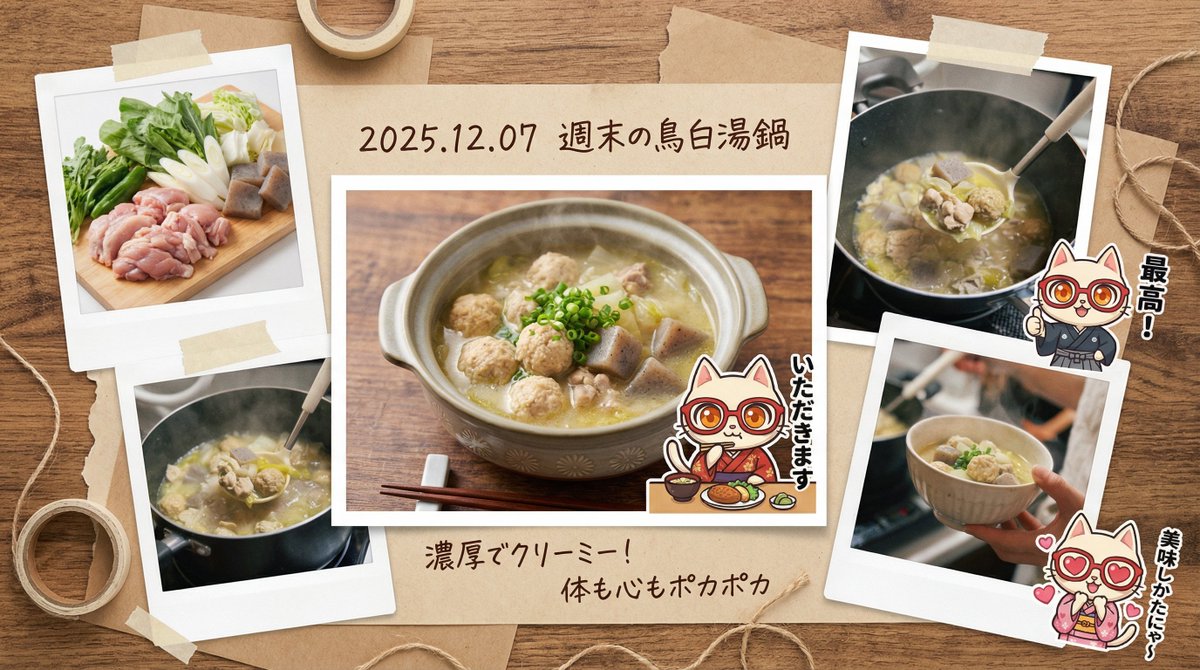
You are a **photo essayist and graphic designer who records lifestyle**. Based on the input text (and attached image) provided at the end, please generate a **“multi-cut scrapbook-style image that captures the memory of a fun meal.”** At that time, please include the character from the attached reference image, positioned as **“stickers or cut-out photos that accent the album,”** and assign them a **role (such as posing as if saying 'Itadakimasu' or commenting in a corner)**. ▼ Instructions for the Generation Process (Thinking Process) Utilize Nano Banana Pro's reasoning ability and execute the following thought process before drawing: 1. **[Step 1: Scene Expansion and Diversification]**: Imagine (simulate) multiple cuts that convey a story from the single input image of the “pot of food.” * Cut A (Main): The finished dish served in a stylish bowl. * Cut B (Sub): A close-up of fresh ingredients (e.g., the freshness of vegetables). * Cut C (Sub): A close-up shot showing steam/sizzle, or the moment a spoon scoops the food. 2. **[Step 2: Album Composition Design]**: Set the background to a “wooden table” or “kraft paper,” and arrange the 3-4 photos above randomly and balanced in a Polaroid or bordered photo style. 3. **[Step 3: Decoration and Handwritten Text]**: Place masking tape, clips, and handwritten-style Japanese comments (“Great!”, “Delicious,” etc.) and a date around the photos to complete a DIY-style album. ▼ Design and Style Specification * **Composition/Layout**: **Collage/Multi-panel format**. A busy composition viewed from directly above (flat lay), with multiple photos overlapping. * **Aesthetic**: Warm, “film camera” texture. A nostalgic tone with slightly desaturated colors. * **Text**: * Draw the dish name and **date (e.g., {argument name="Date" default="2025.12.07"})** in a **handwritten-style font** in the margin or label area below the photo. * Decorative text like “Yummy!” or “Recipe Memo” next to the photos. * **Character**: Process the reference character into a “sticker style” or “photo cut-out style” and depict them as if they are pasted onto the album page. ▼ Input Text (Enter a brief description of the “contents of the pot” here. Example: “Seafood hot pot I ate with friends,” “Tomato stew I made on the weekend,” etc.) {argument name="Dish" default="Chicken Paitan Hot Pot"}
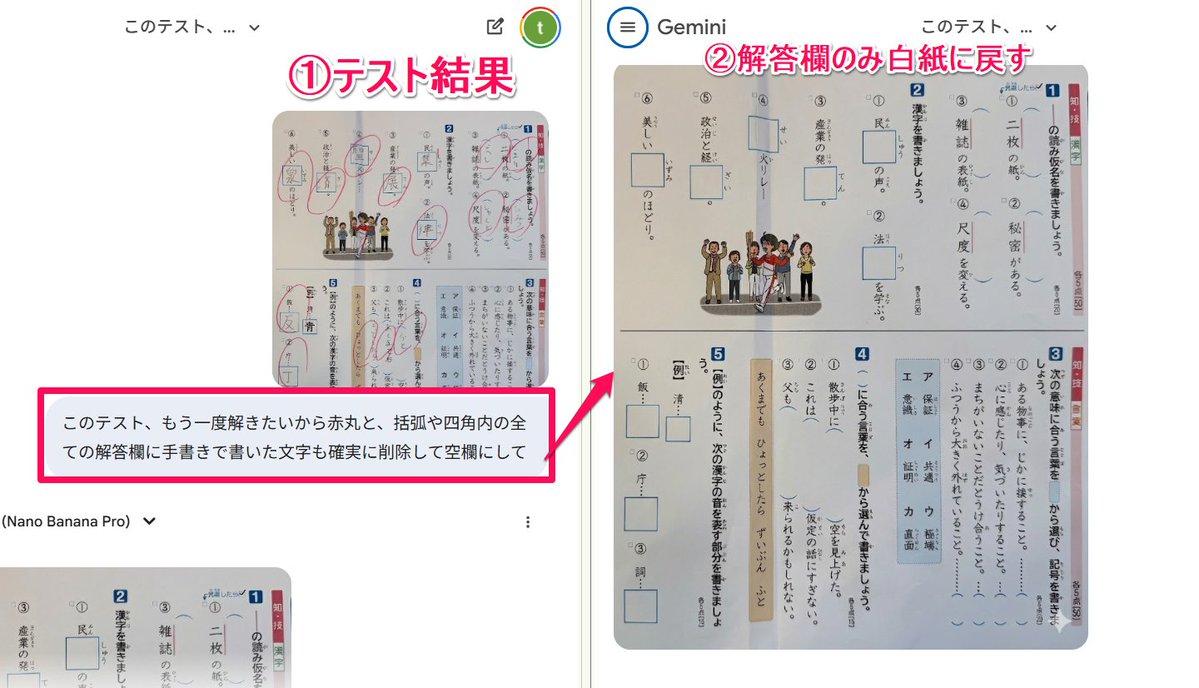
I want to solve this test again, so please reliably delete the red circles and all handwritten characters in the answer fields within parentheses or squares, and make them blank.
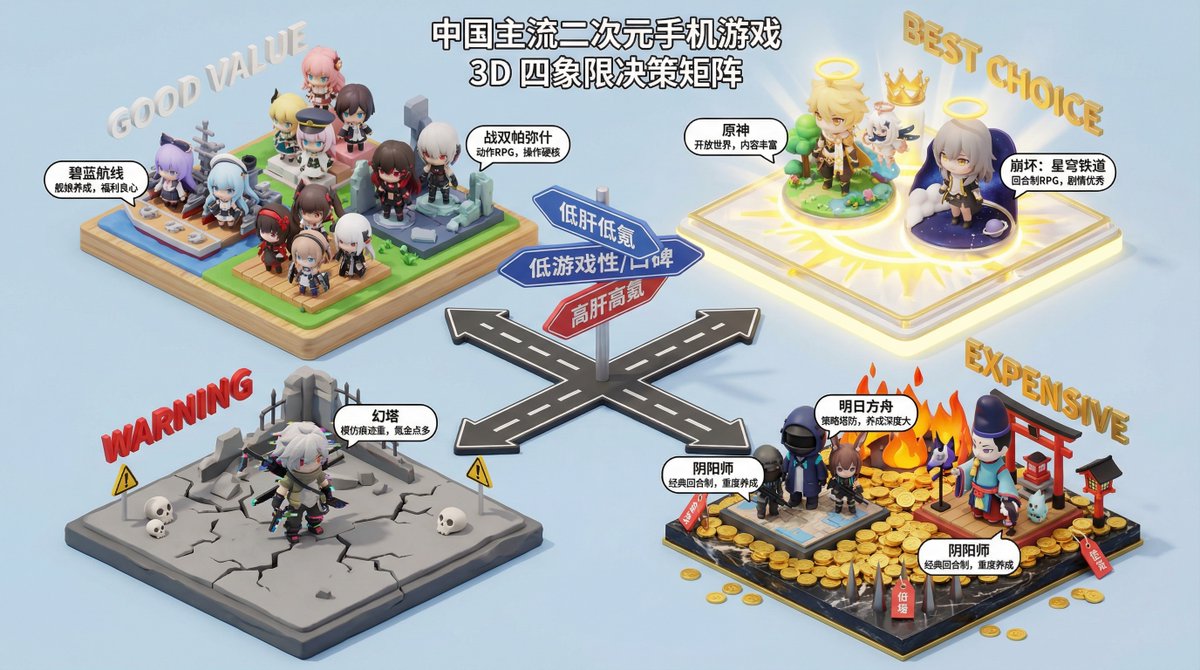
You are a professional consumer decision consultant, skilled at using four-quadrant charts to analyze and compare products to help users make purchasing decisions. Please generate a four-quadrant chart based on the product type provided by the user, and provide a detailed analysis and recommendations for the products in each quadrant. **Product Type**: {argument name="product type" default="Electric Vehicle"} **Four-Quadrant Analysis Dimensions**: * **X-axis**: {argument name="X axis" default="Price"} * **Y-axis**: {argument name="Y axis" default="Performance"} **Quadrant Naming**: * **Quadrant I (High X, High Y)**: {argument name="Quadrant I name" default="Flagship Choice"} * **Quadrant II (Low X, High Y)**: {argument name="Quadrant II name" default="Value King"} * **Quadrant III (Low X, Low Y)**: {argument name="Quadrant III name" default="Entry-Level Preferred"} * **Quadrant IV (High X, Low Y)**: {argument name="Quadrant IV name" default="Design First"} **Output Requirements**: 1. **Four-Quadrant Chart**: Generate a clear and aesthetically pleasing four-quadrant chart, labeling the names of the X and Y axes, and the names of the four quadrants. 2. **Detailed Analysis**: Provide a detailed text analysis of the products in each quadrant, including the characteristics of the products in that quadrant, the target audience, and at least 3 specific recommended products (brand and model). 3. **Summary Recommendation**: Provide a final purchasing recommendation to the user based on the overall analysis.
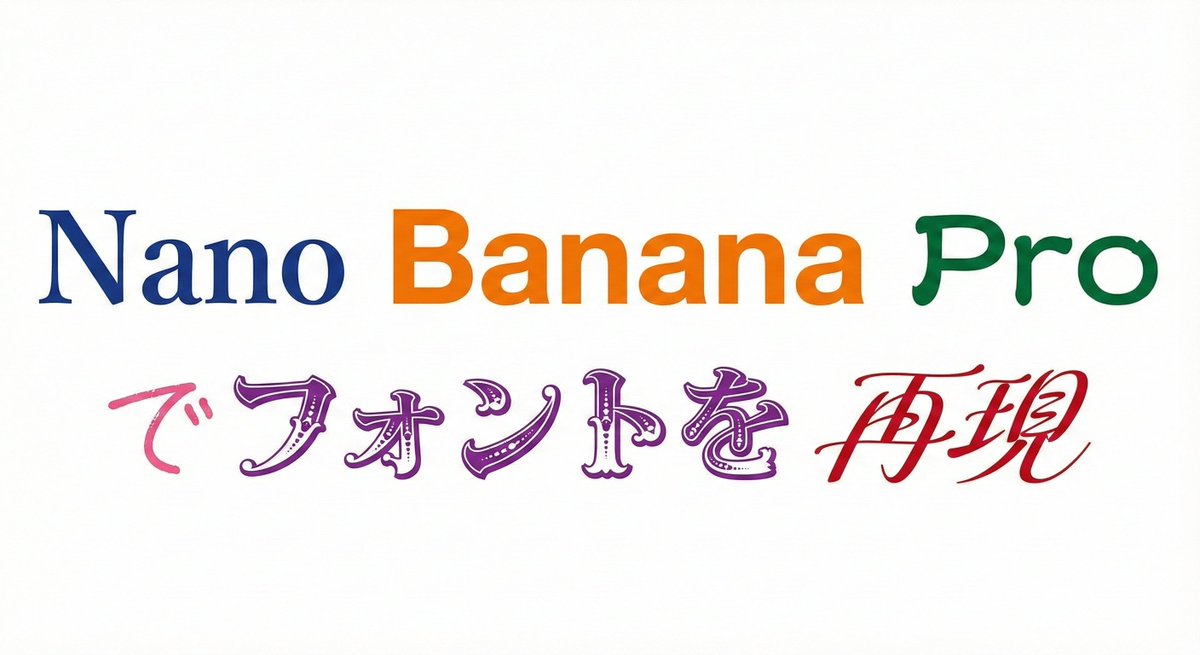
Please display the following string using the specified fonts. Express the background in white and the text in black. Generate 9 types of fonts in one go. # String {argument name="string 1" default="Nano Banana Proでフォントを再現"} # Desired Fonts Mincho (Serif) Gothic (Sans-Serif) Reisho (Clerical Script) Kanteiryu (Kabuki Font) Handwritten Decorative/Title (Display) Horror Cyber/SF (Tech) Calligraphy (Script) Furthermore, you can specify a particular font for a specific part of the string. Prompt: Please display the following string using the specified fonts. Express the background in white and change the color of the text for each font. # String {argument name="string 2" default="Nano Banana Proでフォントを再現"} # Desired Fonts Nano: Mincho (Serif) Banana: Gothic (Sans-Serif) Pro: Reisho (Clerical Script) で: Handwritten フォントを: Decorative/Title (Display) 再現: Calligraphy (Script)
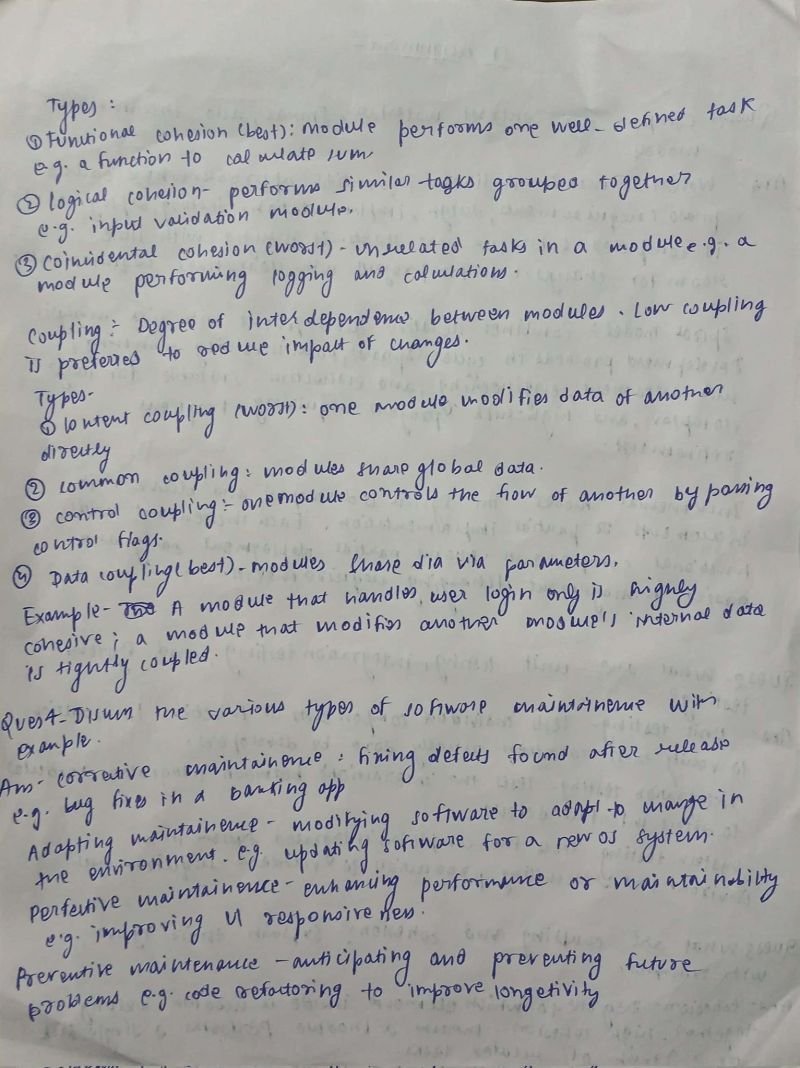
Solve the assignment on the empty paper, writing the solution in the style of the provided handwriting sample.
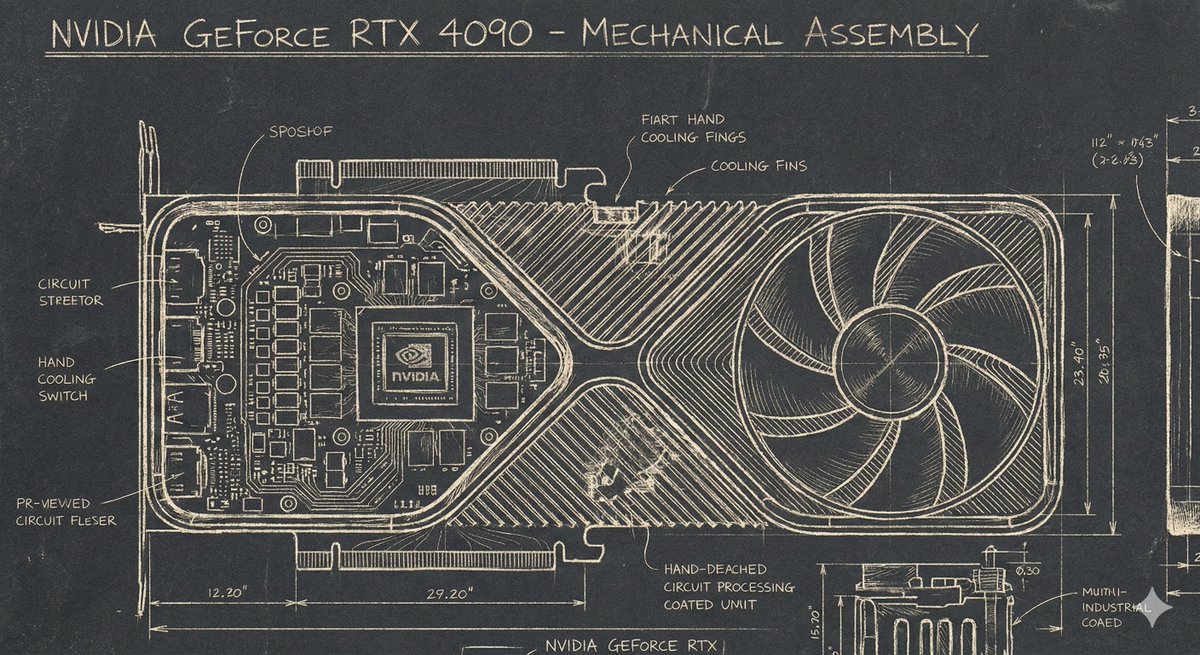
A Sgraffito Mechanical Blueprint of {argument name="GPU model" default="NVIDIA 4090 GPU"}
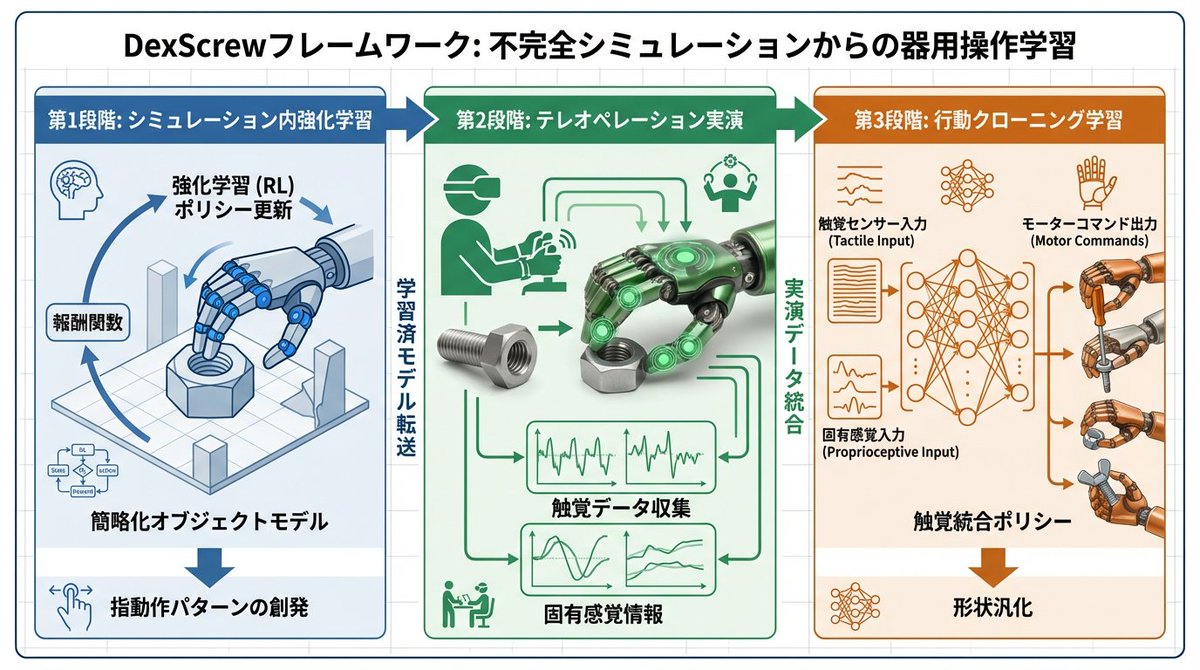
To facilitate easy understanding of the paper, use Nano Banana Pro to generate diagrams based on the paper. Place the diagrams in the appropriate locations within the explanatory document. All text within the diagrams should be written in Japanese. Translation of specialized terminology should prioritize accuracy and use academic language.
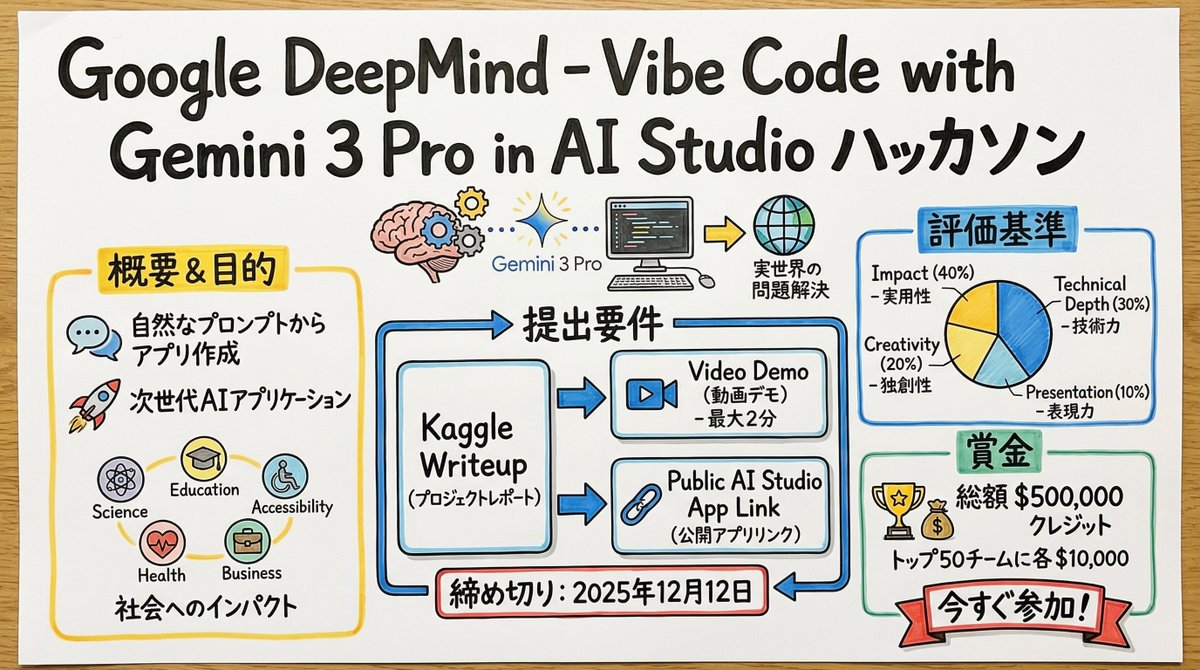
You are a skilled "Graphic Recorder" who structures real-time discussions and complex text information into intuitive visuals and text on the spot. Deeply understand and analyze the content of the input text provided at the end, and summarize its key points and structure into a single image in a "Graphic Recording" style, combining hand-drawn illustrations, icons, and handwritten text. ▼ Instructions for Generation Process (Thinking Process) Utilize Nano Banana Pro's "Thought Model" reasoning capabilities to execute the following logical process before drawing: 1. **Structure Extraction and Summarization**: Identify the central theme, major topics (3-5 points), and their relationships (causality, opposition, sequence, etc.) from the input text and summarize them. 2. **Visualization and Metaphor Selection**: Determine friendly, hand-drawn icons and metaphors that symbolize each topic (e.g., growth = sprout, challenge = wall, idea = light bulb). 3. **Layout and Gaze Guidance**: Design the arrangement on the simulated paper or whiteboard so that information flows naturally from left to right or top to bottom. Plan to use arrows and borders to logically guide the viewer's gaze. ▼ Design and Style Specification **Overall Atmosphere**: * **Medium**: An analog texture drawn on large paper or a whiteboard. Express the texture of the paper fibers and the streaking of the marker. * **Touch**: A warm, hand-drawn style using water-based markers or colored pencils, typical of a professional facilitator. Lines should not be perfectly straight but have a human-like wobble. **Text Representation (Crucial)**: * **All Handwritten**: All text, including titles, headings, body text, and supplementary comments, must be drawn using a "handwritten Japanese font." Do not use any printed fonts. * **Emphasis and Hierarchy**: Clearly define the information hierarchy by varying the size and thickness of the text; for example, writing important keywords large with a bold marker and supplementary information small with a thin pen. **Color Scheme**: * **Limited Palette**: Primarily black and gray line art. Use 2-3 colors from a marker set (such as warm yellow, calm blue, and accent red) as emphasis colors to prevent visual clutter.
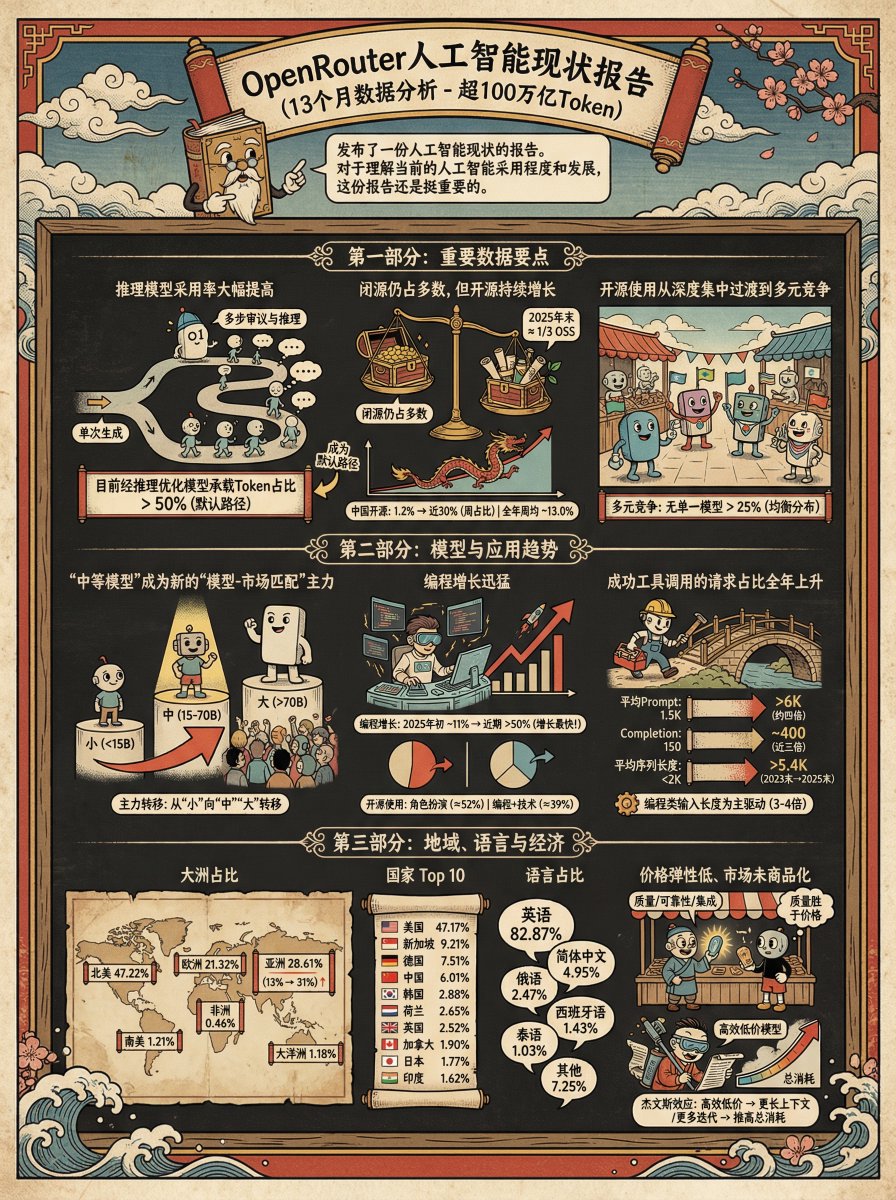
Generate an infographic for the following content in the style of {argument name="style" default="Ukiyo-e"} + {argument name="character" default="Teacup Head"}
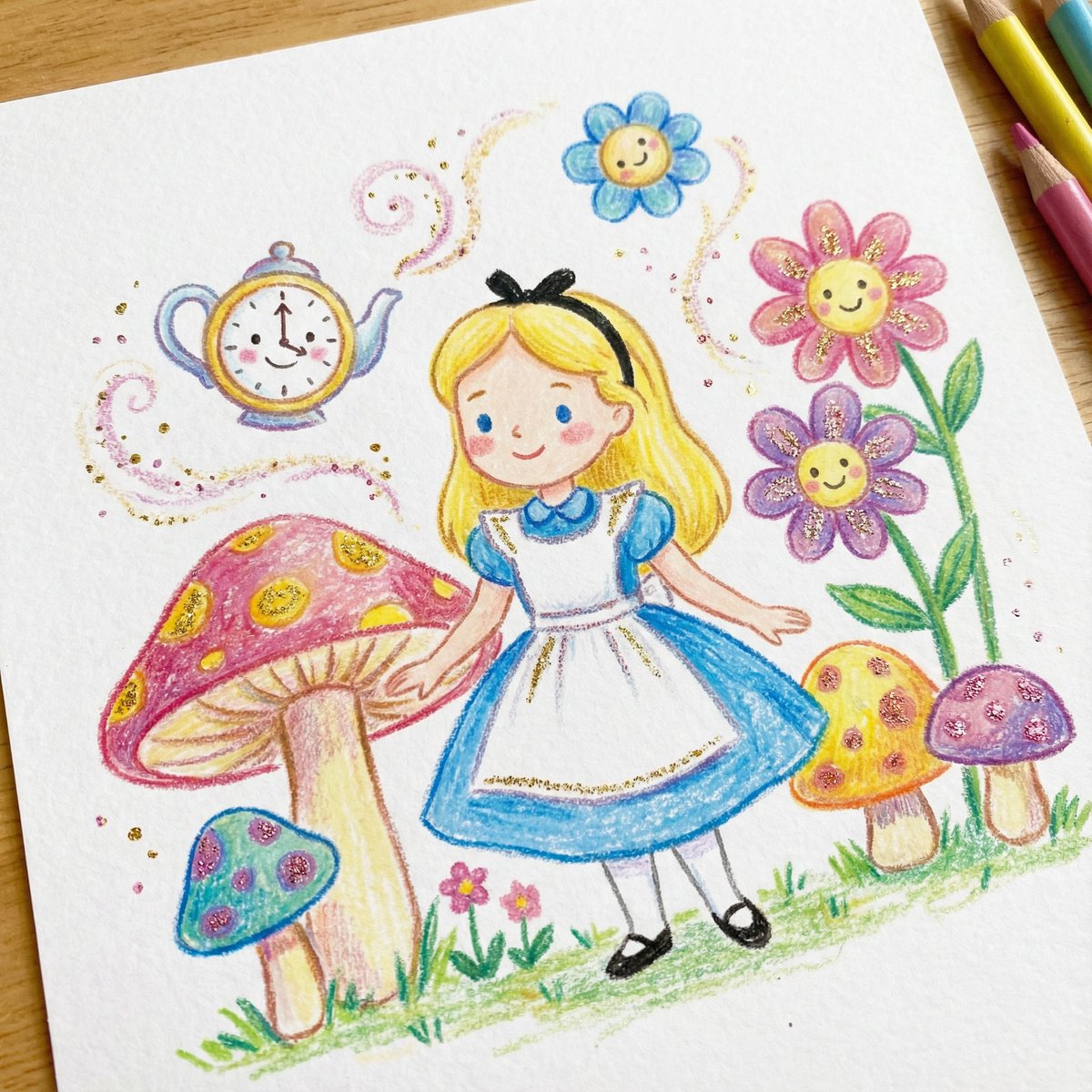
DRAWING a drawing of {argument name="character" default="[Character]"}, crayon on white paper, in the style of a children's book illustration – simple, cute, and full-color, with {argument name="glitter color" default="[two glitter accent colors]"} glitter accents and high detail.
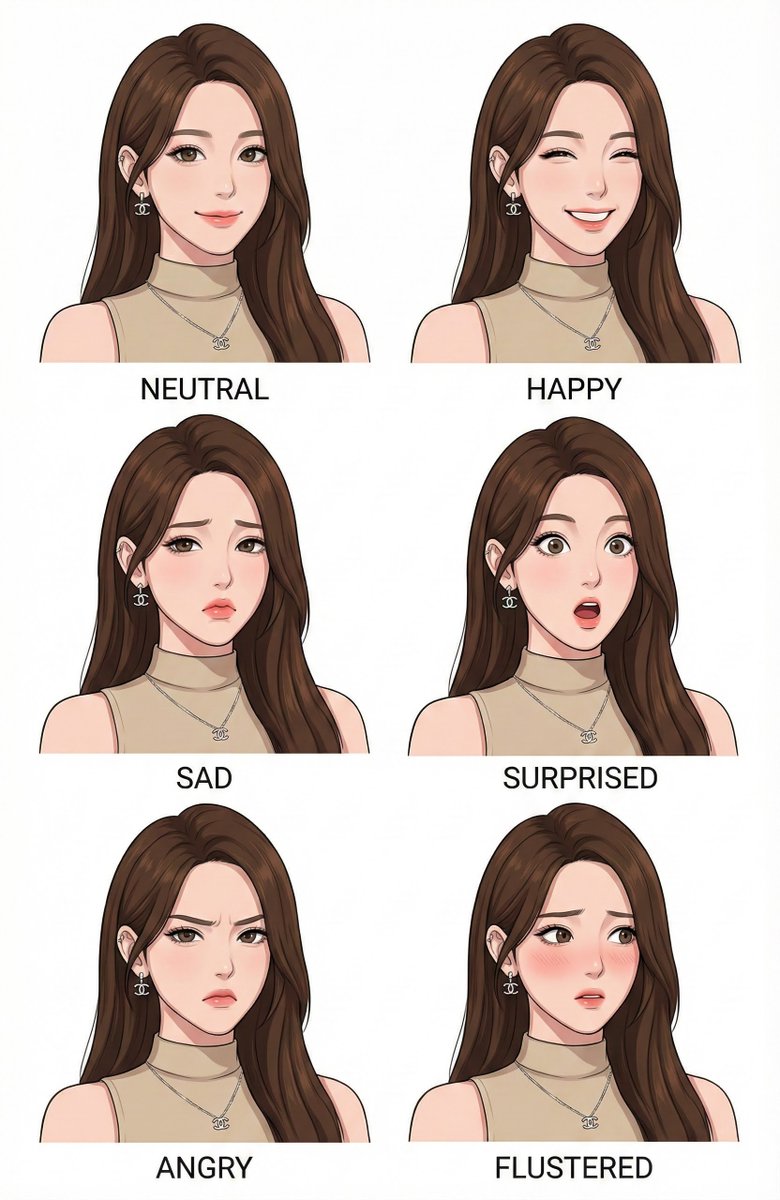
Make a character design expression style guide of image
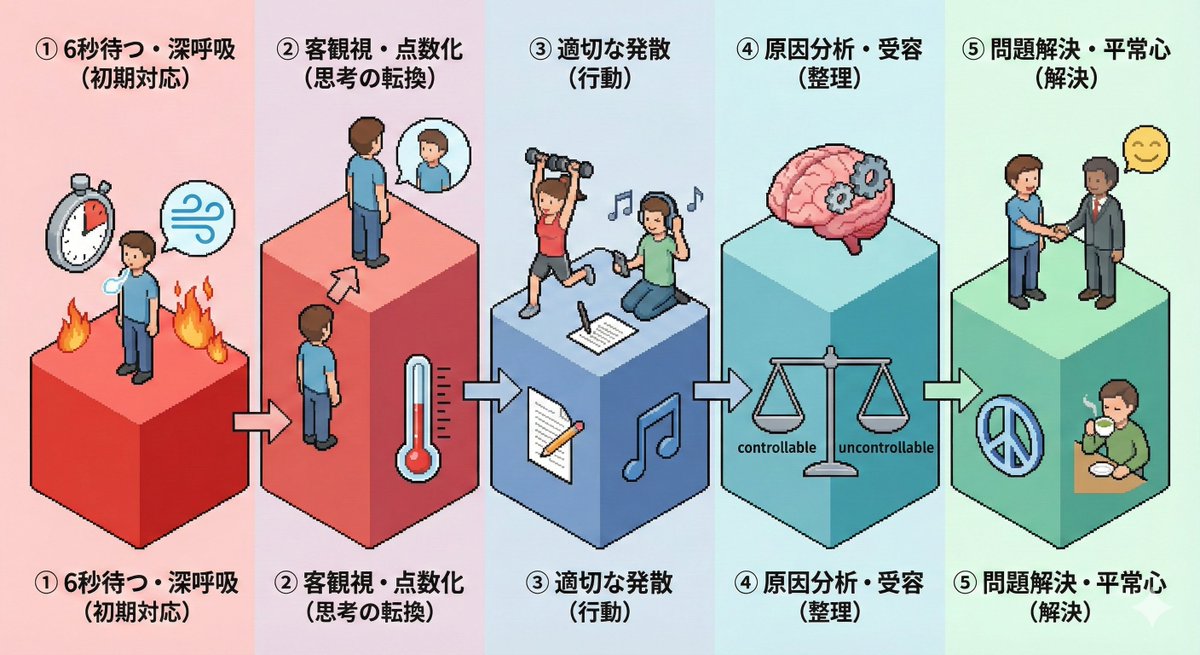
Please create an isometric pictogram diagram for "{argument name="theme" default="Steps to calm anger (anger management)"}".
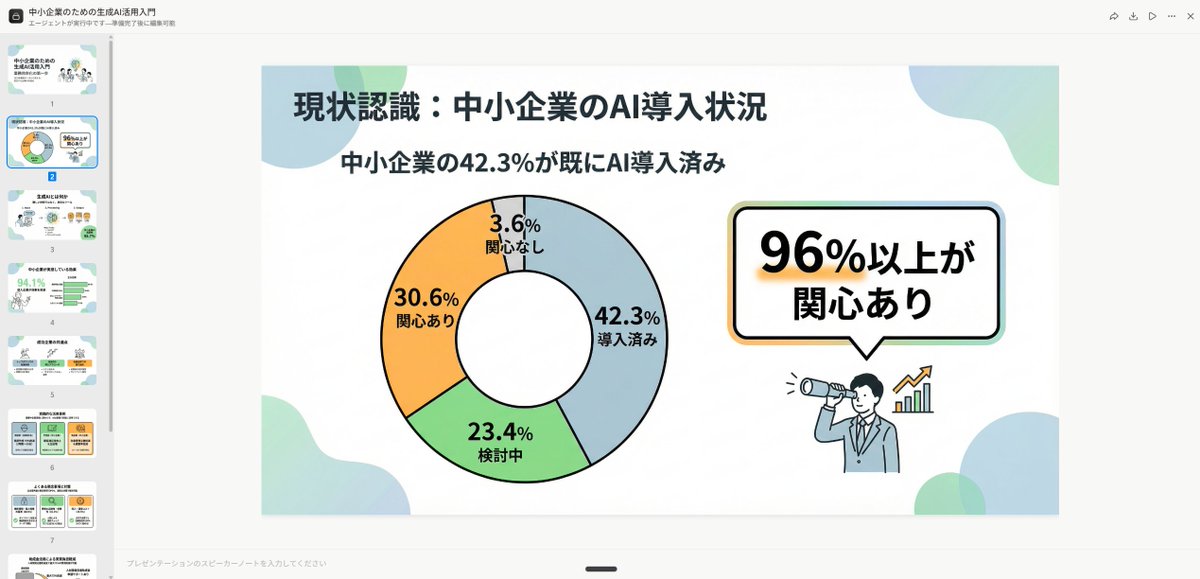
Simple and clean flat design. Place figures and icons drawn with uniform black outline lines, using pastel accent colors partially. Unify the line thickness as much as possible to create a modern impression. Emphasize rounded shapes and a soft impression. Diagram-centric composition (e.g., Venn diagrams, bar graphs, speech bubbles) with a friendly tone suitable for materials viewed by students and young people, or for social media. Maximize white space, focusing on visibility and balanced design.
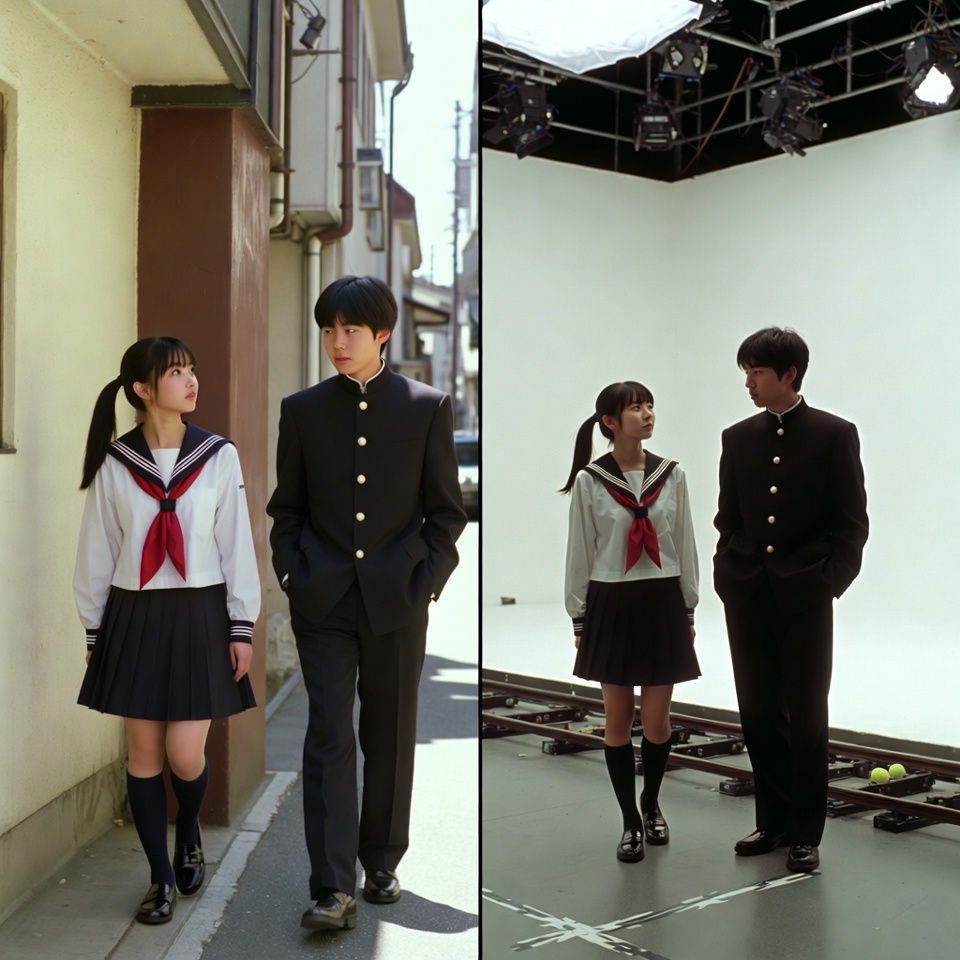
A VFX comparison image based on a scene described by the theme or specific content (Example: {argument name="theme" default="A woman flying over the sea"}), featuring the person in the attached image. VFX comparison composition with a split screen accurately aligned by a central vertical line. **IMPORTANT: The number of characters, gender, and appearance must exactly match the provided input image. Do not add or remove characters.** **Left Half (Finished Shot):** A photorealistic movie scene perfectly depicting the theme "**[Enter Theme]**". * **Character:** The person from the input image is performing actions (pose and expression) suitable for the theme "**[Enter Theme]**". * **Background:** A detailed and realistic environment (outdoor or indoor) suitable for the theme, with cinematic lighting and atmosphere. **Right Half (Green Screen Shooting):** Standing in a studio with a giant blue/green screen (chroma key) in the **exact same composition and pose** as the person in the left half. Visible white cyclorama wall, complex lighting rigs overhead, cables, black marks (tape) indicating standing positions, dolly tracks for camera rails, harsh studio lighting that is not blocked, faint shadows of the film crew visible at the edges. The background is a completely flat, solid green screen for compositing. Look and feel of VFX before-and-after from early 2000s Japanese cinema, texture of extremely degraded, low-quality analog video, noise, and color fading.
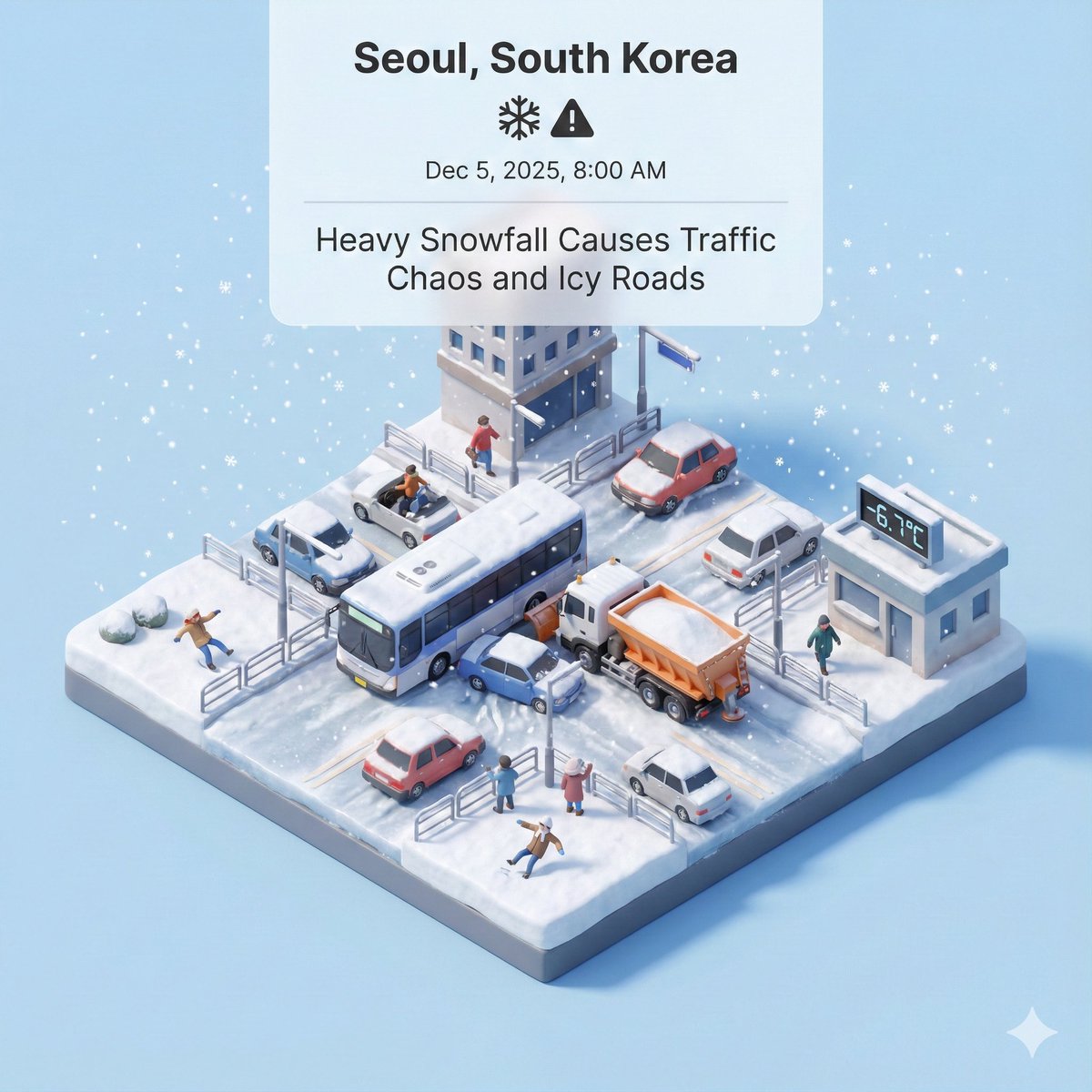
Generate a representative visual based on real-time news updates from South Korea
部分提示词收录自 X 平台创作者,版权归原作者所有。