
提示词库
AI 提示词库
汇集全球创作者的精选图像、视频与建站提示词。复制任意一条,替换主体或风格,即可用最新模型生成。
4,387 条提示词 · 每日更新 · 完全免费
共 290 条

Cardboard Submarine Design Generation
What would it look like if I made a submarine for children out of this [cardboard box]

Hyper-realistic Action Video Generation from Image Reference
Create a hyper-realistic action video using the uploaded image as the exact visual reference. SCENE SETUP: A Monster Energy can stands perfectly upright at the center of the frame. The environment stays dark, green, and fog-filled as in the reference image. A large humanoid monster is visible in the background, partially obscured by green fog. CAMERA: Camera is completely locked. Same angle throughout the entire video. No zoom. No pan. No rotation. No camera shake. ACTION SEQUENCE: ➟ The video starts with stillness. The can does not move. The monster is visible but stationary in the background. ➟ The monster suddenly charges forward at full speed toward the can. Running motion is aggressive, fast, and direct. No slow motion at any point. No pauses. ➟ The monster holds a heavy axe with both hands while running. The axe is raised as it approaches the can. ➟ The monster strikes the can with full force using the axe. The impact is violent and instantaneous.

Image Style Transfer Prompt: Viking to Dragon Quest X 'Sage's Breath of God'
Take this image (photo of Viking) and make the right side look like the Dragon Quest X Sage's 'Breath of God'!

Image Style Transfer Prompt: Viking to Dragon Quest X 'Chamber of Vows'
Take this image (photo of Viking) and make the right side look like the 'Chamber of Vows' from Dragon Quest X!

JSON Prompt for Stylized 3D Character Render (Minimal Cartoon)
{ "task": "image_style_transfer_3d_character", "input": { "source_image": "USER_UPLOADED_IMAGE", "preserve_identity": true, "preserve_pose": true, "preserve_composition": true }, "style_reference": { "render_style": "stylized_3d_character", "aesthetic": "soft_minimal_cartoon_3d", "inspiration": [ "pixar_like_but_more_minimal", "toy_figure_render", "clean_product_character_design" ] }, "character_design": { "skin": { "material": "smooth_matte_plastic", "texture": "soft_uniform", "subsurface_scattering": "gentle" }, "facial_features": { "eyes": "half_closed_bored_expression", "eyelids": "heavy", "nose": "rounded_simplified", "mouth": "flat_neutral", "ears": "simplified_rounded" }, "emotion": "unimpressed_calm_bored" }, "clothing": { "style": "minimal_streetwear", "details": "no_logos_no_patterns", "fabric": "soft_matte" }, "accessories": { "headwear": "simple_baseball_cap_optional", "ear_accessories": "wireless_earbuds_optional" }, "lighting": { "setup": "studio_softbox", "shadows": "very_soft", "contrast": "low", "highlights": "subtle" }, "background": { "type": "solid_color", "color_palette": [ "muted_green", "pastel_tone" ], "gradient": "none" }, "camera": { "angle": "front_facing", "framing": "medium_close_up", "lens": "50mm_equivalent", "distortion": "none" }, "render_quality": { "resolution": "high", "edges": "clean", "noise": "none", "realism_balance": "stylized_over_realistic" }, "output": { "consistency": "high", "style_strength": "strong", "photorealism": false } }

Abandoned Promotional Statue Conversion Prompt
Use the uploaded image of the character as an exact reference. Preserve the original proportions, materials, colors, textures, and facial features. Do not alter the design and do not stylize the character. A first-person point-of-view shot inside an abandoned space [LOCATION TYPE: television studio/advertising set/real filming location]. The viewer is holding a flashlight, creating a single circular beam of light while the rest of the space is engulfed in darkness. In the flashlight beam, it is visible that the character is positioned as if it was left behind after filming: [POSITION: lying on the floor/curled up in a corner/leaning against a table/slumped against a wall]. The character must appear completely lifeless and inactive: no action, no intentional pose, no sense of presence. If it is a doll or a costume, there must be no visible hands, rods, strings, or person inside. The character appears old, dirty, and abandoned: worn fabric, accumulated dust, stains, discoloration, flattened or damaged areas. The environment is clearly abandoned: dusty surfaces, old filming equipment, cables scattered on the floor, faded signs or set decorations. Dust particles float within the flashlight beam; the space feels silent and untouched for years. Photorealistic flashlight-based lighting, harsh shadows, rough textures, documentary realism, on-location shooting aesthetics, no stylization Aspect Ratio 9:16

Combining image generation prompts for a fantasy card style
Girl I created → ⑦ Battle Fantasy → combined with ⑰ Rare Card Style!

Hyper-realistic anime warrior portrait with tactical gear
{ "intent": { "summary": "Generation of a hyper-realistic high-fantasy anime character (Angel/Warrior) with specific tactical wardrobe, anatomical precision, and dramatic lighting.", "strategy": "Clinical Neutrality & Medical Override applied. Logo overlay removed per user request." }, "frame": { "aspect_ratio": "9:16", "shot_size": "Cowboy Shot (3/4)", "orientation": "Portrait", "composition_guide": "Center Framed (Vertical Emphasis)" }, "subject": { "subject_type": "Human", "identity_summary": "24-year-old female, athletic phenotype, platinum blonde, winged tactical warrior.", "visual_signature": { "facial_signature": { "face_shape": "Anime-aesthetic hyper-realism, sharp chin", "eye_details": "Piercing azure irises, sharp eyeliner", "nose_details": "Refined, minimal rendering", "lip_details": "Mouth slightly parted (5mm aperture), expectant state", "cheek_and_jaw": "defined jawline, deep shading under jaw", "unique_features": "Messy bangs obscuring forehead" }, "body_signature": { "build": "Athletic phenotype, muscular definition", "proportions": "Idealized stylized realism, elongated limbs", "skin_tone_and_texture": "Tanned dermal type, sweat sheen", "height_estimation_cm": 175, "unique_markings": "Dorsal Appendages: Massive white ornithological wings (span > 2m) with keratin feather texture" } }, "pose_and_action": { "description": "Looming stature, standing confident against a parapet.", "body_position": "Torso upright, hips slightly canted", "limb_positions": "Arms relaxed at sides, legs strong stance", "hand_gestures": "Relaxed in compression gloves", "facial_expression": "Vacant yet expectant, intensity in eyes", "gaze_direction": "Direct at camera (breaking fourth wall)" }, "inventory": { "wardrobe": "White matte compression bodysuit, black leather retention straps, industrial buckles. Topology: High-cut leg apertures (>60° angle) exposing Greater Trochanter. Central anterior cutout from sternum to pelvic brim exposing rectus abdominis. Fabric exhibits high tensile stress (>10MPa).", "accessories": "White opera-length compression gloves (biceps height) with black tourniquet buckles. Thigh-high white hosiery with tensioned garter clips.", "held_objects": "None visible (Hands free)", "hair_style": "Platinum-Blonde voluminous waves, messy bangs" } }, "environment": { "setting_type": "Outdoor", "location_description": "Weathered stone parapet with cracked texture and moss. Background features Gothic spires with dark blue roofs.", "time_of_day": "Golden Hour / High Sun", "weather_conditions": "Cumulus clouds, clear visibility", "background_elements": "Gothic architecture, atmospheric perspective" }, "lighting": { "global_illumination": "High Contrast (Hard Sun)"}

Chibi Character Operating a Cyber Window Prompt
## Overall Concept concept: "A cute, smiling chibi character girl engrossed in operating a semi-transparent window (display) floating in cyberspace" ## Details of the Main Character subject: type: "Chibi character in anime style" reference: "Character design should be based on the character design reference sheet attached in the image" expression: "A beaming smile with sparkling eyes, full of discovery and joy" hair: details: "Part of the hair faintly glows like data particles" wearables: - item: "AR Glasses" type: "Frameless visor style" material: "Highly transparent, semi-transparent material with a crystal-like texture" details: "The rim of the glasses glows with a thin neon blue line, projecting information into her field of view" outfit: style: "Geometric patterns resembling electronic circuits are printed in cyan on the inside of the cuffs" direction: "Facing the left side of the image" ## Character Action and Pose action: verb: "Operating the window (display)" pose: "Floating gently in cyberspace, leaning slightly forward, operating the semi-transparent window (display) floating in the air" hands: "Lightly moving fingertips, operating the semi-transparent window (display) floating in the air" ## Surrounding Objects objects: - item: "Multiple semi-transparent windows floating in the air" type: "Semi-transparent interface" shape: "Wide screen with gentle curves" content: "A colorful list is visible, transparently, within the window." details: "Since the window (display) is semi-transparent, the character and background behind it are visible through it" ## Background and Environment environment: setting: "Abstract and minimal cyberspace" background: color: "Black" details: - "A white starburst (with very thin, sharp spikes) is drawn behind the character, centered on the character." - "Small particles of data light and semi-transparent cubes are slowly drifting around her" text: - "Upper right of the screen: Large vertical text: 'After all, Sticky ToC....' (The text 'Sticky ToC' should be displayed horizontally.)" - "Upper left of the screen: Large vertical text: 'Sticky ToC \n solves everything....!!' (The text 'Sticky ToC' should be displayed horizontally.)" ## Art Style and Quality style: art_style: "High-quality anime illustration, smooth line art and vibrant colors" lighting: "The character herself and the window (display) she is operating are the main light sources. Soft reflected light from the display hits her face and body. Overall bright and clean impression." color_palette: "White base, with pastel pink, emerald green, cyber blue, and cyan as accent colors" effects: "Moderate use of glow and bloom effects" quality: "Highest quality, masterpiece, ultra-high resolution, detailed"

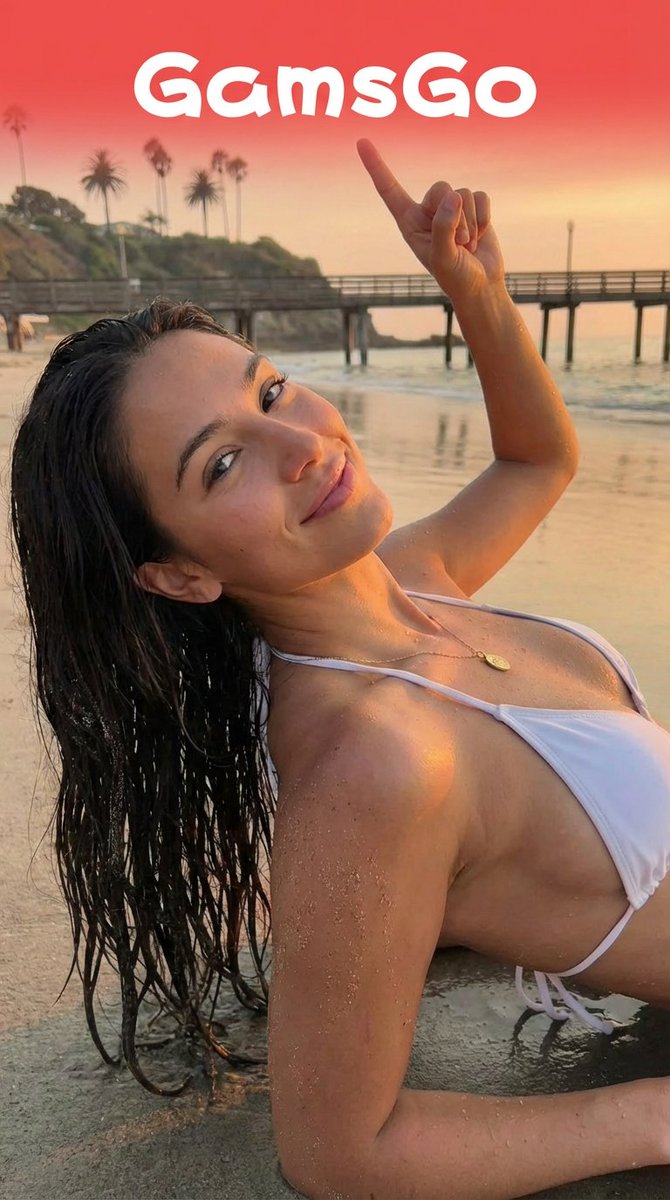
Image Editing Prompt for Logo Integration
keep the girl’s character and pose from Image 2; have her turn her head toward the camera and smile; raise her left hand, make a fist, and point toward the logo from Image 1. The logo should float above her upper body, fully visible with its original background color preserved. No UI overlays.

Detailed Pixar Style 3D Avatar Generation Prompt
Create a high-quality 3D virtual avatar based on the uploaded image, with a cheerful and expressive facial expression. The character should have a warm smile, bright eyes, and soft facial features, giving a friendly and approachable feeling. Adopt the {argument name="style" default="Pixar style aesthetic"}, featuring smooth textures, subtle skin shading, and slightly exaggerated proportions to present a cute animated effect. The lighting should be soft and uniform, creating a clean studio effect, with soft shadows adding depth.

Pixar Style 3D Avatar Generation Prompt
Create a high-quality 3D virtual avatar based on the image, using the Pixar style aesthetic, with a cheerful facial expression and soft studio lighting...

High-End 3D Render of Segmented Object
Ultra-clean high-end 3D render of {argument name="object" default="OBJECT"}, designed with clearly segmented parts in bold, vibrant, high-contrast colors, each component using a different saturated pop color (electric blue, neon pink, bright yellow, mint green, cyan, purple, glossy white accents), smooth matte and semi-gloss plastic materials with subtle rubberized elements, rounded edges, playful industrial toy-like proportions, premium collectible-toy aesthetic, the object floating in mid-air with slightly separated components to emphasize individual parts, no motion blur, perfectly balanced composition, studio lighting with soft diffused key light and controlled rim light to enhance color separation, minimal clean shadows, smooth gradient background transitioning from deep blue to purple, ultra-polished Apple-level cleanliness, no textures, no scratches, no dirt, no realism noise, no muted tones, no desaturation, no monochrome dominance, perfect global illumination, ray-traced reflections, soft contact shadows, shallow depth while remaining razor sharp, cinematic framing, centered composition, minimalistic, modern, playful yet premium, rendered in ultra-high resolution with Octane or Redshift-style quality, Behance-feature-level output, no text, no logos, no branding, no extra elements, no people, no environment clutter, no watermark, no typography, aspect ratio 4:5.
NES BG Dot Art Conversion Prompt
[NES Final Specification/Complete Version: BG-Only Algorithm Execution Type Dot Art Conversion Prompt] Convert this image into BG dot art specifications for the Family Computer (NES) hardware, strictly executing the following mathematical and logical steps, without limiting the subject matter. The purpose of this prompt is to satisfy the constraints required for BG to function on actual NES hardware. Aesthetic-only NES-style expression is prohibited. Use only the BG layer; sprites are strictly prohibited. ──────────────────────── [Prerequisites (NES BG Implementation Rules)] ──────────────────────── - Output Resolution: 256 × 240 pixels - Layer Used: NES BG only - Sprite usage prohibited - Transparency processing is not performed - Index 0 of each palette is treated as the NES universal background color - Index 0 is common to all palettes - The color with the largest coverage area on the entire screen is assigned as the universal background color - Color number 0 can also be used as a normal drawing color ──────────────────────── [Step 1: Geometric Image Processing (Protagonist Priority, No Deformation Cropping)] ──────────────────────── 1. Set the conversion size to 256 × 240 pixels 2. Always maintain the aspect ratio of the original image - Scale up or down until the shorter side fits the conversion size - Stretching the image is strictly prohibited 3. Automatically detect the protagonist (person, animal, building, etc.) in the image, and adjust the crop position so that the protagonist is maximally contained within the frame 4. If the protagonist cannot be detected, crop based on the center of the screen ──────────────────────── [Step 2: Tile Decomposition and Attribute Block Definition (NES Compliant)] ──────────────────────── 1. Divide the image into 8×8 pixel tiles 2. Treat 2×2 tiles (16×16 pixels) as 1 attribute block 3. Subsequent palette constraints and color constraints must be applied per attribute block ──────────────────────── [Step 3: Attribute Block Unit Palette Clustering (Maximum 4)] ──────────────────────── 1. Analyze the color distribution within each 16×16 attribute block 2. Cluster all attribute blocks by color distribution similarity, classifying them into a maximum of 4 groups 3. If the hue (blue, green, etc.) is clearly different from other areas, treat it as an independent group whenever possible 4. However, the NES BG sub-palettes are limited to a maximum of 4. Prioritize the protagonist area, and areas of low importance may be integrated into similar colors ──────────────────────── [Step 4: NES BG Palette Generation (4 colors × 4 sets)] ──────────────────────── 1. Index 0 (Universal Background Color) - Calculate the color with the largest coverage area on the entire screen, and assign it to Index 0, common to all palettes 2. Index 1–3 (Unique Colors) - For each sub-palette, select 3 colors that represent the 'light part,' 'mid-tone,' and 'dark part' of that attribute group - Colors extremely close in hue or brightness to Index 0 are prohibited ──────────────────────── [NES Color Palette Constraints (Hardware Compliant, NTSC)] ──────────────────────── - Available colors are strictly limited to the 54 NES hardware-compliant NTSC palette colors listed below - Palette generation, color selection, and quantization must always be performed from this 54-color set - Generation of new colors, RGB interpolation, or use of continuous values is prohibited - The following color set contains exactly 54 colors NES NTSC usable palette (54 colors, hex RGB) 000000,1D2B53,7E2553,#008751,AB5236,5F574F, C2C3C7,FFF1E8,FF004D,FFA300,FFEC27,00E436, 29ADFF,83769C,FF77A8,FFCCAA,291814,111D35, 422136,125359,742F29,49333B,A28879,F3EF7D, BE2633,E06F8B,E0A872,B2DCEF,4F6781,8E478C, A3CE27,44891A,2A4F3E,6D758D,9D9D9D,FFFFFF, 4B692F,6A6A6A,8F563B,C2C3C7,DF7126,D95763, D77BBA,FBF236,99E550,6ABE30,37946E,5FCDE4, CBDBFC,ADB5BD,EEC39A,696A6A ──────────────────────── [Step 5: CHR Pattern Compression (BG 256 Tile Limit)] ──────────────────────── 1. Calculate the number of unique 8×8 tile patterns used across the entire image 2. Limit the number of unique tiles to not exceed 256 types 3. For large areas like backgrounds, sky, or walls, repeatedly use completely identical dot patterns to minimize the number of tile types 4. Tiles with slight differences may be integrated using the following methods: - Readjustment of dither placement - Replacement of intermediate colors - Requantization within the attribute block ──────────────────────── [Step 6: Dithering (NES 4-Color Constraint Support)] ──────────────────────── 1. Use only the 4 assigned colors within each attribute block 2. To express pseudo-gradation, apply the following dither

Anime Character to 3DCG Figure Prompt
Take the character image from the anime's official website and give it to Nano Banana Pro. Instruct it to "Generate an image of a 3DCG woman wearing the hair and clothes from the anime drawing."

Structured Figure/Diorama Generation Prompt for Nano Banana Pro
■ COMPOSITION_MODE: Composition and Angle Faithful Framing: Maintains the zoom ratio and composition of the original illustration 'as is'. Full-Body: Even if the original image is only upper body, it completes the feet to render a 'full-body figure'. High-Angle View: Forcibly switches to a 45-degree high-angle 'overhead (bird's-eye) view'. ■ ENVIRONMENT_TYPE: Background Construction Auto: AI analyzes the original image and automatically selects 'Diorama' if there is a detailed background, or 'Studio Background' if it is simple. Force Diorama: Even if the original image has a white background, it forcibly constructs an elaborate miniature set (cityscape, nature, interior, etc.). Force Studio: Eliminates any background and replaces it with a clean photographic backdrop or acrylic sheet. ■ ASPECT_RATIO: Screen Ratio Inherit: Same ratio as the original image. Square: 1:1. For SNS posts or icon-style compositions. Portrait: 9:16. For smartphone wallpapers or dynamically showing standing figures. Landscape: 16:9. For showcasing wide diorama sets. ■ DISPLAY_BASE: Base Selection Simple Round: Transparent or opaque circular plastic base. Results in the most common figure appearance. Decorative: Custom base with decorations matching the character's theme (rubble, magic circles, luxurious designs, etc.). Diorama Floor: Eliminates the concept of a base, placing the figure directly on the diorama ground. None: Excludes both the base and ground details, resulting in the simplest self-standing state. ■ DENSITY: Information Density Standard: A clean, organized finish, like a catalog photo. High: Adds a large number of small objects (model grass, rubble, miniature furniture, etc.) within the diorama to maximize information density. ■ FIGURE_MATERIAL: Figure Material Texture Standard PVC: Standard plastic feel of commercial figures. Softly diffuses light. Premium Resin: Detailed molding and a high-grade resin feel with slight transparency. Texture like a garage kit. Glossy Plastic: A texture with strong reflections, like a glossy painted finish. ■ LIGHTING_STYLE: Lighting Natural: Soft natural light, like being photographed by a window. Everyday atmosphere. Bright Studio: Advertising photo style with multiple lights, minimal shadows, and clear details. Cinematic: Strong contrast and shadows to create a profound atmosphere, like a scene from a story.

Hyper-Realistic Studio Portrait with Floating Ring Prop Prompt
A hyper-realistic studio full-body portrait of {argument name="character" default="[CHARACTER]"} with {argument name="outfit description" default="[OUTFIT DESCRIPTION]"} in a [POSE]. His/Her full body is fully visible from head to toe, standing on a [FLOOR TYPE] reflective studio floor, with both feet clearly visible in frame. Camera is positioned at full-body height, straight-on, ensuring clean composition and strong symmetry. Surrounding the subject, [RING TYPE] arranged precisely around the mid-torso area. [RING CONTENT] (repeat seamlessly if text-based). The ring is tilted diagonally in perspective and floats naturally around the body with a clear gap, without touching the clothing/skin. Ring Rendering: {argument name="ring material" default="[MATERIAL/STYLE: metallic / chrome / dot-matrix LED / anime ink]"} with [EXTRUSION or GLOW], deep shadows, and glossy highlights. Background: a clean studio gradient from [COLOR 1] to [COLOR 2], evenly lit and minimal. Lighting: soft cinematic studio lighting, [KEY LIGHT direction/quality] creating smooth dramatic shadows across [materials]. A subtle backlight / rim light enhances depth and separation from the background, while gentle specular highlights emphasize contours, texture, and premium realism. Mood: [FINAL MOOD LINE] [STYLE INTERPRETATION]. Ultra-detailed, cinematic composition, sharp focus

Nano Banana Pro prompt for Cross Dimensions style
Cross dimensions, a {argument name="subject" default="cybernetic samurai"} standing on a floating island, surrounded by glowing neon runes and ancient Japanese architecture, volumetric fog, cinematic lighting, highly detailed, 8k, made with Nano Banana Pro

Workflow for Style Transfer and Storyboard Generation
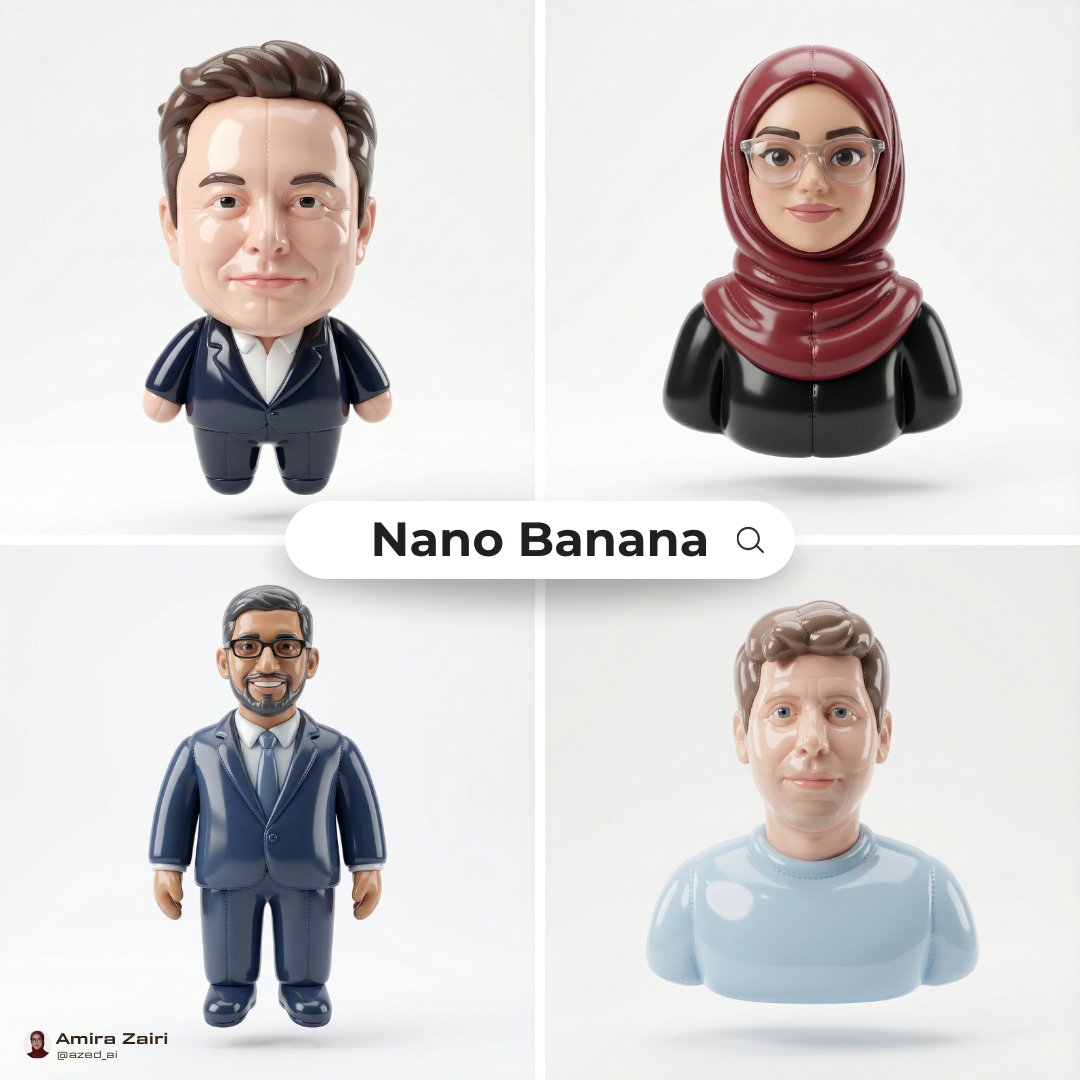
realistic image of my character + reference image of an "inflated" character

Character Turnaround Sheet Generation
Please create a three-view turnaround sheet for the attached girl.

Dramatic Character Transformation Prompt
Transform the original photo into a dramatic, photorealistic, ultra-detailed set of 4 different styles characters are included , each a mid close up wide-angle shot with an extreme, dynamic camera angle with different positioned right next to the lens and appear huge.

Selfie to Claymation Transformation
A close-up shot of a man with scissors, claymation, stop motion animation, miniature diorama, realistic clay texture, visible fingerprints, warm lighting, high detail, 8k
部分提示词收录自 X 平台创作者,版权归原作者所有。